In field services, efficiently scheduling crew members is what drives productivity and profitability. Scheduling errors, delayed information, or missed updates can turn a simple install into a costly nightmare. That’s why having reliable installation scheduling software matters: it helps you weigh every factor and make the most efficient decisions when assigning jobs.
The need: Installation and field service teams need a way to juggle skill matching, shared equipment, multi-crew coordination, and last-minute changes without relying on spreadsheets or getting locked into rigid software.
The Teamup solution: Teamup combines color-coded sub-calendars, custom fields, and flexible views like Scheduler and Timeline, giving installation crews a single, adaptable system for day-to-day scheduling.
Challenges with installation scheduling
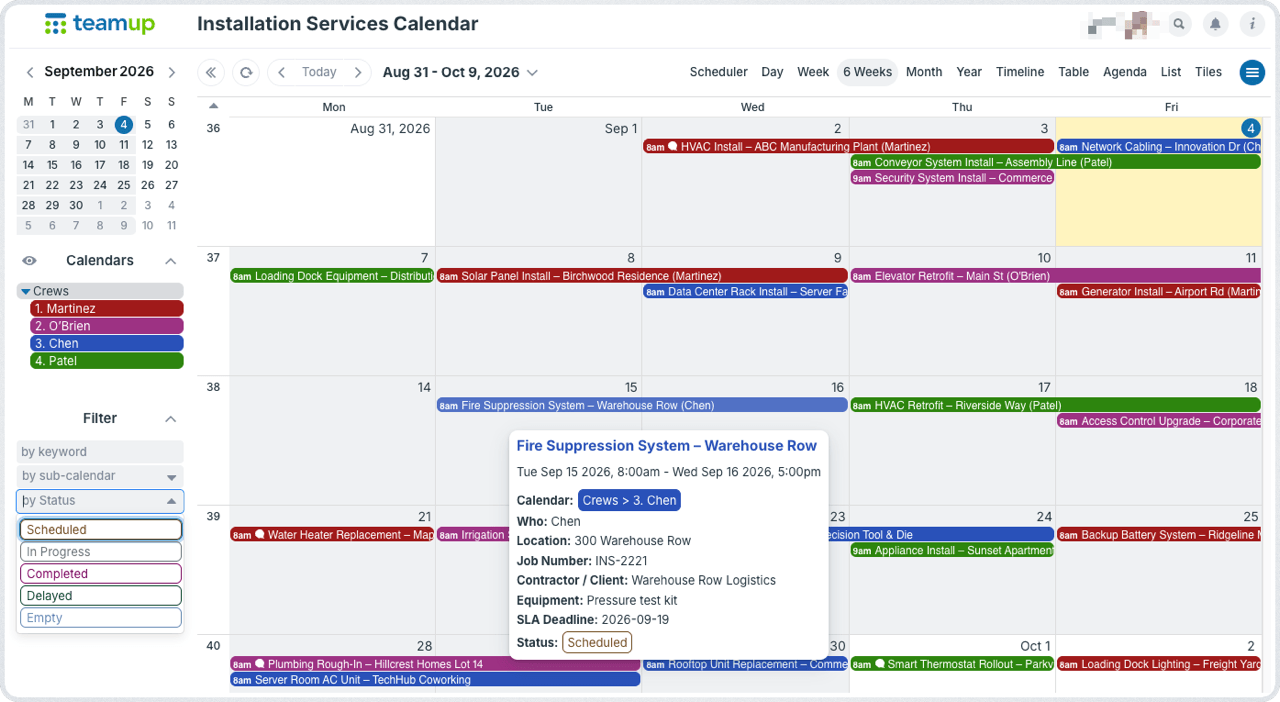
Click to enlarge: Color-coded sub-calendars make it easy to see which crew is booked where.
Whether your installation crew is one department in a larger company or you’re contracting professional install services out to other businesses, the role of scheduling cannot be overstated. Poor scheduling can lead to all sorts of problems: lost time, unhappy customers, wasted resources, frustrated techs, and lower profitability. But installation scheduling isn’t as simple as assigning a shift to a crew member.
Top 10 challenges with installation services scheduling
- Skill matching: Assigning people with the right skill sets and current certifications to each installation job, without risking compliance issues.
- Resource allocation: Assigning shared fleet vehicles or specialized equipment where they’re needed most, without scheduling conflicts.
- Complex schedules: Coordinating multiple installations at once, where a delayed delivery or a sick call can mean reworking an entire day’s schedule.
- Unforeseen delays: Equipment failure, weather conditions, or client-related delays that disrupt a carefully planned calendar.
- Geographic constraints: Getting the right crew to the right job site, at the right time, by the most efficient route.
- Customer availability: Coordinating around the schedules of the people on both ends of the job, not just the crew.
- Real-world visibility: Real-time updates and schedule visibility for each technician, backed by clear documentation of completed work.
- Reliable documentation: Accurate job site addresses, plus photos, notes, and signed work orders for every completed install.
- Competing demands: Balancing fleet maintenance, new contractor requests, crew call-offs, and material delays across scheduling for multiple job sites.
- Agreement adherence: Meeting service level agreements (SLAs) and promised timelines despite all of the above.
The installation scheduling software trade-off
Scheduling software for installation services tends to fall into two categories: free but limited tools like spreadsheets, or specialized software built for the job that comes at a real cost.
Spreadsheets can be flexible, but they get frustrating to manage as job volume grows. The more you scale, the more difficult it is to keep spreadsheets updated and usable.
Specialized installation scheduling software is the other option. It fits the workflow closely, but it tends to be costly, slow to implement, and rigid once it’s in place. That trade-off shows up across most field service scheduling software: budget-friendly tools provide only limited functionality, and can’t grow with the business. But industry-specific software, with more built-in structure, allows less flexibility and has a much higher price tag.
Teamup is neither a spreadsheet nor an industry-specific scheduling software. With functionality from both, it’s a lot more than a calendar. Many folks in field services find it’s a great fit for their needs in services scheduling software.
How Teamup works for professional installers
Here’s a look at how Teamup can be used as job scheduling software for installers, handling all the factors that go into installation services scheduling.
Visual scheduling with complete job details
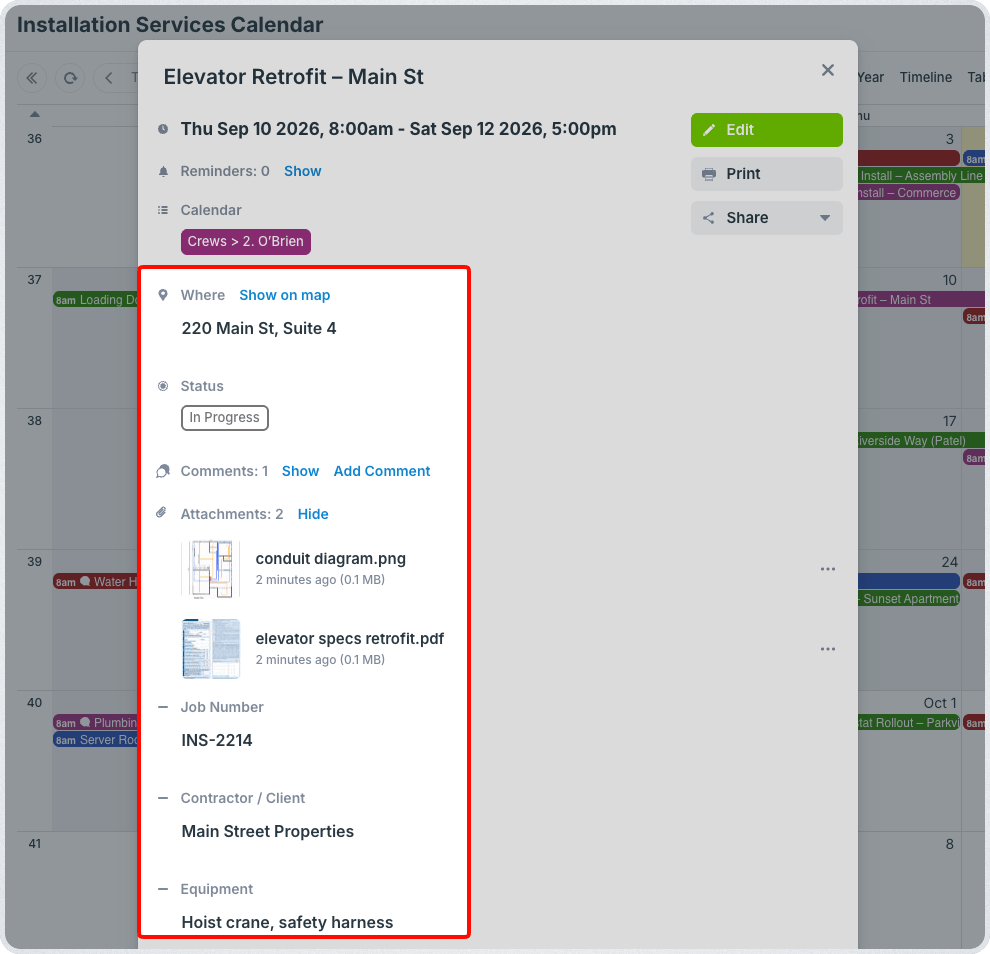
Click to enlarge: File attachments, custom fields, and comments keep every job detail attached to the job, not buried in a separate file or message.
- Color-coded calendars in folders: Organize sub-calendars in folders and use color-coding for quick visual cues.
- Custom fields to capture all the details: Add custom event fields to keep all job details with the job.
- File uploads for all job materials: Attach PDFs, work orders, reference images, service agreements, receipts, etc.
Filtering with powerful calendar views
- Filter jobs: Entering the job in the calendar is just where the work starts. Use built-in filters to quickly pull up relevant jobs by assigned crew, by the requesting contractor, by the location, job number, keyword, or a combination of factors.
- Calendar views: Table view shows jobs in a spreadsheet-like format. There’s an adjustable Year view for long-range review or scheduling. Try Scheduler for side-by-side availability or Timeline for project planning.
Secure customized access and mobile apps
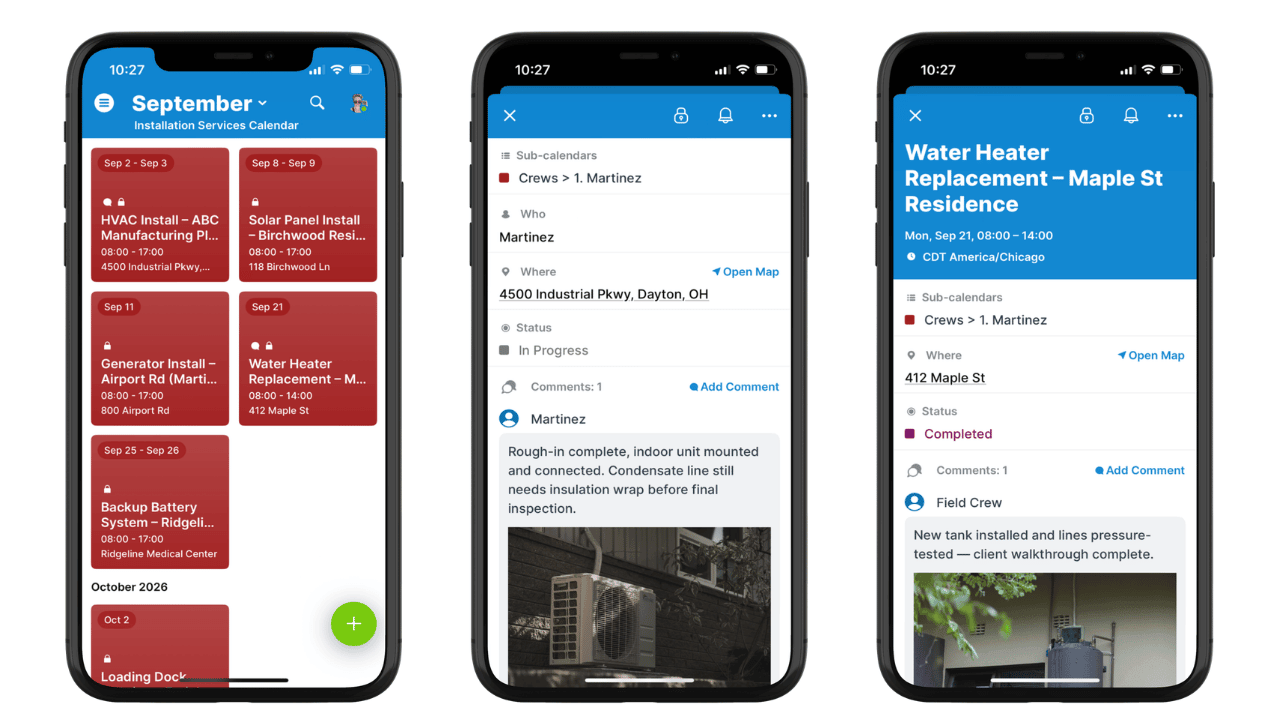
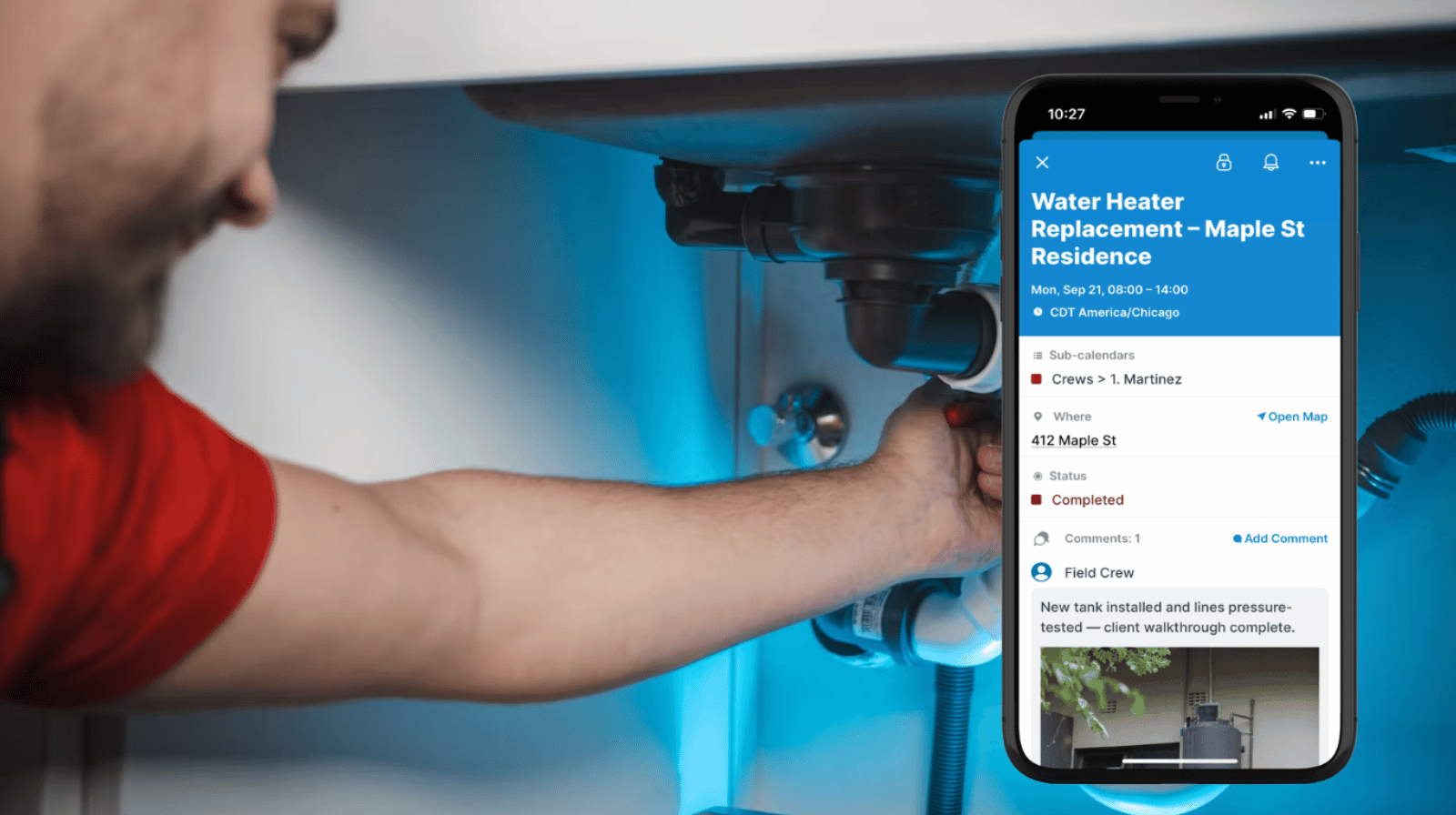
Click to enlarge: Customized access shows each crew member only their assigned jobs; they can use comments to document work from the field without edit access to the calendar.
- Customized access: Not everyone needs the same access. Give office staff an overview. Give each crew member a focused view of their own schedule. Keep all the information secure and accessible without overwhelming people with data that’s not relevant to their jobs.
- Event comments: Installer crew members can use the event comments to keep notes and upload photos; it’s easy, on-the-spot documentation with Teamup’s mobile apps that’s automatically synced so office staff can access the latest updates, too.
From color-coded sub-calendars and custom fields to filtered views and the Scheduler and Timeline layouts, Teamup gives installation teams a single, adaptable system for installation services scheduling. Crew leads get a focused view of their own jobs, office staff keep full oversight, and everyone stays in sync through event comments and the mobile apps. Try out a live demo calendar to test the features described above, or get started with your own Teamup calendar.
Related resources
Frequently asked questions
Find answers to common questions below.
What is installation scheduling software?
Installation scheduling software is a system for assigning crew members, equipment, and time slots to installation jobs. It typically tracks skill sets, job locations, and job status so office staff and field crews can coordinate without relying on spreadsheets or phone calls.
How do I schedule installation jobs for multiple crews?
Set up a sub-calendar for each crew or team, use custom fields to capture skill requirements and job details, and use a filtered or Scheduler view to compare crew availability side by side before assigning jobs.
Can Teamup handle field service scheduling for contractors?
Yes. Teamup supports coordination with outside contractors and delivery teams by tracking job status, from Open to Scheduled, and by giving each party a customized, permission-based view of only the information relevant to them.
How is Teamup different from dedicated installation scheduling software?
Dedicated installation scheduling software is built around one specific workflow, which can mean higher cost and less flexibility. Teamup offers similar structure through sub-calendars, custom fields, and calendar views, but adapts more easily to a range of field service and crew scheduling needs.