
TEAMUP FOR FIELD SERVICES
Contractor scheduling software built around your crews
Contractor scheduling software for trade and specialty contractors who run multiple crews, jobs, and locations. Crews, equipment, and jobs share one live schedule, so the office and the field always see the same plan.

Scheduling software for construction crews, techs, jobs, and equipment
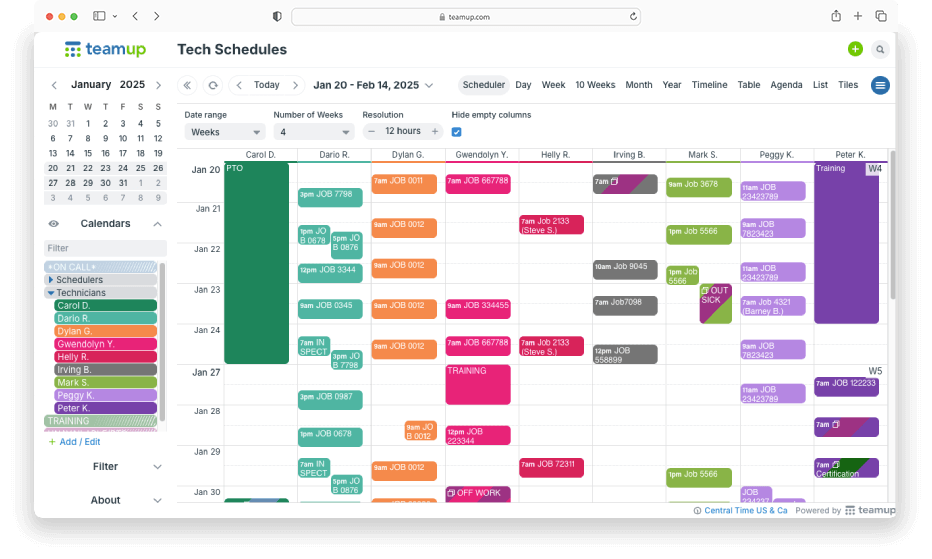
Schedule crews by branch or region
Organize technicians and jobs by crew, region, or project with color-coding and folders. See every crew or job side by side; filter to view only one job or crew at a time.
→ Running install crews? See more about installation scheduling software.
Book and maintain shared equipment
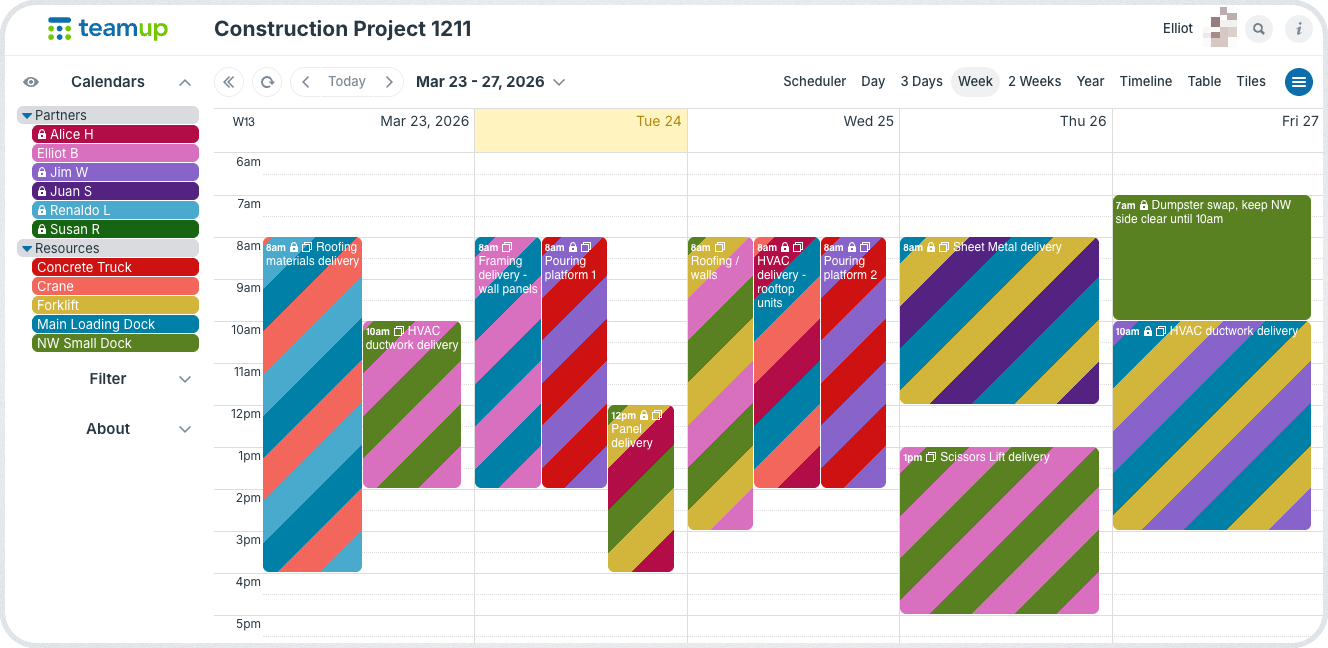
Lifts, trailers, and other shared equipment get their own calendars. Planned maintenance and booked use are visible to everyone. Supervisors can see see what’s available before they plan a job.
→ Avoid resource conflicts with a shared crew and equipment calendar
Keep details with every job
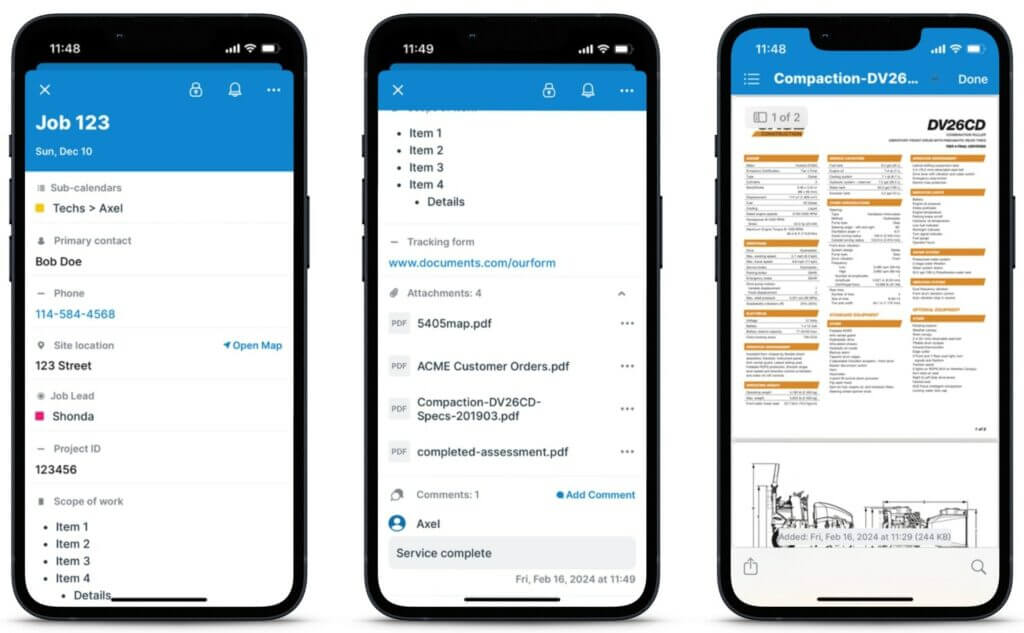
Custom fields hold the job address, PO number, job status, and site contact. A map field gives crews directions in one tap. Photos and files attach to the job.
→ Use Teamup to centralize construction job details and documentation
Prevent double bookings
Turn on overlap prevention for any crew member or piece of equipment to automatically prevent scheduling conflicts. Once a slot is taken, it can’t be booked again.
→ Set up conflict-free equipment usage
Share selectively with subcontractors
Give subcontractors access to only the jobs and details they need. Keep internal-only details private without having to maintain two systems.
→ Give subcontractors customized, visual job instructions
Keep the field crew updated
iOS and Android apps sync automatically so crews always know the latest. Comments enable real-time documentation that syncs back to the office.
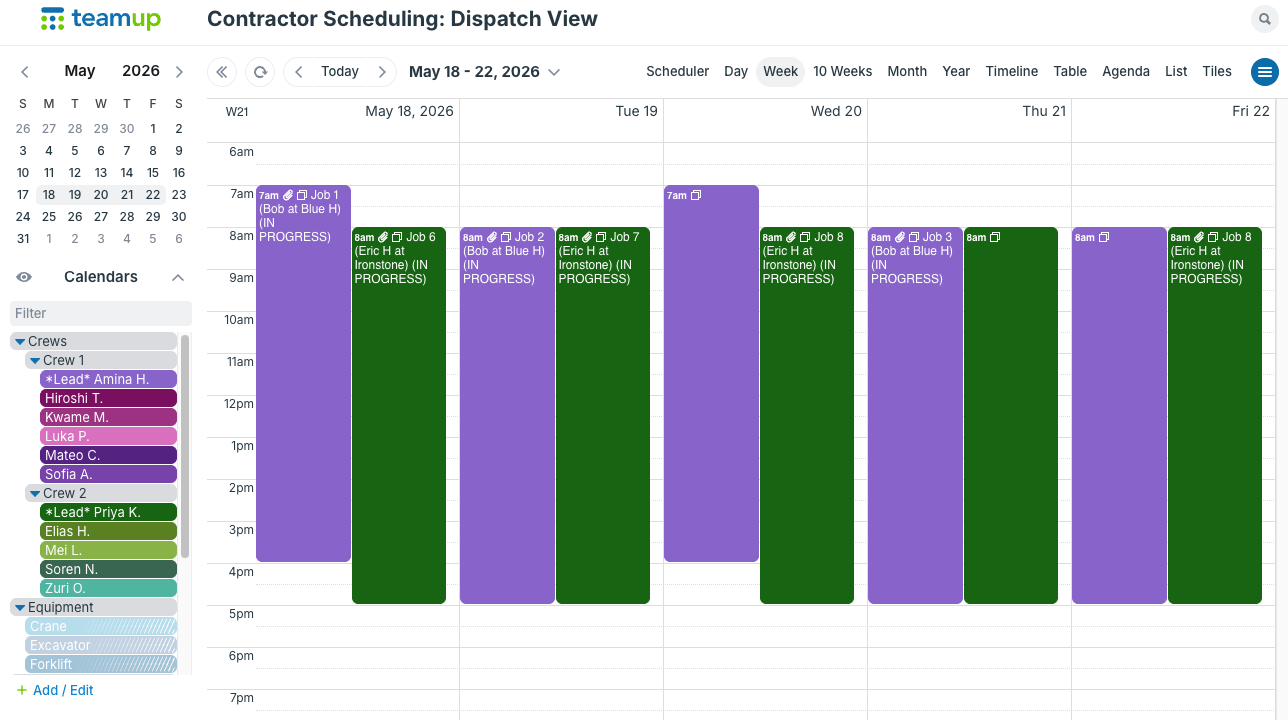
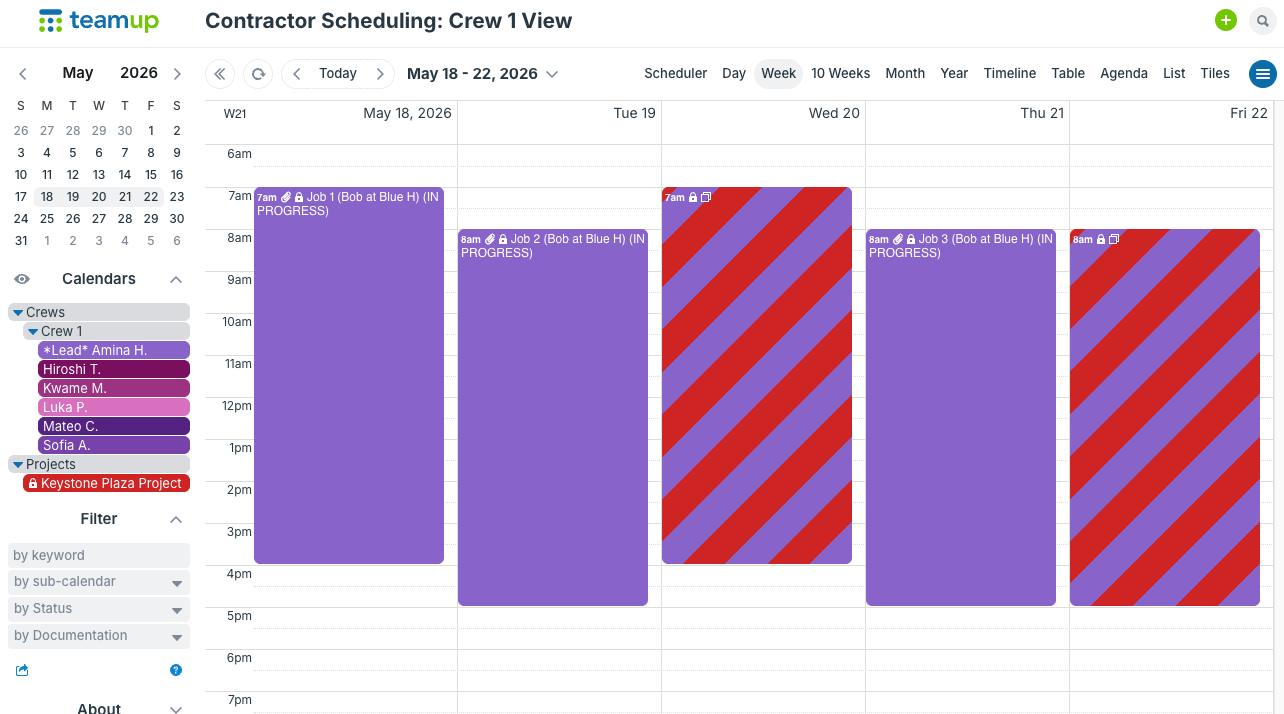
Every crew sees its own jobs
The office sees the full schedule. Each crew sees only the work assigned on their schedule.
Organize the calendar by crew, and set up access so each crew only sees their assigned jobs. They get all the details needed for their jobs, accurate and updated, without seeing what’s on the schedule for other crews. Dispatchers and office staff see the full schedule and can view every crew side by side in one view. That makes it easy to spot gaps, move a job, or reassign work. → More about role-based schedule access.
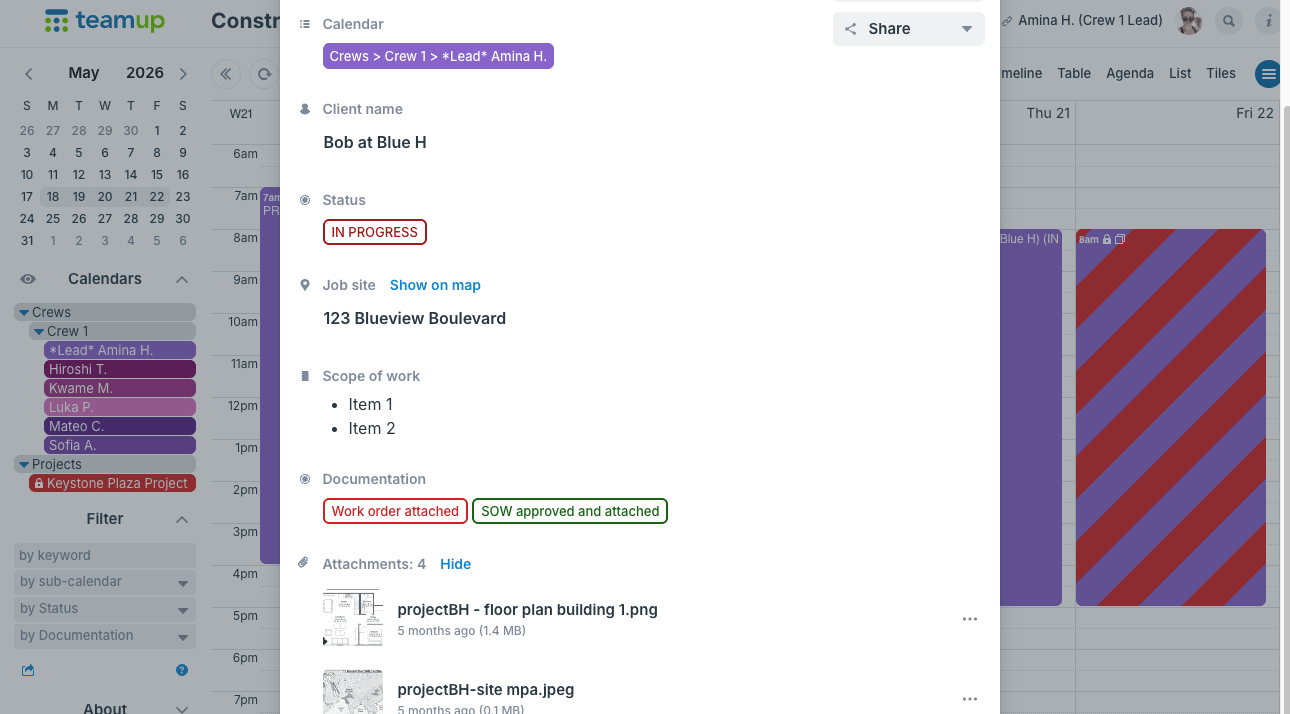
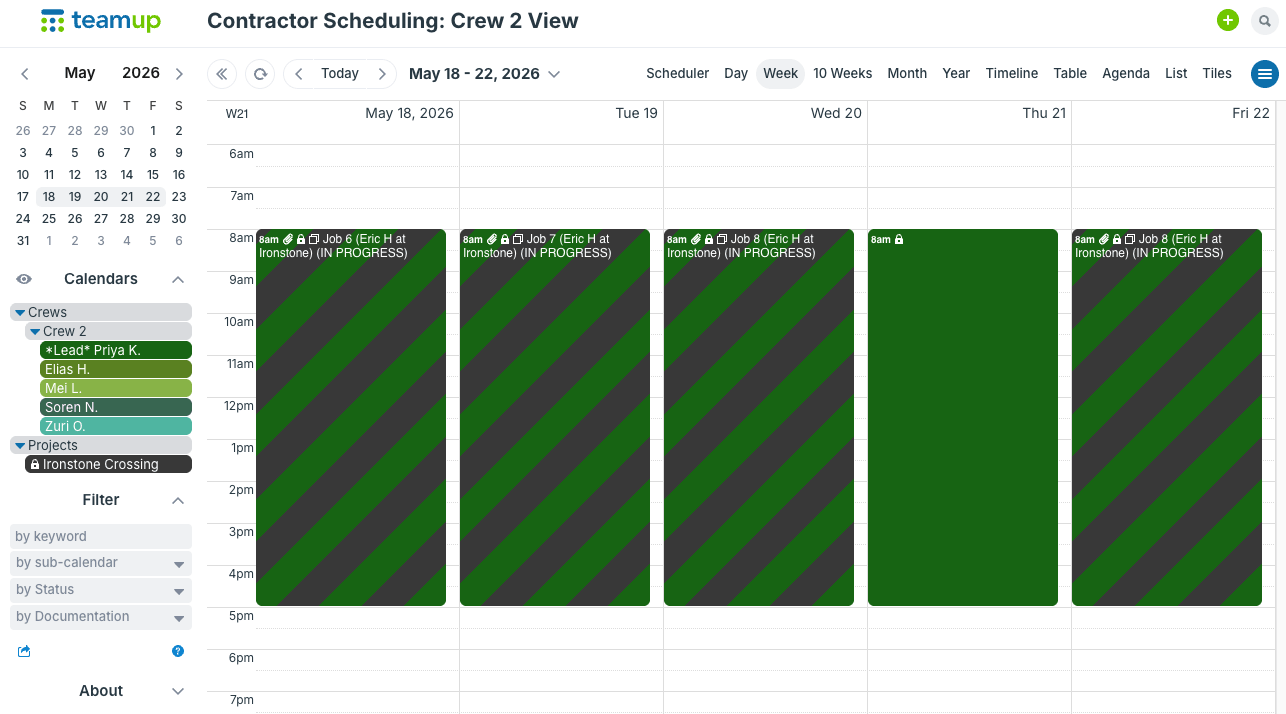
“I use the custom fields so the crew installing out in the field have the information that is important. Since we are in construction, it’s important that the crews know all the details for the job.”
“Immediately upon utilizing Teamup, I saved downtime with field personnel and taking fewer phone calls. Productivity increased due to the majority of our communication being in one place. I was able to turn a disorganized operation into a system that could be easily viewed, accessed, and moved forward.”
“We upload files related to the jobs so our job foremen can see those details ahead of time. These include contracts, work details and drawings. From our office staff to our installers in the field, everyone can be on the same page.”
Start scheduling with Teamup
Teamup is a good fit for contractors who need to:
- Schedule crews, installs, and service jobs across branches.
- Track shared equipment.
- Share schedules with subcontractors and field staff.
- Replace whiteboards, spreadsheets, and group texts.
Keep job details organized, enable real-time updates between office and crew, and manage scheduling in one place.
How it works:
- Set up your crews and equipment. Create one sub-calendar per crew, branch, or piece of equipment.
- Add jobs with the details crews need. Use custom fields for address, status, PO, and notes.
- Share the right view with each person. Office staff, crew leads, and subcontractors each see what they need.
Ready to get started?
Set up a shared crew and equipment schedule in minutes.
Frequently asked questions
What is contractor scheduling software?
Contractor scheduling software plans which crews work which jobs, when, and with what equipment. It replaces whiteboards and spreadsheets with a shared schedule the office and field can both see.
Can I schedule crews across multiple branches?
Yes. Each branch, region, or crew can have its own sub-calendar, and managers can view one branch or all of them together. Larger operations can set up independent master calendars for separate locations or departments, and oversee all with an Organization Account.
Can subcontractors see the schedule without seeing everything?
Yes. The calendar administration decides how to set up customized access for each user. Limit what’s shared with each subcontractor to the specific sub-calendars they need to see. Individual event fields can be hidden from read-only users as well.
How do crews stay updated in the field?
Teamup Calendar has a free, fully functional mobile app (iOS and Android) that syncs automatically. If office staff change a job’s location, adjust timing, or upload a document, those changes sync with the crew’s view on mobile. Plus, crew members can use event comments to document work, upload photos, and provide status updates so the office stays informed about what’s happening on the field.
Can Teamup prevent double-booking crews or equipment?
Yes. An automatic setting can be applied to each sub-calendar which prevents overlapping scheduled events. If someone adds a job or reserves equipment, the overlap prevention stops a second booking for the same crew or piece of equipment at the same time.
Is this a replacement for Procore or Buildertrend?
Not for full project management. Teamup focuses on scheduling crews, jobs, and equipment. Many contractors use it alongside project or accounting tools, or instead of them when scheduling is the main need.
Can each crew see only its own jobs?
Yes. You can set up calendar access so each crew sees only their own sub-calendar (or a set of sub-calendars). Assign jobs to the crew’s calendar, and they get all the details for their own schedule but don’t have access to the rest of the schedule. Meanwhile, dispatchers and office staff can see the whole calendar to manage scheduling across all crews and jobs.
Can clients or outside companies view the schedule?
Yes. Share view-only access to selected sub-calendars, such as one project or one crew. You can configure visibility for event fields so pricing or internal notes can be hidden from outside viewers.
Can job details show on the calendar at a glance?
Yes. Arrange the built-in fields so they make sense for your workflow. Add custom fields to hold even more job information. Select which fields show in the event title so the key details are visible at a glance.
Does it work on iPhone and Android?
Yes. The Teamup app is available for iOS and Android, so everyone works from the same live schedule. Crews on different phones never work from different calendars and can get mapped directions, view job details, open images, and preview attachments from the field.

Copyright © 2014 - 2026 Teamup Solutions AG. All Rights Reserved.
TABLE OF CONTENTS