For physicians and on-call clinic staff, the biggest scheduling problem is often uncertainty. Coverage assignments change, shifts get swapped, and availability updates happen throughout the day. If providers have to rely on texts, emails, or calls to confirm assignments, it becomes difficult to trust that the schedule they checked earlier is still accurate. Mobile access to a shared scheduling calendar gives physicians and staff immediate visibility into assignments, on-call coverage, and availability updates in real time, wherever they are working.
The need: Physicians and on-call staff need a fast, reliable way to check assignments, review on-call coverage, and update availability without depending on phone calls, spreadsheets, or manual schedule confirmations.
The Teamup solution: Mobile access and real-time syncing in a shared Teamup scheduling calendar let providers view assignments, update availability, and stay aligned with the latest staffing changes automatically.
Outdated information creates confusion
Clinic schedules rarely stay fixed for long. A physician may swap call coverage before the weekend. A provider might become unavailable unexpectedly. An evening assignment may shift between locations during the day.
In many organizations, these updates still happen through scattered communication like texting, emails, and phone calls. But handling updates this way creates delay between what’s changed and what’s communicated. Providers are busy juggling lots of information already. They need a clear, reliable way to check their schedule and be certain they’re getting the latest version without having to chase down updates or confirmations.
Mobile schedule access reduces friction
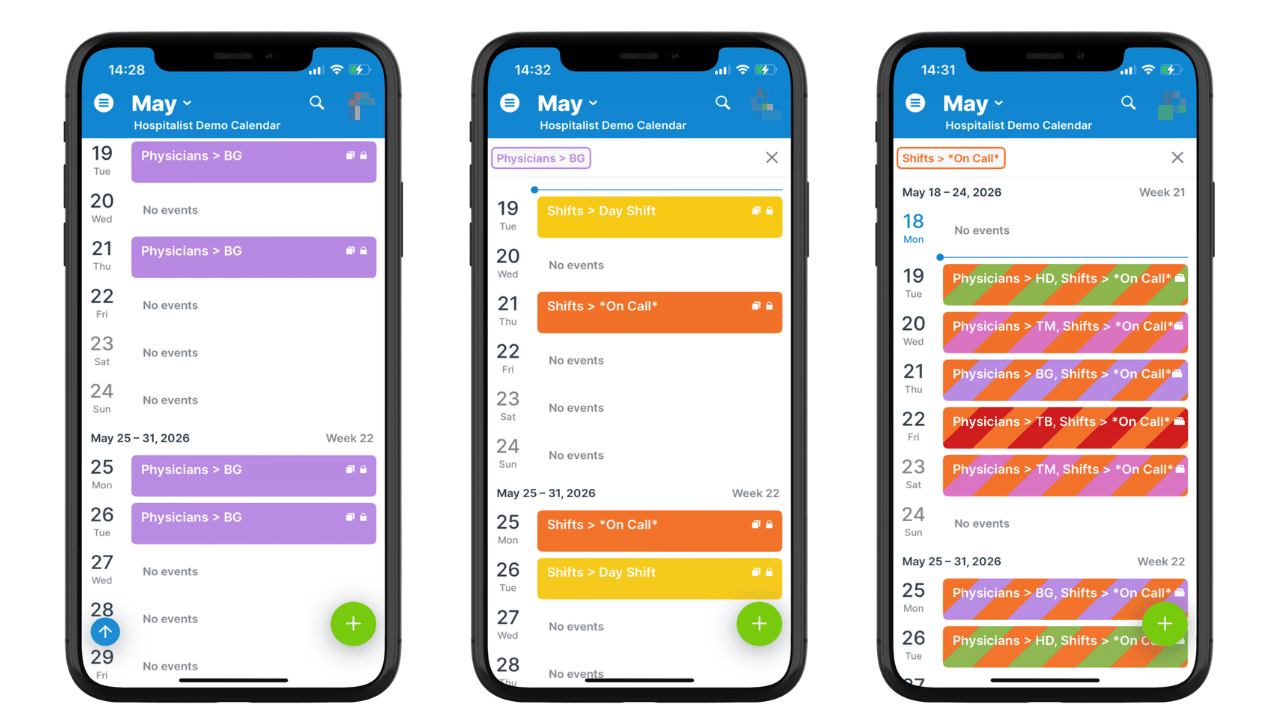
Click to enlarge: Clinic staff can check their schedule anywhere with the Teamup app. A combination of toggled sub-calendars and filters quickly shows staff the shift type for their schedule or who’s on call.
Providers are rarely sitting at a desk when scheduling updates happen. They may be moving between exam rooms, hospitals, procedures, or consultations throughout the day. On-call staff may need to confirm coverage after hours or while away from the clinic entirely.
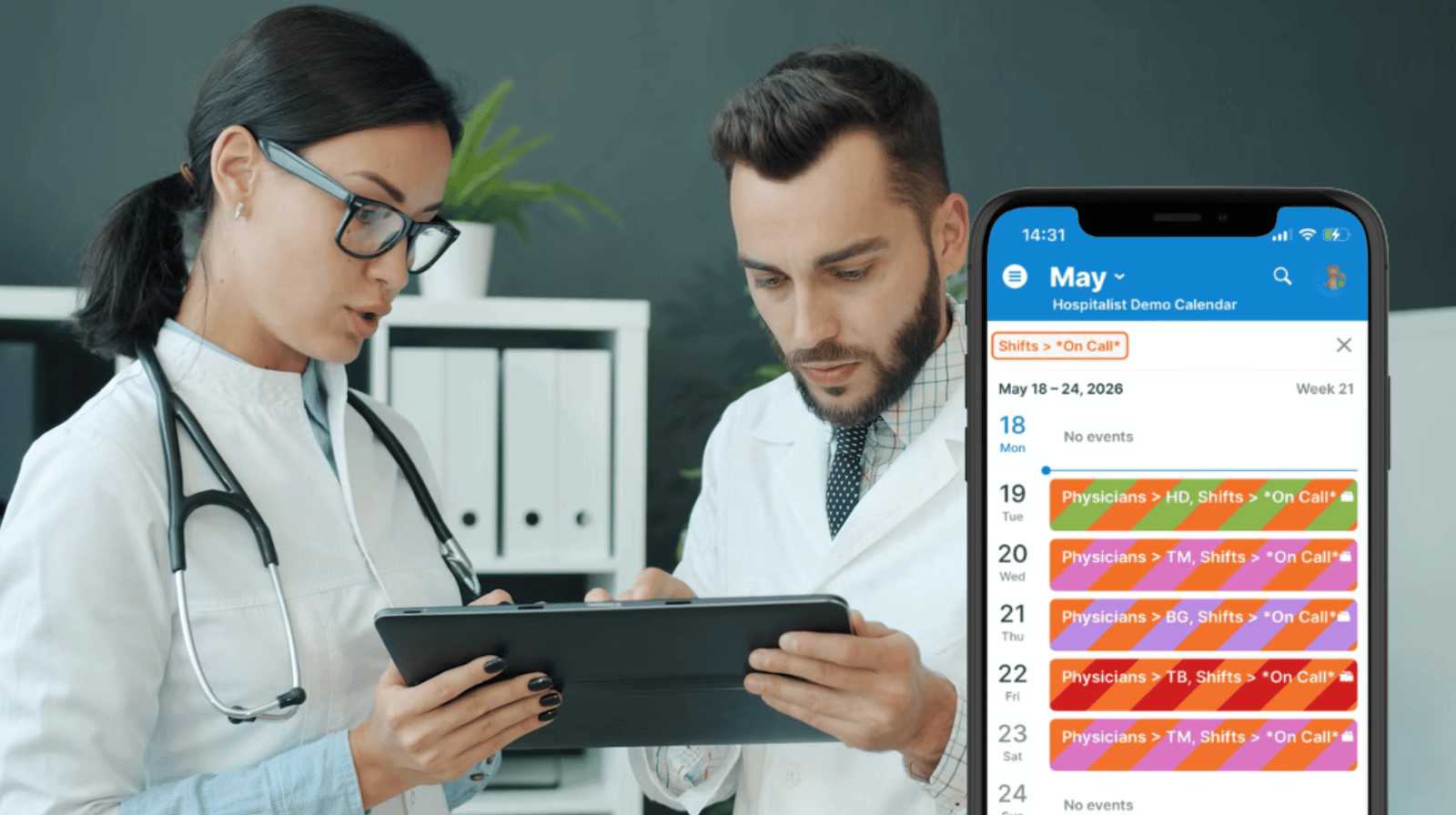
With Teamup, on-call staff can view their schedule anywhere using Teamup’s mobile app. It stays synced automatically with any changes to the calendar. There’s no delay or need for extra layers of communication. Everyone can check in to immediately see current assignments and coverage schedules.
Instead of asking schedulers for updates, providers can:
- Check who is on call today or overnight.
- Review upcoming assignments before arriving on-site.
- Confirm shift coverage changes instantly.
- Update their own availability directly in the calendar.
- View changes in real time without waiting for revised schedules to be distributed.
This is especially useful for physicians working across multiple clinics, hospital departments, or rotating call schedules. Instead of calling the office to verify details, providers can just use the Teamup app to check their next assignment. They can even update their own availability directly from their phone. Schedulers and office admins don’t have to return phone calls or answer messages about scheduling changes, and they can work from current availability for staff members.
How it works
Mini-guide
- Set up a clinic scheduling calendar to manage staff availability, on-call schedules, room assignments, and more all in one place.
- Staff members get customized calendar access:
- Modify-my-events access to their own sub-calendar.
- Read-only access to relevant sub-calendars they need to see for their role.
- On-call staff members can view their schedule anytime, anywhere using the Teamup app.
- Color-coded calendars make it easy to distinguish shift types or locations.
- Built-in filters make it easy to quickly view what’s important.
- Real-time syncing immediately updates schedule changes for everyone.
Reliable, coordinated on-call scheduling
When physicians and on-call staff can directly access current scheduling information themselves, communication becomes much simpler.
- Providers can view upcoming shifts, on-call rotations, clinic assignments, or coverage schedules in real time.
- Schedulers spend less time responding to routine availability questions.
- Coverage changes become visible immediately instead of spreading slowly through messages and phone calls.
Most importantly, everyone works from the same real-time schedule.
For easier on-call coordination, give Teamup a try. Automatic syncing and reliable mobile access to assignments and availability updates make staffing coverage easier and ensure everyone has visibility of the schedule.
Related resources
- A Shared Clinic Calendar to Track Absences, Shifts, and On-Call Schedules
- Keep Clinic Schedules Running Smoothly with Unified Scheduling
- Learn more about Teamup mobile apps
- See how customized access works for shared calendars