Information Visibility, Product Tips
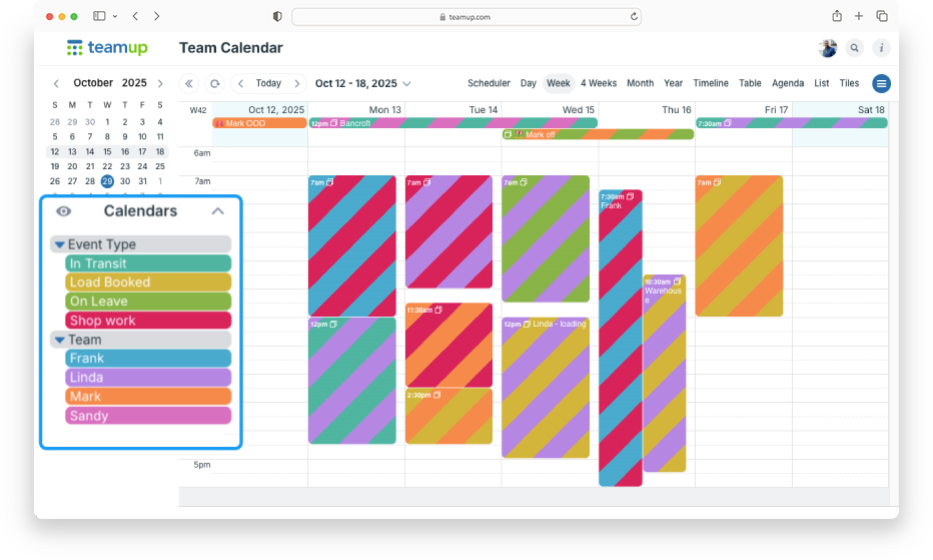
You might start with a simple setup in Teamup: each team member gets their own calendar so you can assign jobs and see everyone’s workload. It’s a logical, color-coded structure that works well. You may also want another layer of information, like task category,...
Featured, Product Updates
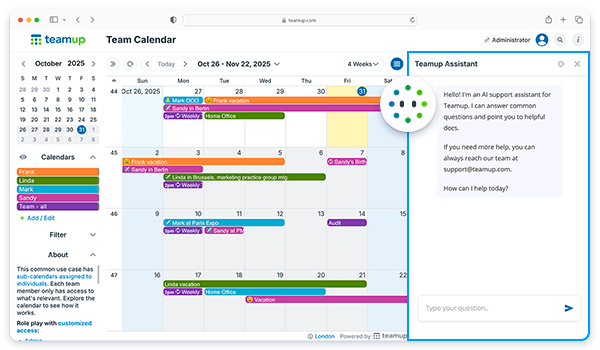
We’ve just added a new option for getting quick answers right in your calendar. Our new AI support assistant is available in your calendar so you can ask questions and reference basic information easily. It’s a great resource for basic information and tips...
Featured, Interactive Demos, Organize Teams
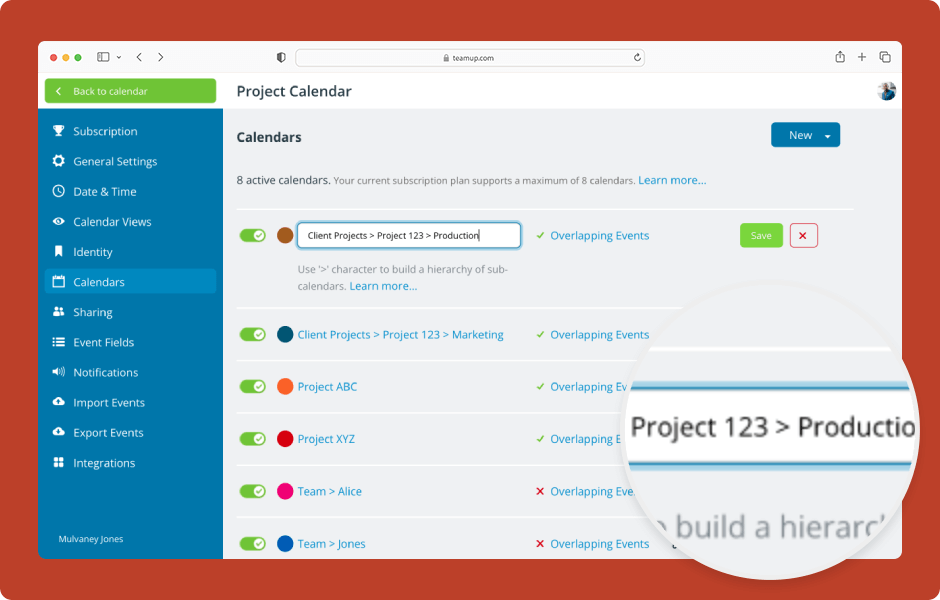
Sub-calendars are individual calendars that are contained within your master calendar. You can create and organize multiple sub-calendars. The calendar administrator can create multiple sub-calendars, and organize them in folders. ENLARGE DEMO Access...
Featured, Interactive Demos, Manage Availability
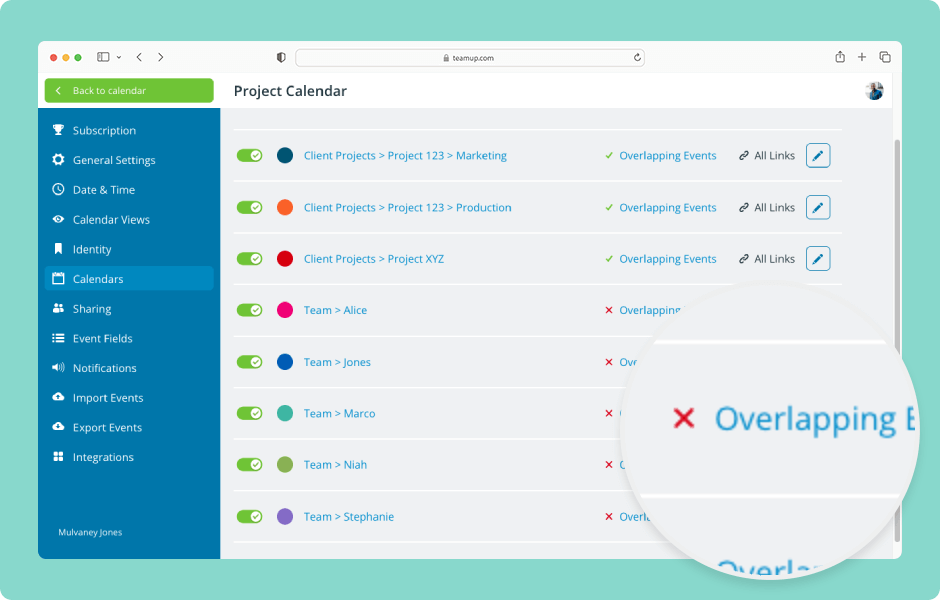
When you’re scheduling people or resources, double-booked events can cause problems. Teamup has one simple setting that will automatically prevent overlapping events on a sub-calendar. ENLARGE DEMO Note: The Overlapping Events setting applies to events within...

Featured, Manage Availability, Share Events
Bowls (or lawn bowling) is more than a sport. It’s a mix of competitive play, social roll-ups, and community spirit, all happening on the same greens. Local bowls clubs keep the game alive. They host matches, social games, and tournaments, often run entirely by...

Featured, Share Events, Working with Events
Planning an event is a big job. But once the details are set, there’s still the work of promoting it. Often, that means copying and pasting event information into different tools to make a flyer or graphic. Then you need to upload it on multiple platforms. If a single...