Interactive Demos, Product Tips
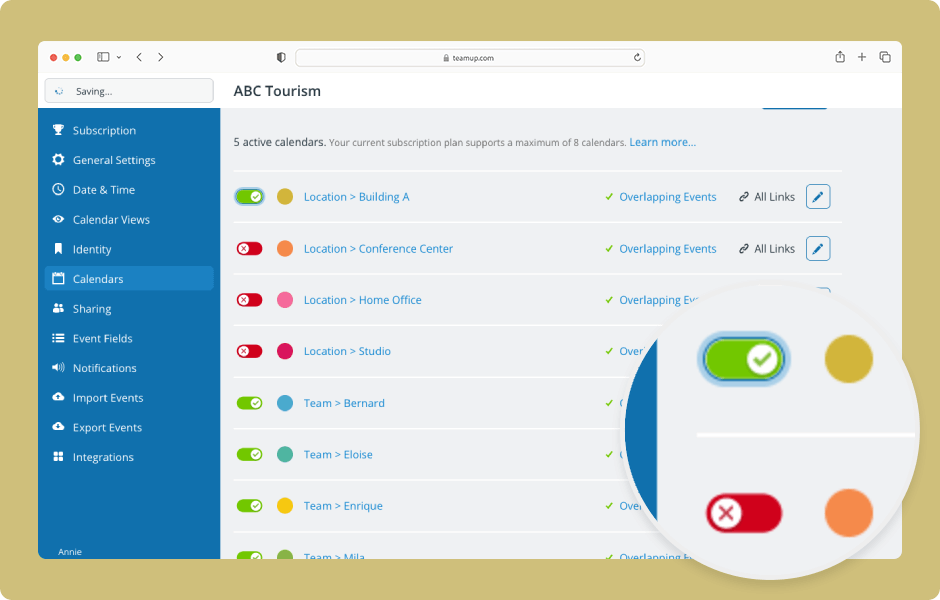
The data on deactivated sub-calendars or event fields is not lost, only archived. To access it, reactivate the sub-calendar or field. ENLARGE DEMO Access level required: Administrator Open your calendar in a browser and click the blue menu (top right). Select...
Interactive Demos, Product Tips
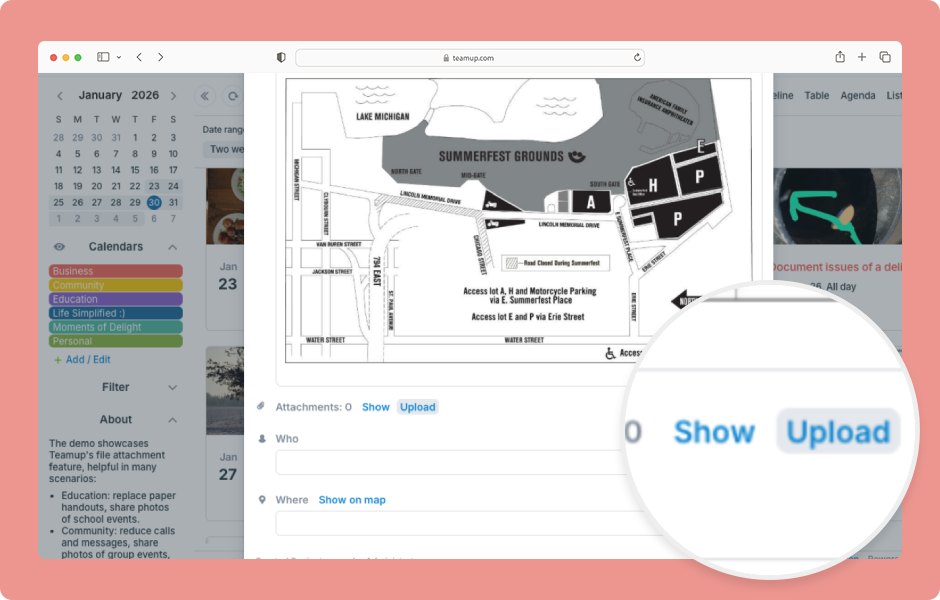
Adding inline images and attaching files and documents can make your calendar more interesting and useful. Create visually appealing events with inline images. Stay organized by keeping all the relevant documents and files with each event. Here’s how. ENLARGE...

Featured, Monthly Updates
What’s new in January 2026: Once again, hundreds of media professionals attending the WEF Annual Meeting in Davos were able to efficiently book interview rooms and TV rotations on Teamup. Learn how to share a beautiful visual events calendar with guests. Let...
Information Visibility, Product Tips
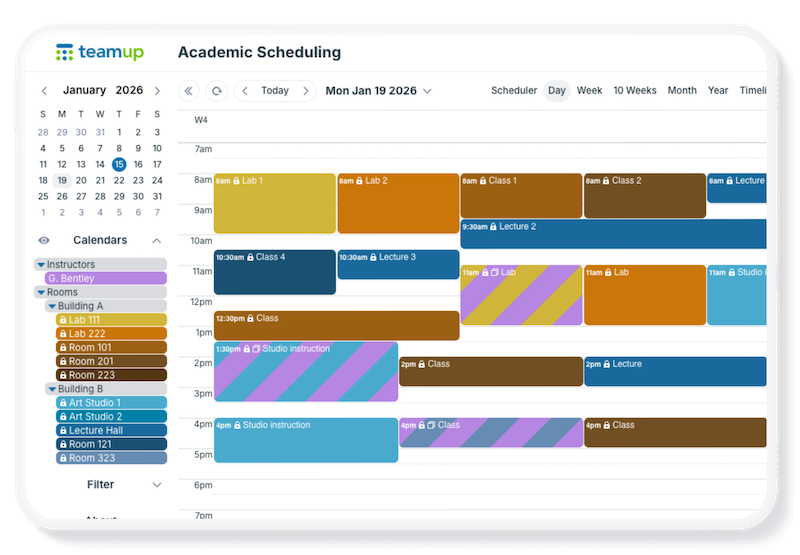
Real-world scheduling is often complex: Locations, resources, teams, phases, and event types can all be important. Standard calendars, however, don’t provide options and flexibility to track all the key details in an organized way. With Teamup, you can combine...
Featured, Information Visibility, Organize Teams
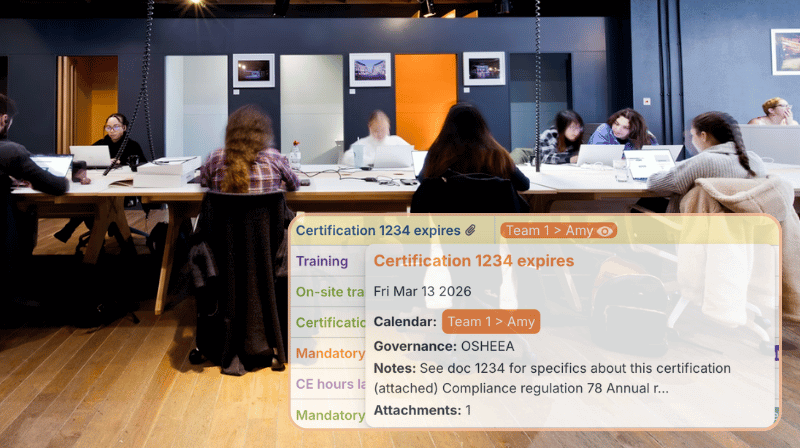
Safety and compliance managers are responsible for ensuring that mandatory training is done and certifications are renewed on time. A shared calendar helps with keeping track of compliance requirements for each role or department and planning ahead to provide adequate...

Calendar Visualization, Featured, Manage Availability
Finding the right tool to plan a multi-day conference is a challenge, especially when multiple teams are working together. Standard calendars lack the flexibility needed. Spreadsheets hold details but don’t show connections or conflicts. If you are looking for a...

Calendar Visualization, Featured, Share Events
A weekend retreat involves a lot of details: session schedules, locations, meals, free time, and activities. Whether it’s a company offsite, wellness retreat, or leadership workshop, the folks attending want to know what’s on the agenda both before they arrive...
Interactive Demos, Product Tips
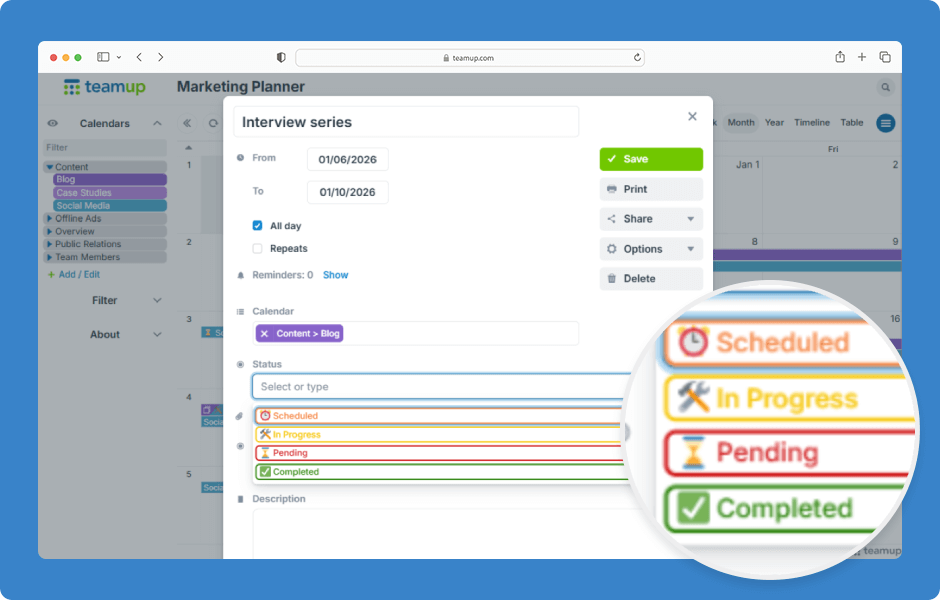
In Teamup, you can create custom event fields to capture structured information for your events. One type of custom field is choice field, which lets you select from predefined options. Choice fields can be set up as single-choice or multiple-choice and are configured...