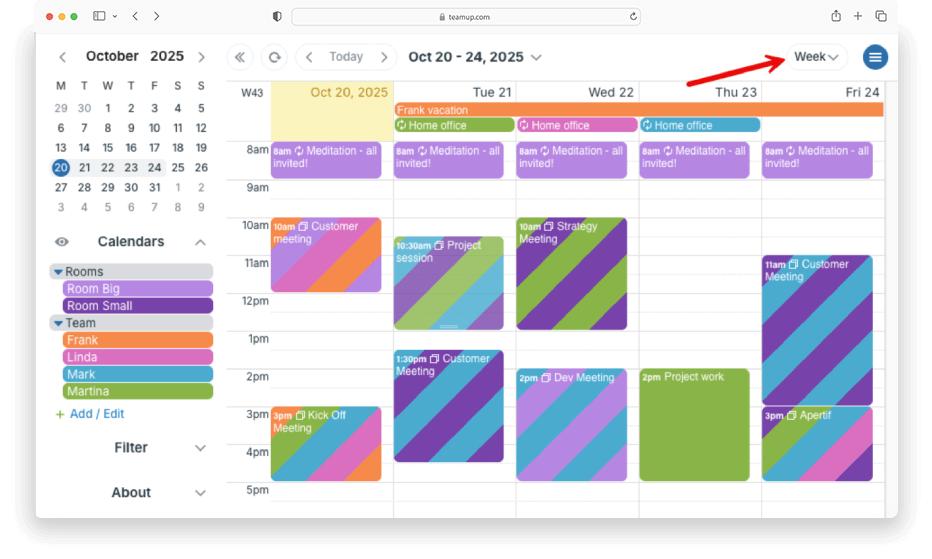
If you use your calendar for work on weekdays only, there’s no need to see empty weekends. You can adjust Teamup to get a calendar view that shows only weekdays. No wasted calendar space and your work schedule stays clean and focused. This setup is especially handy if you’re planning project timelines, managing a team’s availability, or tracking daily deliverables without weekend clutter.
Calendar administrators: Configure this view in the calendar settings. Set your default view to Week view and hide the weekends. The calendar’s default view (in a browser) will show 5 days at a time with the first day being Monday.
All users: Get a weekday-only view with link parameters (browser only). You’ll add two simple link parameters to the end of your calendar link.
- The calendar link shows in your browser’s URL/address bar.
- Add ?view=w&hideWeekend=1 to the end of your calendar link.
- This will make your calendar load in Week view with weekends hidden.
- Alternately: use ?view=mw1&hideWeekend=1 to view weekdays only without a time grid. Your calendar will load in Multi-week view, 1 week only, with weekends hidden.
- Bookmark your calendar link with the parameters on it to quickly reload with this view anytime.
ℹ️ Learn more