The daily agenda is an email notification that displays all events for the upcoming one to three days. When setting up the daily agenda subscription, you can choose which sub-calendars to include. Include the sub-calendar(s) that contain the tasks, events, or jobs you need to know about, and you’ll get an automated daily report right in your inbox.
Note that the Daily Agenda feature is only available for calendars on a paid subscription.
Set up an automated daily agenda
Note: You’ll need to be logged into your Teamup user account to subscribe to the daily agenda. If you are the calendar admin, you can also set up a Daily Agenda subscription for others
- Open Teamup in a browser.
- Open the calendar.
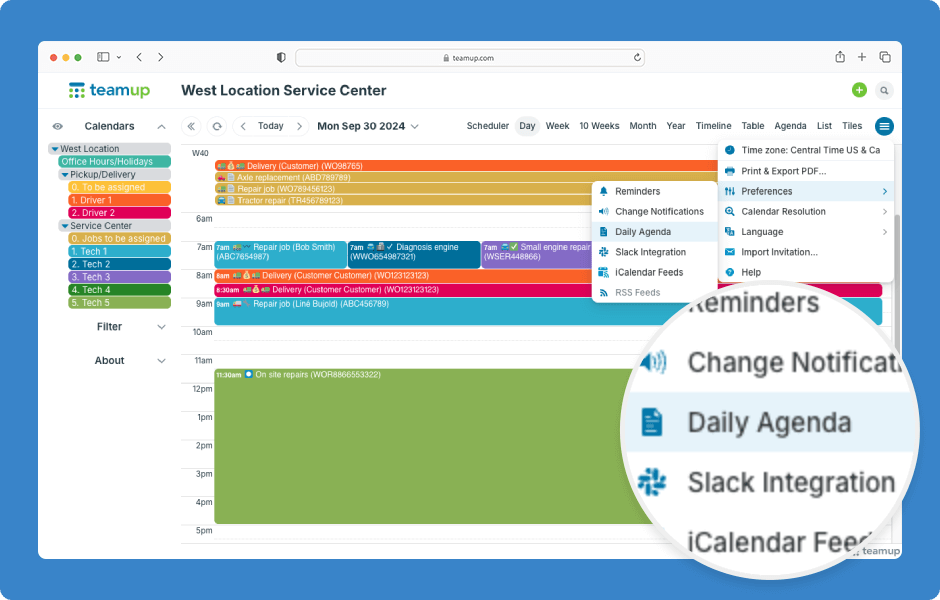
- Click on the blue menu button.
- Select Preferences > Daily Agenda.
- Switch the toggle to green/✓ to turn on the daily agenda subscription.
- Number of Days: Choose to include from 1 to 3 days of upcoming jobs.
- Time of Day: Choose when you want to receive the email.
- Choose Selected for the sub-calendars to include, then Save.
Learn more about the Daily Agenda.