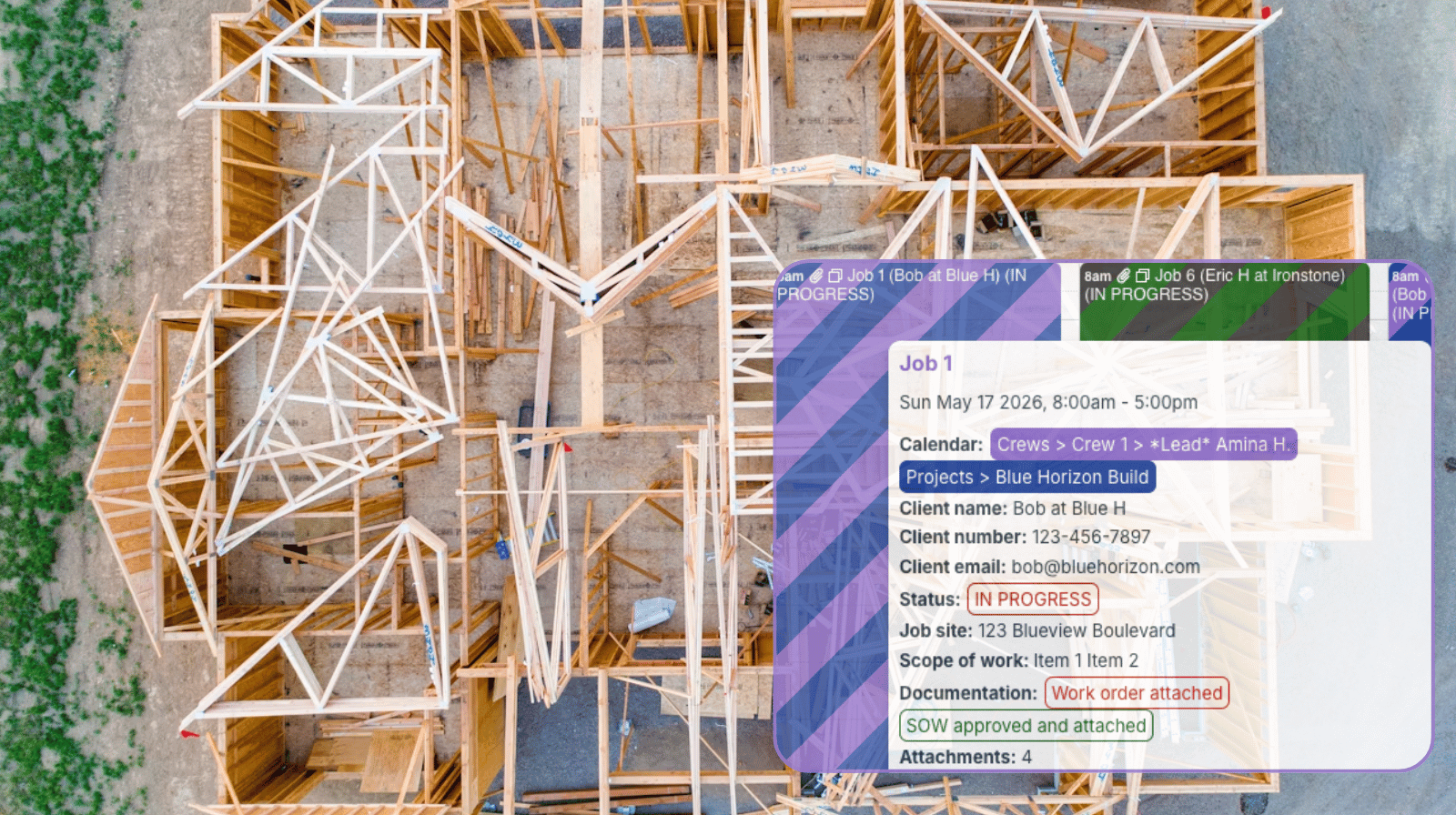
Construction projects generate a constant flow of information: schedules, permits, site notes, inspection details, work orders, photos, material updates, subcontractor communication, and customer requests. The challenge is making sure everyone, from office staff to field crews, can access the right information at the right time.
The need: Construction companies need a secure, organized way to keep all the job details, project documentation, and field updates in one accessible system.
The Teamup solution: Teamup’s custom event fields and file uploads provide an organized place for project information right on the schedule. Upload documentation and files, add photos and notes, and keep all the job details along with updates in one centralized scheduling workspace.
Why centralized job information matters
Construction teams work across offices, job sites, warehouses, and customer locations. Project managers coordinate timelines and subcontractors. Office staff manage permits, customer communication, and scheduling. Field crews handle installations, inspections, repairs, and onsite execution.
Without a centralized system for job information, important details become scattered across texts, emails, printed paperwork, spreadsheets, and phone calls. Even when information exists, it may not be accessible to the people who need it most.
When construction schedules and project documentation are managed together in one shared system, teams can stay aligned throughout the entire project lifecycle.
How Teamup organizes construction information
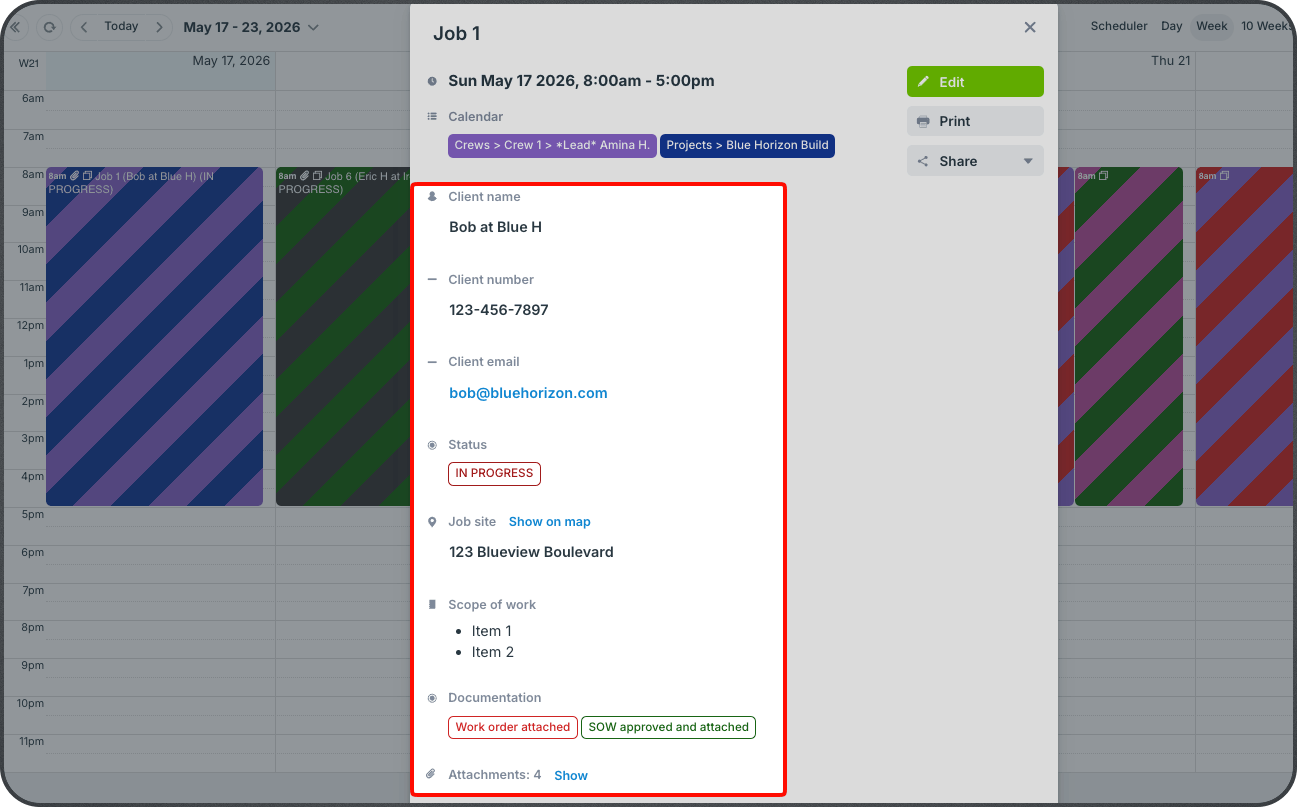
Teamup gives construction companies a centralized system for managing schedules and keeping all the job details and documentation organized and accessible to the people who need them.
Custom event fields make it possible to capture the exact information each project requires, such as permit numbers, inspection dates, equipment details, project phases, customer information, and site instructions. Teams can also attach work orders, blueprints, invoices, permits, photos, and other jobsite documents directly to calendar events, while inline images and event comments make it easy to document progress and communicate updates in real time from the field.
Because every field and permission level can be customized, each person sees only the information relevant to their role while project managers and administrators maintain full control over the schedule.
Instead of relying on disconnected tools for scheduling, notes, files, and updates, construction teams can manage everything directly within their job schedule.
How to set it up
Mini-guide
- Create calendars by crew or project: Organize calendars by project, subcontractor, region, service type, or project phase.
- Customize event fields: Capture permits, customer details, equipment information, work order notes, invoicing status, and more; configure visibility for each field.
- Enable event comments: Set comments to be usable for read-only users so crew members can upload photos and share real-time updates.
- Set access permissions: Give project managers full editing access while limiting subcontractors or field crews to the information they need.
- Use the Teamup app: Allow crews to upload photos, add comments, and document progress from the field in real time.
Improve access, communication, and records
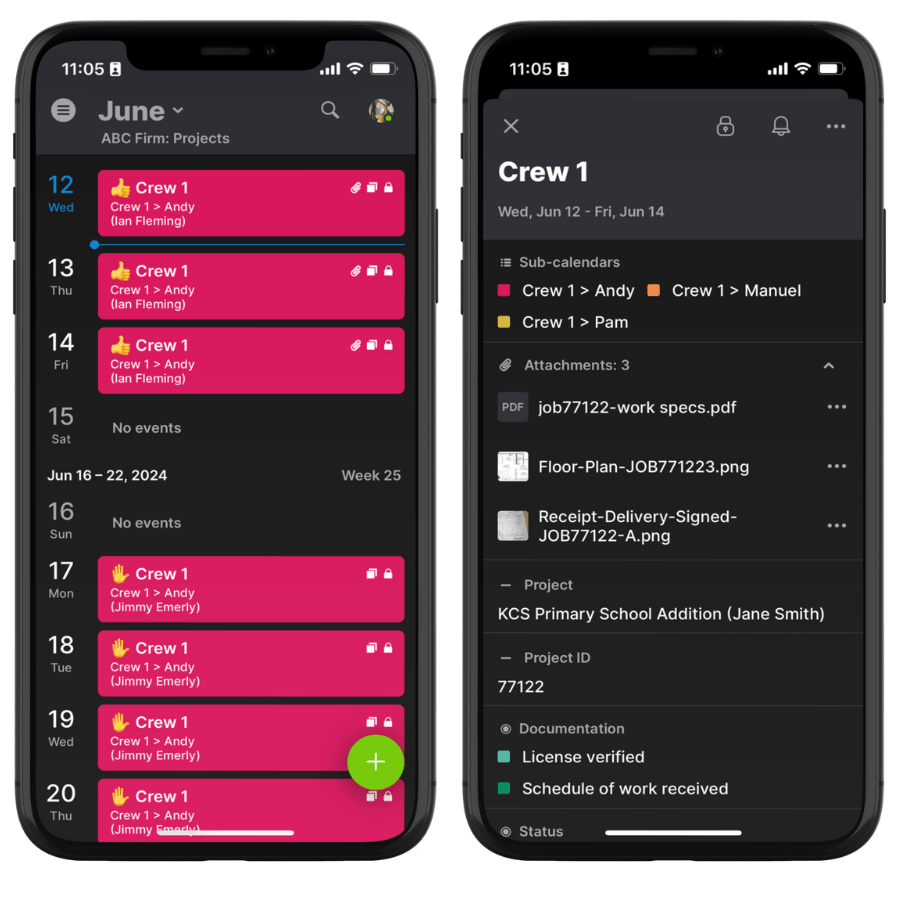
Click to enlarge: Each crew member can access their own schedule and view all the needed instructions, attachments, and notes needed to do the job.
When job details and documentation are organized alongside the construction schedule, teams work more efficiently, communicate more clearly, and keep projects moving forward without unnecessary delays.
Field crews spend less time calling the office for missing information. Project managers can monitor job progress and review onsite updates immediately. Office staff can quickly answer customer questions because the latest information is always accessible.
At the same time, centralized job documentation creates more reliable records for invoicing, inspections, compliance, customer communication, and future planning. Instead of losing information in email threads, paper files, or disconnected apps, construction companies can build a searchable historical record tied directly to each project schedule.
Ready to keep construction schedules, job details, and documentation organized in one secure system? Try Teamup today.
Related resources
- Improving a Multi-Site and Mobile Team Scheduling Workflow
- Customized Calendar Access for Sharing Construction Progress with Clients
- Enable Real-Time Construction Site Updates for Project Managers
- A Shared Calendar for Scheduling Construction Site Deliveries
- Give Subcontractors Clear Visual Instructions for Every Job