Clients want to stay informed as their construction project moves forward, but they cannot always visit the site. A clear, shared view of project milestones helps them see progress and stay confident that everything is on track.
The need: Give clients visibility into project progress without requiring constant updates, site visits, or back-and-forth communication.
The Teamup solution: A shared milestone calendar provides a clean, visual view of project progress that clients can access anytime, with only the information you choose to share.
Clients want visibility, but updates take time
Construction companies managing custom residential and commercial builds often work across multiple phases, timelines, and locations. While project teams have full visibility into schedules and progress, clients typically do not. They may not be able to visit the site regularly, yet they still want reassurance that work is moving forward and meeting expectations.
Without a simple way to share progress, project managers spend precious time responding to status requests and sending updates. If important details are scattered across emails and messages, it takes even more time and often leaves clients feeling unsure. They keep coming back with repeated questions, and more time is spent on communication than making sure the project is moving forward.
Here’s a way to provide the visibility clients want without spending extra time on updates.
A synced, secure, client-facing update calendar
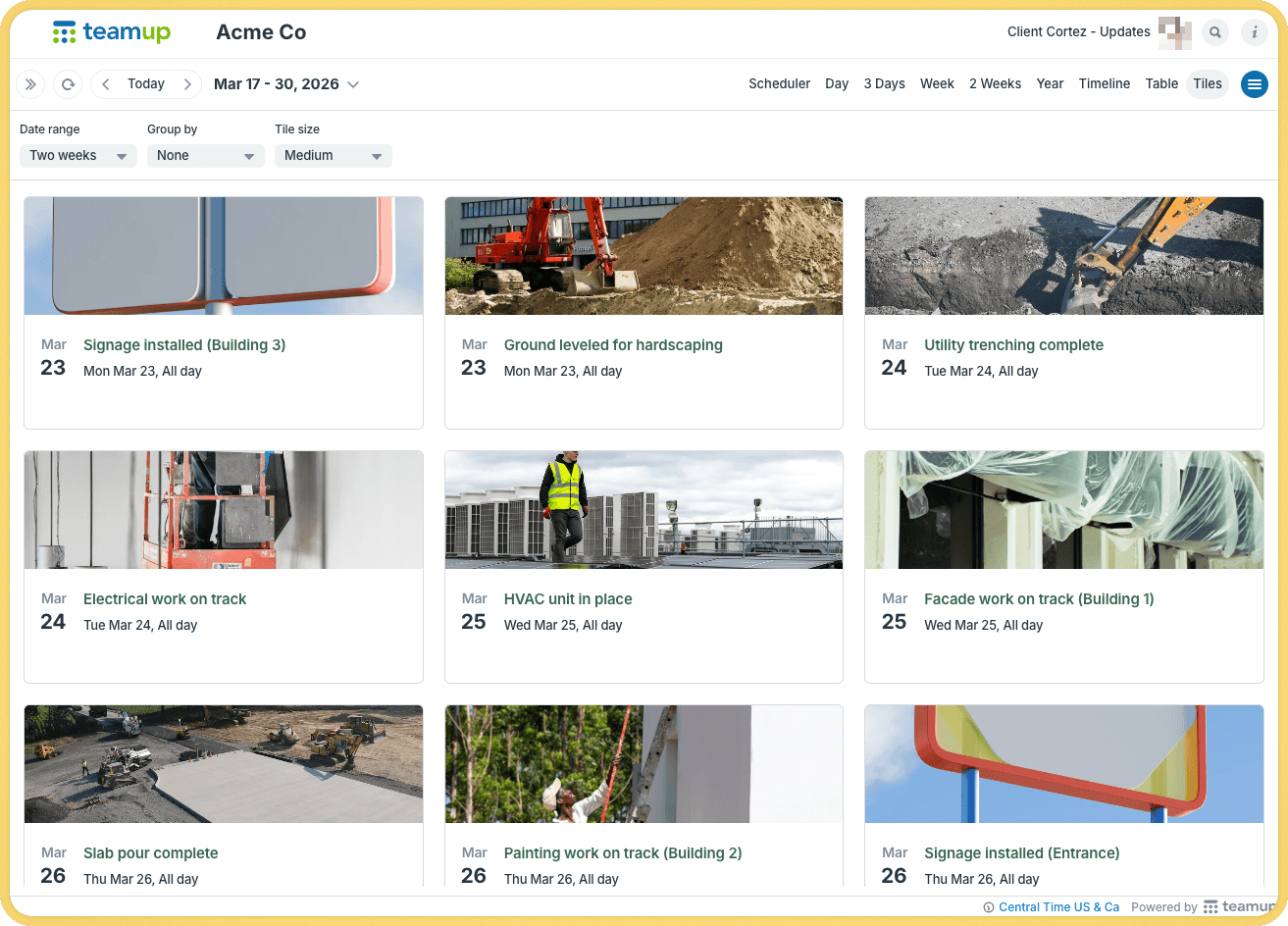
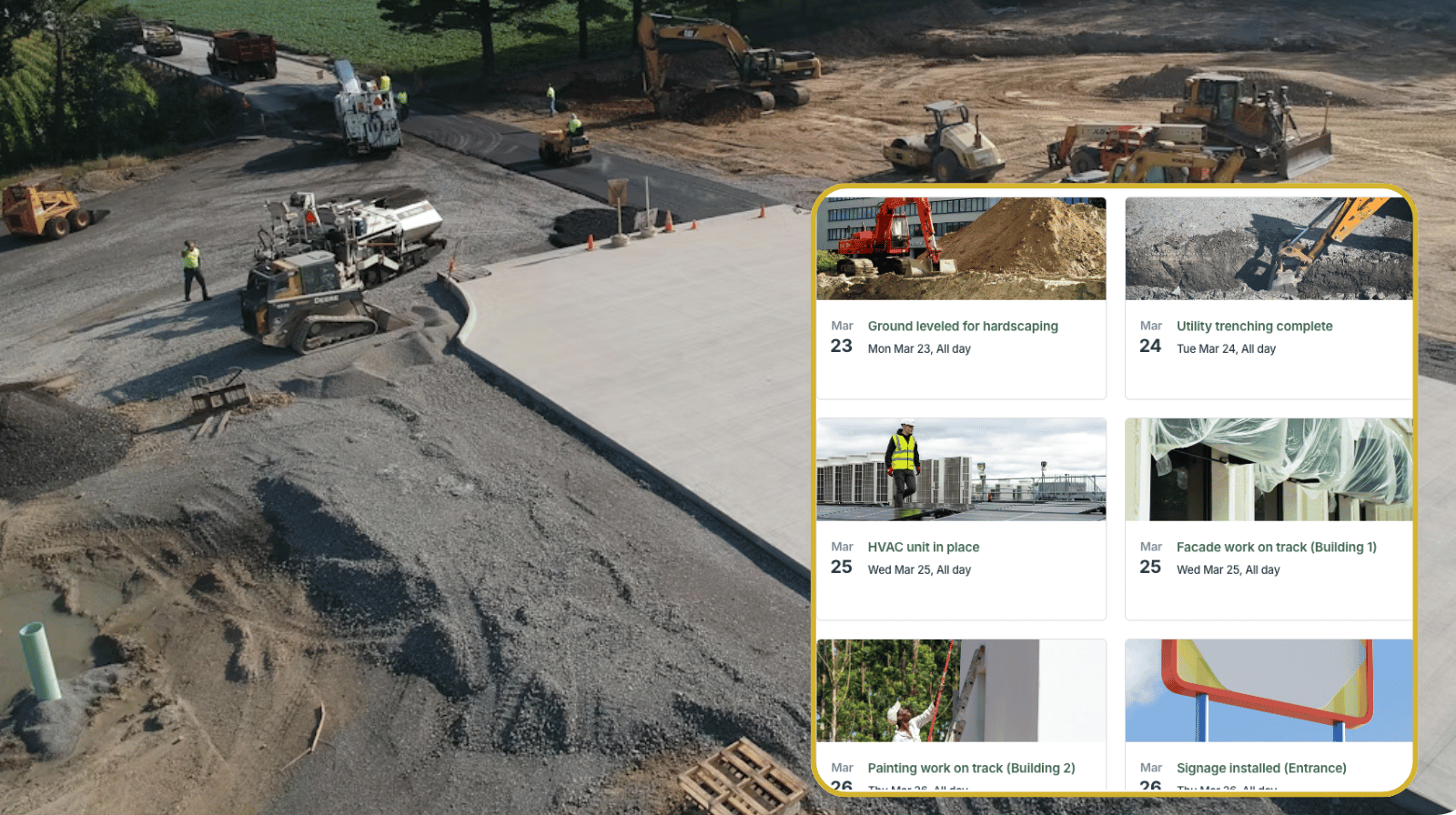
Click to enlarge: Include an image with each update and set Tiles view as the default for a clean, visual layout of project updates.
With Teamup, construction managers can set up a secure information flow directly to clients. This client-facing update calendar pulls from the existing project schedule, so it’s synced automatically. But it includes only the information you choose to share. Internal tasks, job assignments, and notes are filtered out. Clients get a high-level view of key milestones and progress updates, in a clean, synced format that’s easy to follow.
How it works
There are two ways to set up a client-facing milestone calendar, depending on how you want to manage updates.
Option 1: Duplicate and customize milestone events
- Create a dedicated client-facing sub-calendar within your main project calendar.
- Duplicate selected “milestone” events onto this sub-calendar.
- Adjust the content so it is client-appropriate (clear titles, simplified notes, progress markers).
- Add images or attachments to show progress.
- Enable comments so clients can ask questions or provide feedback directly on events.
- Set up read-only access to only this sub-calendar for the client.
- Add and edit client updates directly from the main project calendar. No separate tools or messages needed.
- The client can check updates from any browser or in the Teamup app.
Option 2: Use a separate client-facing calendar with an iCalendar feed
- Create a new client-facing master calendar for project updates.
- Set up a sub-calendar for the client (or a folder per client with sub-calendars for each project).
- On the client-facing calendar, deactivate event fields except those you want clients to see.
- Be sure to deactivate the Description field to prevent custom field information from being fed into the description when events are imported.
- Create an iCalendar feed from the internal project calendar to the client-facing calendar.
- Set up read-only access to the client-facing calendar for the client.
- Add and edit client updates directly from the main project calendar. They will sync automatically to the client-facing calendar.
- The client can check updates from any browser or in the Teamup app.
Give clients confidence without extra work
Clients want to feel confident that their project is progressing as expected, even when they cannot be on-site. Without a clear view, they rely on updates that take time to prepare and can quickly become outdated. A synced, filtered client-facing update calendar keeps clients informed without creating an extra communication burden. Clients can see how the project is moving from phase to phase. Project managers can stay focused on the work and keep the project moving forward efficiently.
Related resources
- Manage multiple construction sites from one operations calendar
- Avoid resource conflicts and streamline contractor scheduling
- Provide clear instructions for subcontractors
- Another example of sharing automated status updates with clients
🛠️ Try it out: Create a Teamup calendar today to set up organized project management and a shared milestone calendar. Smoother operations, complete information, and easy update sharing, all in one place.
Frequently Asked Questions
Can clients see internal project details?
No. You control exactly what is shared. Clients only see what is included on their “client update” sub-calendar, and have zero access to other data on the internal operations sub-calendars.
Do clients need a Teamup account to view the calendar?
You can give clients access via email (requires a free Teamup user account and is easy to set up, secure, synced calendar dashboard). Or you can give clients access with a secure read-only link. When the project is over, simply revoke access by removing the user or deleting the link. ▶️ See an interactive demo.
Can clients provide feedback on milestones?
Yes. If you enable comments for all users, clients can ask questions or provide feedback directly on events.
How often is the calendar updated?
The calendar updates automatically as your team adds or changes events, so clients always see the latest information.
Is this suitable for both residential and commercial projects?
Yes. The same approach works for custom home builds, renovations, and large commercial projects with multiple phases.