

Personal trainers often manage far more than appointments. They need to organize training sessions, workout assignments, recovery days, assessments, and progress milestones for every client. When that information lives in separate documents, spreadsheets, messaging apps, and scheduling tools, it becomes difficult to keep programs organized and clients informed. A personalized training calendar brings the entire client program together in one place.
The need: Personal trainers need an efficient way to organize training sessions, workout plans, at-home assignments, and client progress without managing multiple documents and tools.
The Teamup solution: Teamup allows trainers to create personalized client training calendars that combine workouts, appointments, milestones, and program details in one organized schedule.
Keep every client workout program organized
A training program is more than a list of exercises. Clients may have scheduled sessions, independent workouts, recovery periods, assessments, and long-term goals. When these pieces are managed separately, it becomes harder for both trainers and clients to stay aligned.
Here’s how a dedicated training calendar can become a single source of truth for planning and tracking progress for multiple clients. Plus, it’s easier to save and reuse workout templates for more efficient session planning.
Create a personalized training calendar for each client
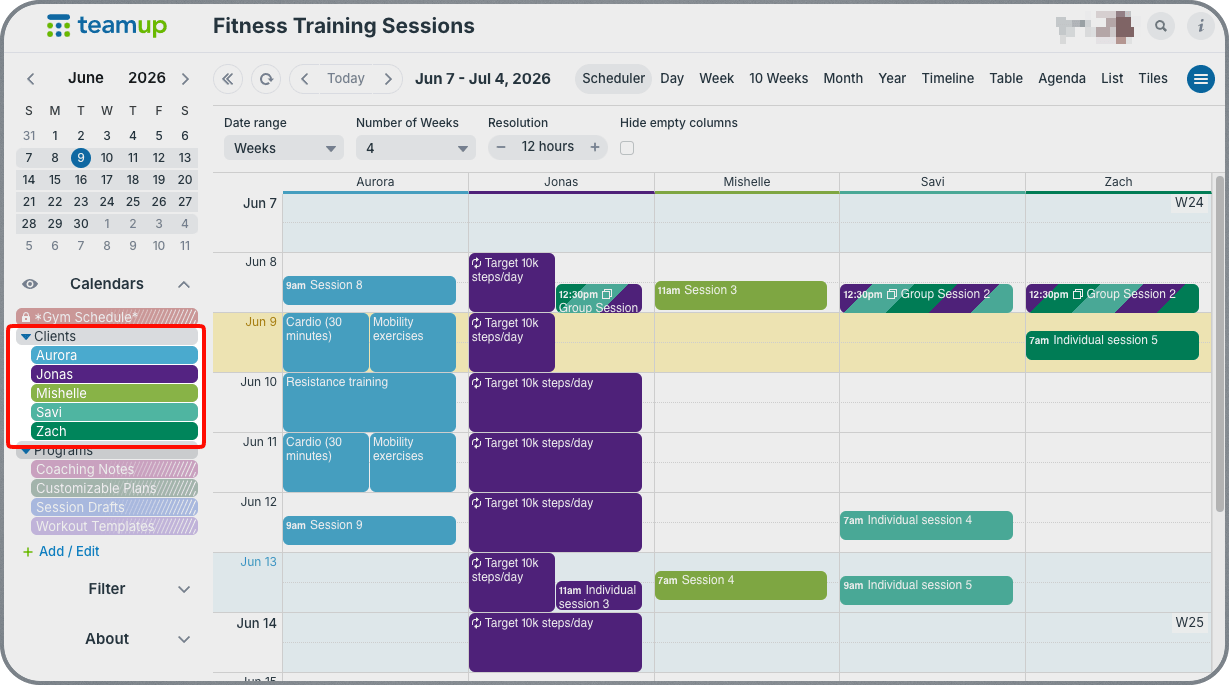
Click to enlarge: Set up a dedicated sub-calendar for each client to plan their programs, assign workouts, and track progress.
For each client, you can have a personalized calendar that contains their complete fitness program. Training sessions, at-home workouts, assessment dates, and milestones all appear in one schedule. It’s easy to set up secure, customized access for each client so they see only their own fitness schedule, while trainers can see all their client schedules in a single overview.
Instead of sending separate documents or weekly updates, trainers maintain the program in one place and clients always know what is coming next.
Keep draft workout plans separate from client schedules
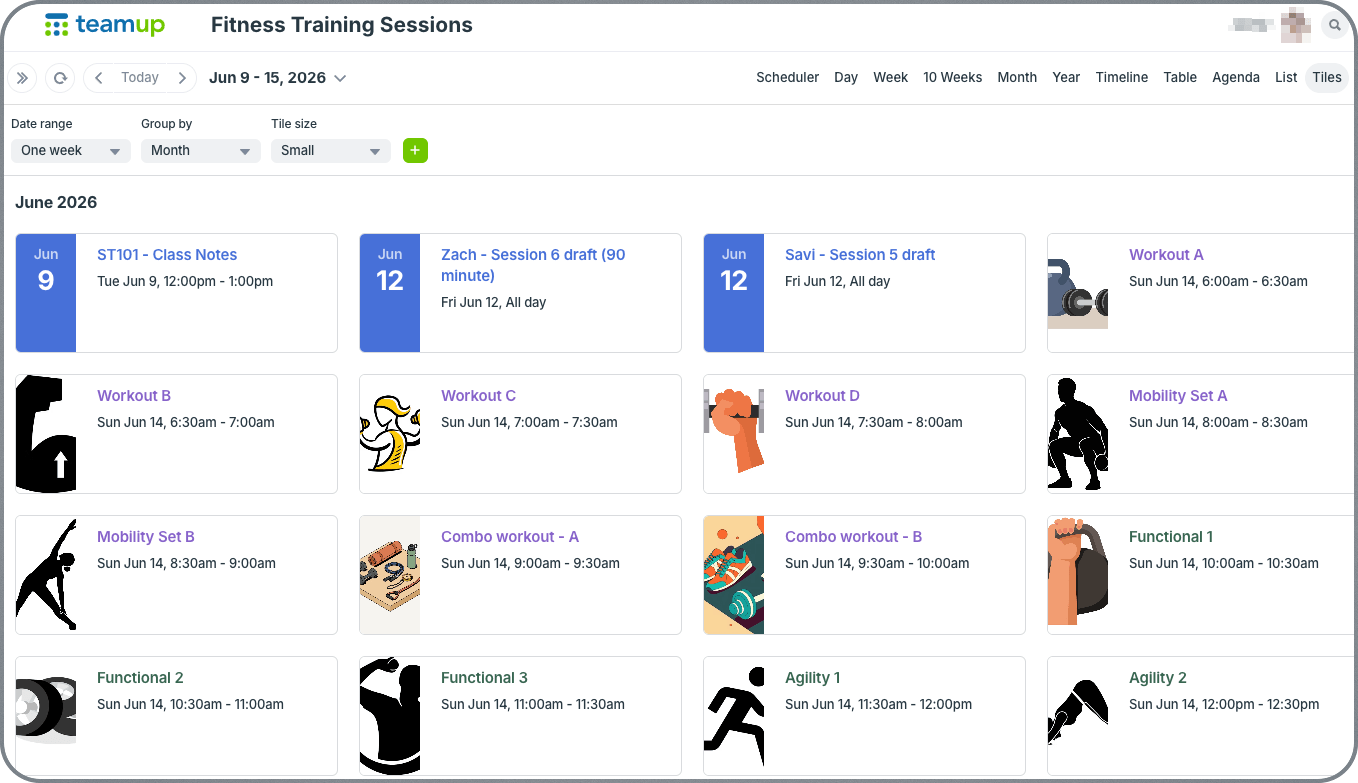
Click to enlarge: Trainers can have a private set of sub-calendars for templates, draft workout plans, and private coaching notes.
Many trainers are constantly developing new workout ideas, testing program structures, and building personalized plans before they’re ready to share with clients. They may also have regular workout templates and programs that they customize and reuse for different clients.
A Teamup calendar can include a private set of sub-calendars used exclusively for workout templates, program drafts, lesson plans, and coaching notes. These sub-calendars remain visible only to the trainer. They become a workspace for developing programs, refining workout sequences, and organizing future training ideas without exposing unfinished content to clients.
When a program is ready, workouts and sessions can be copied to the client’s calendar. This creates a clear separation between planning and delivery. Templates and plans that are reused frequently can be set as recurring events so they’re always handy in the current calendar view. Trainers maintain complete control over what clients see while keeping all workout ideas, templates, and active programs organized within the same system.
Organize workout details and progress notes
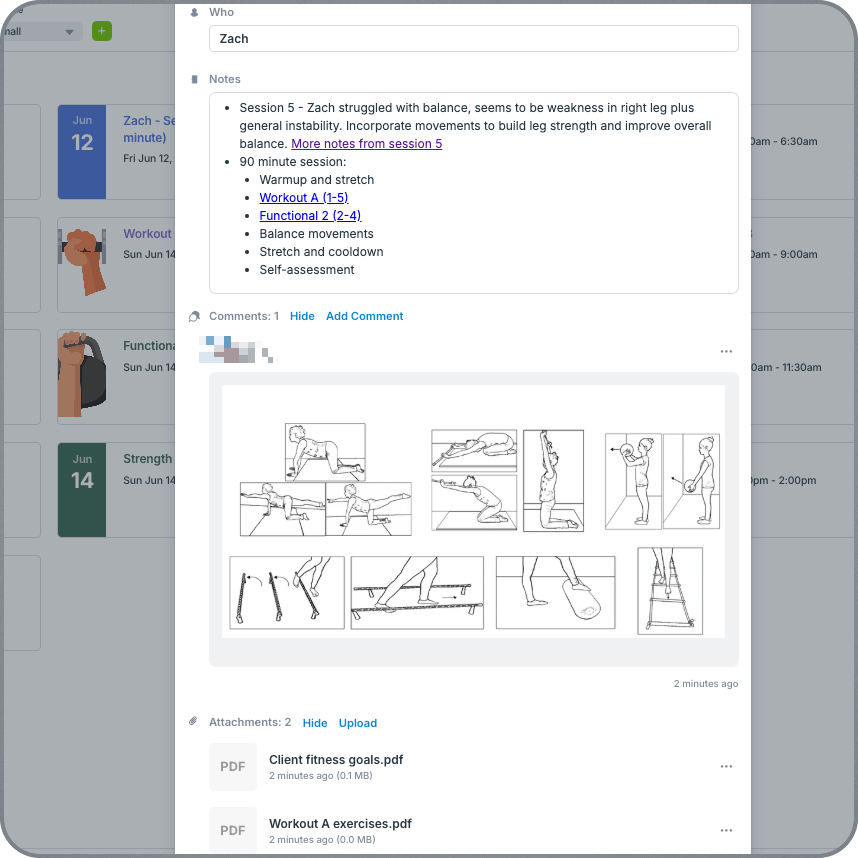
Click to enlarge: Keep notes, links, images, files, and more all in one place where they’re easy to find, reference, and use.
Each workout event can contain exercise instructions, session notes, images and attachments, links, or other supporting resources. Instead of searching through messages or separate documents, clients can open the workout on their calendar and find everything they need in one place. Plus, they can use event comments to upload progress photos, ask questions, or make notes. Everything syncs so trainers can see what clients add, but clients can’t change the actual events so the schedule stays secure.
For trainers, this system eliminates the need to look up the same resources over and over again, or search through text or email history for client updates or progress notes. Everything is organized in one place, where it’s easy to reference, review, and reuse efficiently.
How to set it up
Mini-guide: Set up a client training calendar
- Create a calendar structure with sub-calendars for clients and training plans. Use folders to organize them.
- Add templates, workout plans, programs, etc. to reuse and customize for individual clients.
- For each client, set up customized calendar access so they can view only their own schedule.
- Let clients ask questions, record progress, add photos and notes with event comments.
Manage client fitness programs more efficiently
A personalized training calendar helps trainers deliver a more organized client experience. Sessions, workouts, milestones, and program resources stay connected in one place, making it easier for clients to stay on track and for trainers to manage multiple programs efficiently.
Whether you are working with a handful of clients or dozens, Teamup helps you organize every fitness program in a clear, structured calendar that grows with your business. Create your own Teamup calendar and start organizing client workout programs in one place.
Related resources
- Configure and Manage Event Comments
- How to Create Recurring Events
- A Shared Calendar to Manage Gym Staff Scheduling
- A Shared Calendar to Coordinate Athletics Department Scheduling
- Share Your Calendar Securely with Customized Access Permissions
- How to Safely Share Calendar Access with External Stakeholders


