
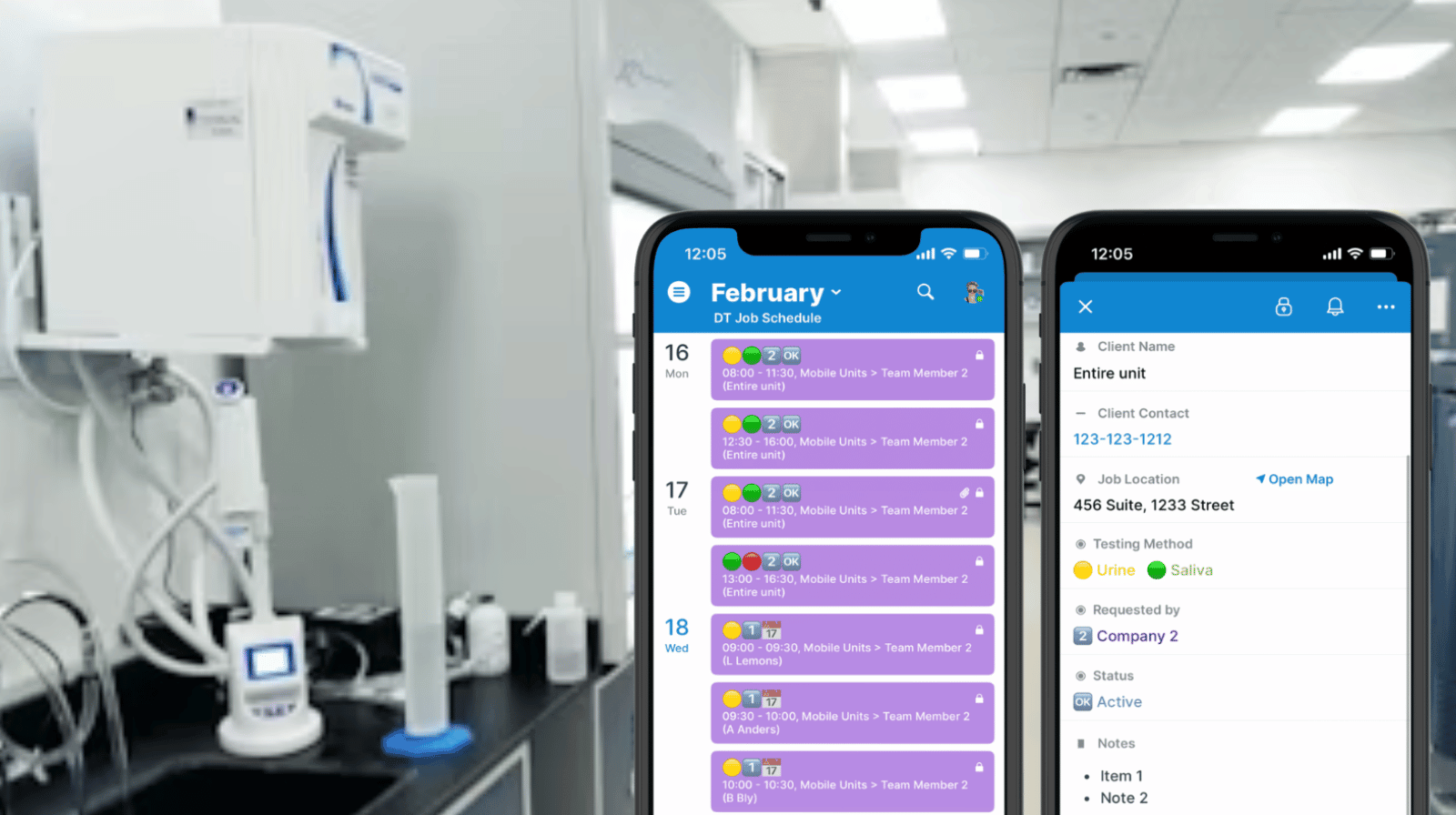
A workplace drug testing and occupational health business in New Zealand manages bookings across three offices and five mobile drug testing vans. They needed a schedule that field teams could trust in real time, with complete booking details and an easy way to confirm that every completed job was invoiced.
The challenge: A shared Outlook calendar wasn’t reliable enough for coordinating bookings across multiple offices and mobile vans, and it was hard to ensure every booking had complete details and was invoiced.
The Teamup solution: A single Teamup calendar with mandatory booking fields, visual status icons, map links, attachments, and filters gave the team one reliable system for scheduling, documentation, and invoicing checks.
About the organization
- Organization/company name: Wellington Health Limited
- Location: Wellington, New Zealand
- Industry: Workplace Drug Testing & Occupational Health
- Size: Three offices and five mobile drug testing vans
- Summary: Provides workplace drug testing and occupational health services for businesses, including mobile/on-site appointments.
Challenge: Keeping three offices and five mobile vans in sync
Coordinating appointments across multiple offices and several mobile vans creates scheduling pressure in two places at once: the office needs a reliable master schedule, and mobile teams need accurate details while they’re in the field. Previously, they used a shared Outlook calendar, but it proved unreliable as their operation grew. Booking information could be inconsistent, and important details were not always captured the same way each time.
They also needed a practical way to support mobile work. Mobile team members needed access to the location address and documentation for each job. Finally, the team needed a dependable method to confirm that every booking had been invoiced—without manually cross-checking multiple lists.
They needed one system that could handle multi-site scheduling, enforce consistent booking information, support field teams, and make invoicing checks simple.
Solution: Comprehensive scheduling in one structured system
Switching to Teamup 3 years ago has been a major improvement. Our team now has full calendar access through both the app and their laptops, and the inclusion of mandatory booking fields ensures complete and consistent information every time.
We also use icons for a quick visual view of each booking’s status, and the Google Maps link for addresses is particularly helpful for our mobile units. Being able to attach purchase orders, booking sheets, and other documents directly to each entry is another great feature.
By using Teamup’s filters, we can easily track and confirm that every booking has been invoiced, ensuring no clients are missed.
—Brendon Blanchard, General Manager
Centralized, visual scheduling
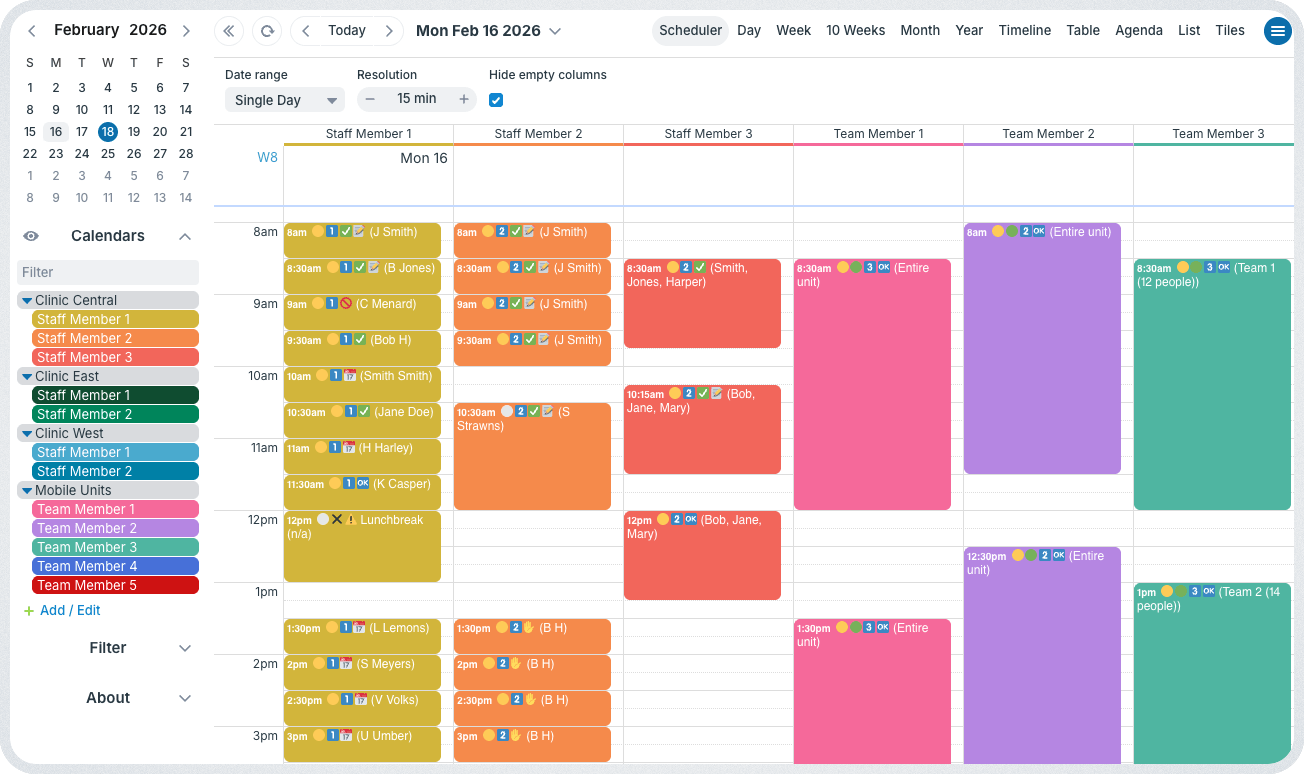
Click to enlarge: Office staff are organized by clinic location, while mobile units (five team members, each using one van) are organized in their own folder so supervisors and schedulers can understand what’s happening everywhere.
The organization moved to Teamup three years ago and centralized scheduling for all offices and mobile vans in one shared calendar. Supervisors can view the whole schedule, check staff member availability, and update assignments, all in one place. Real-time updates ensure that everyone has accurate scheduling details across the entire operation.
Complete and consistent information
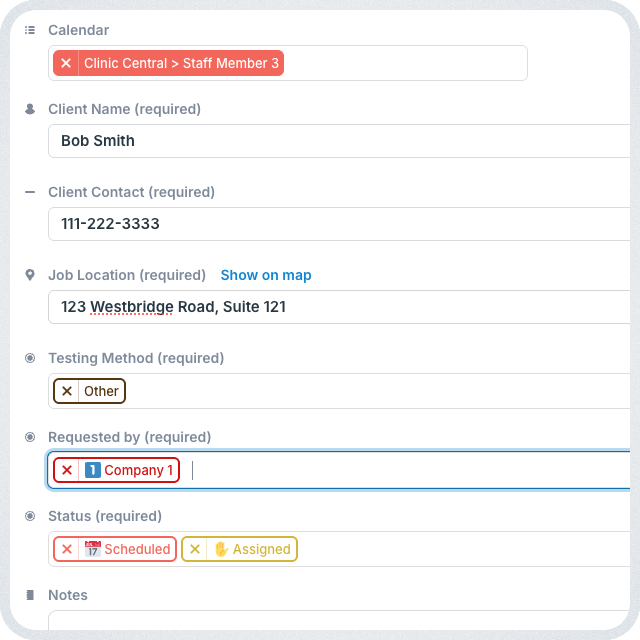
Click to enlarge: Custom fields with text entry or choices are required so consistent information is captured for each job.
Details are important for each job:
- Schedulers need to capture key information like client name, contact, testing time, location, and method when the job is scheduled.
- Team members need to add notes on each job to provide an updated status and document any issues or changes.
- Office staff need to follow up on completed jobs to maintain complete records and confirm that every job has been invoiced.
To ensure each job has complete and standardized information, they use required custom fields. For variable details (like client name and contact number), they use text-entry fields. For the rest, choice fields work best with predetermined options. Having icons assigned for each option makes job status easy to scan and understand at a glance.
Having a required field for each key detail enforces consistent information entry — and that’s very important for this organization. With complete info on each booking, everyone can do their jobs more efficiently while ensuring there aren’t missing details. For follow-up, office staff can use filters to quickly sort jobs by status or client and easily track rescheduling and invoicing.
Full access for mobile teams
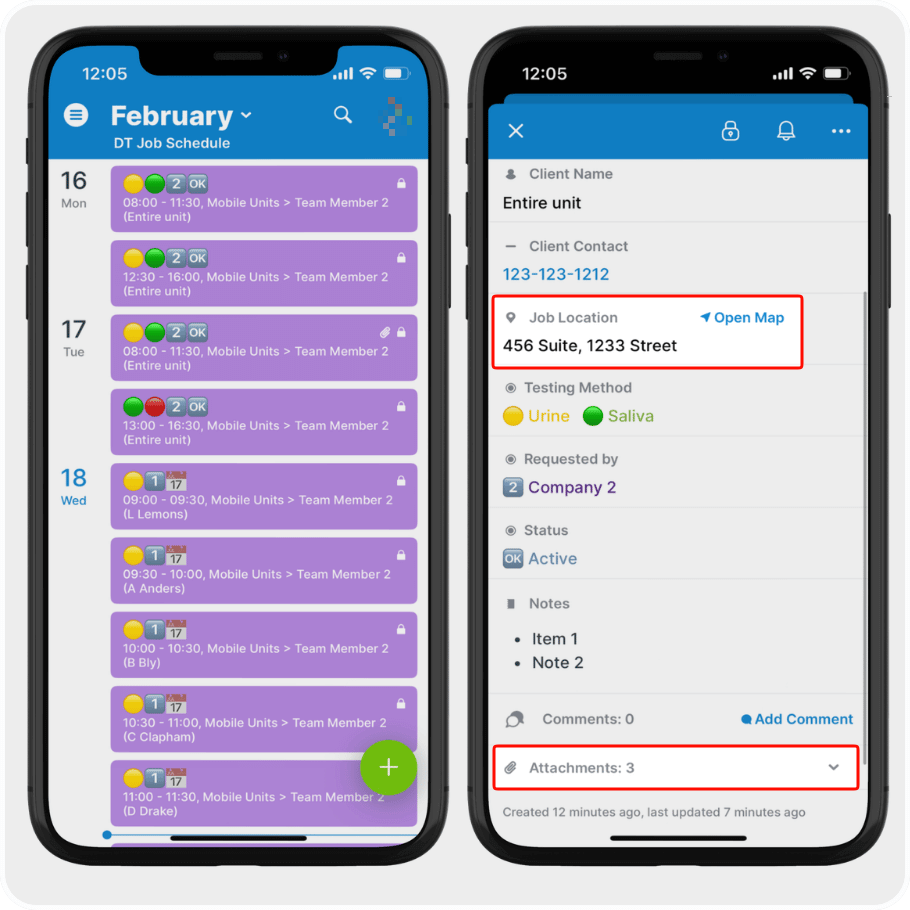
Click to enlarge: Mobile team members can view their schedule, open mapped directions, and view attachments.
Mobile teams need convenient access to all the job information. Stopping to crack open a laptop takes too long. The Teamup app provides all the information for each assignment while keeping it all secure. Location addresses open directly in Google Maps, helping mobile units navigate to the next site. And all the attached documents are available on the app; team members can preview them to quickly find the information they need. Everything related to each booked job stays with the job, organized and easy to find for office staff and always accessible on the app for mobile teams.
What makes it work
- Everything in one place: All staff members are scheduled on one calendar, creating clear assignment and visibility across locations and mobile units.
- Mandatory booking fields: Custom fields ensure every booking includes all the required client and job information.
- Visual status indicators: Icons provide an at-a-glance view of booking status, helping staff quickly scan and understand the schedule.
- Integrated map links: Job locations connect directly to Google Maps, so mobile teams can access directions instantly without switching tools.
- File attachments: Purchase orders, booking sheets, and other needed documents are stored directly with each event.
- Mobile access: Job information is organized and accessible to field teams using the Teamup app.
- Built-in filters: Office staff can sort by status to track bookings and confirm invoicing status, ensuring no client is missed.
Results: Faster scheduling, better control
With Teamup in place, the organization has reliable, accurate scheduling in one place. Booking information is complete and consistent thanks to mandatory fields, and teams can scan booking status quickly using icons. Mobile units get mapped directions and have all the job documentation available. Office staff can sort by status and verify invoicing easily using filters.
Get better multi-site and mobile scheduling in place
This setup is a strong fit for organizations that run appointments across multiple locations, deploy mobile service units, and need consistent booking data and documentation in one place.
If you manage bookings across multiple offices, field teams, or vehicles, a structured shared calendar can reduce scheduling errors, improve documentation, and tighten administrative control. Create your own Teamup calendar and build a system that supports your workflow from booking to invoicing.
Related resources
- Building a calendar structure with sub-calendars and custom fields
- How to make a custom field required
- Visual scheduling with icons and color-coding
- ▶️ Show more information in event titles
- Attaching documents to events for complete job records
- Preview attachments on the Teamup app
- Creating a visual install and delivery schedule with complete job records


