Seasonal staffing in hospitality isn’t straightforward. Even with good forecasting, day-to-day changes happen. Bookings can rise or fall unexpectedly. Staff availability can shift without warning. Operations managers need a way to handle these changes without constantly rebuilding schedules.
The key is having systems that make adjustments easy, not chaotic.
The challenge: Effective seasonal staffing requires planning ahead and being flexible. Managers need an organized system that shows staff availability and makes it easy to quickly find replacements or reassign workers as needed.
The Teamup solution: A flexible calendar that keeps staff planning organized and makes it easy to quickly spot availability for quick replacements and schedule adjustments.
The challenge: plans change, often at the last minute
Seasonal staffing schedules are typically made weeks in advance. But making a schedule is one thing; having it work out, unchanged, according to plan, is a different thing entirely. Once the season actually begins, the schedule meets reality. And reality often includes last-minute disruptions:
- Employee call-outs due to illness or personal matters.
- Turnover or no-shows from temporary hires.
- Sudden demand spikes from weather, events, or travel.
- Slower-than-expected demand requiring reduced shifts.
- Staff with overlapping roles scheduled in two places at once.
Managers have to adjust the schedule quickly while trying to maintain service levels. When schedules exist in spreadsheets, texts, or different tools, matching availability and lining up replacements is a complicated mess. Simple schedule adjustments aren’t simple, as one fix often leads to another problem.
The solution: visibility, comparison, and conflict prevention
To manage daily changes in a seasonal workforce, managers need more than just a static schedule. A good staff scheduling tool should meet three core needs:
- Big-picture visibility: A single view across all departments to see how changes in one area affect others.
- Fast comparison of availability and gaps: Visual clarity showing where coverage is thin and where capacity exists.
- Automatic conflict prevention: Built-in rules that stop double-booking across shifts or departments.
With these factors, a scheduling adjustment becomes what they should be: A quick task. Managers can respond quickly, rebalance coverage, and keep operations running smoothly.
How it works with Teamup
Take a look at how these factors come together for a flexible, visual, easy-to-use system.
Organized calendars for big-picture visibility
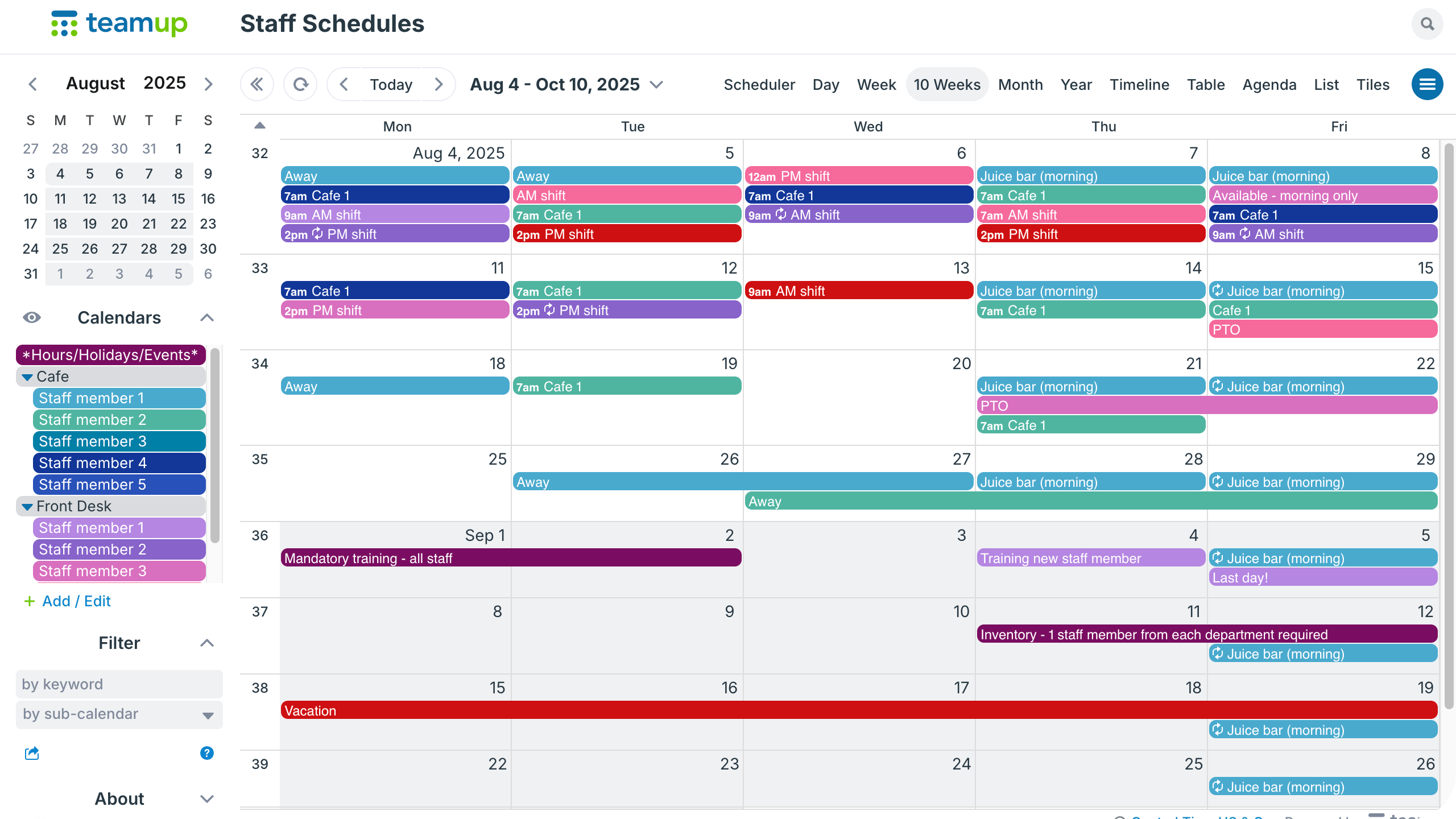
Click to enlarge: Adjust Multi-week view to show the number of weeks in the scheduling cycle and plan ahead for events, training, and busier days.
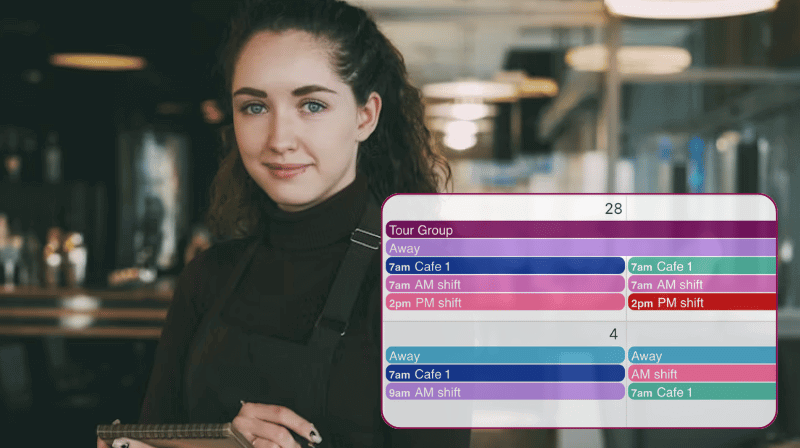
Managers can create separate sub-calendars for staff members and organize in folders for departments, roles, or locations. The result: A comprehensive, bird’s eye view of staffing. This is ideal for planning out seasonal schedules ahead of time. It’s also important when a surge in one area changes demand or staff turnover affects shift coverage at one location, but not another. Managers can view everything together to make informed decisions about how to adjust plans or allocate resources.
Flexible calendar views for visual comparison
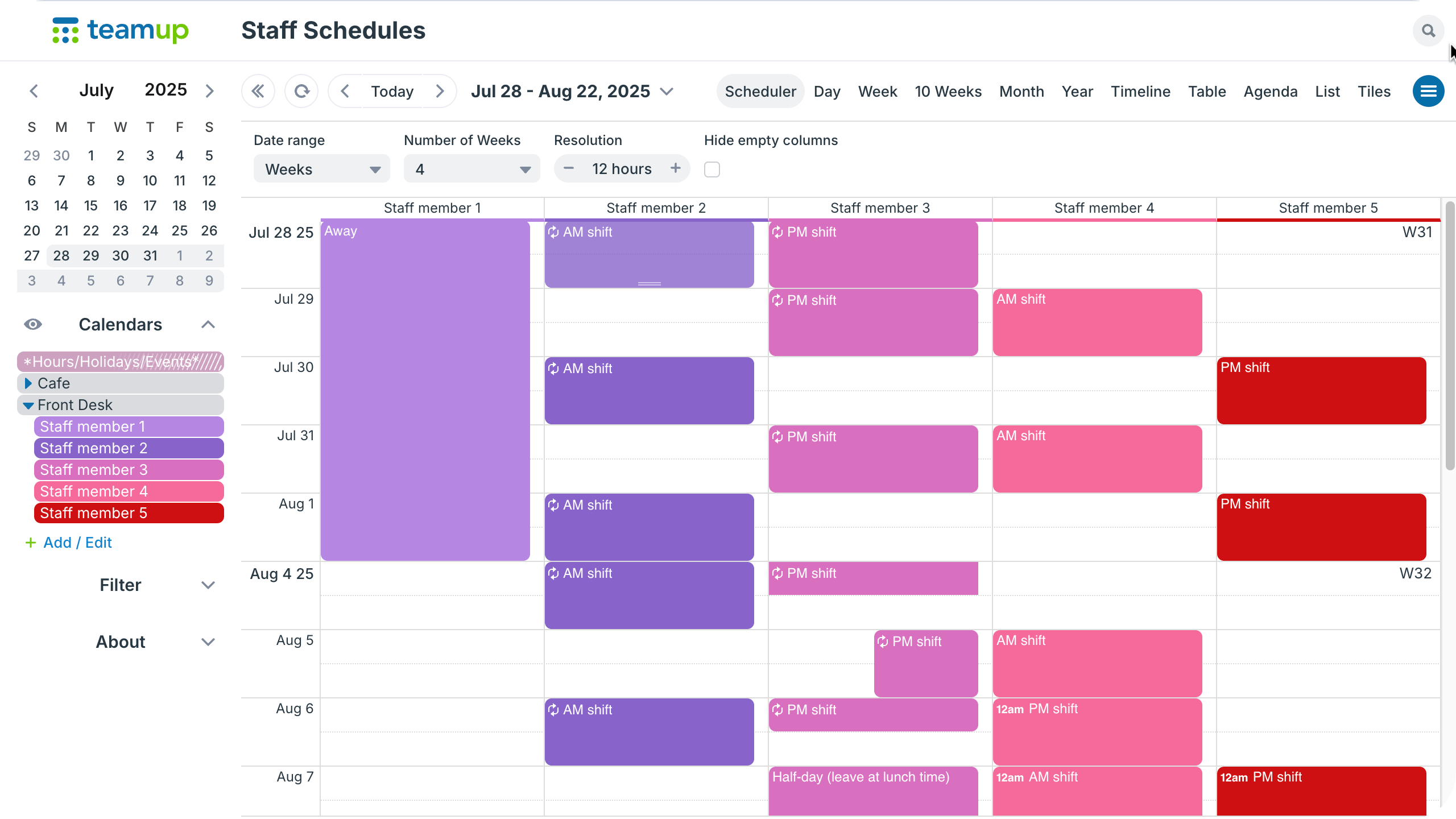
Click to enlarge: In Scheduler view, see assigned shifts and availability side-by-side. Toggle calendars to view only one department or team at a time.
To deal with the last-minute changes that occur in seasonal staffing, managers need quick comparison of availability and gaps where it matters. Sometimes that means looking across all locations or departments. Sometimes it’s checking for specifically qualified staff members or finding availability in a certain department to fill an empty shift. Different calendar views, like Timeline, Scheduler, and Multi-day, provide different layouts for quickly checking availability in the way that matters. Built-in filters help isolate for specific roles or employees to fill gaps efficiently.
Prevent overlapping events automatically
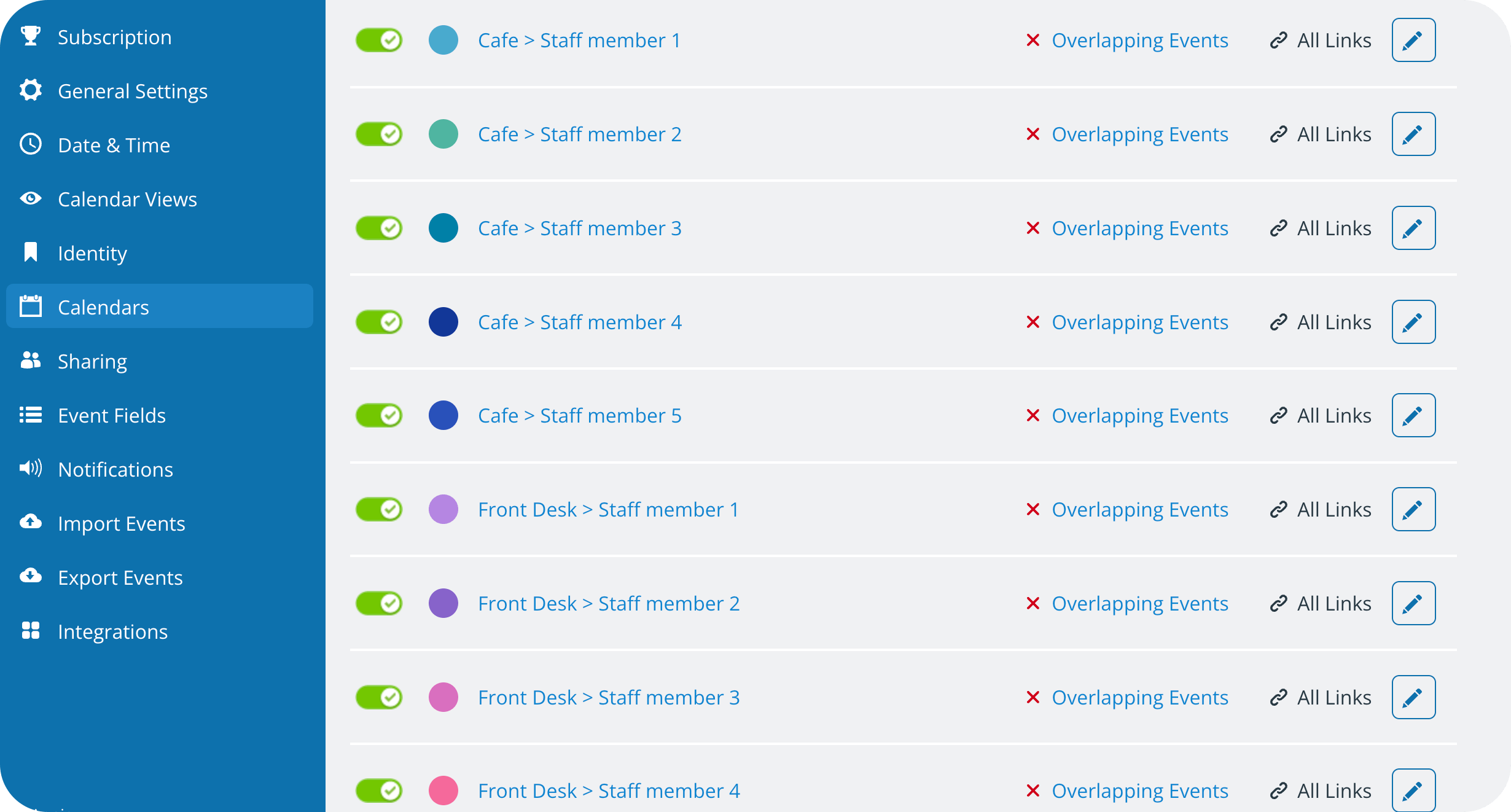
Click to enlarge: Set each staff member’s calendar to automatically prevent overlapping events.
One simple setting can be applied to each sub-calendar to automatically prevent overlapping events. If an event is already scheduled on a particular sub-calendar for a certain time, Teamup won’t allow events that overlap to be added to that calendar. Conflicts are avoided before they can cause issues.
Fewer gaps, faster adjustments, calmer operations
With a shared seasonal staffing calendar, there’s less time dealing with unexpected conflicts and more time making informed decisions. Coverage gaps are easier to spot, and adjustments can happen quickly. Everyone can focus on providing great service instead of untangling another complicated scheduling mess.
Related resources
If seasonal staffing feels like constant damage control, it’s often due to a lack of visibility and coordination. A scheduling system designed for fluctuations gives managers the space to respond, adapt, and keep service consistent. Give Teamup a try for easier scheduling and a smoother busy season.