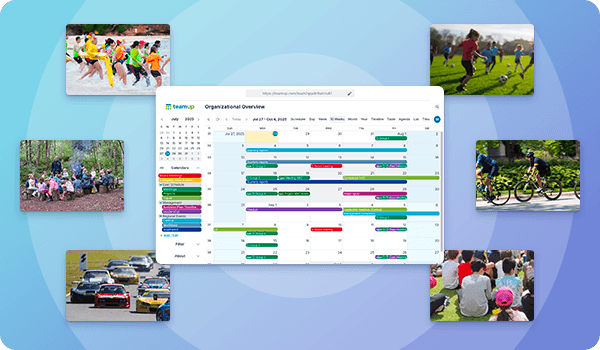
Community organizations, clubs, and local groups all need a simple way to share events with members and the public. Whether it’s practices, meetings, workshops, or special events, visibility drives participation. With Teamup, a shared calendar becomes the central place to plan events and easily publish them wherever your audience already looks.
The Teamup Solution: A shared calendar for communities and clubs
- All events are organized in one place.
- All the information is accessible and attached to each event.
- Schedules are visual, clear, and understandable at a glance.
- Updates happen in real-time across platforms.
- Event promotion is easy and everyone stays synced.
Start with one shared, synced calendar
Community organizations, hobby clubs, sports teams, and local groups often manage busy schedules of events, practices, and activities. Many are run by volunteers or small teams who need a simple way to keep members informed. Often, they want to share events outside the group, too: With fans, parents, supporters, and potential new members.
A shared calendar provides a clear way to handle this. All events are scheduled in one place, making it easy to update plans and give everyone a reliable view of what’s coming up. And the calendar can be shared publicly while keeping everything secure.
Compared to other approaches, a shared Teamup calendar is easier to maintain and more effective for sharing. Manual updates take time and are easy to miss, while spreadsheets don’t offer a clear, visual schedule. A shared calendar keeps events organized, easy to scan, and always up to date.
👉 Learn more about setting up and sharing a community calendar
Stand-out features that make it work
These features turn a simple calendar into a reliable system for managing and sharing community events:
- Use color-coded sub-calendars organized in folders to set up a flexible structure that’s easy to use.
- Add custom fields. upload files and images. Everything stays attached to the event.
- Easily and securely embed on the club website with events shown a beautiful visual layout.
- Share a secure calendar link, use the Teamup app, and promote individual events anywhere with synced, secure event pages.
- Use event signups and event comments to encourage participation and gather feedback.
Ways to share a community events calendar
Once the events calendar is set up, you can share it in different ways depending on how your community prefers to access information.
Embed the calendar on your website
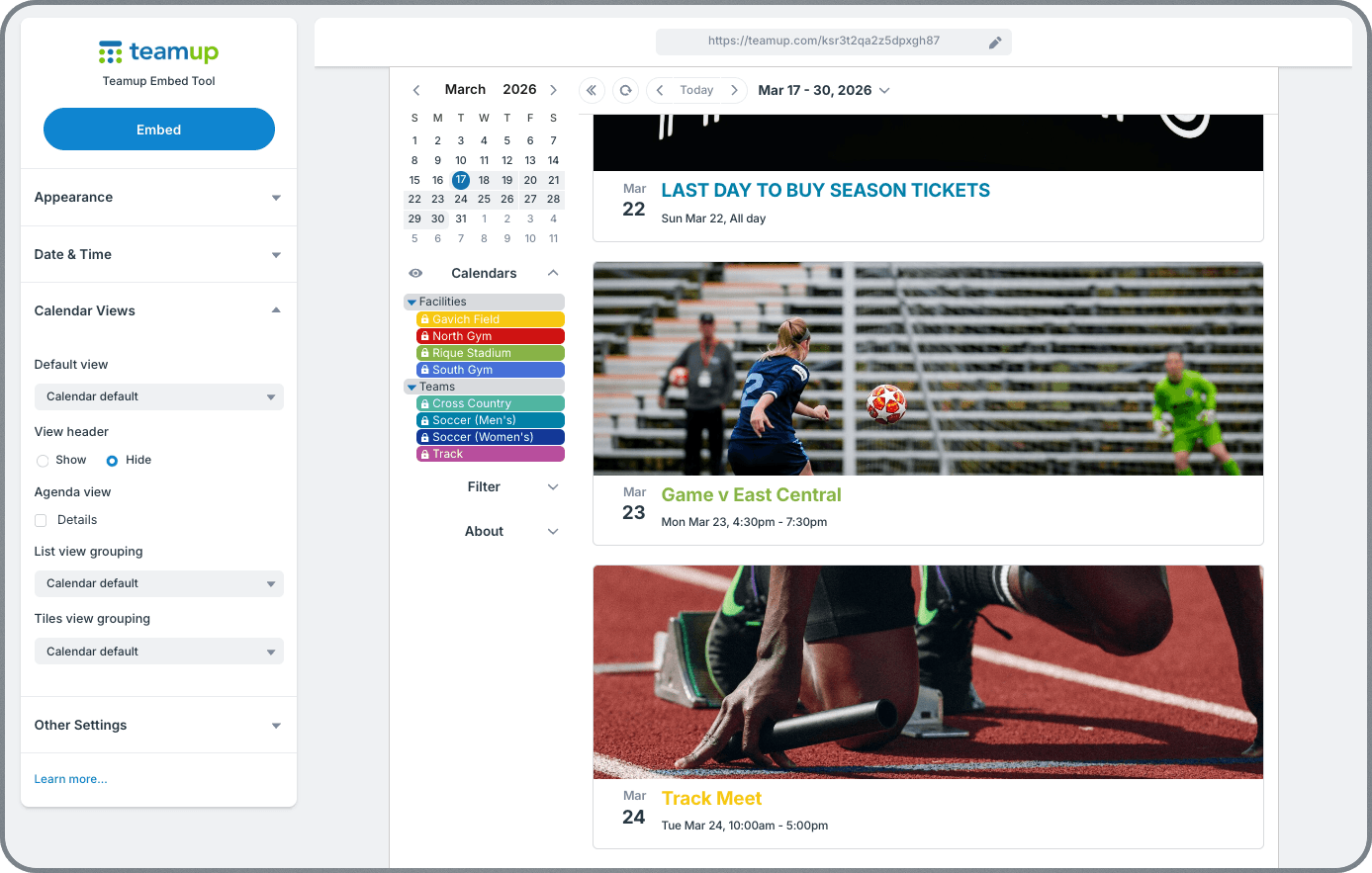
Display your full event calendar directly on your website so visitors can browse upcoming events in a clear, visual format. An embedded Teamup calendar acts as a single source of truth for events, allowing organizers to update schedules in one place – the same calendar – while automatically displaying those updates on their website, easily accessible to everyone in real-time.
🌎 See examples of embedded community calendars
Provide a shared calendar link
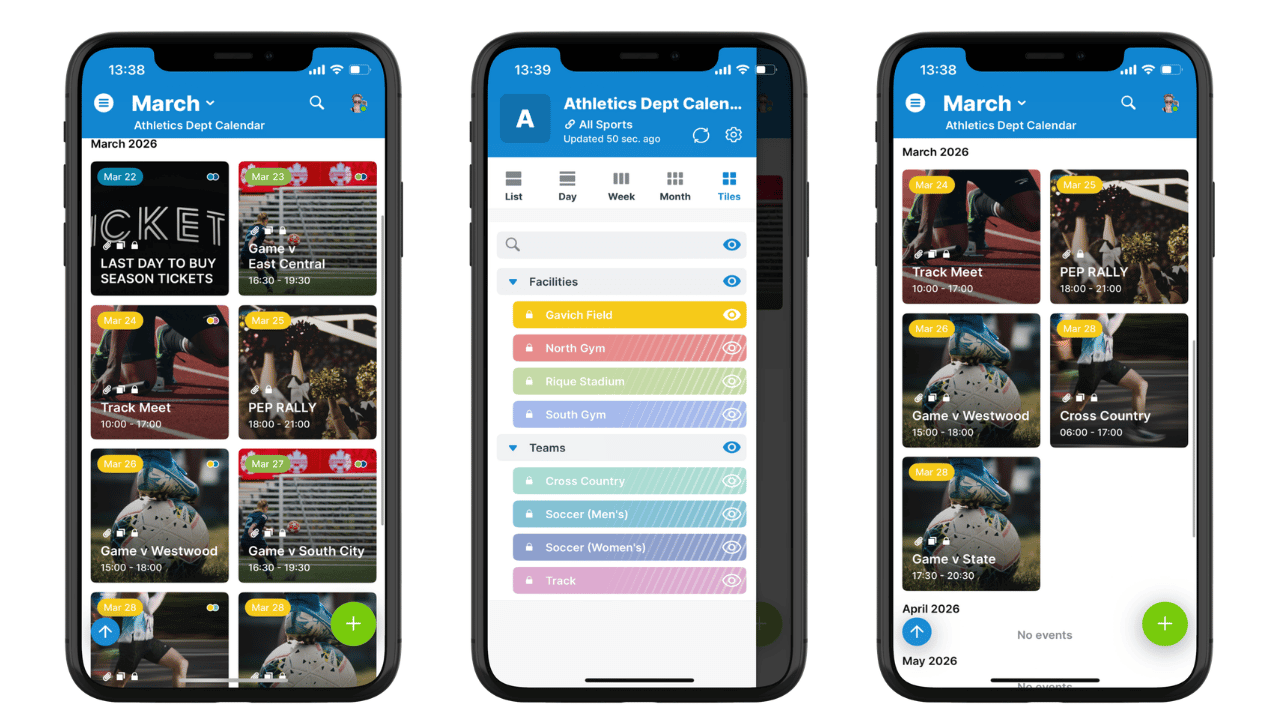
Click to enlarge: Share a secure link with members so they can access club events on the Teamup app.
Give members direct access to the calendar with a secure calendar link so they can view the calendar in the Teamup app. This gives them a reliable way to check schedules anytime, whether they’re at home or on the go.
🔗 More on sharing a link with members and keeping links secure
Share events in group chats and messaging apps
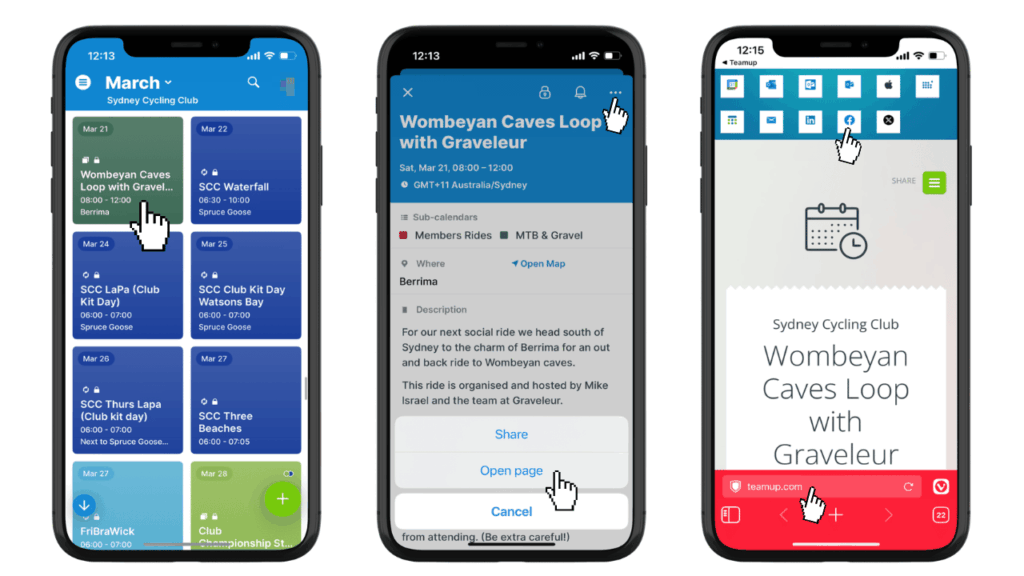
Click to enlarge: From a browser or the Teamup app, it’s easy to open and share an event page to any social media platform or messaging app.
Keep active groups informed by sharing secure event links: Each calendar event can be shared as a standalone event page directly into WhatsApp, Telegram, or other group chats, giving participants instant access to complete, up-to-date event details. Updates made on the calendar sync automatically to the event page.
💬 See how to share and promote events anywhere
Get real-time, automatic updates across platforms
With Teamup, sharing is easy because updates are automatic. You can embed the calendar on the club website, post event pages to social media, share a secure calendar link in the member group chat, and know that everyone always has the latest event info. When an event is changed on the calendar, the updates flow automatically so everyone stays synced. No need to do manual checks or tedious copy-and-paste reposting on different platforms.
✅ Learn about event sharing with automatic updates
Getting started is easy
Community groups use shared calendars in different ways depending on their needs, but the structure is similar across use cases.
⚙️ How to set up a community events calendar
- Create a Teamup calendar.
- Add sub-calendars for event categories, locations, etc.
- Organize in folders if needed.
- Configure event fields and add custom fields.
- Set up customized access for community members who will help manage events.
- Embed the calendar on the club website.
- Share a secure link to let people view the calendar on the Teamup app.
- Create events and share individual event pages to promote them.
- Update events in one place and let changes sync automatically everywhere.
Learn more: How to set up a shareable, synced events calendar for a community or club
Make event sharing simple and reliable
A shared calendar provides a clear and consistent way to manage and share community events. Instead of maintaining multiple systems, everything is handled in one place and published wherever it’s needed. The result is a simpler workflow for organizers and a better experience for members and the public.
Create your own Teamup calendar to organize, share, promote and enjoy events with your community or club.