
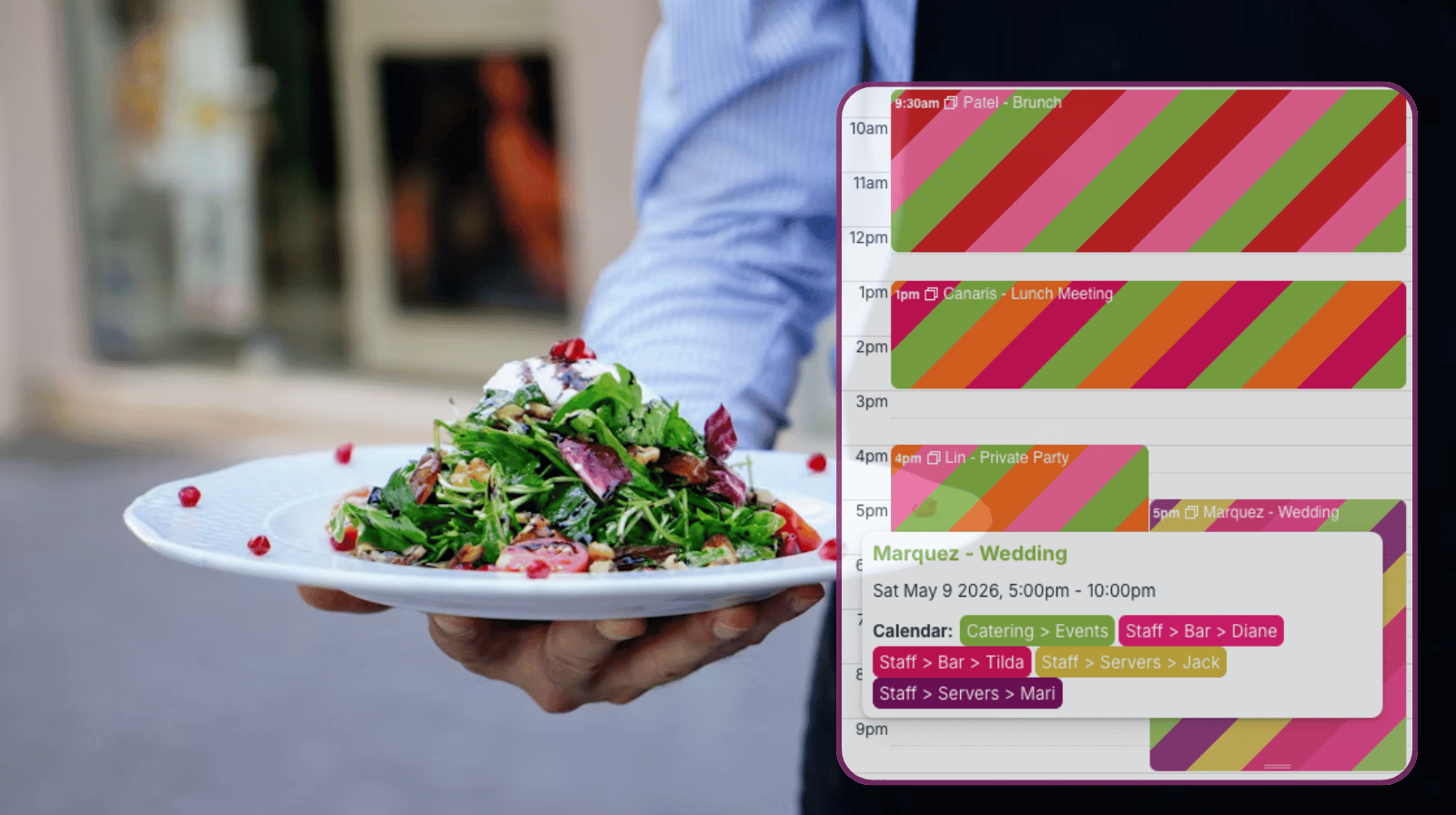
The need: Keep track of staff availability across full-time and on-call workers, avoid double-bookings, and ensure every event is fully staffed even when schedules change last minute.
The Teamup solution: A shared calendar where each staff member manages their availability while managers assign shifts with full visibility and built-in conflict prevention.
Where scheduling breaks down during a busy weekend
For service companies that work special events, certain dates will always be busier. Weekends, holidays, and seasonal milestones (such as graduation times, school vacations, and temperate weather periods) are more popular for special events, and companies have to be able to keep up with the demand. While some prep work can be spread out over the days and week preceding these busy times, adequate staffing has to be in place for each event, when it happens. And that can get complicated, especially when there are last-minute changes.
For example, catering companies often have multiple major events on the same weekend. A catering manager who needs to plan staffing needs to have clear availability of all staff members, know who is assigned to which event, and be able to make quick adjustments.
Spreadsheets are often used for this type of staffing matrix, but they fall short:
- A server is scheduled for both a wedding and a private party at the same time. The conflict isn’t obvious in the spreadsheet.
- A bartender marked themselves unavailable by text, but that update never made it into the schedule.
- A last-minute call-off leaves a gap, but there’s no quick way to see who else is available with the right role.
Putting the complex staff schedule together takes more time than it should, and doesn’t provide clear, visual clarity when changes are needed. Conflicts and double-bookings happen because they’re just not obvious in a spreadsheet format.
A better way: One shared calendar with visual clarity
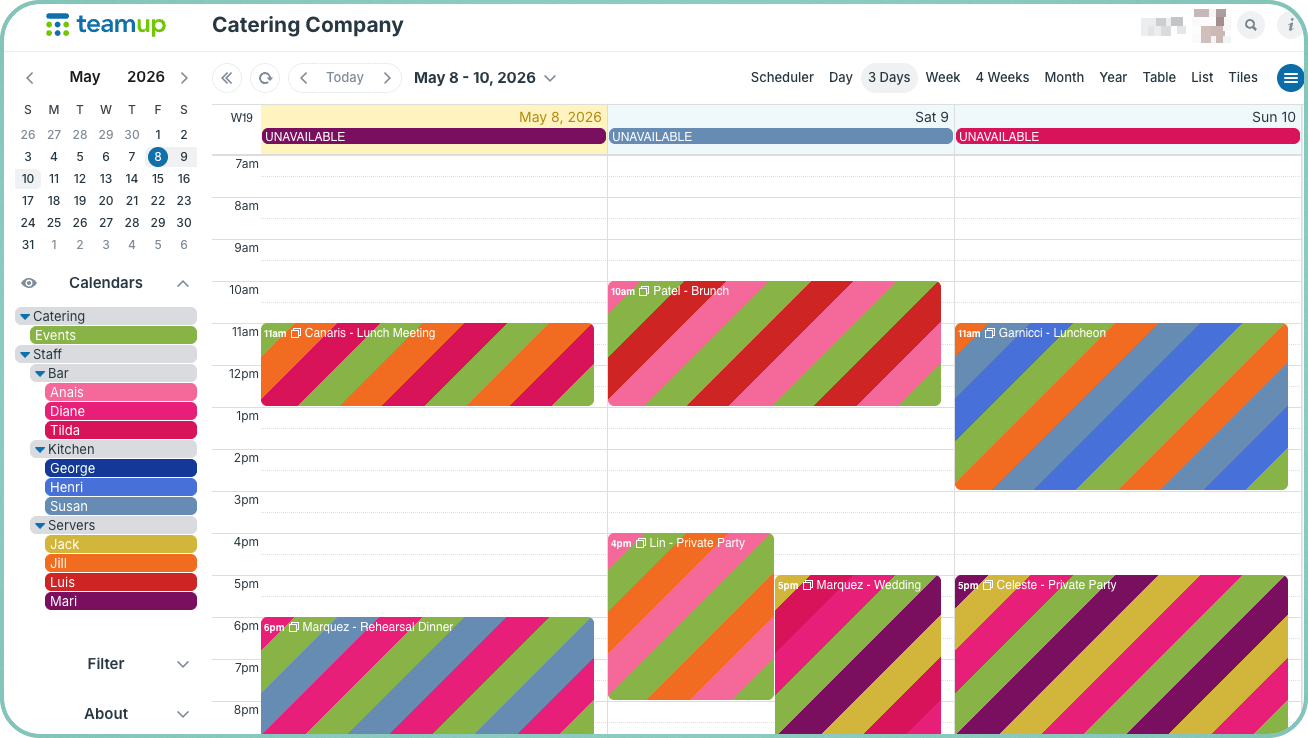
Click to enlarge: Color-coded calendars for each staff member provide clear organization and visual cues. Multi-day view provides a focused look at the weekend.
With Teamup, the same manager handles scheduling in a completely different way:
- Each staff member has their own sub-calendar. They update their availability, PTO, or absences directly. There’s no need to send separate messages or wait for manual updates.
- Managers can see everything in one place: who is available, who already has assigned shifts, and what events still need coverage.
- Availability and coverage gaps are visual, obvious with color-coded layouts, rather than hidden in lines of text or tiny spreadsheet cells.
What makes this setup work
Clear, visual availability
Each staff member has a color-coded sub-calendar. Managers can scan the calendar and immediately see availability across all staff. Different roles, such as servers, kitchen staff, and bartenders, can be grouped or filtered for faster decision-making.
Staff manage their own availability
Staff can add or update their availability anytime using modify-my-events access. They cannot change assigned shifts, so they are responsible for keeping their availability accurate before schedules are created.
No double-bookings
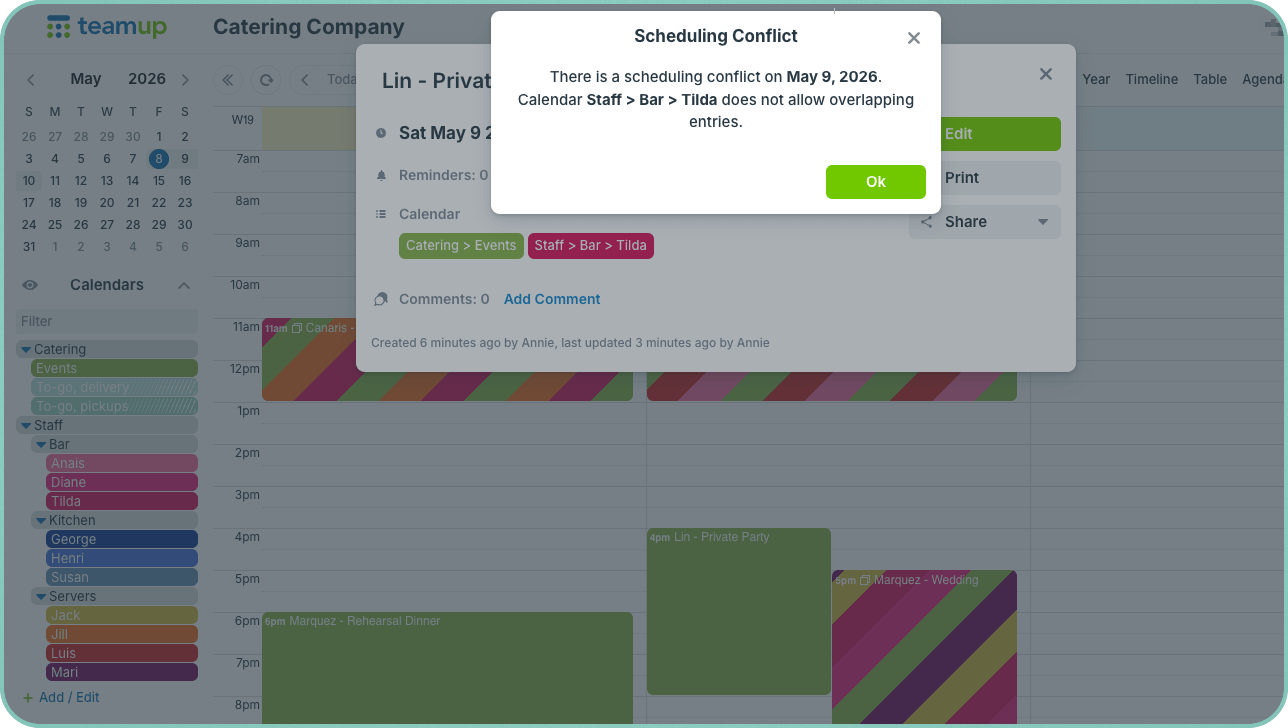
Click to enlarge: The calendar automatically stops overlapping entries on the same sub-calendar, so double-bookings are prevented.
Sub-calendars are set to disallow overlapping events. If someone is already scheduled for a shift, they cannot be assigned to another event at the same time.
Availability and assignments stay aligned
If a staff member already has a shift, they cannot mark themselves unavailable for that same time. Any changes require coordination with a manager, which prevents silent conflicts.
Quick response to last-minute changes
If someone calls off, managers can filter the calendar to find available staff within the needed role. Scheduler view makes it easy to scan available staff and fill the gap quickly.
Mobile access for everyone
Staff check their schedules and update availability from the mobile app. Managers make changes on the go. Everyone sees the same, up-to-date information.
How to set it up
- Create a sub-calendar for each staff member and organize them into folders by role, such as servers, bartenders, and kitchen staff.
- Give each staff member modify-my-events access to their own sub-calendar so they can update availability.
- Set staff sub-calendars to disallow overlapping events to prevent double-bookings.
- Create events for each catering job and assign staff directly based on visible availability.
- Use filters or toggle calendars to view only relevant staff.
- Use Scheduler view to see availability side-by-side with events.
- Have staff use the Teamup app to check their schedule and get a mapped location to each assignment.
Keep every event fully staffed without the scramble
When availability, assignments, and updates all happen in one place, scheduling becomes predictable instead of reactive. Managers stop chasing information and start making decisions with a complete view. Staff know exactly when they’re working and what’s expected.
This setup works for catering teams, event staffing agencies, and any operation with flexible or on-call workers. It reduces scheduling errors, improves communication, and makes it easier to handle changes without disruption.
Set up a Teamup calendar and bring structure and clarity to your staffing process today.


