Rental operations move fast. Deliveries, pickups, and returns happen across many clients, locations, and event dates, often on the same weekend. Operations managers, drivers, and warehouse staff all need to know what is happening and when. A shared logistics calendar gives everyone one reliable place to coordinate deliveries, track returns, and manage event schedules in real time.
The need: Manage the delivery and return of rental items across multiple clients and events, while coordinating staff schedules, equipment availability, and return inspection windows in real time.
The Teamup solution: A shared master calendar that provides an immediate visual overview of the whole operation. Sub-calendars organize and color-code events while custom fields provide additional layers of scheduling information.
Rental scheduling has a lot of moving parts
Running a rental operation means managing several different types of scheduling at once: delivery windows, pickup times, equipment availability, staff assignments, and return inspections. Each piece has its own timing, its own people, and its own details to track.
Many rental businesses manage some of these well. The challenge is keeping all of them connected. When deliveries are tracked in one place, pickups in another, and staff schedules somewhere else entirely, it gets harder to see the full picture. A change in one area can affect everything else, and if the information isn’t shared, the rest of the team may not find out until it causes a problem. The result is more back-and-forth communication, more manual coordination, and more room for things to slip through.
Scheduling layers in a rental operation
A well-run rental operation involves multiple layers of scheduling, all of which need to be considered:
- The rental bookings: When and where the client is using the equipment.
- The deliveries and pickups: The logistics windows before and after each event.
- The equipment: What’s out, what’s back, what’s in maintenance.
- The staff: Who’s driving, who’s setting up, who’s doing the post-return check.
When these layers are in separate places, you’re always working from incomplete information. When they’re in one calendar, the full picture is visible to everyone who needs it.
Visibility of the full rental schedule
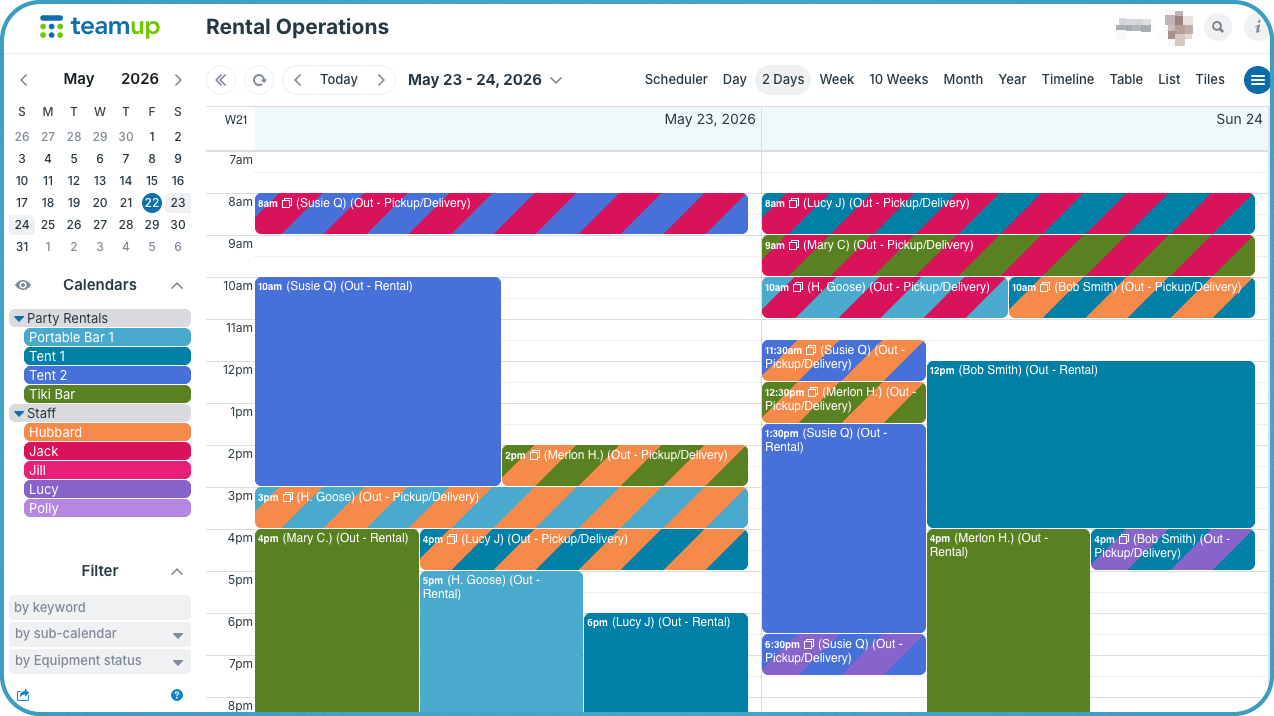
Click to enlarge: Color-coded sub-calendars provide a clear visual layout of rentals, logistics, and staff scheduling.
Teamup provides two crucial ways to bring in all the scheduling layers: sub-calendars and custom fields. Sub-calendars are color-coded and can be organized in folders to keep different layers in their own container. They’re best used for the scheduling layers that cannot be double-booked, such as rental equipment and staff members. Each sub-calendar can be set to automatically prevent overlapping events, so it becomes impossible to double-book a staff member or schedule conflicting rentals for the same piece of equipment.
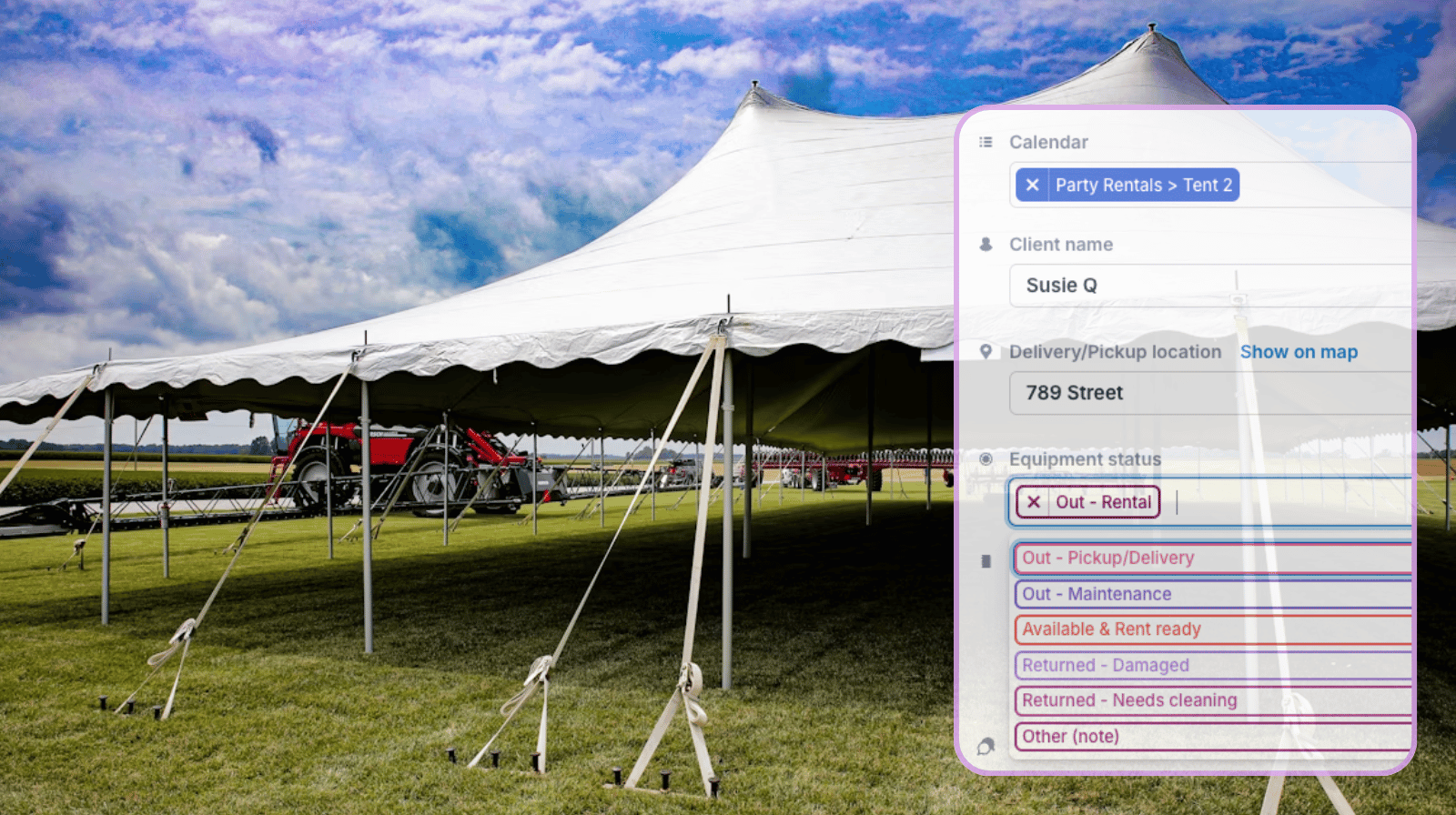
Custom fields are great for capturing and tracking other scheduling layers, such as client information, delivery location, maintenance needs, or equipment status. Custom fields can be ignored if they’re not relevant on some events, so they don’t clutter the view when they’re not needed. Or, for info that should always be captured on every event, a field can be required.
With a combination of sub-calendars and custom fields, every part of the rental schedule is organized and visible in one calendar. This means conflicts are eliminated and potential issues are spotted early:
- Double-booked drivers: Two pickups at the same time for one driver? It’s automatically prevented with sub-calendar rules for overlapping events. The second pickup is assigned to another staff member.
- Equipment backups: A busy weekend has all the large tents rented, but one was just returned with damage. Maintenance is notified to prioritize the repair so it’s ready for the weekend.
- Understaffed delivery runs: One driver on Friday has four back-to-back delivery events, but traffic is always a problem at the end of the week. Another driver is called in to split deliveries so rentals stay on time.
These aren’t new problems. They existed before the calendar. The difference is that a shared logistics calendar surfaces them on Wednesday, when there’s still time to fix them, instead of Saturday morning.
How to set up a rental operations calendar
How to set it up
- Create separate sub-calendars with color-coding for each event type. Organize in folders to keep things neat.
- Add custom fields for all the key details: delivery addresses, inventory lists, truck assignments, and status updates.

- Configure field visibility so confidential notes or documents are visible only to modify-level staff.
- Give each team member customized calendar access to see the sub-calendars that are relevant for their role.
- Enable event comments so drivers can upload proof-of-delivery photos, update status, and add notes from the field.
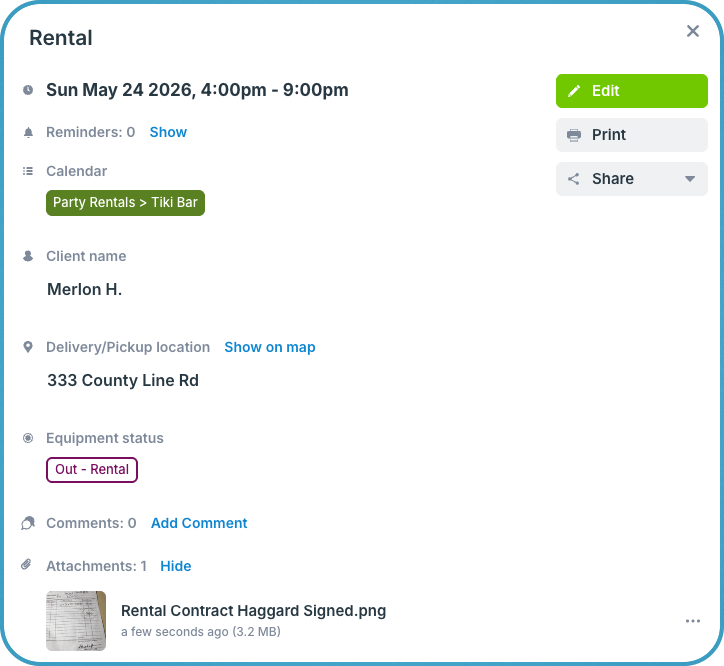
Visible, coordinated rental operations
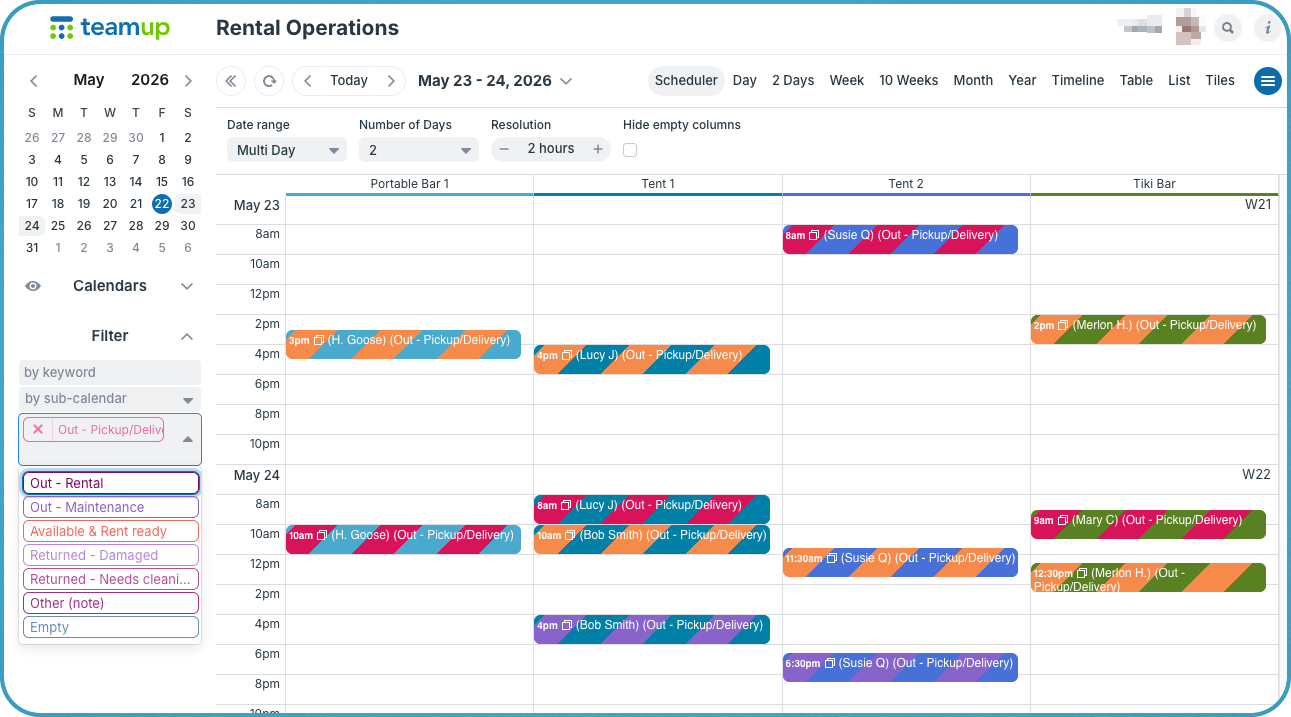
Click to enlarge: Toggle calendars, filter by status, and see rental events in different views like Scheduler, which shows each sub-calendar in its own column.
When all scheduling layers live in a single Teamup calendar, the whole operation becomes visible at once. Deliveries, pickups, staff assignments, and maintenance windows are no longer scattered across separate documents or systems. Everything is connected, and a change in one area is immediately reflected across the whole calendar.
What makes this especially useful is that the information is visual. Color-coded sub-calendars, event blocks, and calendar views translate a complex schedule into something you can read at a glance. A busy Friday looks busy. A clear week is just as easy to spot as a packed one. You understand the shape of the operation without having to read through a list or cross-reference a spreadsheet.
A visual calendar shows you what is actually happening, how much is happening, and where the pressure points are. For a team that moves quickly and needs to make fast decisions, that difference matters.
Teamup helps rental and logistics teams coordinate deliveries, returns, inventory movement, and event schedules in one organized system. Create your own operations calendar today and simplify logistics coordination across every event.