Organizations that run programs across multiple locations face a different kind of scheduling challenge. It’s not just about placing events on a calendar. It’s about providing full visibility for everyone involved, so it’s possible to coordinate timelines, staff, and resources across sites over weeks or months.
The need: Provide clear visibility for events across multiple locations in order to coordinate staff assignments and event timing without conflicts or blind spots.
The Teamup solution: A unified calendar with location-based sub-calendars that provides a complete, side-by-side view of all schedules, making it easier to plan ahead, compare activity, and adjust as needed.
The need: Coordinated event planning across locations
Planning usually starts at the location level. Each site has its own schedule and staffing; special events are planned around what’s already in place. In order to coordinate event planning across multiple locations, those location-specific plans need to mesh. But it’s hard to bring it all together; event coordinators and regional directors are often scrambling to deal with issues that aren’t obvious at first, and difficult to solve once they become apparent:
- Unbalanced schedules across locations: One site may be overloaded while another has unused capacity.
- Staff conflicts between locations: Shared staff may be assigned in overlapping timeframes without visibility.
- Inefficient use of resources: Without coordination, there’s overlap in spending and missed opportunities to share costs.
Solving these problems requires a system that brings all the plans and schedules into one place, so everyone involved has visibility of what’s happening across all locations. Without a single view, planning becomes reactive. It’s hard to track patterns or plan months ahead when schedules are split. Updates in one location require emails or meetings to keep others aligned. Teams end up with heavy communication burdens and still spend time fixing conflicts instead of preventing them.
The fix: One calendar for combined, clear visibility
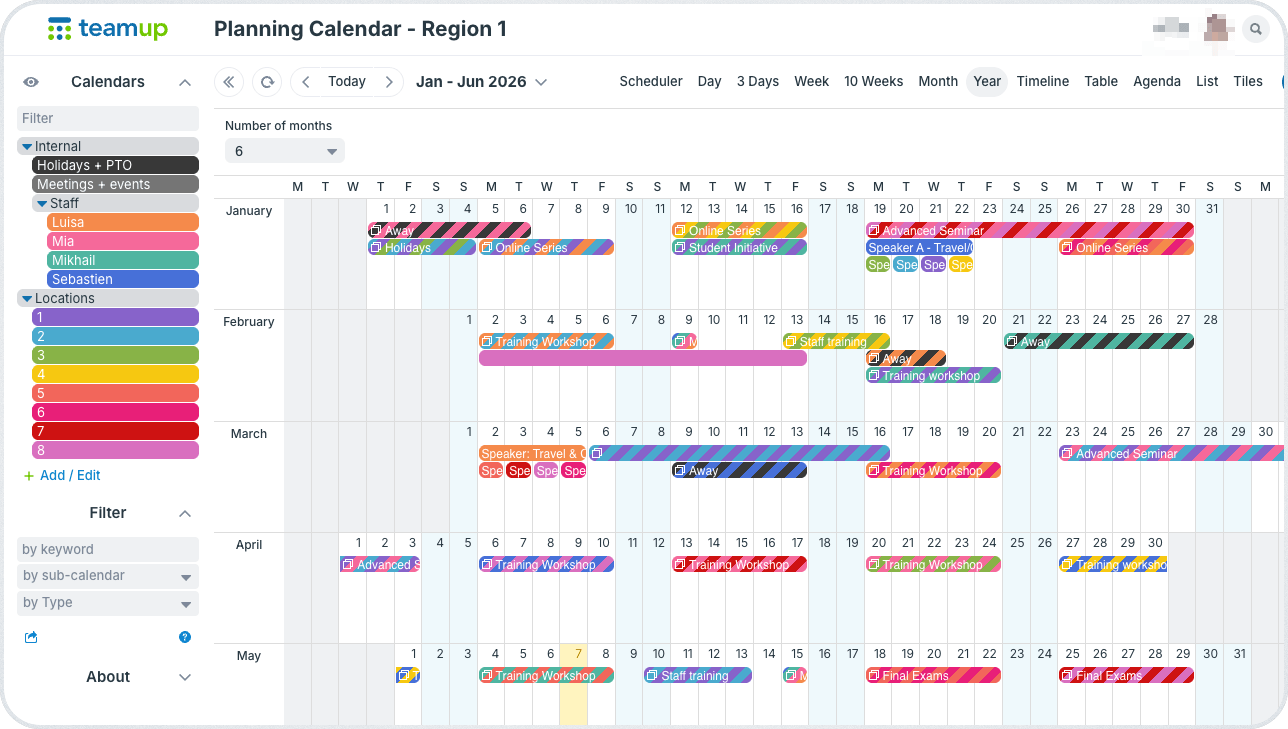
A unified calendar changes how planning works by providing the missing visibility. Instead of managing each location in isolation, all schedules live in one place, structured but connected. Events can be coordinated in the big picture, across all locations, which makes operations more efficient and keeps major events from conflicting with each other.
For example, an educational organization may want to coordinate events for member schools in a large region. Each school manages its own staff schedules and day-to-day operations, while the educational organization provides various supplemental events and experiences for students. The director of the region can provide more educational experiences for each school by planning across multiple locations. For example, a speaker can be booked to visit multiple schools in the same region, rather than just one, which keeps travel costs down while providing the opportunity to more students in more schools. To manage this, the director needs to clear visibility of what’s happening for all schools in the region in one place:
- All planned events/experiences from the organization for each school.
- Each school’s holidays, major events, and important dates.
- Staff and shared resource availability.
Having all the location makes coordinated scheduling possible. The regional director can compare activity across locations in real time, plan long-term schedules without losing clarity, adjust staffing and resources based on the full picture, and catch conflicts early before they affect operations.
How it works
Mini-guide
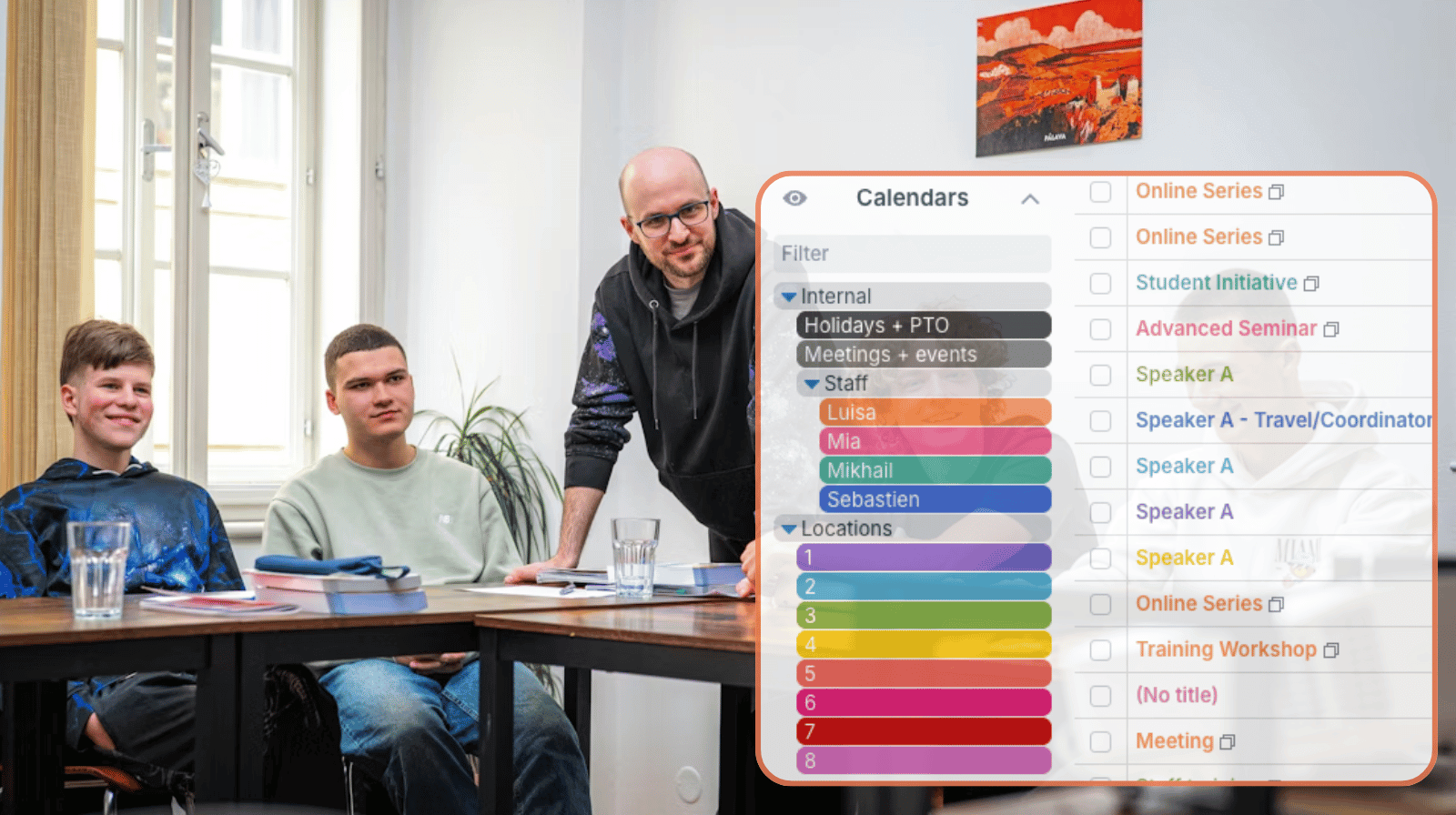
- Create a sub-calendar for each location and group them into a folder for easy organization.
- Add sub-calendars as needed for internal meetings, staff scheduling, holidays, etc.
- Add custom fields to capture key details and keep data organized.
- Add key dates (holidays, testing, major events) for each school to its sub-calendar.
- Alternately, set up an inbound iCalendar feed for each school, with additional nested folder organization.
- When creating events, assign staff or resources to each one as needed.
- Set the sub-calendars to disallow overlapping events to automatically prevent schedule conflicts.
- Use one of Teamup’s long-term views to see a whole year on a page for annual planning across locations.
- Adjust what’s visible to do planning as needed:
- Full overview to see what’s happening across all locations for any date range.
- Toggled calendars to focus on one location or compare several.
- Filtered views to see only certain events by status or type.
Plan across locations with clarity
When events across all locations are visible in one system, plans can be coordinated and scheduling can be more efficient. There’s better budgeting when speakers, workshops, or other major events can be coordinated for multiple locations across the region at one time. Staff members can work together to make sure all major events have adequate coverage and resources are used in the best way. And it’s easy to avoid scheduling events when they’d clash with other things happening at a particular school.
Instead of managing separate timelines, there’s a single, reliable view. The result is better balance across locations, fewer conflicts, and a smoother planning process overall. Create your own Teamup calendar for combined visibility and easier coordination across multiple locations.