
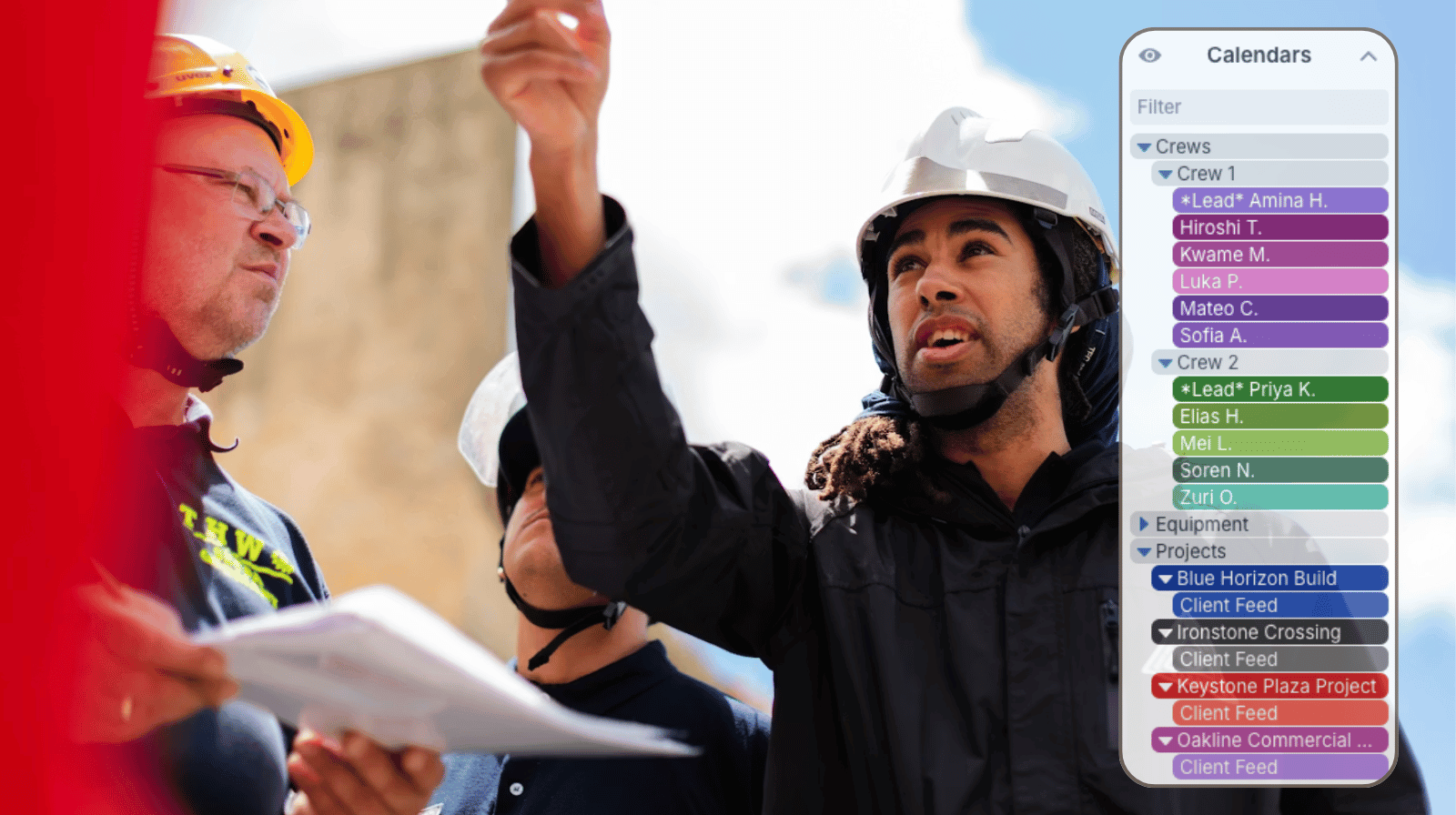
Construction scheduling only works when the right people can quickly access the right information. Project managers need visibility across crews, equipment, and timelines. Crew leaders need daily job details and schedule updates. Field crews only need their own assignments. Clients may only need milestone visibility.
When every person sees the same overloaded construction calendar, important information gets buried fast. But when scheduling, documentation, files, and updates are organized in one centralized system with role-based access, construction teams can coordinate work more efficiently without losing visibility or control.
The need: Keep construction schedules, job information, crews, equipment, and project updates organized in one centralized system while giving each role the exact level of visibility and access they need.
The Teamup solution: A shared Teamup construction scheduling calendar with sub-calendars, role-based permissions, and centralized project documentation so office teams, field crews, and clients all work from the same organized source of information.
Why construction scheduling access matters
Construction schedules involve far more than dates on a calendar. Every scheduled job often includes crew assignments, equipment coordination, permits, notes, photos, vendor details, inspections, and client communication. Without a centralized system, this information ends up scattered across texts, spreadsheets, emails, whiteboards, and disconnected apps.
The bigger challenge is visibility. Different people need different levels of access:
- Schedulers and supervisors need a full operational view across all jobs, crews, and equipment.
- Project managers need visibility into their own projects and resources.
- Crew leaders need daily schedules for their crews along with related project details.
- Crew members only need their own assignments and updates.
- Clients may only need milestone visibility and project progress updates.
If everyone sees everything, the calendar becomes cluttered and difficult to use. If information is split into separate systems, communication gaps and scheduling conflicts increase. Construction teams need centralized scheduling with controlled visibility so every person sees only what is relevant to their role.
How Teamup organizes construction schedules
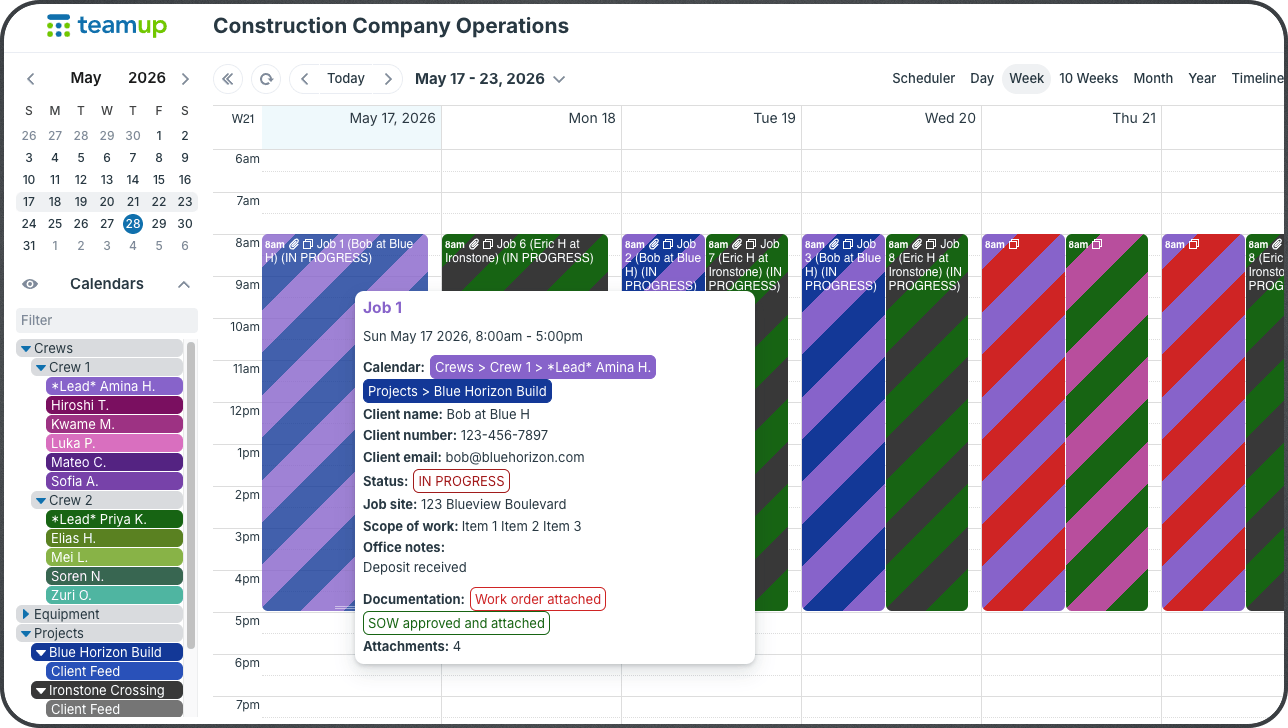
Click to enlarge: A single operations calendar to coordinate all the aspects of multiple construction projects: Crews, equipment, projects, and more.
Teamup allows construction companies to build one centralized scheduling and job information system while customizing visibility for every team, role, and stakeholder.
Separate sub-calendars manage projects, crews, equipment, inspections, subcontractors, maintenance work, and client milestones in one place. Everything is organized and color-coded. Schedulers and supervisors maintain full visibility across the entire schedule, while project managers, crew leaders, field crews, and clients each see only the information relevant to their role.
How role-based access works for construction scheduling
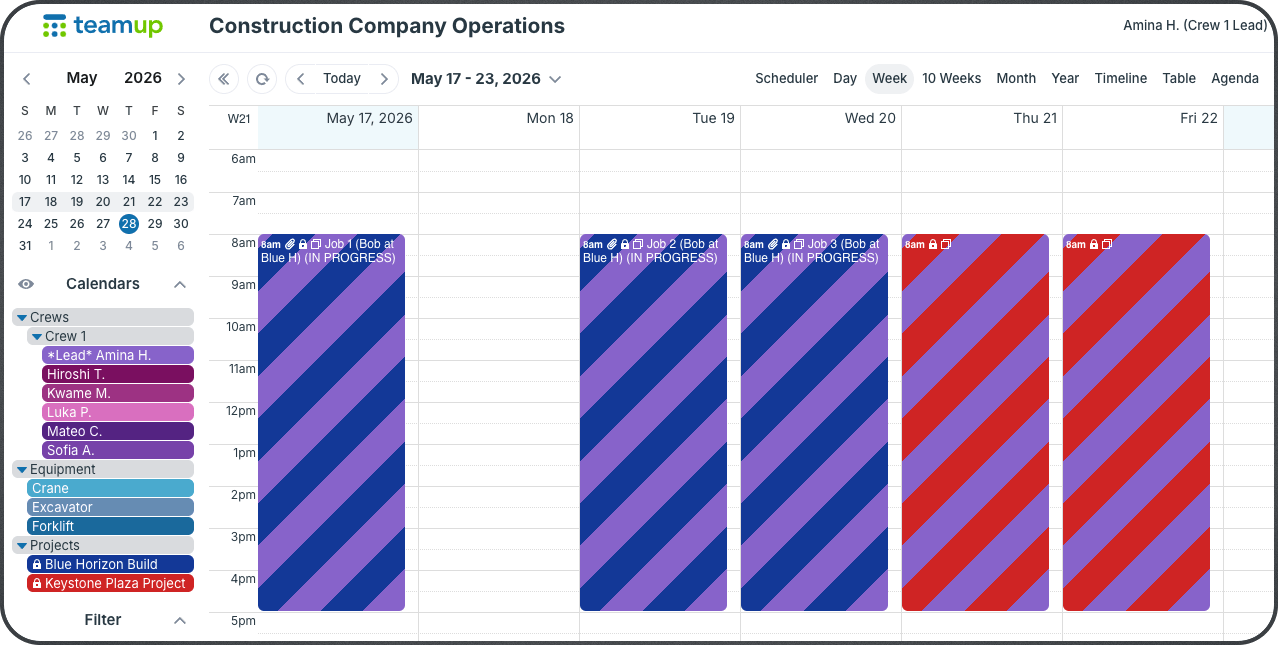
Click to enlarge: The lead for Crew 1 has customized access to the calendar to manage her crews’ schedule, see their job assignments and current projects, and view equipment availability.
- Company-wide operational visibility: Schedulers and supervisors can manage the full construction calendar while monitoring crews, equipment, inspections, and project timelines across all jobs.
- Project-level access: Project managers can view and modify their projects and project information, and can be given access as needed to crew, subcontractor, and equipment sub-calendars.
- Crew scheduling: Crew leaders can view and manage their crew’s daily schedules and job assignments, and access with customized permissions to project and equipment calendars as needed.
- Individual worker schedules: Crew members can view only their assigned jobs and updates without unnecessary calendar clutter.
- Client milestone visibility: Clients can receive limited-access views showing only project milestones, inspections, or major deadlines.
- Centralized job documentation: Schedules, notes, permits, photos, work orders, and updates stay attached directly to scheduled jobs for easier field coordination and record-keeping.
- Mobile jobsite access: Field crews can review schedules, upload updates, and access job information directly from the field.
How to set it up
Mini-guide
- Create separate sub-calendars for projects, crews, equipment, inspections, and client milestones.
- Set up customized calendar access for each person according to their role:
- Give schedulers and supervisors full calendar visibility and modify access.
- Configure project manager access to view only their assigned projects and resources.
- Set crew leaders to view their crews plus related project and equipment schedules.
- Provide crew members with individual schedule access using filtered calendar views.
- Attach jobsite documents, photos, permits, and notes directly to scheduled jobs.
- Use the Teamup apps for real-time updates and syncing from field to office.
- Share limited-access milestone calendars with clients and external stakeholders.
Improve coordination across all projects and jobs
When construction schedules, project details, and updates stay centralized, teams spend less time searching for information and more time coordinating work effectively.
Role-based access keeps the system organized while still giving leadership full operational visibility across the company. Field teams stay informed with current schedules and job details. Project managers can monitor progress more easily. Clients gain better visibility into project timelines without exposing sensitive internal operations.
Over time, the calendar also becomes a searchable operational record of completed work, schedule changes, field updates, inspections, and project activity. No complex permissions system. No separate tools. Just one calendar that works for everyone.
Ready to keep construction schedules and job information organized in one secure system? Set up an organized construction calendar with role-based access for security, visibility, and efficient operations.


