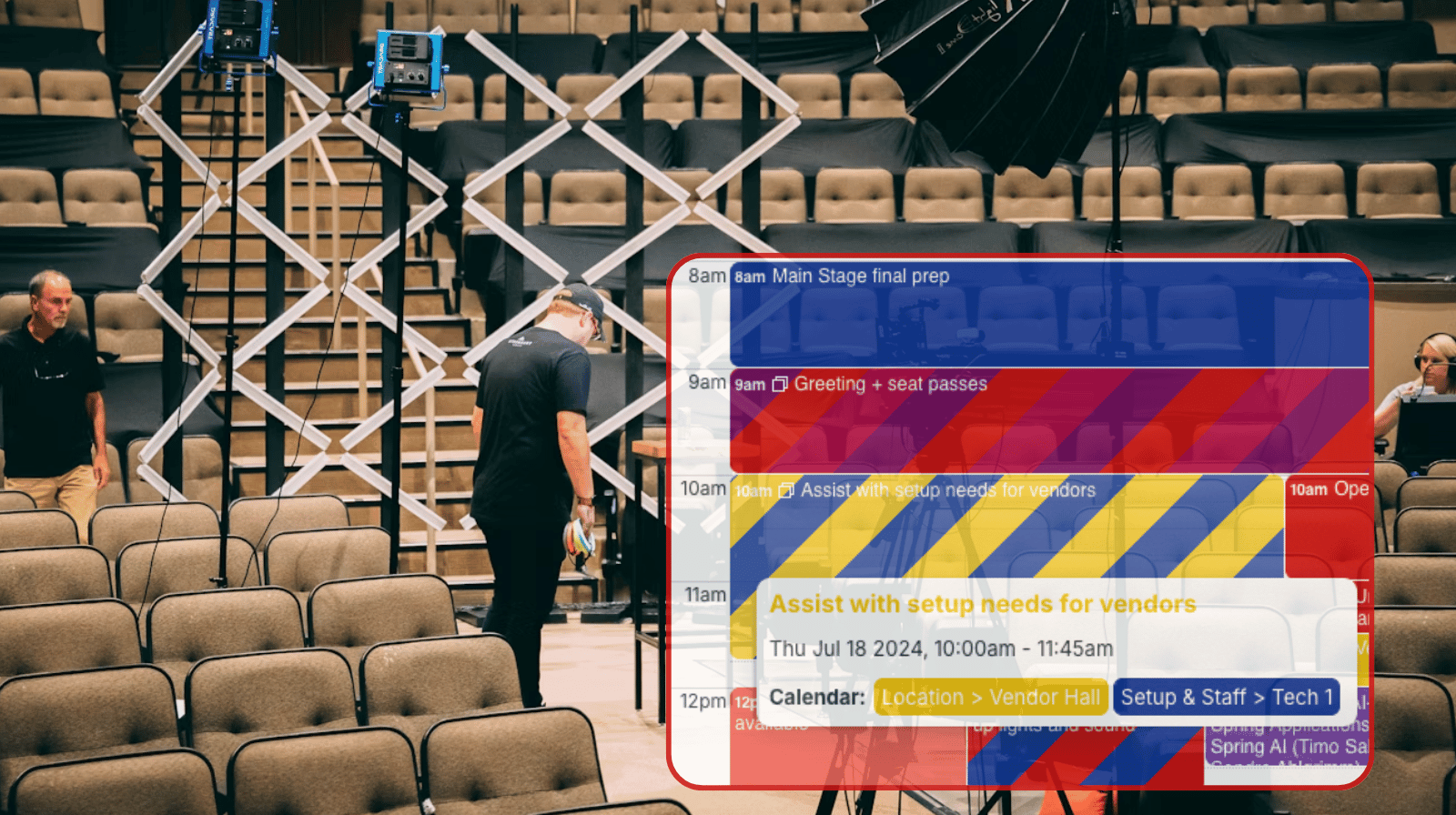
For multi-day event coordinators, planning logistics with spreadsheets quickly becomes difficult as schedules change and multiple teams need updates. Version conflicts and missed changes create gaps in execution. A shared calendar like Teamup provides a more reliable way to coordinate time-based work across roles.
The need: For event planners coordinating multi-day schedules, relying on spreadsheets creates confusion. Frequent updates, version conflicts, and hidden conflicts can cause problems when not everyone knows the latest schedule.
The Teamup solution: A centralized calendar where all event activities are scheduled, updated, and visible by role, time, and location keeps everyone synced and on track with secure access and synced mobile app.
Issues with spreadsheet-based event planning
For event planners who manage the multiple moving pieces in a complex schedule, a perfect plan and carefully communicated strategy can fall apart at the last-minute: It happens when last-minute changes happen (as they often will) and create timing issues that aren’t seen or understood by everyone on the team.
Here’s an example from a typical planning workflow:
- On the second day of planning, the coordinator updates the spreadsheet to move a keynote session from 11:00 to 10:00 and sends the revised file to the team.
- The venue technician is still working from the previous version saved locally. He prepares the main hall for a 11:00 session, while the speaker plans to arrive closer to 10:00 based on the updated file.
- At the same time, the volunteer coordinator assigns staff using an older version of the schedule, placing them in the wrong rooms at the wrong time.
- Catering follows an earlier delivery timeline and arrives during a gap that no longer exists. Each role is acting on a different version of the same plan.
These conflicts happen because spreadsheets do not update in real time and depend on manual distribution. Every schedule change creates a delay between when it is made and when others see it. It’s also difficult to get a quick grasp on what has changed in a scheduling spreadsheet: Data is held in rows of text, with no clear visual layout and no way to automatically prevent double-booked resources. Even when working from the most-current version, it’s possible to miss updates and overlook conflicts.
Upgrade to a shared calendar for event planning
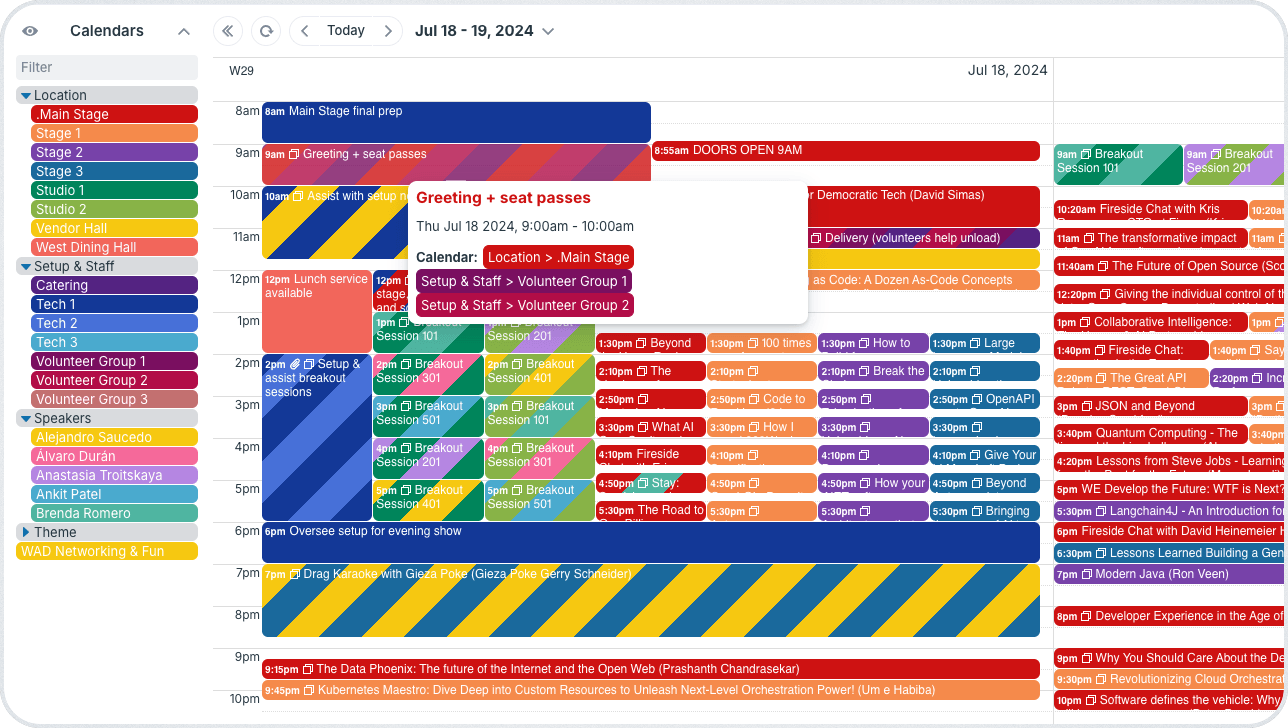
Click to enlarge: See everything involved for the event in one place, from speakers to setup and staff, with all the details organized and changes synced in real-time.
How could things work in a shared calendar instead of a spreadsheet?
- Each key scheduling factor (space, speaker, category) is represented by its own sub-calendar. Color-coding and folders keep things neat and organized even on a complex schedule.
- All key details for any individual event are tied directly to that event in event fields and uploaded files.
- The calendars are set to automatically prevent overlapping events, so double-bookings can’t happen.
- Each person gets customized access to the calendar with the visibility and permissions appropriate for their role.
- Changes sync in real-time for everyone, whether they’re using Teamup on the browser or in the mobile app.
When a change happens (like a keynote session time being moved), the coordinator updates the calendar. The technician’s calendar view syncs automatically to show the adjusted setup time, and they shift preparation accordingly. The volunteer coordinator sees the updated schedule and adjusts assignments quickly. The catering manager tries to schedule delivery at the same hour but can’t, because there’s a conflicting event now. They find a new open time for delivery and schedule it without needing separate instructions.
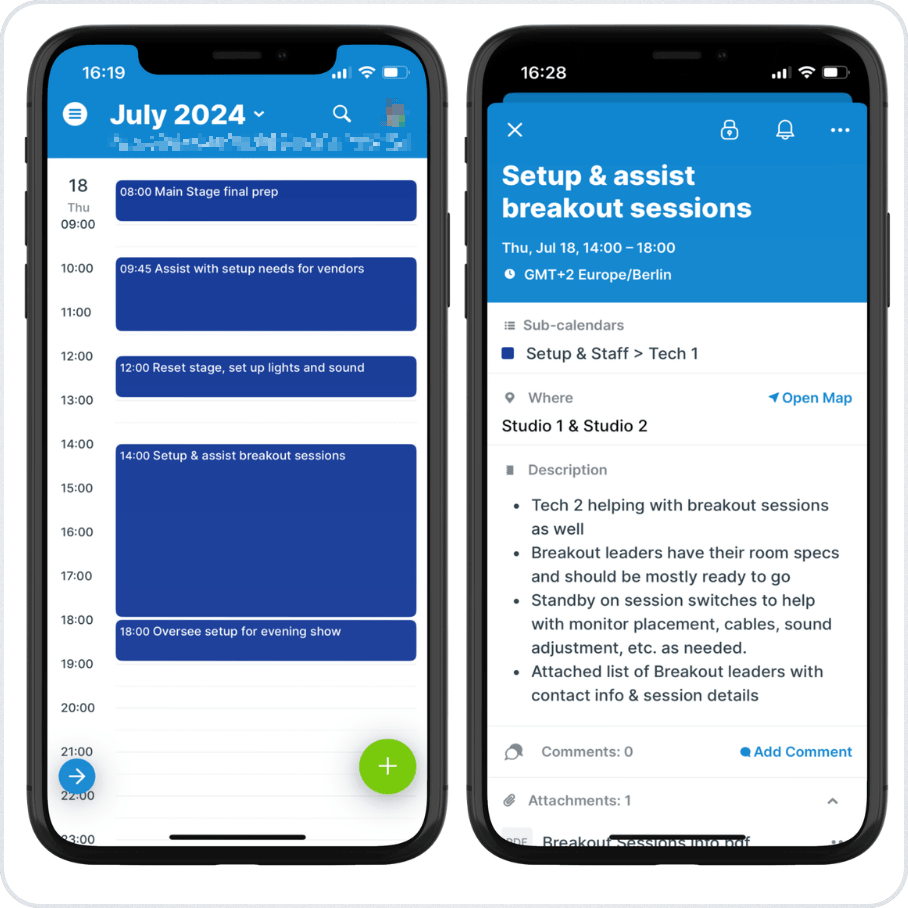
Click to enlarge: A tech’s access is limited to the their assignments with all the details for each job right there. Any updates sync so they always have the latest schedule.
Instead of sending files back and forth, checking and rechecking messages, or sending reminders to “Update your schedule!” with every change, the team works from one shared schedule. Each role interacts with the same data, synced in real-time and filtered to match their responsibilities.
How to set it up
👉 Mini-guide
- Create separate calendars for session tracks, event spaces, speakers, and staffing.
- Add events with all the details organized in event fields and relevant files attached.
- Set up customized calendar access for each person, synced on a browser and the Teamup app.
- Update any event directly on the calendar; everyone stays synced without manual updates or version conflicts.
Improved event planning with synced schedule visibility
With a shared calendar in place, the earlier breakdowns no longer occur. Schedule changes are visible immediately, so no team member works from outdated information. Each role focuses only on relevant tasks, reducing confusion during setup and execution. Timing across sessions, staffing, and logistics stays aligned because all updates happen in one place.
Event planning depends on clear timing and coordination across multiple roles. When spreadsheets are used to manage schedules, small updates create delays and inconsistencies. A shared calendar provides immediate visibility and reduces the need for manual communication. Teams can respond to changes as they happen and maintain alignment throughout the event. Moving away from spreadsheets is a practical step toward more reliable event execution. Try Teamup and make event planning more efficient and streamlined for everyone on the team.