
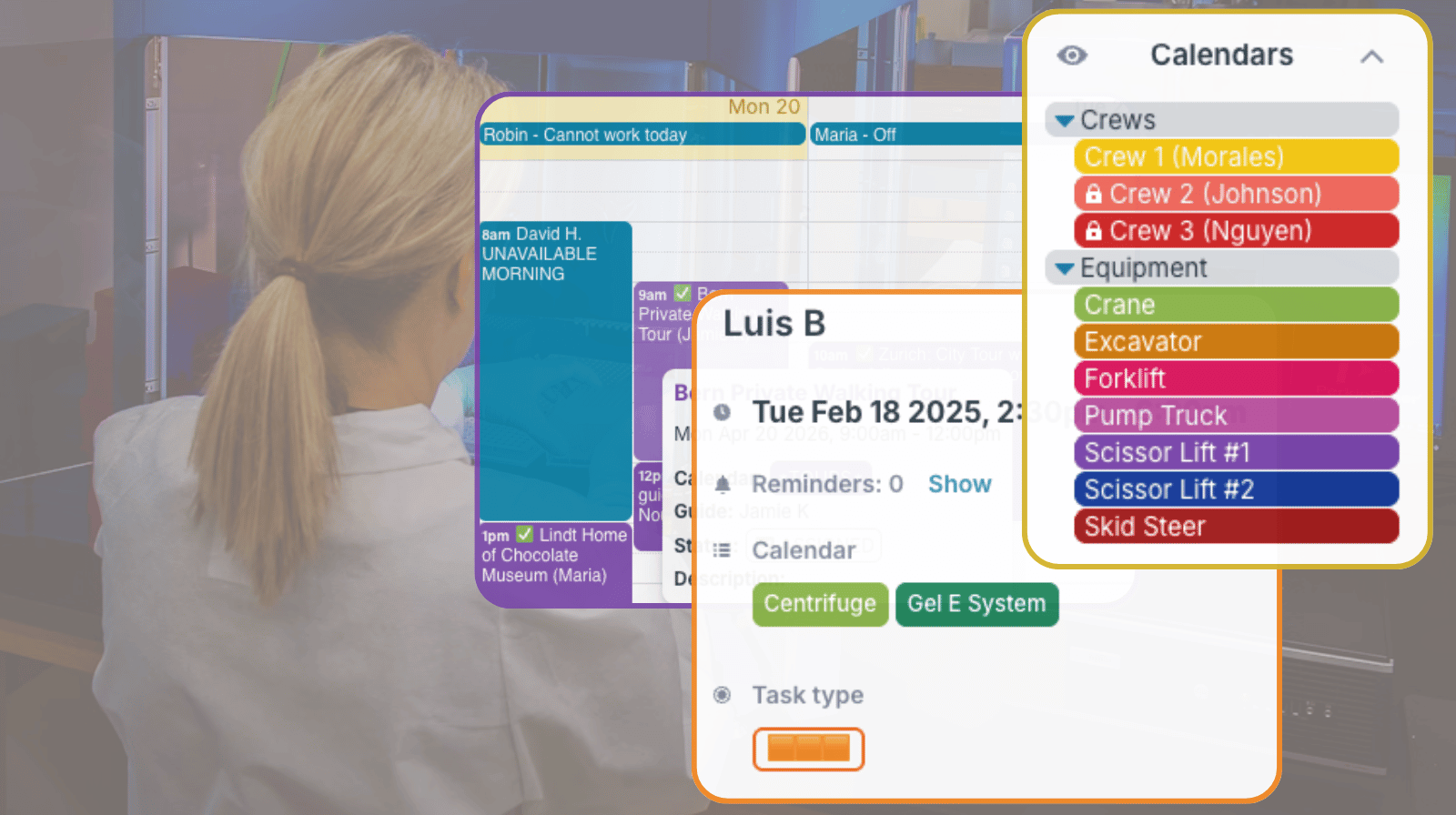
Managing availability comes up in many everyday operations: assigning people, reserving spaces, booking equipment, or keeping vehicles ready for work. The setup can stay simple when each person, room, vehicle, or resource has a clear place on the calendar. These examples show practical ways to make availability visible, current, and easier to manage.
In this article:
- Simple ways to show availability for staff, rooms, vehicles, and shared equipment
- How sub-calendars, access control, and conflict prevention keep schedules clear
- Examples of availability calendars used for conferences, media, field work, education, labs, offices, and communities
- Useful for: Media teams, schedulers, operations managers, crew managers, office managers, school administrators, lab coordinators, HOAs, logistics teams, and multi-location organizations
Interview room availability for media professionals
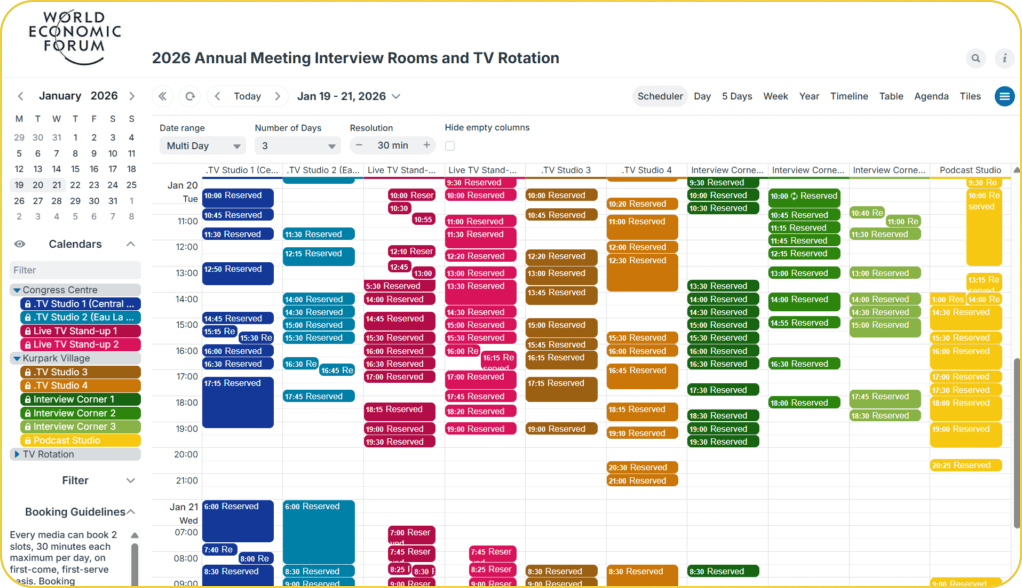
Click to enlarge: Hundreds of media organizations use the booking calendar to schedule interviews at WEF’s annual meeting.
Scenario: World Economic Forum’s Annual Meeting involves many media organizations who all need access access to a limited number of interview rooms and broadcast positions. Demand is high, schedules shift constantly, and organizations range from large global broadcasters to small regional outlets/ It’s a tightly packed schedule, with hundreds of interviews and studio sessions over several days. Before using Teamup to show availability and enable self-booking, WEF media staff had to spend a huge amount of time and energy managing requests and juggling information scattered across disconnected spaces.
How it works: A shared Teamup calendar provides the balance of security and flexibility needed, while making availability visible and enabling media teams to self-book right on the calendar. The WEF media team has a complete, accurate overview of bookings across all spaces. Each media organization gets direct visibility into availability and can see and manage their own bookings, without access to other organizations’ reservations. Color-coded sub-calendars handle interview rooms and TV rotations, keeping both streams organized and easy to monitor. Any updates are synced so room availability stays accurate for everyone.
🔗 How Teamup Supports Media Bookings at World Economic Forum

Staff availability for assigning tours
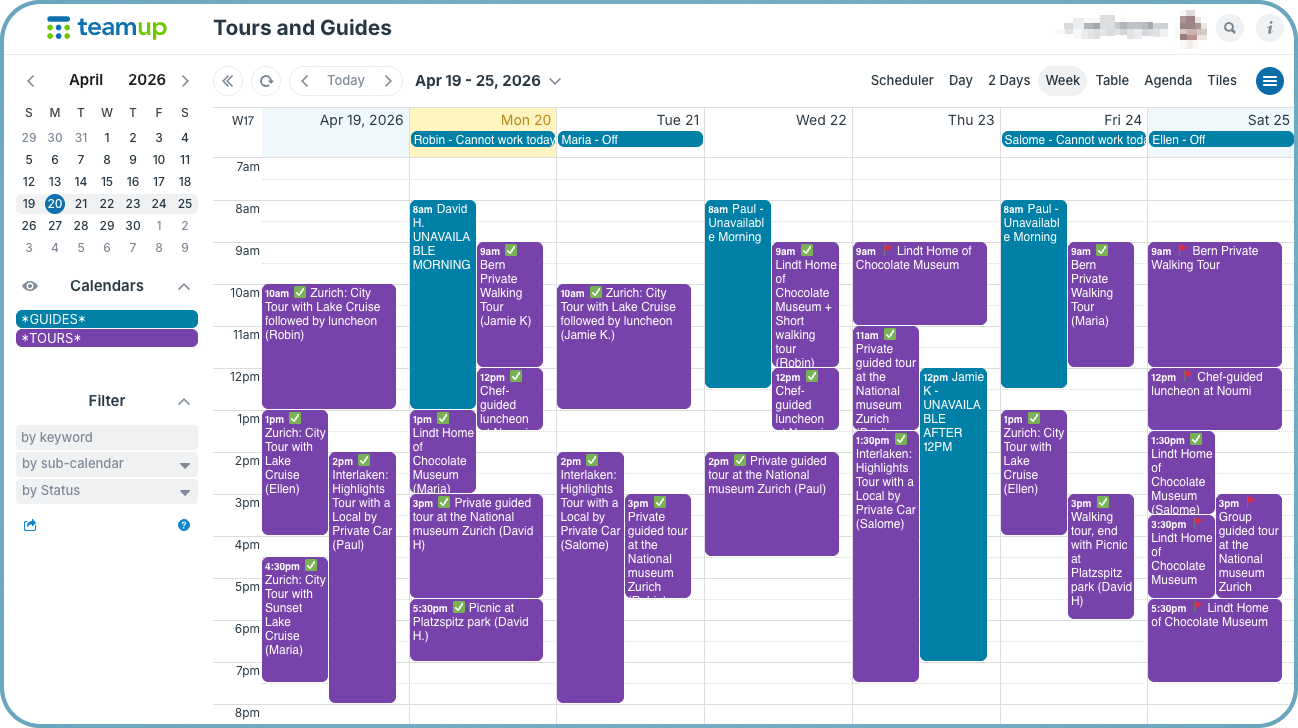
Click to enlarge: See when guides are unavailable alongside booked tours in a simple calendar setup.
Scenario: A tour operator needs to assign guides as bookings come in. Some guides work only certain days, some pick up tours seasonally, and others update their availability around school, travel, or other work. If that information lives in texts or email threads, the operator has to check too many places before assigning one tour.
How it works: A simple shared calendar keeps the process clear. One sub-calendar can hold tour bookings, while another tracks guide availability. Guides add or update their own available times, and the operator checks the calendar before assigning each tour. When the tour is scheduled, everyone sees the same updated plan.
🔗 A Shared Calendar for Simple Guide Availability and Tour Assignments
Instructor availability for specialized training
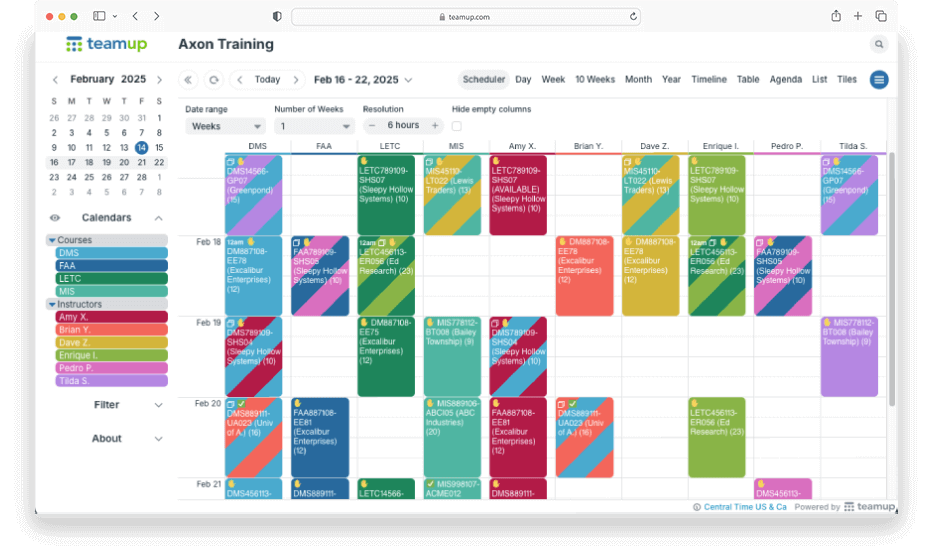
Click to enlarge: Compare instructor schedules side-by-side to find availability and assign training sessions.
Scenario: A training company may schedule hundreds of client sessions across different locations. Supervisors need to match each session with an instructor who is available, qualified, and able to travel to the site. Contract instructors also need mobile access to session details once they are assigned.
How it works: A Teamup setup can include one group of sub-calendars for courses and another group for instructors. Instructors can indicate availability for open sessions, while supervisors assign the final session to the right instructor calendar. This gives schedulers a clear view of who is available and keeps the training details attached to the session.
🔗 Managing Instructor Availability and Scheduling for Specialized Training
Vehicle availability for logistics teams
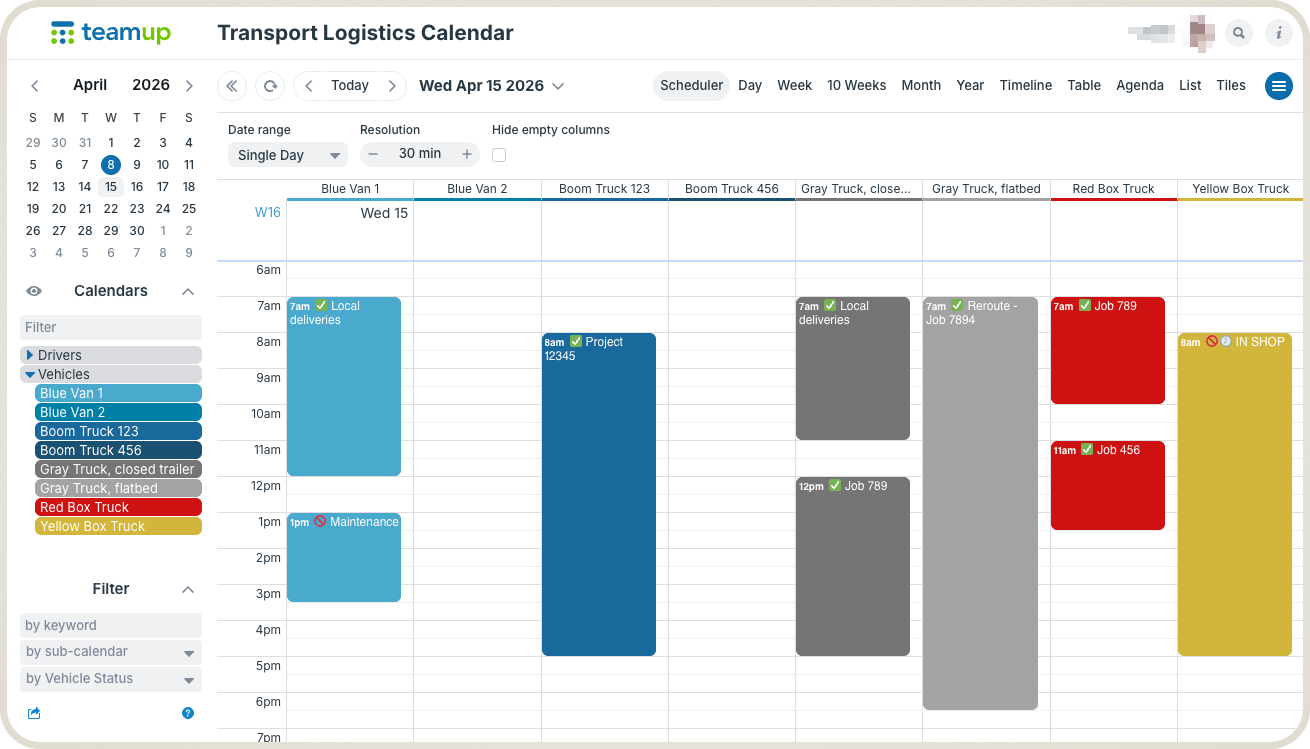
Click to enlarge: Keep track of which vehicles are booked and which are open with clear visual availability in a scannable layout.
Scenario: In logistics work, several people may need the same fleet information at the same time. A route manager assigns trucks for delivery runs, a supervisor may need a vehicle for an urgent off-site job, and maintenance may need to block a truck for repairs. Without a shared view, one team can make plans based on information another team has already changed.
How it works: A vehicle availability calendar gives each truck its own sub-calendar. Managers, supervisors, and maintenance leads can update the schedule according to their role. When a truck is assigned, redirected, or taken out of service, the change is visible right away. Conflict prevention keeps the same vehicle from being booked twice.
🔗 A Shared Calendar to Show Vehicle Availability for Logistics Teams
Classroom availability for teachers and school staff
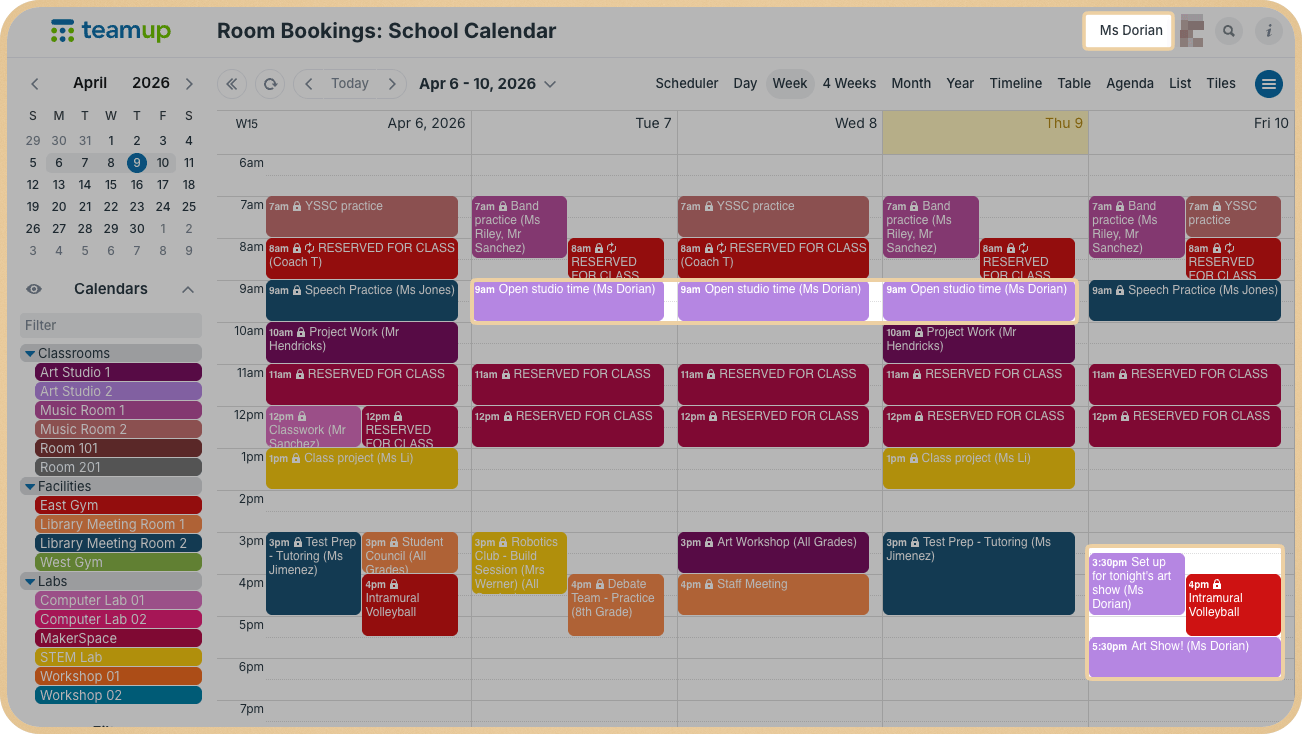
Click to enlarge: Manage availability and allow self-booking in one calendar. Customized access allows each user to manage their own bookings without changing reservations made by others.
Scenario: Schools often have shared classrooms, labs, testing spaces, and activity rooms that different people need throughout the week. A teacher may need the science lab for a project, while an after-school program needs the same room later that day. If requests come through email, texts, or office conversations, overlaps can go unnoticed until the schedule is already messy.
How it works: With a shared classroom calendar, each room becomes its own sub-calendar. Teachers and staff can see what is already reserved and find open time without waiting for an office reply. With the right permissions, teachers can book their own rooms while admin staff keep full visibility across all spaces.
🔗 A Shared Calendar to Show Classroom Availability and Simplify Booking
Meeting room availability in a shared office
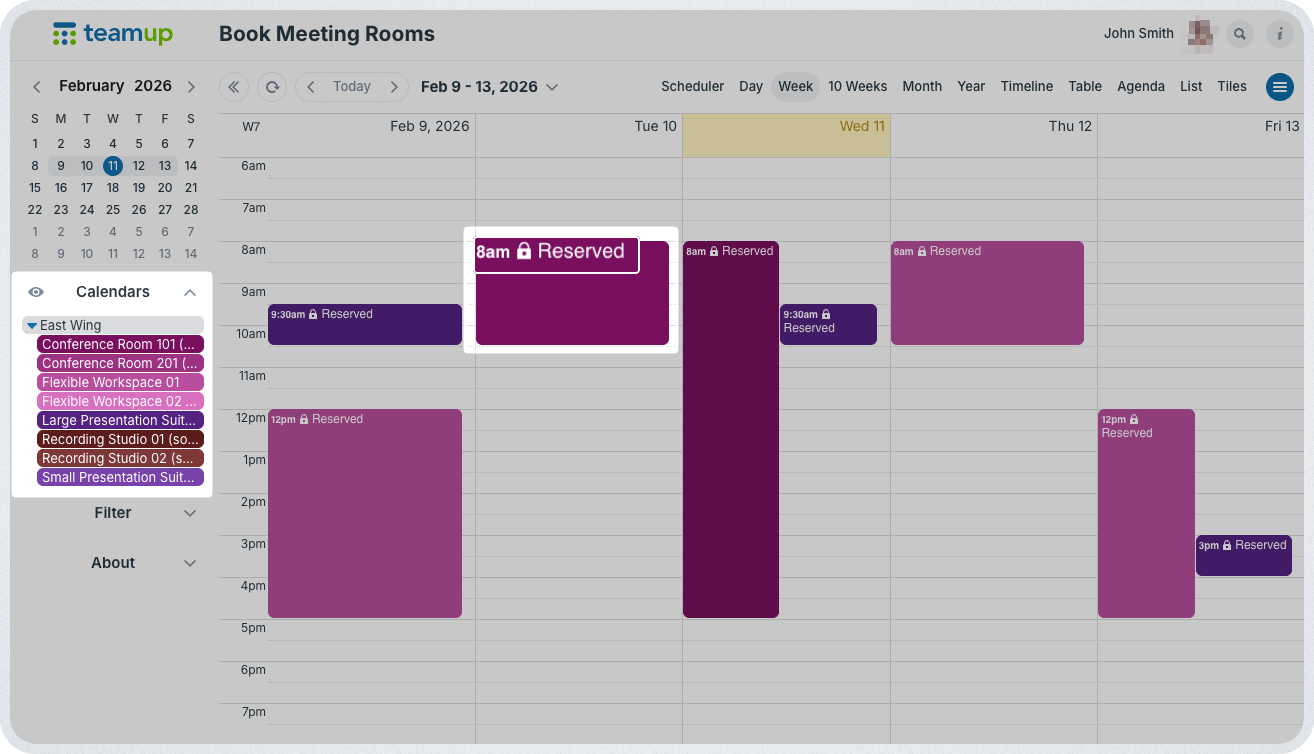
Click to enlarge: Use customized access with read-only, no details permission to make availability clear while keeping other information hidden. Events show only as “Reserved” to read-only users.
Scenario: In a busy office, teams book rooms for internal meetings, interviews, client calls, hybrid sessions, and private conversations. Office managers should not have to coordinate every routine booking manually. But employees also need boundaries so they cannot accidentally change another team’s reservation or book rooms they are not allowed to use.
How it works: A room-based calendar solves this by giving each meeting room its own sub-calendar. Employees can get modify-my-events access for the rooms they are allowed to book, so they can create and update their own reservations without changing anyone else’s. Optional no-details access can show other bookings simply as “Reserved,” which protects privacy while still showing availability.
🔗 Secure, Structured Self-Booking for Office Meeting Rooms
Clubhouse availability for HOA reservations
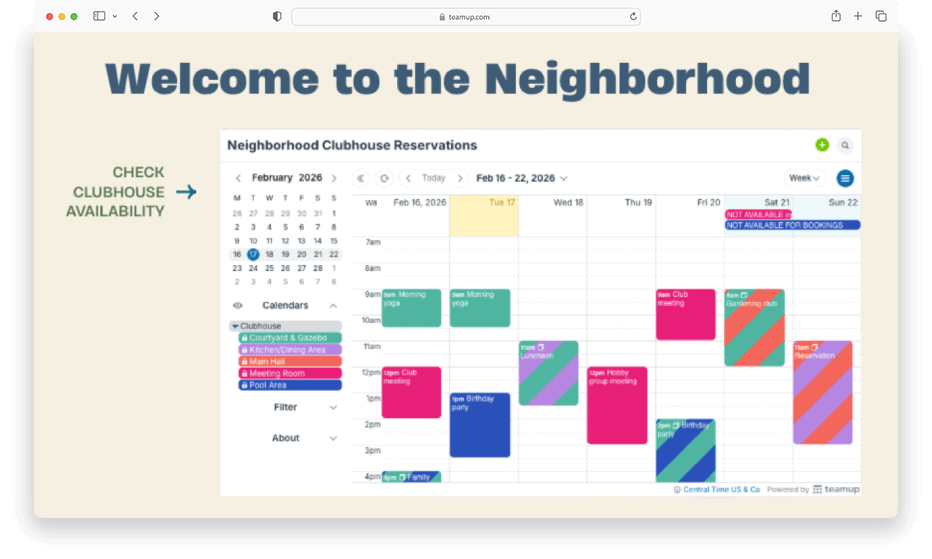
Click to enlarge: Embed a calendar in a club, neighborhood, or group website to securely show availability while reducing admin workload.
Scenario: An HOA board may manage a clubhouse, pool area, meeting room, or community center that residents can reserve. Without a visible calendar, residents have to email or call a board member just to ask whether a date is open. If a booking is confirmed by email but not added to the master schedule right away, another resident may request the same time.
How it works: A shared clubhouse calendar gives residents a clear place to check availability. For a more controlled setup, the HOA can embed a read-only calendar on the resident portal and keep bookings centralized. For a smaller community, residents can be given structured self-booking access, with existing reservations shown as blocked time and overlapping bookings automatically prevented.
🔗 Managing HOA Clubhouse Reservations with a Shared Calendar
Lab equipment availability for research teams
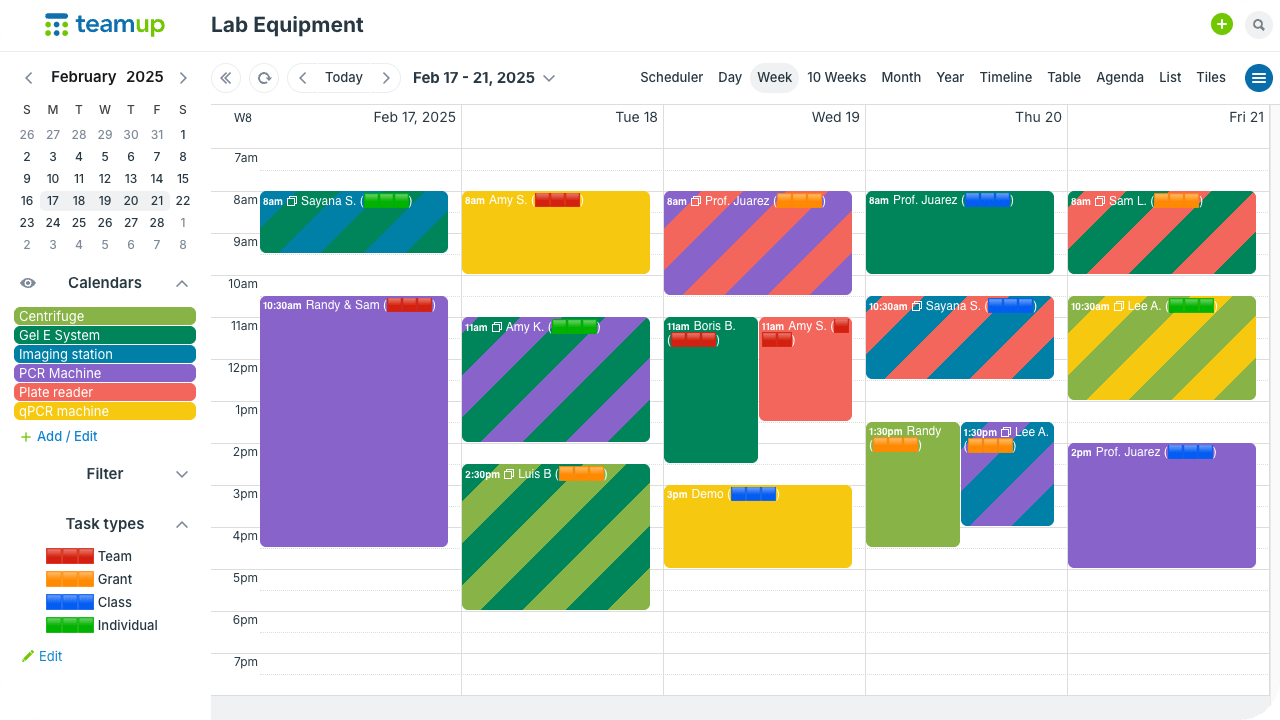
Click to enlarge: A simple, color-coded structure with one sub-calendar for each machine shows when equipment is already reserved.
Scenario: In a shared lab, researchers may need access to microscopes, PCR machines, incubators, flow cytometers, or other specialized equipment. Experiments often depend on timing, so a missing or double-booked instrument can disrupt more than one person’s work. Informal sign-up sheets and mixed communication channels make it too easy for usage plans to get missed.
How it works: A lab equipment calendar gives each instrument its own sub-calendar. Researchers can book their own usage time, while the calendar prevents overlapping reservations. Custom fields can capture lab group, experiment type, or other usage details, so the schedule also becomes a useful record of equipment demand.
🔗 Keep Shared Lab Equipment Booked Without Conflicts
Construction equipment availability for crews and job sites
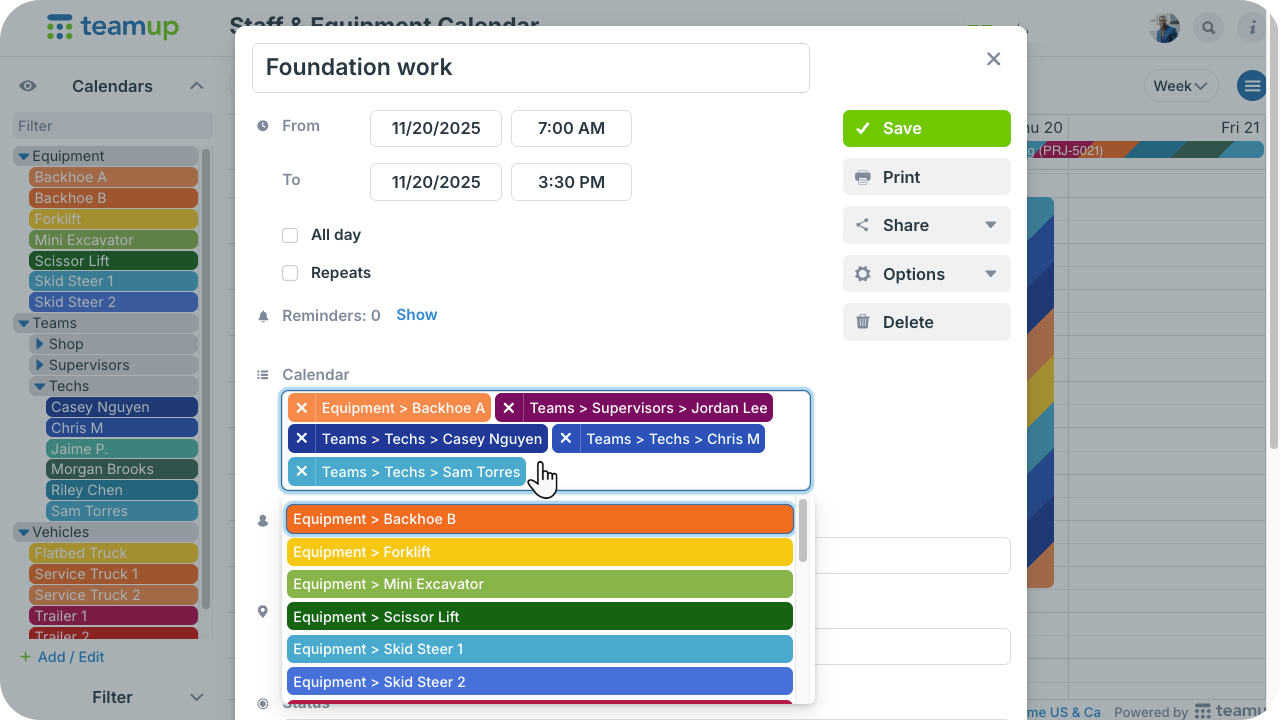
Click to enlarge: When one job requires multiple people and machines, assign it to all the relevant sub-calendars.
Scenario: A construction crew may be scheduled for a job, but the work can’t start if the required lift, backhoe, truck, or trailer is not available. When staff schedules and equipment schedules live in separate places, a project manager may not catch the conflict until the crew is already on site. Maintenance downtime creates the same issue if it is not visible to schedulers.
How it works: A unified staff-and-equipment calendar brings the moving parts together. Team members, vehicles, and equipment can each have their own sub-calendars. A job event can be assigned to the crew and the required equipment, so everyone can see who is going where and which resources are already committed.
🔗 Avoid Resource Conflicts with a Unified Staff and Equipment Calendar
Set up a simple availability calendar
Across these examples, the setup follows the same basic pattern. Whether tracking people, rooms, vehicles, or equipment, the goal is to make availability visible, prevent conflicts, and give the right people the ability to update the schedule. These core steps apply to most availability use cases.
Mini-guide: Set up a simple availability calendar
- Decide on explicit availability or unavailability. In some cases, events show unavailable time, such as a room reservation or a vehicle maintenance block. In other cases, events show available time, such as instructor availability, guide availability, or open office hours.
- Create one sub-calendar per person or resource. Use separate sub-calendars for each guide, instructor, room, vehicle, machine, or piece of equipment.
- Use folders when the calendar grows. Group related resources by team, location, department, equipment type, floor, or facility.
- Turn on overlap prevention for bookable resources. This prevents the same room, vehicle, instrument, or equipment calendar from being booked twice at the same time.
- Choose the right permission level. Use read-only access for people who only need to check availability, modify-my-events access for self-booking, and modify access for managers or schedulers.
- Add custom fields for details that matter. Track setup needs, equipment status, lab group, vehicle use, training type, project number, or other information that helps people make scheduling decisions.
- Use Scheduler view or filters for faster decisions. Side-by-side columns make it easier to compare availability across people, rooms, vehicles, or resources. Filters help narrow the calendar to a specific status, group, location, or need.
Make availability easy to see and act on
Availability scheduling does not have to be complicated. The basic pattern is simple: give each person, place, or resource a clear place on the calendar, then control who can view, book, or update it. Once availability is visible in real time, schedulers spend less time checking messages and more time making confident decisions.
Create a Teamup calendar to manage availability for people, spaces, vehicles, and shared resources in one clear system.


