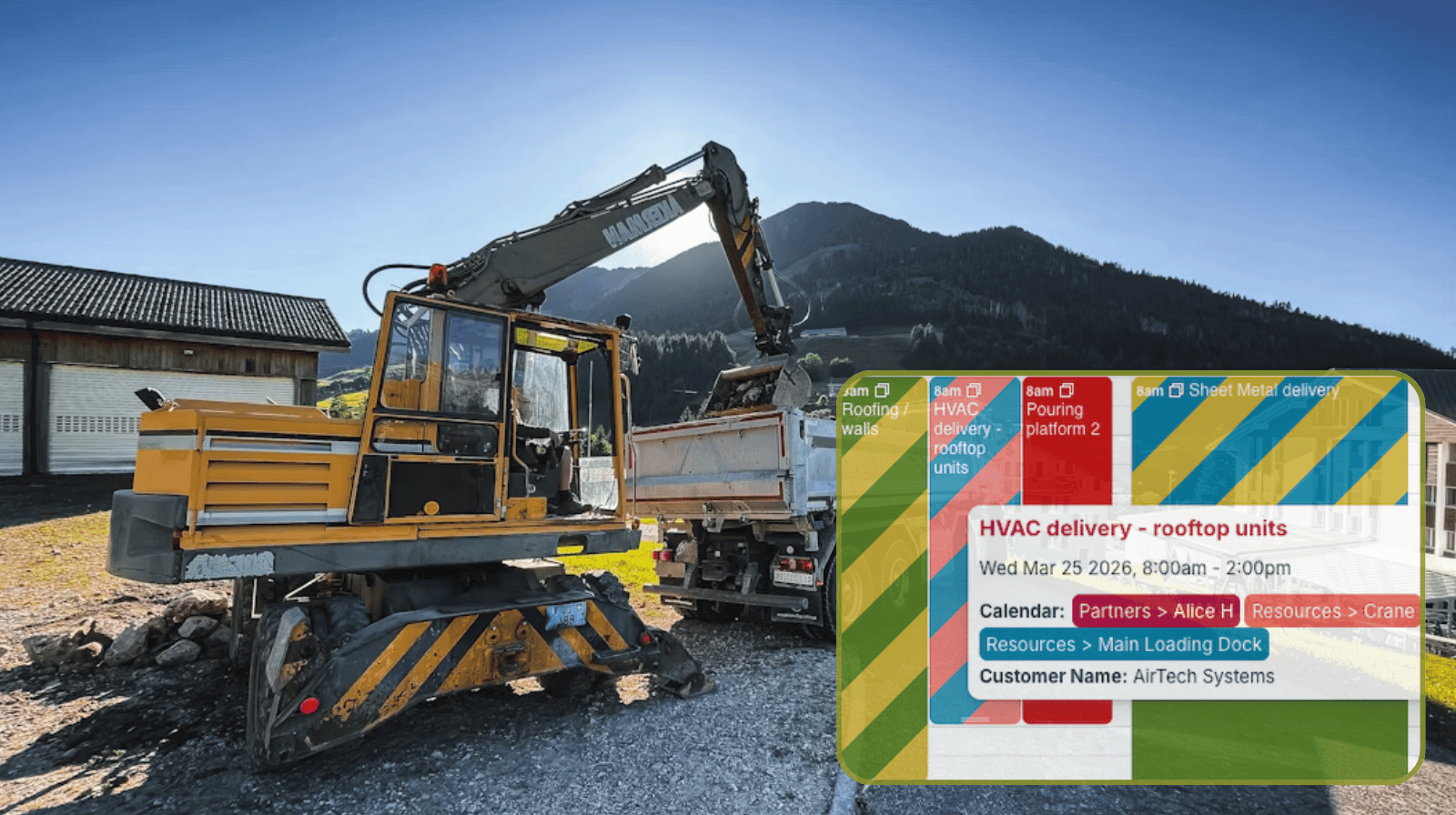
Coordinating deliveries on a large construction project is rarely simple. When multiple trade partners, project teams, and site logistics needs all intersect, having one shared system makes the work much easier to manage.
The need: Organize deliveries and use of shared resources at a large construction site with multiple trade partners. Partners need the ability to schedule their own deliveries and resource use, while seeing what’s already scheduled and avoiding double-booked resources or logistic conflicts.
The Teamup solution: A shared project logistics calendar gives each trade partner access to add their own deliveries and book resource use, while providing complete transparency of what’s already on the schedule and automatically preventing schedule conflicts. Partners can view the whole schedule, change only their own items, and stay synced with real-time updates.
The challenge: Coordinating deliveries for a complex project
Large construction projects depend on steady delivery flow, but that flow can quickly become difficult to manage when many trade partners need site access at different times. Without a clear system, delivery details tend to get scattered and it’s difficult for everyone to keep up with what’s happening when.
Of course, without clear understanding of delivery timelines and use of shared resources, there will be issues: Conflicts and congestion, dependency delays, wasted time, and disruption. Those issues can throw the entire project timeline off course, plus they create unnecessary frustration and inefficiency.
When everyone can work from one shared schedule, deliveries can be coordinated instead of chaotic. Everyone can see when the loading dock is open, who’s using the concrete truck, and if the crane is available for a large delivery. When it’s all scheduled in one place, there’s transparency about resource use and immediate clarity of when things can be scheduled. Allowing each partner to schedule their own deliveries and resource use makes things run more efficiently and reduces back-and-forth checks that take time and often lead to miscommunication.
“We used your app to schedule deliveries to a large construction project. It was great that we could create calendar access for all our trade partners. They were able to enter their own deliveries into the calendar. All the project teams were able to view deliveries and coordinate site logistics. We will definitely be using the product again.”
The solution: A single, shared delivery scheduling calendar
With Teamup, construction teams can use one shared calendar to schedule and track deliveries across the project. Trade partners can enter their own delivery bookings. Project managers can view the schedule in real time and coordinate site logistics from one central place.
- Controlled calendar access: Trade partners have customized access to see the whole schedule but modify only their own events.
- Shared visibility for all project teams: Everyone involved can see upcoming deliveries and plan site activity around them.
- Capture relevant details: Organize the information that matters, such as supplier, material type, contact person, or timing notes.
- Real-time updates: When delivery details change, the shared calendar reflects the latest information immediately.
- See what matters: Toggle sub-calendars, use different calendar views, and filter for keywords.
- Efficient collaboration: Teams can check the calendar instead of chasing updates through calls, texts, or email.
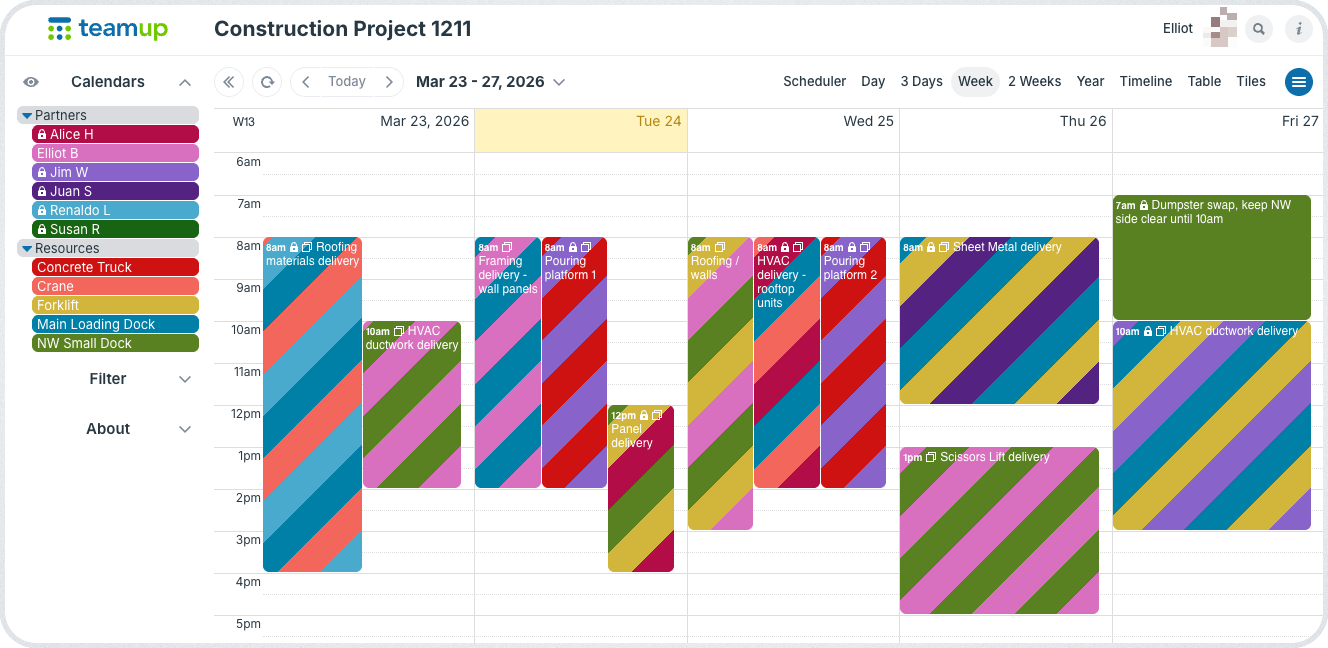
Click to enlarge: Elliot’s calendar access shows the full schedule of deliveries and jobs across all shared resources. He can add and modify his own events, but can’t change events added by other partners.
Mini-guide: How it works
- Create a dedicated logistics calendar for the construction project.
- Set up sub-calendars for partners, resources, and site areas. Use folders to keep things organized.
- Set resource and site area sub-calendars to prevent overlapping events.
- Give each trade partner modify-my-events access to add and update their own delivery events.
- Add custom fields for key delivery details such as materials, contact info, unloading location, and notes.
- Use calendar filters and different views to review deliveries, identify conflicts, and keep site flow organized.
The results: Organized deliveries, coordinated site logistics
On a large construction site, delivery coordination affects access, safety, timing, and day-to-day productivity. When trade partners are entering deliveries in different places or project teams do not have a clear view of what is scheduled, small issues can turn into larger site disruptions. A shared delivery calendar solves that by giving everyone one reliable place to schedule, view, and coordinate deliveries.
Related resources
- See also how to set up a coordinated logistics calendar for transport planners
- Schedule equipment usage across multiple crews without conflicts
- Give subcontractors clear visual instructions for every job
- Streamline contractor scheduling with permission controls
With Teamup, trade partners can take responsibility for entering their own delivery details, while project teams keep the full visibility they need to manage site logistics effectively. That means fewer scheduling conflicts, less manual follow-up, and a more organized delivery flow across the project. Start building your construction delivery calendar with Teamup and make site coordination easier from day one.
FAQ
Can trade partners add their own deliveries without seeing everything else in the calendar?
Yes. Teamup lets you set up customized access so external partners can add and manage their own delivery entries while project leaders control broader visibility and permissions.
What kind of delivery information can be included?
You can include custom fields for supplier name, materials, unloading location, contact details, vehicle notes, and any special instructions needed on-site.
Can images, files, and documents be shared in the calendar?
Yes, the calendar supports inline images and has an Attachments field for uploading multiple files so partners can attach contracts, work orders, receipts, etc. directly to the delivery event. Images and files can also be uploaded in the event comments.
Can the delivery schedule be used on mobile?
Yes. The Teamup app provides fully functional access to the shared delivery calendar on mobile devices.
What happens when a delivery time changes?
The calendar can be updated immediately so everyone with access sees the latest schedule and can adjust site planning accordingly.
Why use a shared calendar instead of phone calls or email?
A shared calendar keeps all delivery information in one place, reduces back-and-forth communication, improves visibility, and helps prevent scheduling conflicts before they impact the site. It also provides a source of clear documentation that can be kept for project records.