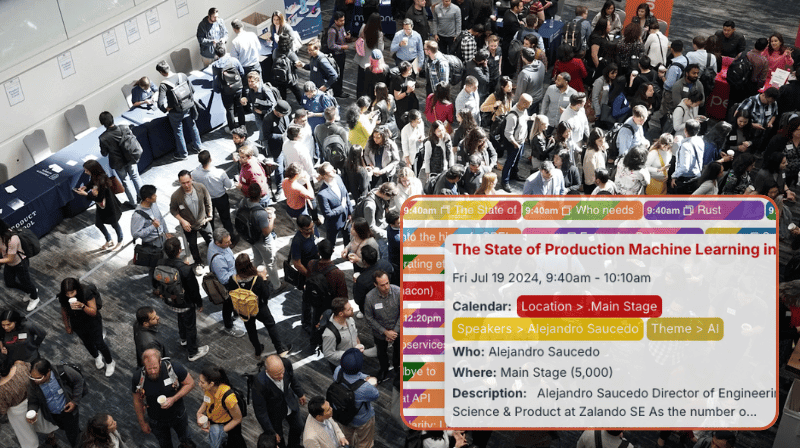
Finding the right tool to plan a multi-day conference is a challenge, especially when multiple teams are working together. Standard calendars lack the flexibility needed. Spreadsheets hold details but don’t show connections or conflicts. If you are looking for a flexible solution without a big budget, check out how Teamup can provide full visibility and organized information for easier planning.
The challenge: Keeping all teams and stakeholders coordinated while planning a multi-day conference with multiple tracks, speakers, and session options.
The Teamup solution: A unified conference scheduling calendar provides full visibility, prevents conflicts, and simplifies coordination as plans evolve.
The challenge: Coordinating a complex conference schedule
Most conference planning starts by dividing the work among teams. Everyone might work together to set the overall agenda and make big-picture decisions. Then, smaller teams and individuals handle the different aspects separately: Contacting speakers for availability, assigning vendor spaces, planning food options, checking transportation, so on.
While there may be regular communication between teams, it’s impossible to keep all the pieces aligned if everyone is tracking details in separate tools.
Common issues include:
- Speaker double-bookings across tracks: A speaker might be assigned to two sessions at the same time because availability was checked in only one place.
- Overlapping sessions that split key audiences: Related sessions occur at the same time, forcing attendees to choose between complementary content.
- Room conflicts and double assignments: Two sessions may be scheduled for the same room, or a room might be assigned without considering setup time.
- Poor pacing and missing transition time: One day can feel overloaded while another feels light if events aren’t spaced well; plus, attendees need buffer time between sessions.
Spreadsheets, slide decks, and shared documents capture details well. However, they fail to show relationships or visualize the big picture. That’s where Teamup comes in, providing a single big-picture view of the whole event while keeping all the elements clearly organized.
“We use the Teamup calendar to scheduling meetings around a tradeshow. It has become an invaluable tool because we can check the calendar and schedule meetings on the show floor… We also like that we can add a Teamup meeting to our Outlook calendar and then use it as a meeting invite. It’s become a tool that we can’t live without!”
—Sharon F., Marketing Communications Director
The solution: A flexible, organized calendar everyone can use
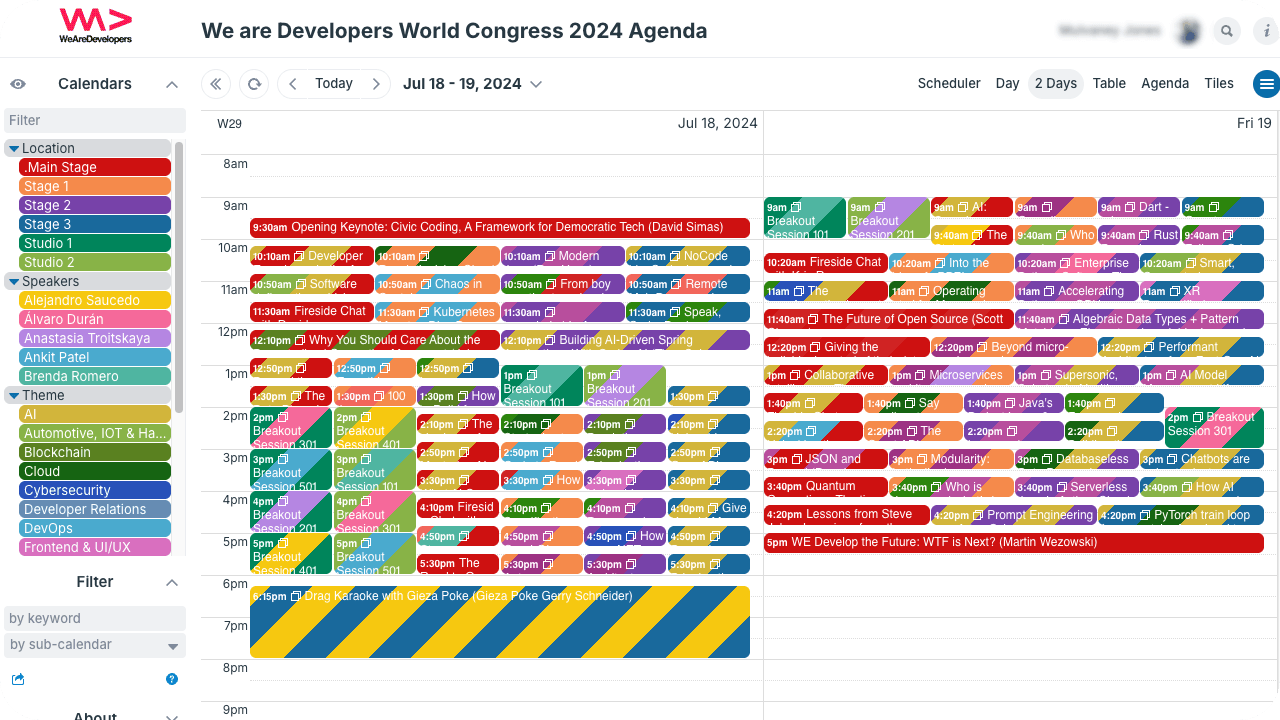
Click to enlarge: A color-coded, comprehensive view of all conference sessions organized by location, speaker, and theme.
Multi-day conferences are complex. There are a lot of details to track and tasks to complete, so it’s smart to assign different areas to different individuals and teams. However, that’s where disconnection often happens. Each person or group is focused on their responsibilities, and might not consider how it all fits together. Manually communicating, adjusting, and rechecking all the details across teams isn’t practical That’s where a unified conference calendar makes a huge difference in the planning process. It allows everyone to see the whole the event as one connected plan, while still being able to focus on their individual contributions.
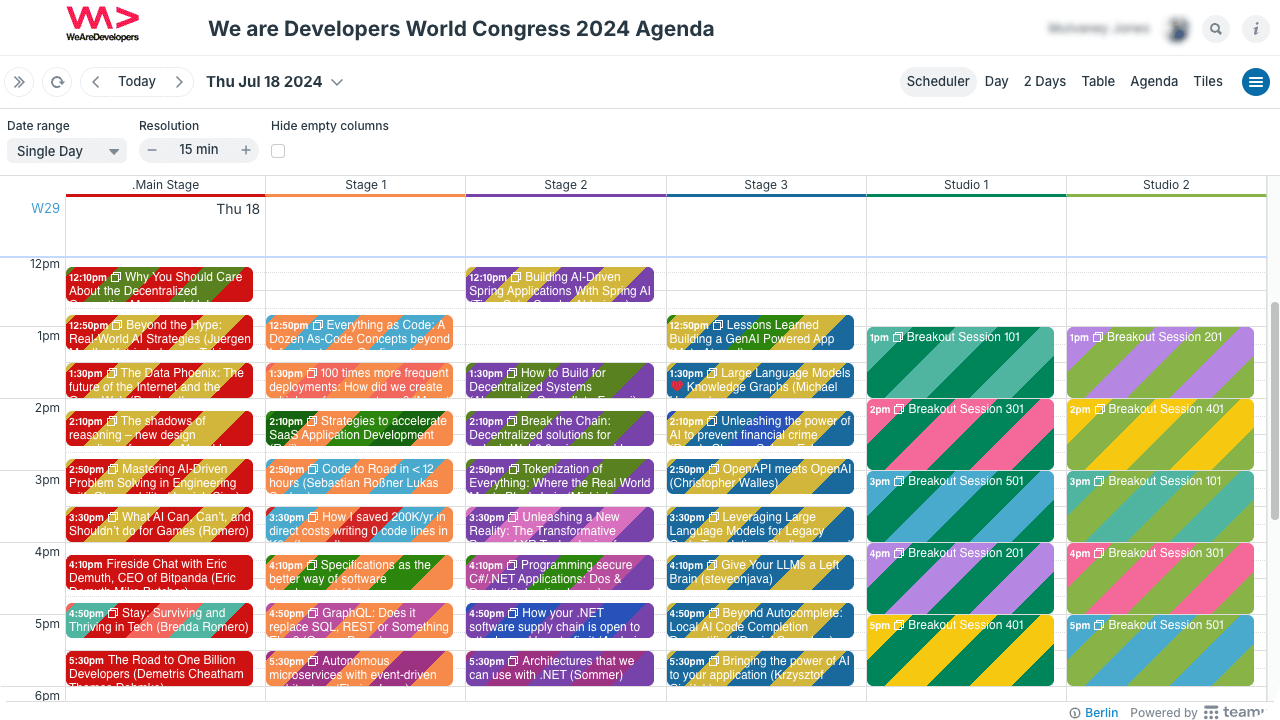
Click to enlarge: Scheduler view shows calendars side-by-side. Toggle to view only one set of calendars at a time.
Here’s what makes it work:
- Flexible structure: Organizers can set up sub-calendars to track the important conference factors ( like sessions, speakers, rooms, and tracks) separately, but still connected.
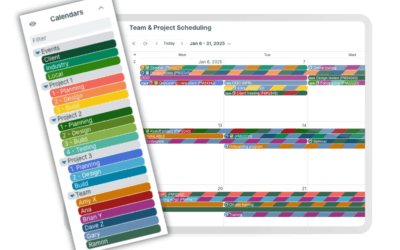
- Clear organization: Folders and color-coding keep different elements visually differentiated. Folders can be collapsed, hiding their calendars temporarily, so planners can focus on particular tasks without a cluttered view.
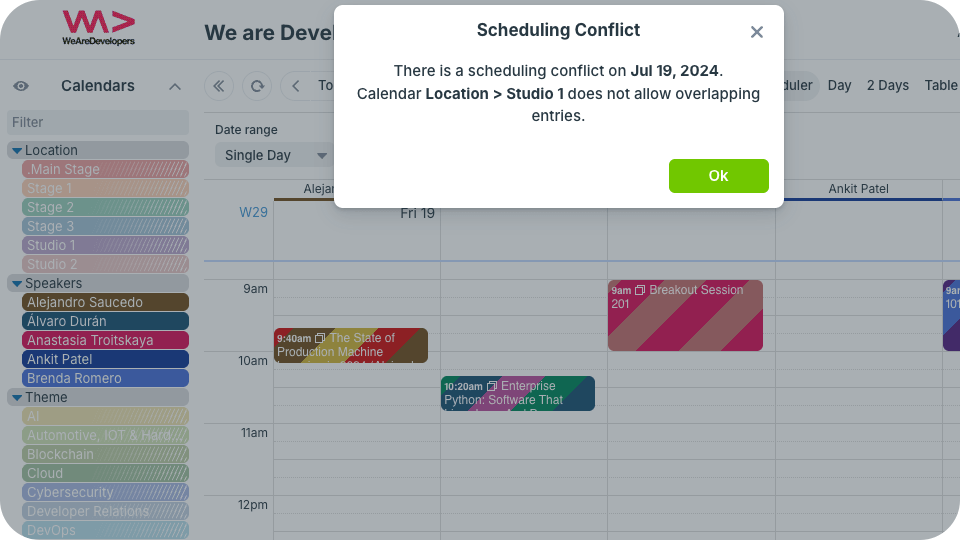
- Automatic conflict prevention for speakers and rooms: Each sub-calendar can be set to automatically disallow overlapping events to prevent double-bookings.

Click to enlarge: Set sub-calendars to disallow overlapping events and prevent scheduling conflicts automatically.
- Customized access for all planners: Everyone involved in planning gets custom access for their role. Each person or team can have edit access only for the calendars under their purview, while still having read access to the rest of the conference schedule.
- Granular information control: Event fields capture all the details that matter in the most efficient way. And with visibility control, each team can access just the information they should have while confidential information stays limited.
- Focused views for different roles: Everyone involved in planning can see the full picture, then toggle calendars, adjust the view, and use filters to zoom in on their own tasks as needed.
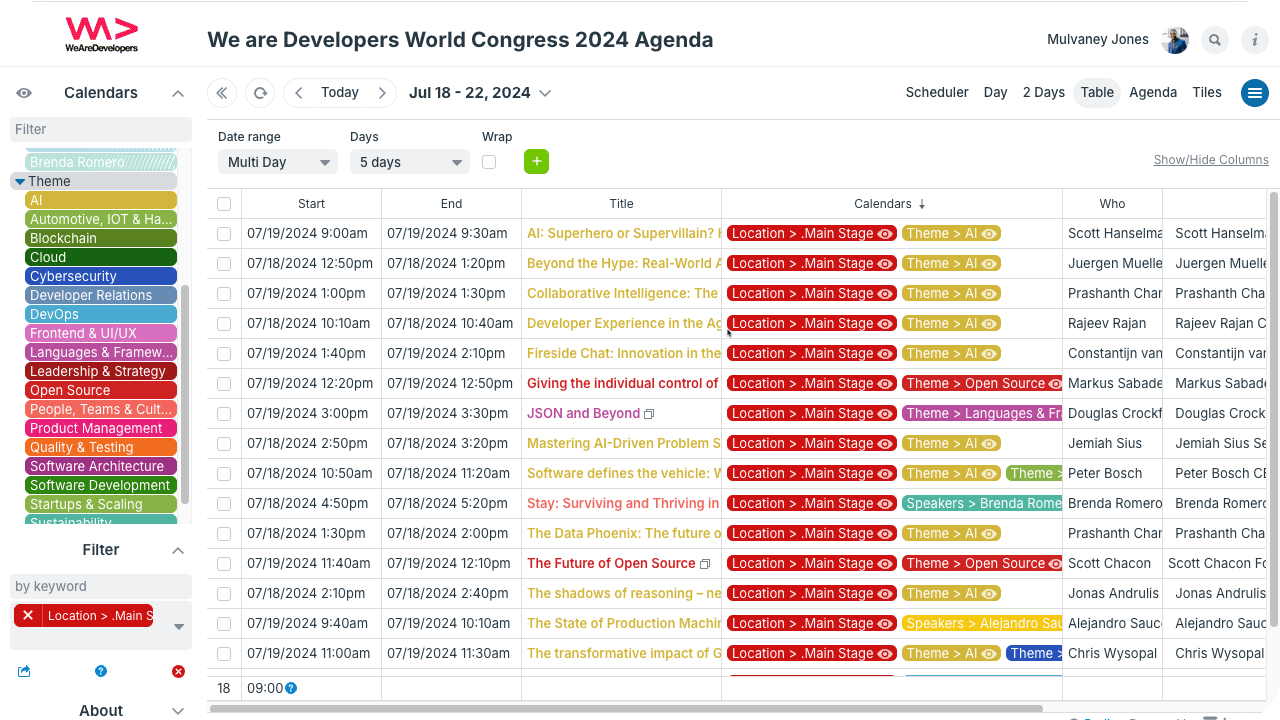
- Full schedule visualization: Different calendar views offer layouts that show what’s important for the moment: scannable details in Table view, side-by-side event comparison in Scheduler, conference days in a time grid in Multi-day view.
Click to enlarge: Table view shows all event details in a scannable grid. Toggle calendars and use filters to focus on one speaker, location, theme, keyword, etc. as needed.
How it works with Teamup
Together, these features turn the schedule into a dynamic model of the conference, not just a list of sessions. While conference complexity is unavoidable, coordination problems are not. A unified conference scheduling calendar helps planning teams work efficiently and catch conflicts while they’re still easy to solve. The result is a calmer planning process and a conference that runs as designed.
Related resources
Try out a live demo calendar to see how Teamup can make conference planning easier.