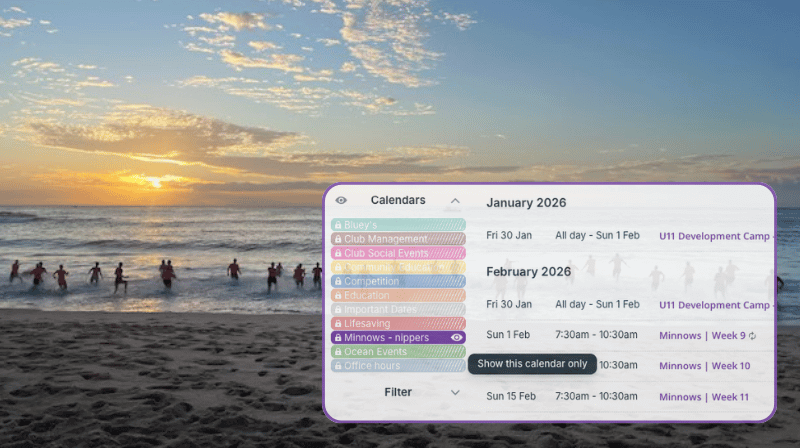
Established in 1907, Coogee Surf Life Saving Club is a volunteer-run organization dedicated to keeping Coogee Beach safe. They coordinate hundreds of volunteers for regular lifesaving patrols. The club also offers youth programs, training for life-saving skills, and fun activities.
With so many programs running across ages and levels, keeping the schedule clear, updated, and accessible is important. Parents and other participants need a reliable way to know what’s happening. Otherwise, they have to email, call, and message to check their child’s session, and volunteers spend time responding instead of helping with programs.
What everyone needs is one place to check the schedule: Current, easy to find, and simple to maintain.
Scattered updates waste time
Volunteer clubs often share class schedules through PDFs, email threads, or chat messages. It gets the information out, but not in a way that’s easy to find later. Parents have to scroll through old messages to find the right file, and viewing a spreadsheet or PDF on a phone isn’t easy. The information is there, but it isn’t searchable or simple to check when needed. Updates can also cause issues. When a new file is sent, it’s easy to open an older version instead of the most recent one.
Shared online calendars already help many nonprofits as a central source of truth. But asking parents to remember another link or log in can still add friction. The simplest option: put the live calendar directly on your website so families can check it where they already go.
An embedded calendar keeps everyone aligned
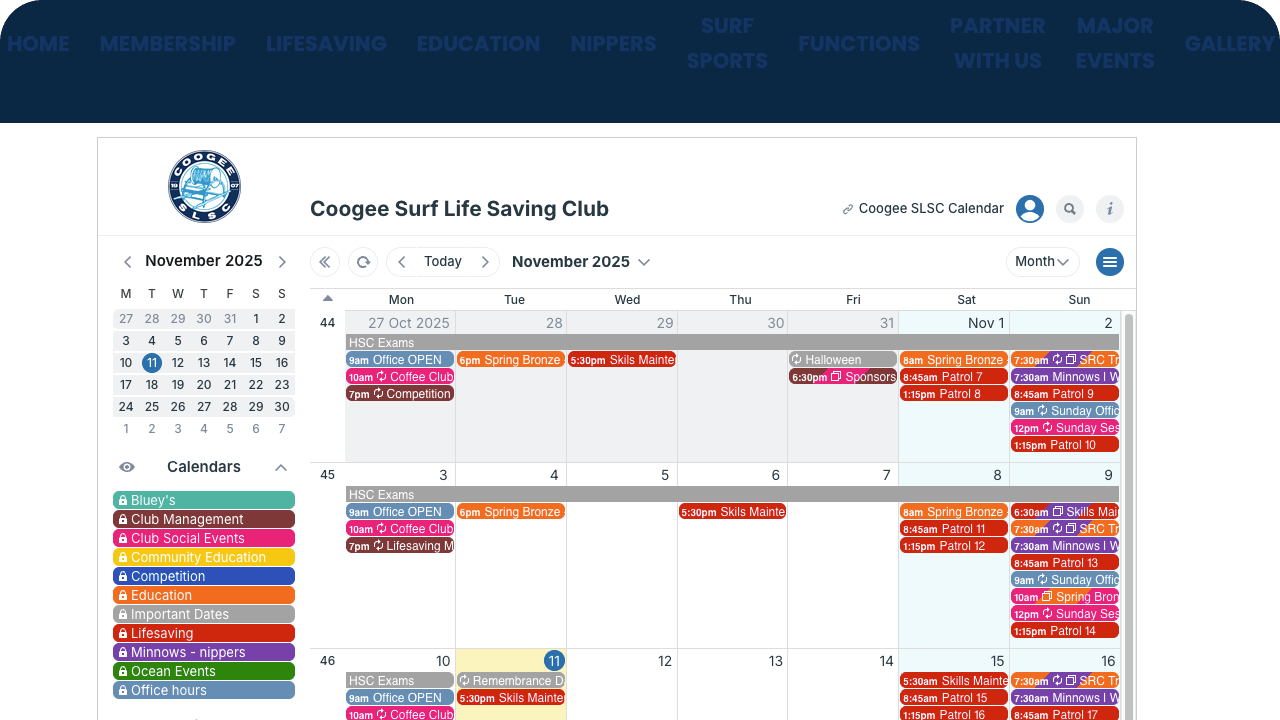
An embedded calendar on the club website provides easy schedule access for parents while making updates easy for volunteers.
With a shared calendar embedded on their website, volunteers update once and everyone sees the change instantly. No new PDFs. No repeat emails. Parents don’t need another app or password. The website always shows the current schedule.
If parents prefer mobile, they can open the same calendar in the free Teamup app via a secure link. It’s optional. Either way, they see identical, synced, real-time updates. No confusion about “which version” is correct or frustration over missing an update.
✅ Helpful embed features with Teamup
- Secure, selective calendar access: Select which sub-calendars are visible on the link you use for embedding, then set a secure permission. No confidentiality breach, data loss, or accidental changes.
- Share what matters, hide what’s confidential: Set the visibility on event fields to determine if they’re visible to everyone or only to users with a higher permission level.
- Embed Wizard for WYSIWYG customization: Teamup’s Embed Wizard lets you adjust appearance (size, header, sidebar, colors), start-view, and default options (all with a live preview) so the embedded calendar matches your website.
- Embed the same calendar in multiple places: The same calendar (and link) can be embedded on different pages or sites, while any changes you make to the master calendar reflect everywhere automatically. You can also create multiple secure links to embed a different version of the calendar on different pages.
What this looks like for volunteers
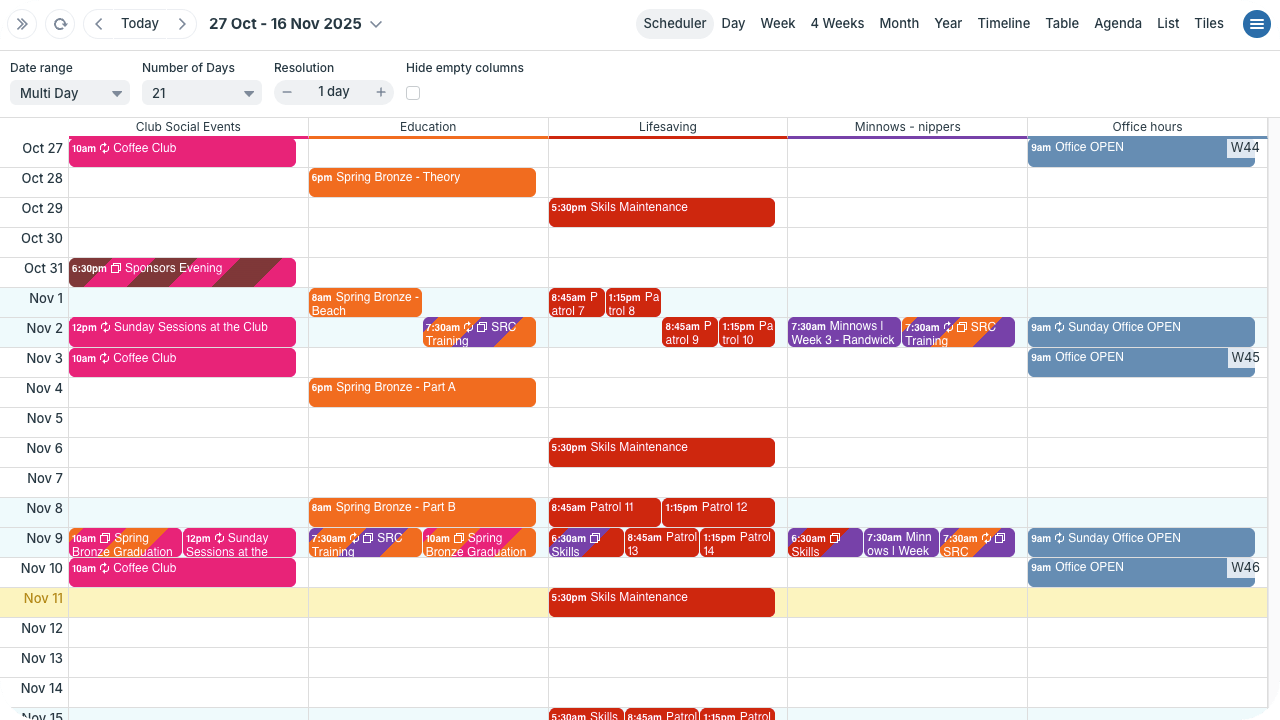
Click to enlarge: Scheduler shows each calendar in its own column, so volunteers and coordinators can compare what’s happening on any day or date range.
Volunteer coordinators can work on scheduling with clear, visual layouts, like Scheduler view shown above. All class sessions, activities, and event updates go on the same calendar. They’re clearly organized by sub-calendar. If needed, they can add notes, upload photos, or attach files. With all the information in one place, in an easy-to-use interface, any volunteer can be trained in a few minutes to help with scheduling tasks.
What this looks like for parents

Parents can download the free Teamup app for convenient mobile access to the calendar.
Parents don’t have to remember another link or create another account. They just go to the club website and check the calendar right there. That’s it. They can check out all the activities or toggle calendars to see only the schedule for their children’s sessions and events. If they prefer mobile, that’s easy, too: Anyone can download the free Teamup app to view the same calendar link on their phone. Same data, same updates, no mixed messages.
Reduced work, easier communication
An embedded calendar for class sessions and club activities makes communication easier for everyone. Volunteers don’t have to send multiple updates across multiple platforms. And parents know exactly where to look for the latest information. Give Teamup a try for your club or organization.