
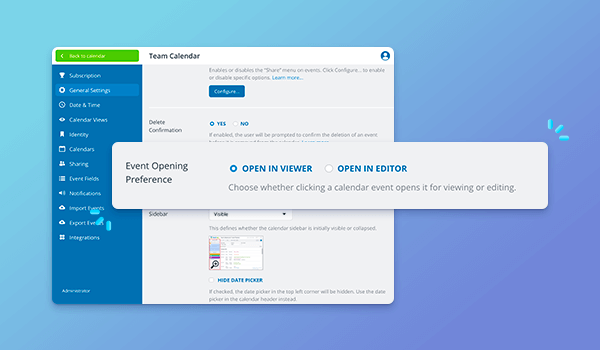
There’s a new option for how events open for users with modify permission.
Previously, for users with modify-level access, events would open directly in the event editor.
Now, events first open in the read-only event viewer. Users can click the Edit button to switch to the event editor and make changes to the event.
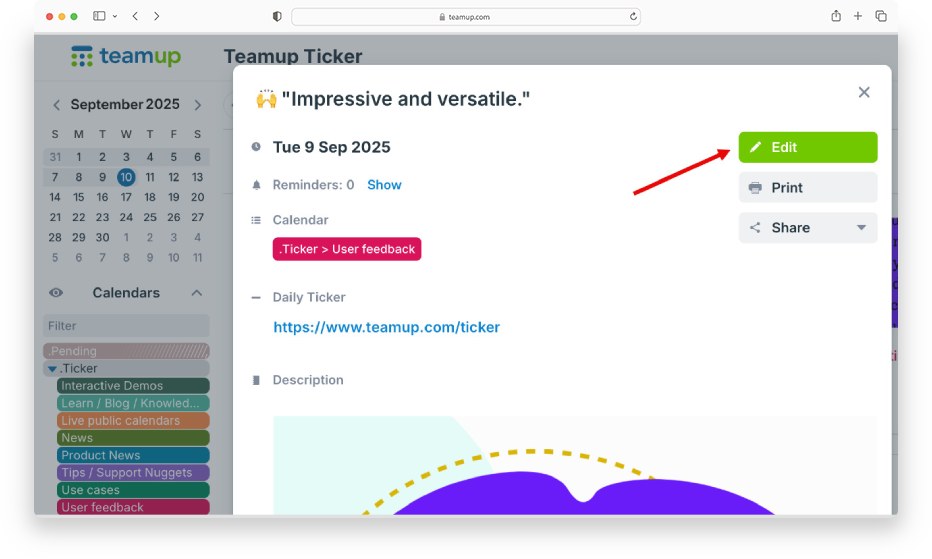
Benefits of this update:
- Uncluttered view: The event viewer provides a much more readable view of an event because empty fields are hidden and there is less clutter.
- Read-only preview: Users with modify permission can quickly preview how events will appear to read-only users.
- Mistake prevention: Opening events first in the read-only event viewer reduces the risk of accidentally changing event details.
Keep or hide the Edit button
Of course, not every change is right for everyone. The calendar administrator can configure the event opening preference in the calendar settings.
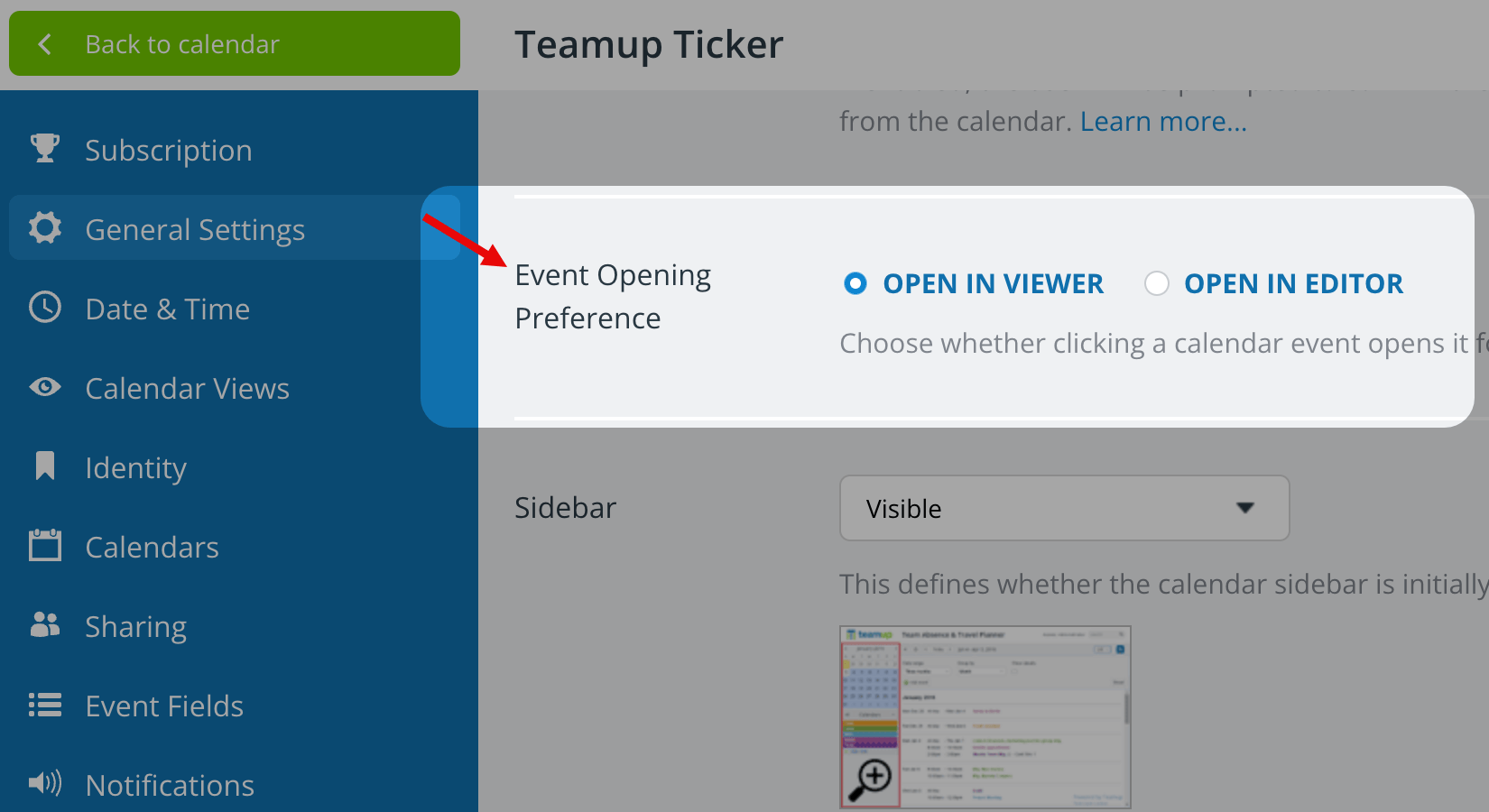
Configure the event opening preference:
- Open Teamup in a browser.
- Go to Settings > General Settings.
- Scroll to the Event Opening Preference section.
- Click to select the button for ᴏᴘᴇɴ ɪɴ ᴠɪᴇᴡᴇʀ or ᴏᴘᴇɴ ɪɴ ᴇᴅɪᴛᴏʀ.
- Open in Viewer: events will open in the non-editable view with the Edit button.
- Open in Editor: events open directly to the event editor, no need to press the button.
ℹ️ Learn more


