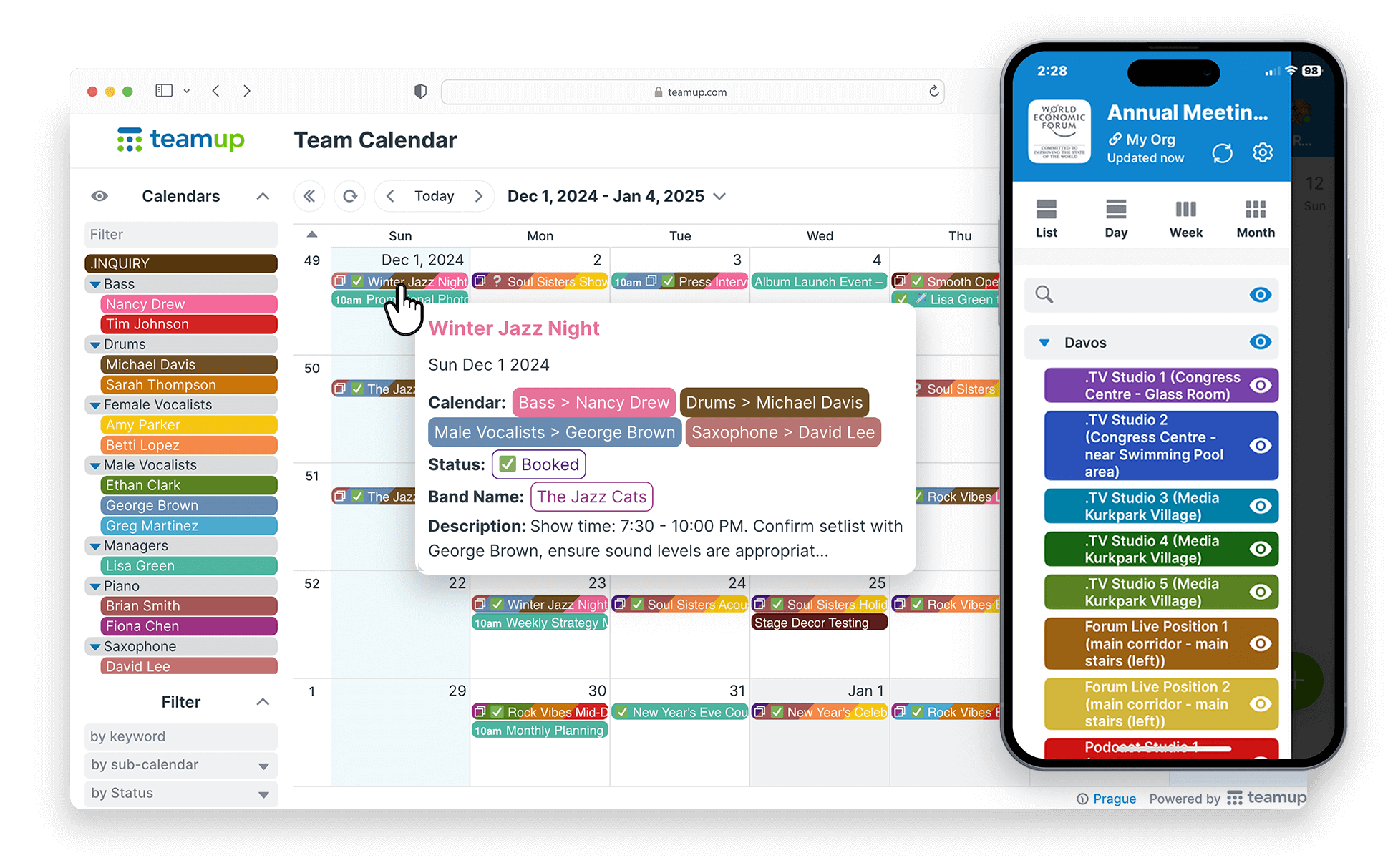
With Teamup, you can create a caregiving calendar that simplifies scheduling, medical notes, and keeping track of medications and more.
Providing care for others can mean a variety of things:
- young parents caring for their infant or toddler.
- babysitters taking care of children in their home.
- childcare workers caring for children in a nursery or daycare.
- adult children caring for their aging or sick parents.
- non-profit organizations giving care to the homeless, impoverished, and others in need.
- rehabilitation workers caring for recovering addicts.
- parents, helpers, and healthcare providers caring for a person with special needs.
- spouse, children, and other family caring for sick or injured family member.
There are many types of caregiving, beyond the examples including here. And different types of caregiving will have different types of information, scheduling, requirements, and resources to handle. In all cases, however, keeping the information and scheduling organized is important. The easier it is to coordinate caregiving, the more energy can go into the care itself and the more time caregivers can free up to get the rest and renewal that they need, too.
Here are some ways that Teamup Calendar can be an aid for caregiving. Maybe they can spark an idea for your own situation or organization.
Schedule caregivers
One Teamup user shared her story of using a Teamup Calendar in her personal life, as she cares for her mother, who has Alzheimer’s:
First, I want to give PRAISE! My mother has Alzheimers. We have to keep up with her caregivers and make notes on her welfare. Teamup has made this difficult diagnosis much easier to deal with. I think every Neurologist or Alzheimers support care group should be made aware of the benefits of your calendar to track care, medical notes etc. -Laurie
You can use a Teamup Calendar to schedule different caregivers, without needing to continually send emails or text messages or make phone calls to confirm the schedule with each person.
Here’s how you could set up a calendar to schedule caregivers.
- First, create a sub-calendar for the daily routines, medication schedule, doctor’s appointments, and other relevant activities. You could include physical therapy, reminders, and rest times on this calendar. Caregivers can refer to the calendar when they are ‘on duty’ to see what is needed at any given time. Many times, what is most important is consistency of routine. Having a shared calendar helps all caregivers maintain a consistent routine.
- Add medication times, daily activities, rest, meals, and other routines as recurring events.
- Create additional sub-calendars as needed. For example, you might need a sub-calendar for the family members, to show when family will provide care.
- Add each caregiver as a user so they can see the daily schedule, the family care schedule, and their own hours. Customized access allows each caregiver to use the calendar as needed.
Keep records and notes
You can use the calendar events to record notes, details of care, mood, food intake, and other important information. When you record this information on the calendar, you can always retrieve it and see exactly what was happening on a particular date. Being able to do this can help you and other caregivers and medical providers see patterns and needs that might otherwise be missed.
You can modify an event field, or add a custom event field, to track important details, such as mood or energy level.
If each caregiver has modify permission for their own sub-calendar, they can add events and keep notes on their own sub-calendar. Then you can easily see the details of care for each caregiver.
Track medical notes and special instructions
A shared calendar can also help with keeping track of changes in medication, physical therapy assignments, and other important instructions. You can record notes from a doctor’s appointment, for example, in the calendar event for the appointment. Then you can share that event with all caregivers who need to know that information.
Here’s an example of an event shared as a page:
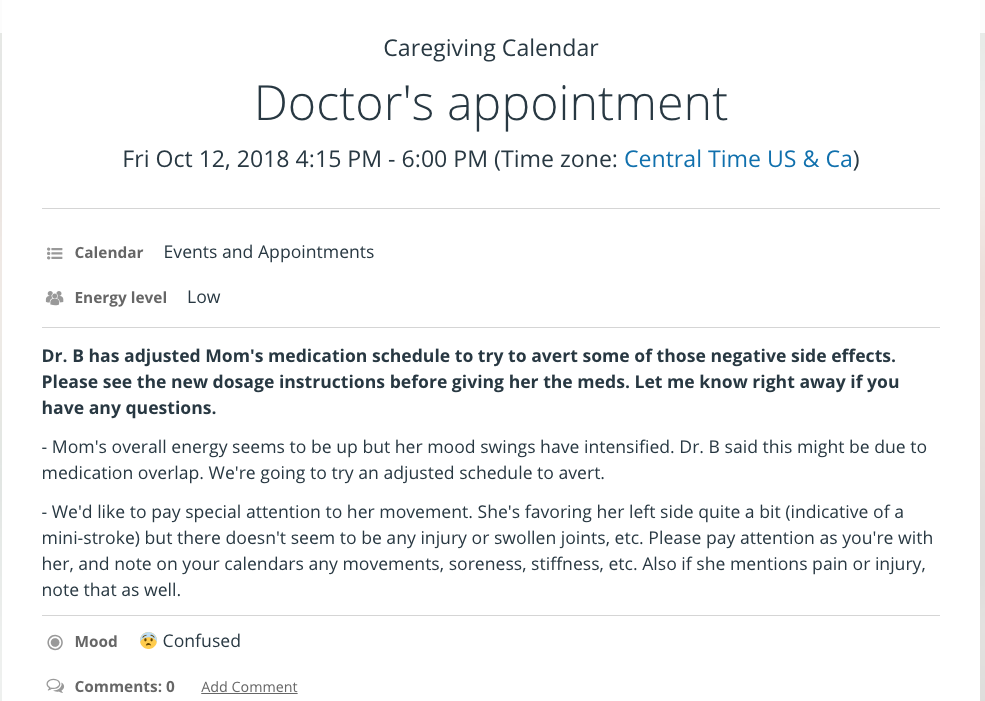
Keeping medication changes, doctor’s notes, physical therapy, and other activities involved in caregiving right on the calendar helps you keep track of when changes occurred and the effect they’re having. Plus, having it all in one central location–a shared calendar–makes it easier for you to find the information when you need it. You can use the search filters built into the calendar to find events with keywords, such as “doctor” or “appointment” or “medication change” or “therapy session.” And you can easily share the information with anyone who needs to access it, right from the calendar, via the sharing options.
Communicate about scheduling needs
If you have an open time and need to schedule a caregiver, you can use your Teamup Calendar to handle the entire process.
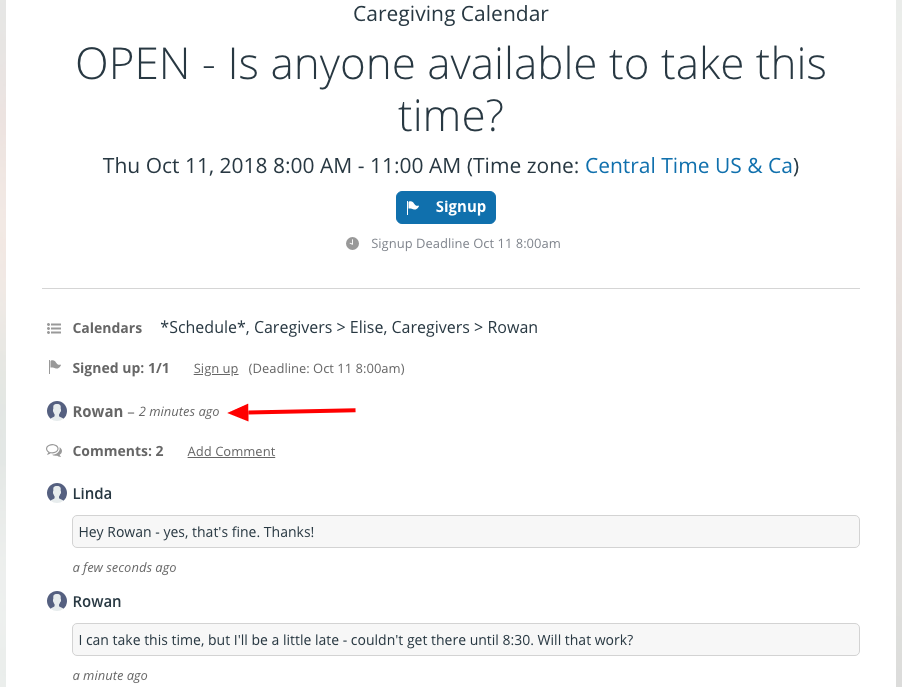
Create an event for the open time, then add it to the sub-calendars of the relevant caregivers. You can share the event as a page to bring it to their attention. With signup and comments enabled, a caregiver can sign up for the open time right on the calendar. You can use comments to work out details.
No additional emails, messaging, or phone calls are necessary. It’s an efficient process, all contained in a shared calendar, and easy to reference anytime.
How could a shared caregiving calendar help you? Caregiving requires a lot of time and energy; it’s truly a labor of love. Create your own Teamup calendar and start exploring the features and possibilities.