In a corporate office, shared conference rooms host many meetings each week. A self-booking calendar lets everyone reserve space easily and avoids schedule conflicts. However, there’s one more step: facility staff need to clean and set up rooms as requested and confirm they’re ready. Here’s how to allows those key updates from staff regarding room readiness, while keeping reservations secure.
The challenge: Corporate offices need a reliable way to confirm conference room readiness before meetings without giving facilities staff permission to edit everything on the calendar.
The Teamup solution: Event comments let facilities teams add setup notes, photos, and issue flags directly to the meeting event. The schedule stays locked, while readiness updates stay visible, timely, and tied to the right room and time.
When room status is separate from bookings
Many corporate offices keep meeting room schedules separate from the daily workflow of facilities staff. Calendar management usually falls to office managers or operations staff. Everyone else, from executives to facilities staff, have limited access to the calendar to avoid accidental changes. Facilities staff may be able to see all the bookings, but their access is limited so they can view but not make changes.
This access level keeps the schedule safe, but facilities staff have no way to update status or confirm if rooms are ready. So they have to use on other communication methods, like direct reports, emails, chat messages, or checklists. This adds extra work and disconnects the room’s status from the booking calendar. As a result, facilities work is less visible. Those who book rooms may doubt that everything is ready, which adds manual checks to their busy schedules.
A single, secure, comment-driven workflow
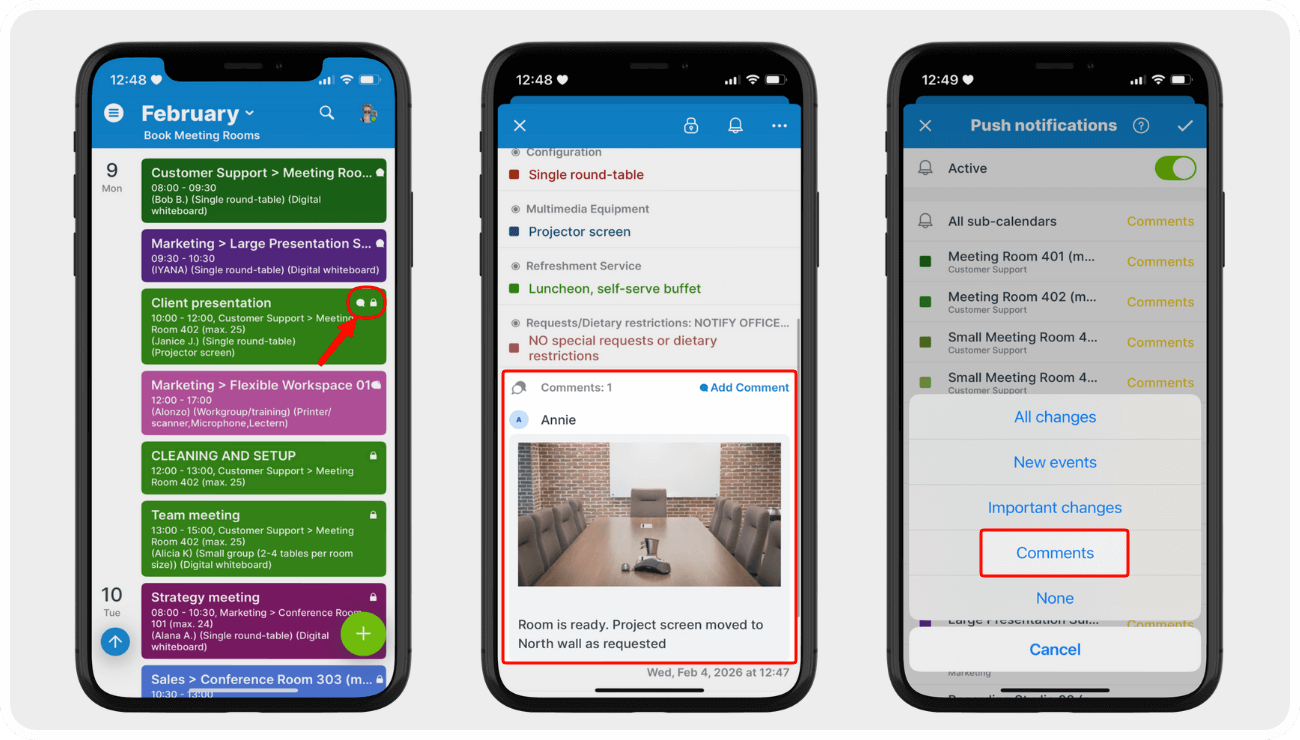
Click to enlarge: Icons indicate that an event is locked (read-only) and has a comment. Comments can have text and uploaded photos. Get push or email notifications when a comment is added.
A better approach keeps the calendar locked while still allowing operational input.
Bookings stay on the shared calendar, and facilities staff still have read-only access. So the schedule is safe from accidental changes or deletions. What closes the gap? Built-in event comments, enabled for all users. Facilities staff can note room readiness right on the meeting event in a comment. They don’t need to change the event itself.
After cleaning and prepping a room, a facilities team member can add a comment to the relevant booking:
- A simple note verifying that the room has been cleaned and is ready to go.
- An alert if the last meeting ran over time and the staff is behind on cleaning and setup.
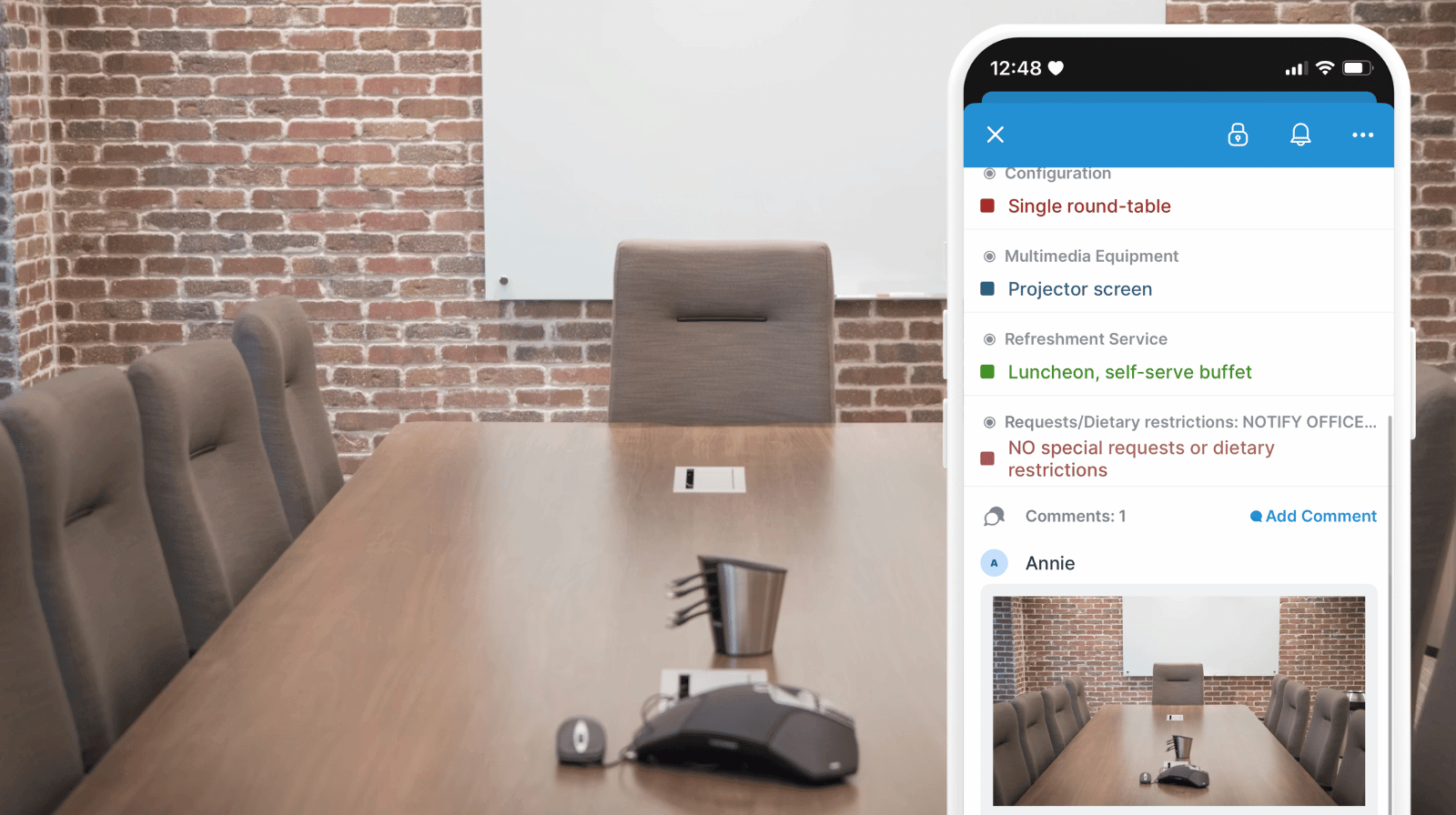
- Notes and photos verifying specific setup requests.
- Instructions for using equipment.
- Timing on beverage service or other refreshments.
Because the comment lives on the event, everyone sees the update in the right place. The meeting owner can check readiness at a glance. If there is a delay, special instructions, or a question they can see the update and even respond if needed. Office management can also see if issues or delays are flagged, and step in to help if needed. Each comment is automatically time-stamped, too, so there’s a record built into the booking itself.
How to set it up
Mini-guide
- Set up a conference room booking calendar using this guide.
- Provide read-only access to room calendars for facilities staff.
- Enable event comments for all users; turn them on by default for all events.
- Have facilities staff members:
- Download the Teamup app on their mobile device to access the booking calendar anywhere in the building.
- Use comments on each booking to flag issues or delays, or simply note that the room is cleaned and prepped on schedule.
- If there are specific configuration requests, they can upload photos to verify how things are set up.
- Instruct meeting owners to check the event comments for updates and room readiness verification.
- Office managers and facilities team leaders can get notifications when comments are added.
Simpler meeting room management
Once room readiness is documented where the meeting lives, several things improve immediately.
- Fewer last-minute surprises: Delays or equipment availability issues are noted on the event where meeting owners can check and respond quickly as needed, before attendees arrive.
- Clear accountability: Facilities staff can note when a room is vacated by the prior meeting and when it’s prepped and ready for the next event. Who and time-stamp are automatically saved with each comment.
- Less back-and-forth: Status updates stop bouncing between email and chat.
- Better prioritization: Facilities teams focus on rooms tied to high-importance meetings.
- Stronger audit trail: Photos and notes create a history of recurring issues.
- Protected schedules: Calendar integrity stays intact while collaboration improves.
Over time, patterns emerge. If a specific room regularly has display issues, the evidence is already attached to multiple events. That makes maintenance planning easier and conversations more objective.
Related resources
- All about event comments
- How to use comments on the Teamup app
- More: Let users add notes and upload photos with editing events
- ▶️ Interactive demo: Disallow overlapping events