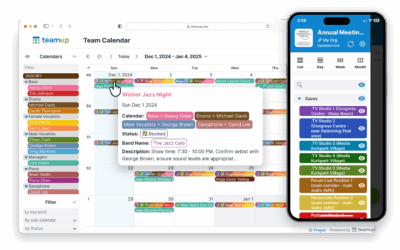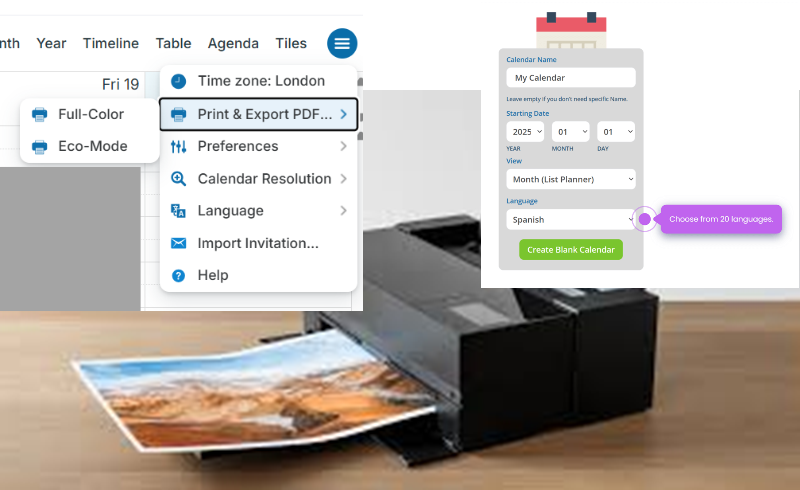
Here’s how to create a blank calendar using Teamup’s printable calendar templates. Choose the template the works for you, adjust the dates, and print a calendar. Or you can save as a PDF and use digitally. It’s that easy! Printable calendars can be useful in many ways: track habits, run a meeting, stay on top of your agenda, share a task list, or print a blank monthly calendar to plan the next few weeks.
Digital calendars provide lots of flexibility, and make real-time edits easy, but there’s something special about a paper calendar. It’s tangible. It’s easy to use, without needing wifi or devices. And having your calendar or agenda on paper can help focus attention.
Print a calendar from a template
Creating a blank calendar with Teamup is easy. You can use these printable blank calendar templates we’ve already created.
How to create a blank calendar
As an alternative to the templates above, you can create a blank calendar from your own Teamup calendar:
- Go to the calendar view you want. For example, to print a blank monthly calendar, choose Month view.
- Toggle off all calendars so no events show up on your calendar view.
- Click the blue calendar menu (top right). Select PDF Print & Export.
- Select the options you want, then click Continue.
- Adjust print settings as needed, then print or download the PDF.
You can also print a calendar with items on it. This is a helpful feature if you want to share an agenda or timeline in a meeting, event, or group, but don’t want to distract people with screens and mobile devices.
How to print a calendar with events
- Go to the calendar view you want (Agenda, List, or Day are best).
- Toggle the calendars and adjust the date so only the events you want are visible.
- Click the blue calendar menu (top right). Select PDF Print & Export.
- Select the options you want, then click Continue.
- Adjust print settings as needed, then print or download the PDF.
10 Ideas for using a printable calendar
Now you know how to print a calendar whenever you need one. Here are a few ideas to get you started using a printed calendar to make your life easier, better, and more enjoyable.
- Keep track of a habit. Now you know how to print a blank monthly calendar, you can use it to track a habit. Hang the calendar print out over your desk or your bed, or on the bathroom mirror, maybe? Jot down your habit on the top, then put a big checkmark on each day that you complete the habit.
- Run a meeting. Add all the items you want to address in the day’s meeting to the printable calendar as separate events; then print an agenda or list view of the day.
- Plan a vacation. Print out a calendar with the dates for your vacation, then sit down with your family to plan out your activities.
- Create an editorial calendar. Use a printed monthly calendar to set themes or post types for each week or day that you publish. Reference your editorial calendar as you plan out specific posts.
- Keep a food journal. Make note of your meals, snacks, calories consumed, eating times, and more with a printed weekly or monthly calendar.
- Create a reading journal. Use a monthly print-out for a simple log (pages read per day, perhaps?). Use a weekly or daily printout to make notes on what you read.
- Build a training schedule. If you’re getting ready for a marathon or other athletic event, you can use a printed calendar to write out your training plan. Put it where you can see it while you train for easy reference.
- Capture memories and highlights. Use a printed calendar as a handwritten log of the highlights of each week.
- Work on a group project. Add milestones and tasks to the calendar, then print out an agenda view for everyone in the group.
- Keep track of birthdays. Print out a blank yearly calendar, and highlight the days for birthdays, anniversaries, or other celebrations. It’s an easy, quick reference.
More resources: