
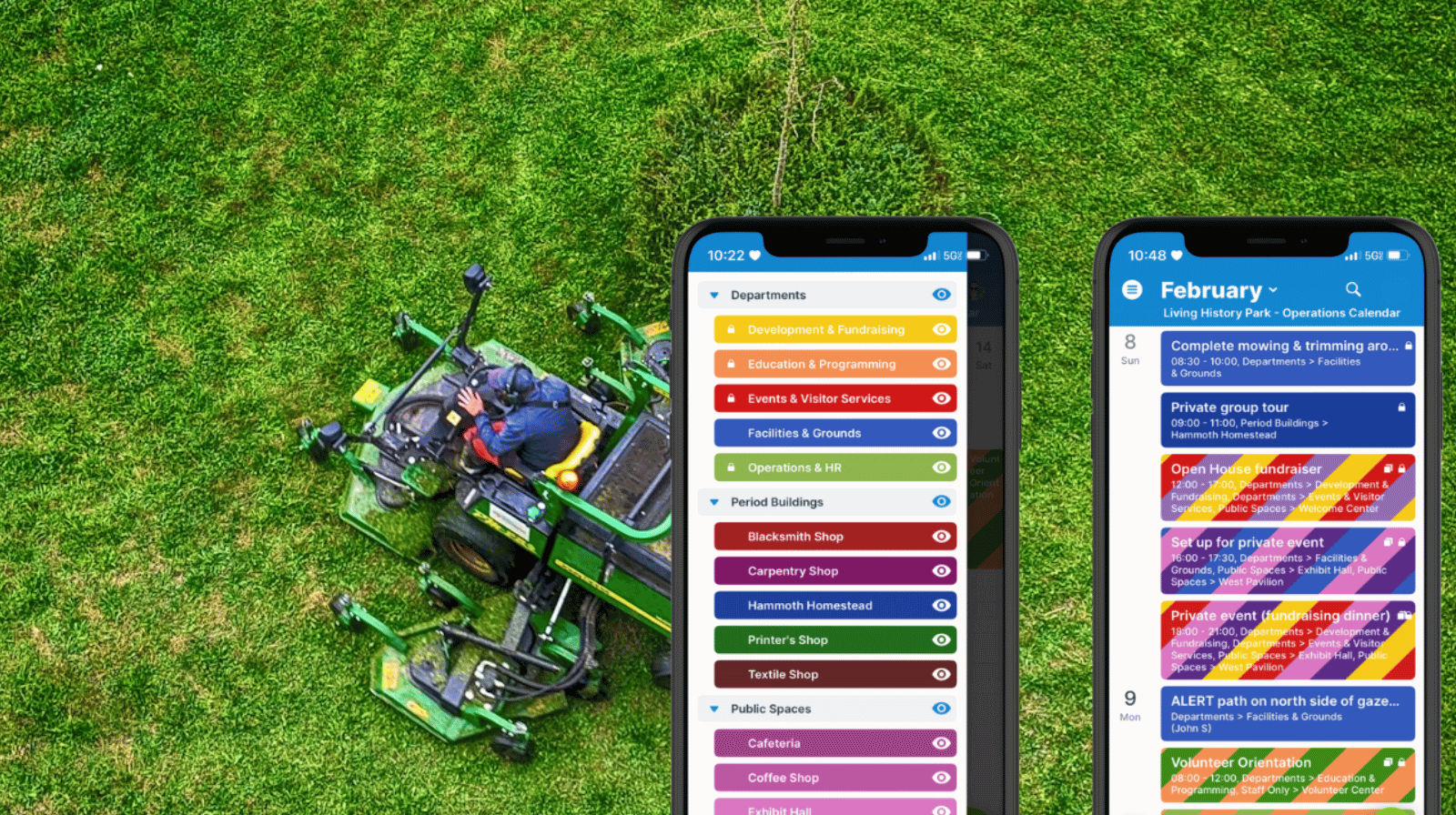
Facilities and maintenance teams at public parks, historic sites, museums, campuses, and event venues can’t schedule work in isolation. They have to plan their work around what’s happening on-site. Here’s how a shared calendar on mobile helps maintenance teams stay updated on events, get tasks and repairs done at the best times, and communicate when areas or resources are temporarily unavailable.
The need: Maintenance staff need a clear, mobile view of events, tours, and reservations across a public site so they can schedule repairs and site prep at the right times, avoid disruptions during active programs, and flag areas as unavailable when maintenance is in progress.
The Teamup solution: A shared maintenance schedule on the Teamup app shows what’s happening where in real time. Maintenance teams can plan work around on-site activity, coordinate prep tasks ahead of events, and post closures or availability updates so the rest of staff can adjust immediately.
Why is maintenance scheduling harder at public sites?
At a public-facing site, maintenance work competes with visitor activity. Effective facility maintenance scheduling depends on knowing what’s happening on-site: tours, rentals, school groups, performances, and special events.The schedule isn’t just “what needs fixing.” It’s also “what’s happening on-site today. If a pavilion is reserved in the afternoon, grounds prep has to happen earlier. If a guided tour is moving through a building, repair work needs a different time window.
For example, at a living history park, facilities staff might face these kinds of conflicts:
- A private reservation is scheduled at the outdoor gazebo at 3:00 PM.
- A school tour rotates through three historic buildings between 10:00 AM and noon.
- A demonstration is planned near the central courtyard late morning.
- A weekend festival setup begins in the main field.
Maintenance staff still needs to complete the daily tasks and schedule repair work that day. When they’re able to view the schedule for the whole park, they can work around event timing. If they can’t, they move through the task list according to their own priorities rather than what’s happening on site, which leads to breakdowns:
- Prep work starts too late (mowing or setup overlaps with guests arriving).
- Repairs begin inside a building right as a tour group enters.
- Noisy or disruptive work happens during demonstrations or programs.
- Event teams don’t know a building or area is closed until someone shows up.
- Availability updates travel by word-of-mouth, radio, or last-minute messages.
When maintenance scheduling isn’t connected to the events calendar, teams either interrupt on-site programs or lose work time waiting for areas to clear.
How can maintenance staff see what’s happening?
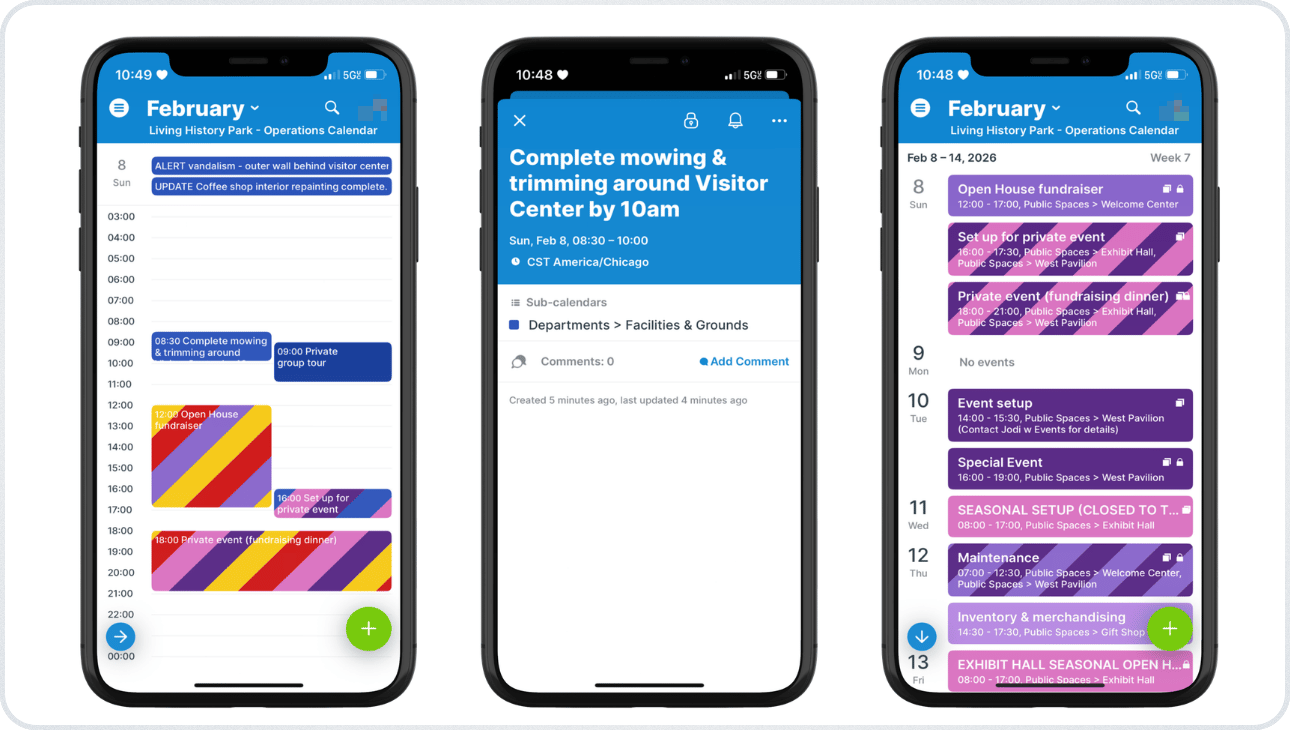
Click to enlarge: The Teamup app shows what’s happening for the whole park. Staff can view one day’s schedule, check task details, or toggle calendars to view only certain buildings.
With a shared Teamup calendar, the facilities team can quickly see what’s happening across all buildings and areas, without having edit access for those events. So there’s no risk of accidental changes to the schedule or lost information. The calendar provides an overview of all activities and events: Which buildings have tours scheduled, when outdoor spaces like the gazebo, patio, or fields are reserved, and which areas are blocked for special events or staff use. This visibility allows the facilities supervisor to schedule repairs and prioritize assignments to avoid conflicts, while ensuring the necessary work gets done on time.
What makes this work for a facilities and maintenance team?
The key is structuring the calendar so it matches how the site operates: departments, buildings, staff-only areas. Supervisors can add maintenance tasks and prep work to the Facilities sub-calendar, so staff can see what needs to be done and when. Staff members assigned to certain areas of the park can view only those calendars (see the List view, above right, showing only selected sub-calendars). With the entire schedule accessible on mobile with the Teamup app, everyone can see the day’s schedule and stay on task so the right work gets done at the right time.
Facilities staff also need an easy way to communicate with the rest of the staff. For example, someone on maintenance may enter a building for daily cleaning, only to find there’s a plumbing issue or a major leak. They need a quick, secure way to alert other staff members that the space is unavailable. With Teamup, they can build an efficient workflow to easily alert all staff members to a building closure, and automatically prevent events from being booked in that space until it’s cleared.
How to set it up
Mini-guide
- Create separate sub-calendars for each building, outdoor area, resource, or designated site that’s part of the park.
- Organize the calendars in folders and use color-coding so staff can recognize events quickly.
- Have all facilities and maintenance staff use the Teamup app to view the schedule from anywhere in the park.
- Set up customized access for maintenance staff: modify-my-events access to the Facilities calendar and read-only access to all location and resource sub-calendars.
- This allows staff members to add events to the Facilities calendar and see their assignments in the context of all that’s happening across the park.
- Give the maintenance supervisor modify access to the Facilities calendar and modify-my-events access to all location and resource sub-calendars.
- This allows the supervisor to add tasks and assignments to the Facilities calendar for maintenance staff and mark locations or resources as unavailable if needed.
Keep on-site operations smooth across teams
At public sites that host tours, rentals, and special events, maintenance work depends on accurate visibility into what’s happening on-site. A shared calendar on the Teamup app enables maintenance staff to avoid conflicting with visitor activity and complete prep work before reservations. When maintenance, programs, and events use the same schedule, coordination improves and last-minute conflicts drop.
Create your own Teamup calendar to keep operations running smoothly across the entire site.
Related resources
- See how to manage complex operations at public-facing sites
- How to structure a calendar with sub-calendars and custom fields
- Here’s a way to manage unscheduled tasks with a parking lot
- Facilities team members can preview attachments on the Teamup app
- Set sub-calendars to automatically prevent overlapping events
- See also how to avoid conflicts with a combined staff and equipment calendar


