For all-day or multi-day events, use Month or Multi-week view. Then click or click & drag over the relevant dates, and release the mouse to open the editor.
Click on a date or click and drag over multiple days to open the event editor prefilled with the date(s).
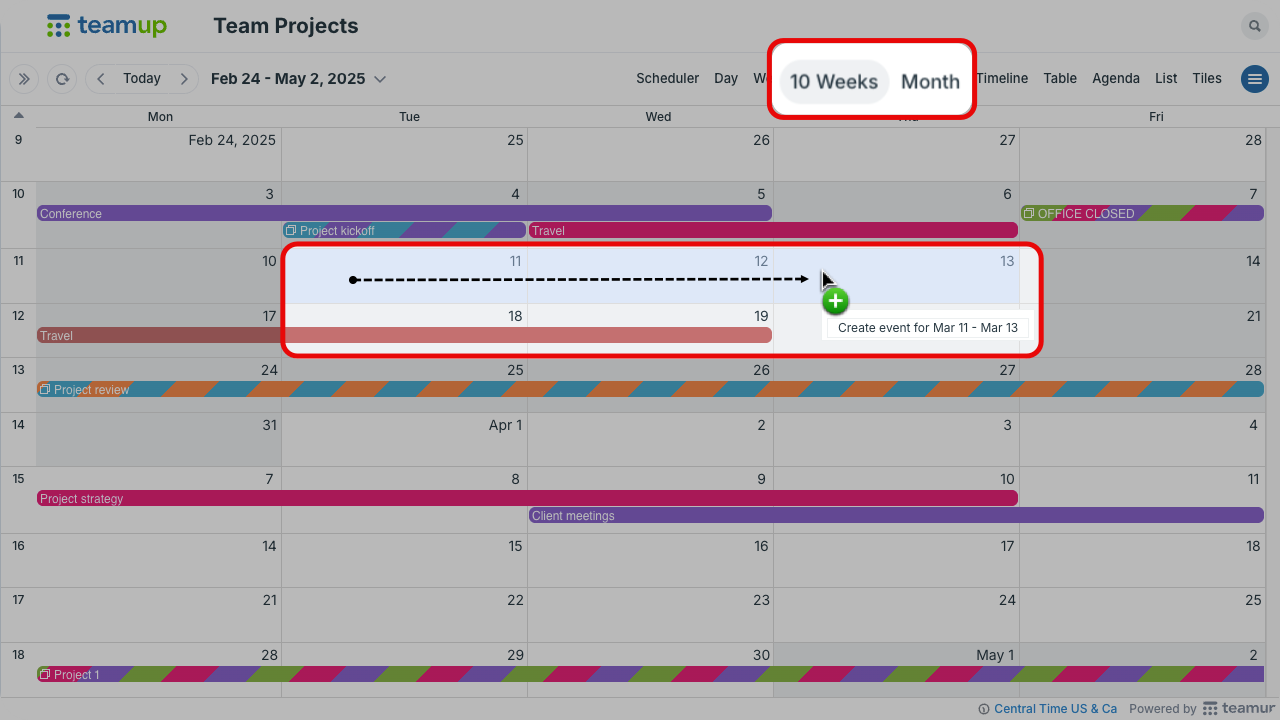
- Use the Month or Multi-week view.
- Click and drag over the relevant dates.
- Release the mouse to open the editor.
When the event editor opens, it will already have the relevant dates for the event.