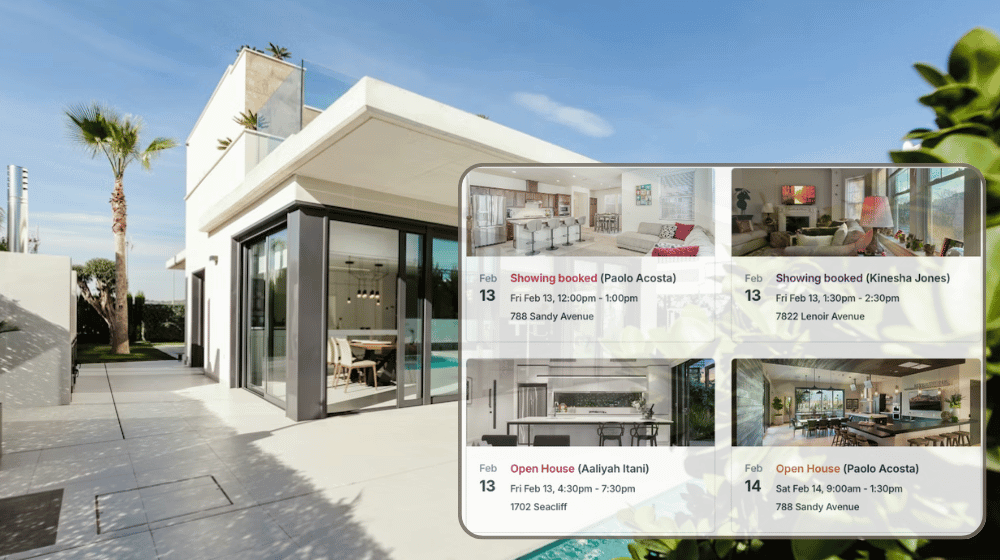
A real estate agency may manage dozens of active listings at once. Each property belongs to a specific agent, but showings rarely stay contained. Agents book property tours for their clients. Outside brokerages ask for access to those same properties for theirs. Without coordination, two agents can arrive at the same listing at the same time, each expecting exclusive access.
The need: Real estate agencies need a way to coordinate showings across multiple listings and agents, without double-booking properties. They also need to retain a clear record of showings and sale timelines for future reference.
The Teamup solution: A shared listing-based calendar with role-based access lets agents and office managers book showings confidently while preventing conflicts. Sold listings can be archived to keep calendars clean, with full documentation preserved and reactivated when needed.
Prevent double-booked real estate showings
Most agencies try to manage showings with a mix of tools. Individual agents track their own appointments. Office managers handle inbound requests from other agencies. Without a single source of truth for each property listing’s availability, double-bookings happen:
- Two agents schedule showings independently.
- An office manager books a showing for an outside agent without seeing a recent update.
- Availability is assumed instead of confirmed.
Overlapping showings create awkward client experiences, damage the agency’s reputation, and frustrate listing owners. A single scheduling mistake undermines professionalism.
How a shared listing calendar solves the problem
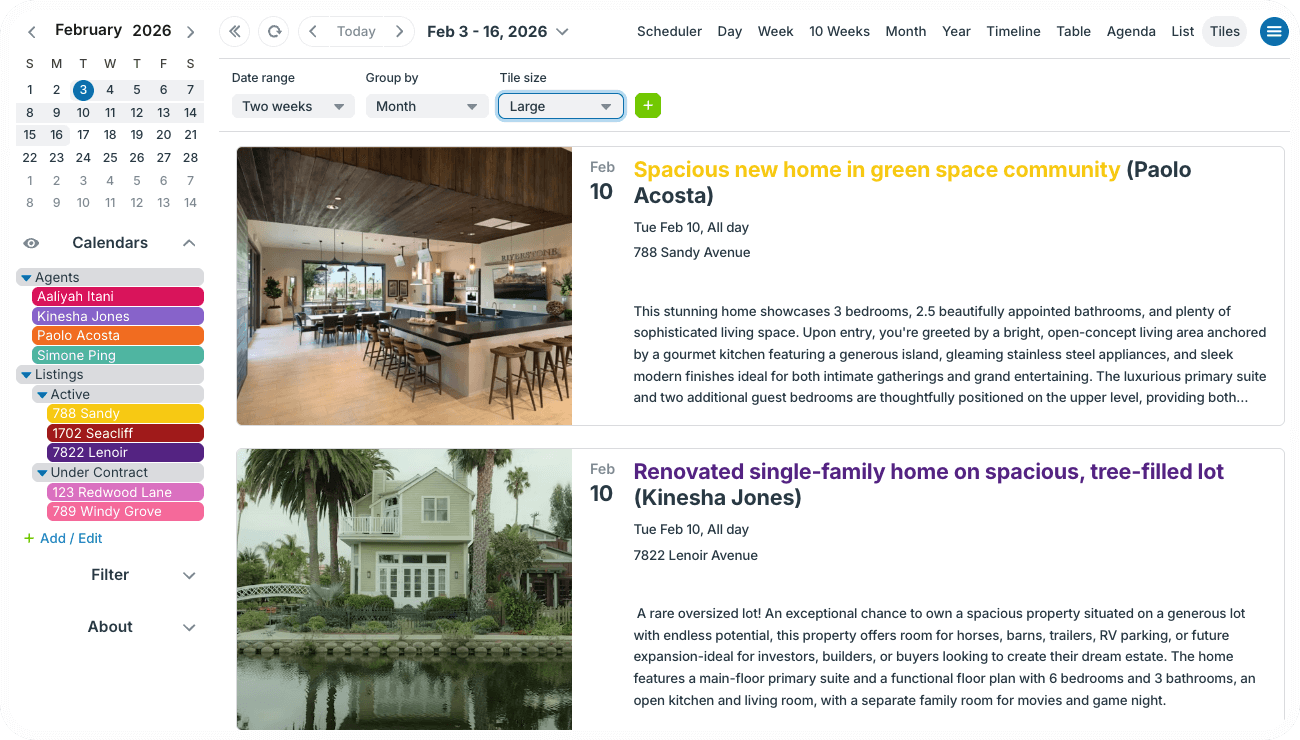
A better system prevents conflicts before they happen.
Using a shared calendar for all active listings, the agency has a single, transparent way to book property tours for both their own agents and outside requests. Each listing has its own calendar, so all showings are in one place. There’s plenty of room (and customization options) to capture all the details about each listing, including description, price, photos, and file attachments. Everything stays organized and listings can be viewed in multiple calendar layouts.
Visual scheduling with Tiles view
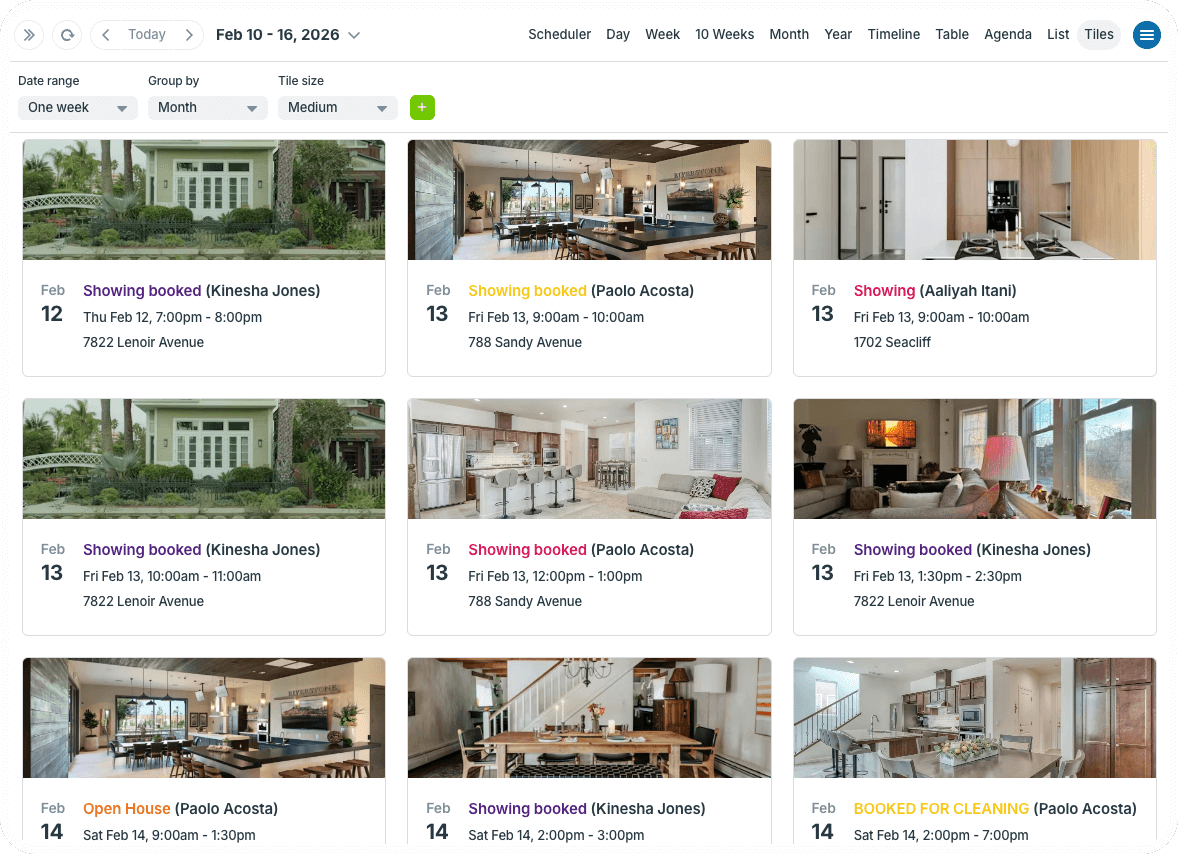
Click to enlarge: Showings displayed in a visual grid with Tiles view.
Instead of reading through rows of appointments, agents and managers see a visual, tiled layout where each showing is represented visually. Property images are front and center, making it instantly clear which listing is booked, when, and how heavily it’s being shown. No clicking to open each individual event or squinting at text to compare addresses. The visual grid makes everything clear at a glance.
This layout is especially useful for:
- Quickly identifying which property a showing belongs to by its image.
- Spotting gaps or heavy traffic across listings at a glance.
- Reviewing the day’s or week’s activity without cognitive overload.
For busy agencies, Tiles view acts like a visual command center. It helps agents confirm availability faster and makes the entire showing schedule feel calmer and more intuitive.
Customized access, zero conflicts
Customized calendar access gives everyone the ability to self-book showings without inadvertent errors. Agents can add their own showings to the calendar for any listing, but can’t alter existing calendar entries.
The office manager handles listing requests from outside agencies. When a property tour is requested, the manager checks availability and books the appointment for an open slot. This eliminates guessing and manual checks.
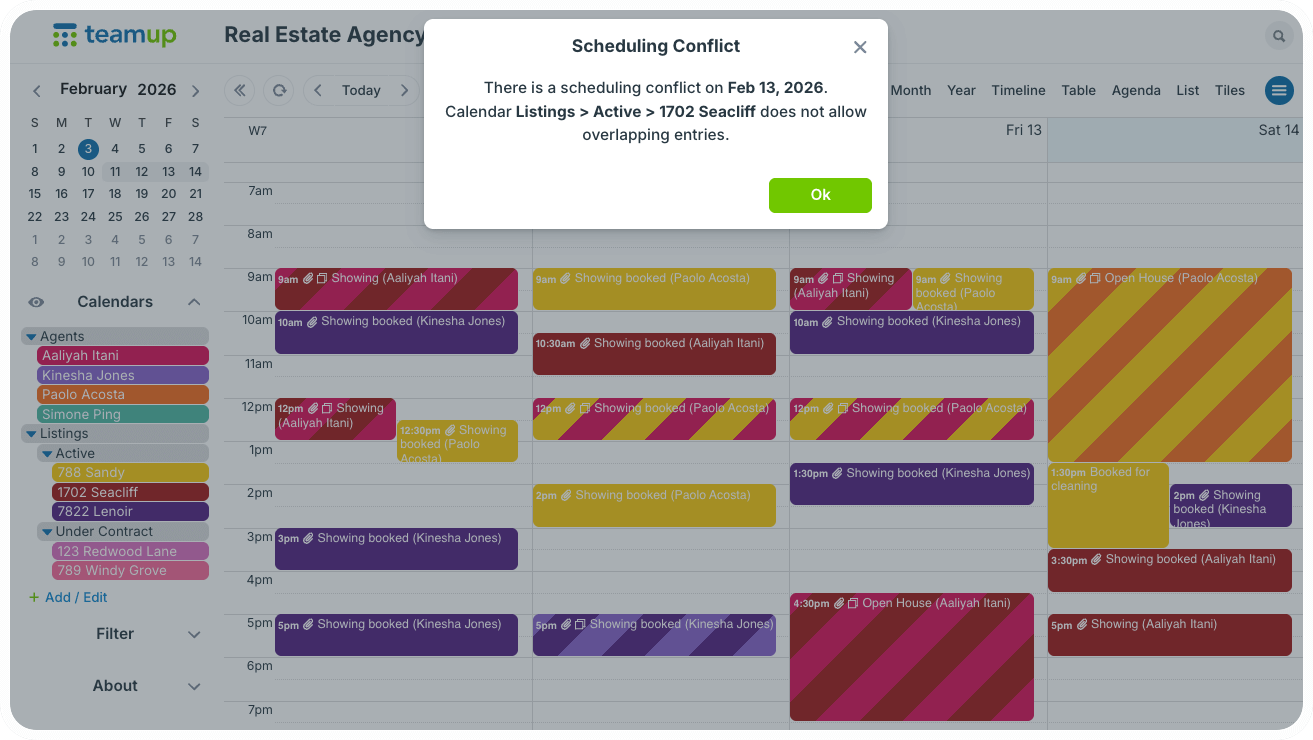
Even better, one simple calendar setting stops conflicts. When a time is booked, the calendar automatically blocks that slot, preventing double-booking.
Complete records without clutter
When a sale is complete, the listing’s sub-calendar can be deactivated. This helps free up visual space and keeps it from counting toward active calendar limits. The full record of showings, availability, and the sale timeline stays intact. Restore it instantly by reactivating the calendar.
Plus, every agent’s showing stays on their respective calendar, so they don’t lose their own records. This workflow allows clean, uncluttered scheduling for current listings while maintaining documentation.
How to set it up
Structure and access
- Create a shared calendar with sub-calendars organized in folders: Agents, Listings (Active and Under Contract).
- Create custom fields to capture all the key information, such as listing agent, price, square footage, so on.
- Each active listing gets added as a sub-calendar. Set each listing sub-calendar to disallow overlapping events.
- Give agents modify permission to their own sub-calendar and modify-my-events permission to the active listings calendars. See more about customized access.
How it works
- Create a full informational event for each listing with all the details, photos, and documents attached for easy reference.
- Agents can schedule a showing by creating the event on the listing sub-calendar and their own calendar. (They can copy the full informational event for a listing to easily book their own showing with all the details included.)
- The office manager can schedule showings per outside requests by finding availability for the requested property. Scheduler view works great.
- Listing sub-calendars are moved from Active to Under Contract when appropriate, then deactivated (archived) when the property sale is complete.
A shared listing calendar replaces assumptions with certainty.
By giving agents controlled self-booking and giving managers full visibility, the agency protects each property’s schedule while staying responsive to outside demand.
Related resources
-
- See also how real estate agents can share a visual showing calendar with clients
- Interactive demo: ▶️ Automatically Prevent Double-Booking
- How to share a calendar securely with customized permissions
- Quick guide to copy or duplicate Events
- Learn how to upload files and images to events
Try a live demo calendar to explore features and see how this could simplify the showing schedule.