On a busy construction site, shared equipment can quickly become a bottleneck. When multiple crews rely on the same resources, clear scheduling is essential to keep work moving.
The need: Coordinate shared equipment like cranes, lifts, and excavators so multiple crews can plan their work without delays or conflicts.
The Teamup solution: A shared equipment calendar allows project managers to get full visibility into equipment usage across crews and contractors. Customized access enables self-booking so that crews can reserve equipment use, while preventing changes to what’s already on the schedule.
Challenge: Shared equipment, hidden availability
On most construction projects, critical equipment is shared across multiple teams. Crews often need access to the same crane, lift, or specialized machinery at different times, but without a clear scheduling system, those needs can overlap.
When equipment usage is managed informally, there’s no clear way to check availability ahead of time. Crew supervisors schedule their teams and show up to do the work, only to find equipment already in use. Project managers also need visibility in order to plan the project timeline. To make sure the key tasks for each phase are done, they need to reserve equipment according to highest priority, not according to which crew shows up on-site first.
With a shared system in place for equipment usage, project managers can allocate equipment for use where it’s needed most, crews can plan ahead, and work can flow smoothly. Subcontractors can even be brought into the scheduling system to ensure they have the right equipment available when they need it. Here’s how to set up a shared construction equipment calendar with transparent availability across all crews and contractors.
Solution: Transparent equipment use for construction projects
With Teamup, each piece of equipment can be tracked, reserved, and monitored in one place: A shared calendar. Project managers can reserve equipment on the calendar to ensure key tasks get done on time. Crew leaders can see what’s booked and what’s available. Contractors can check when a forklift, crane, or excavator will be open and schedule their jobs accordingly. It’s all visible in one shared calendar, with appropriate access for each person to provide transparency while preventing conflicts.
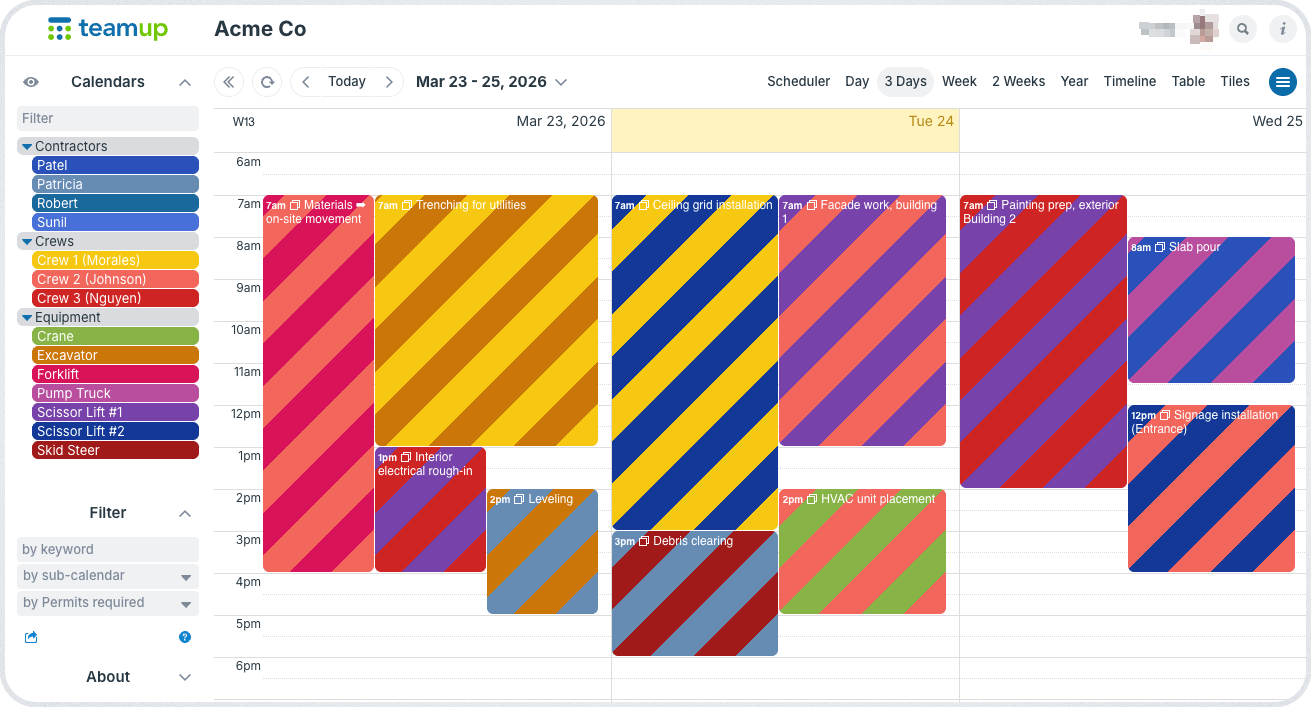
Click to enlarge: Project managers can view and manage equipment usage for all contractors and crews.
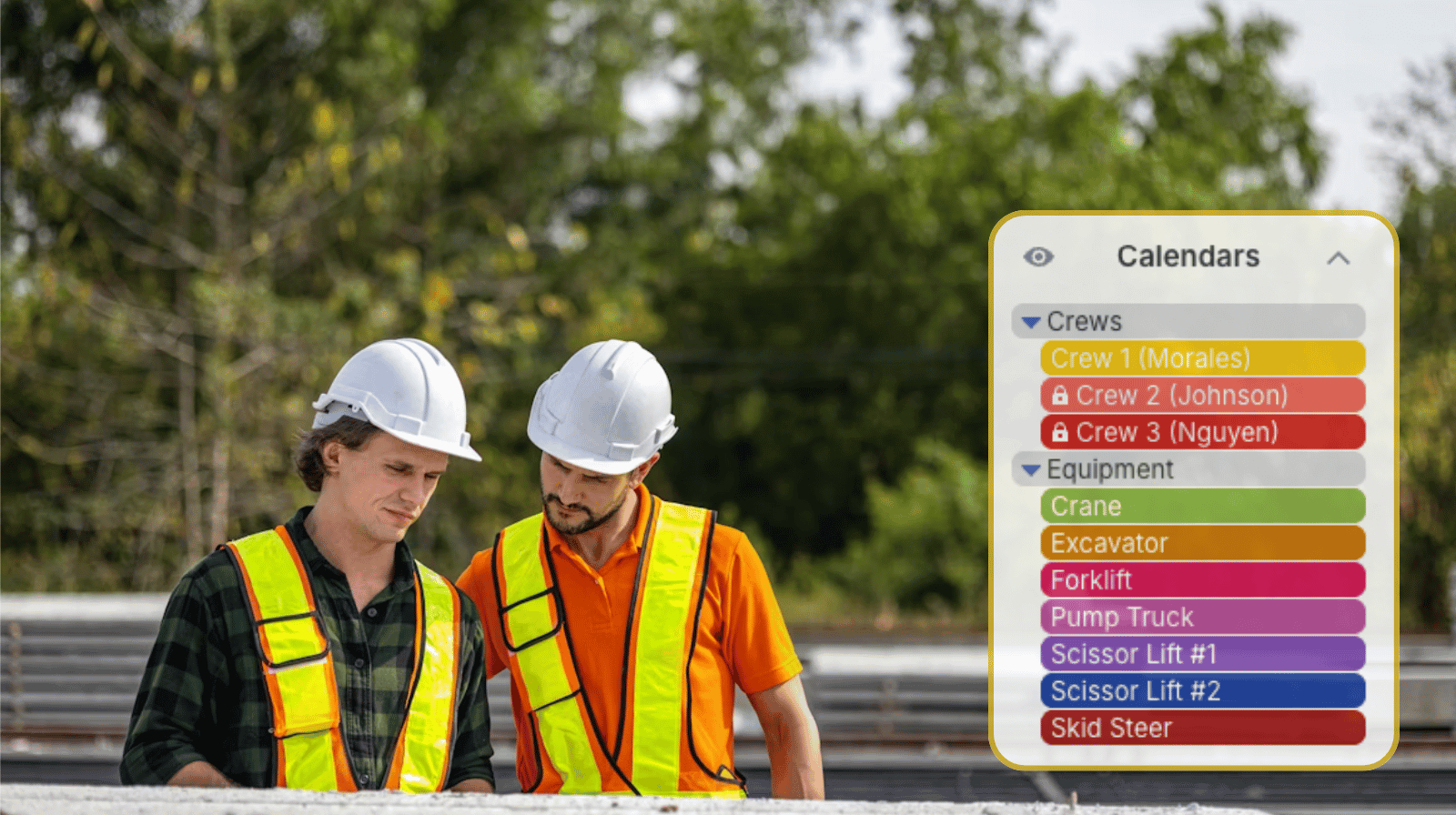
Project managers can oversee and manage the full schedule. They can see equipment usage for all crews and contractors, and change equipment reservations if needed. Crew supervisors can see all equipment availability, but can’t modify events made by others. They can reserve equipment use if the equipment is available, but can’t change an already scheduled event. This setup allows maximum autonomy (letting each supervisor schedule equipment usage for their crew, as needed) while ensuring that the project manager can prioritize jobs and allocate equipment as needed for the overall timeline.
How it works
⚙️ Mini-guide
- Set up one sub-calendar for each piece of shared equipment (e.g., cranes, lifts, excavators).
- Set each sub-calendar to disallow overlapping bookings.
- Add sub-calendars for each crew and/or contractor. Organize calendars in folders.
- Alternately, have crew leaders and contractors fill in the event title or a dedicated event field when booking equipment.
- Give each crew leader customized access with modify-my-events permission to the equipment calendars.
- Each crew leader can reserve equipment in advance by creating an event on the appropriate sub-calendar. The modify-my-events permission prevents them from changing or removing events added by anyone else.
- Contractors can be given the same customized access to see equipment availability and create their own bookings.
- Alternately, the project manager schedules contractor jobs and books the needed equipment on the calendar. Each contractor gets read-only access to see only their own jobs.
Keep equipment available and crews productive
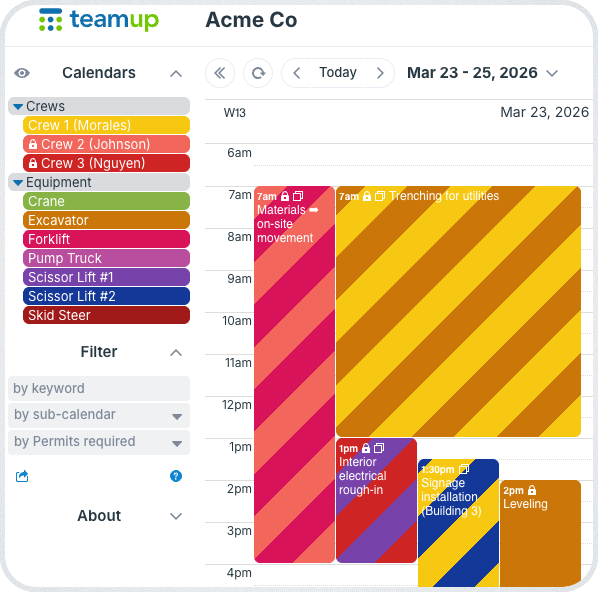
Click to enlarge: The lock icon indicates read-only access. Crew supervisors can see all equipment availability, but can only modify the events they added to the calendar.
When shared equipment is not scheduled properly, it can slow down the entire project. A shared equipment calendar provides a clear, reliable way to reserve and track equipment usage across multiple crews.
With Teamup, crews can plan their work with confidence, project managers can maintain oversight, and equipment is used more efficiently across the site. Get started with your own construction equipment calendar to keep projects running smoothly.
Related resources
- See more about Teamup for construction and field service professionals
- Give subcontractors clear visual instructions for every job
- Streamline contractor scheduling with permission controls
- Set up combined visibility of schedules for better project management
- ▶️ How to automatically prevent double-bookings