Practical ways to rename, combine, and configure a calendar’s default event fields so they capture exactly the information a team needs.
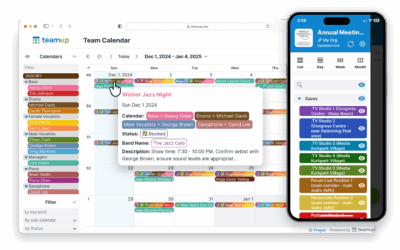

Practical ways to rename, combine, and configure a calendar’s default event fields so they capture exactly the information a team needs.

A synced, client-facing calendar lets businesses share job status with each client automatically while internal costs and notes stay hidden.
Follow calendar news with an RSS calendar feed, plan the whole year in Year view, and set Scheduler defaults, plus two user stories on schedule visibility.
Use Calendly for client appointments and Teamup as your team’s shared schedule. Here’s how to sync Calendly bookings into Teamup with an iCal feed, and how to combine bookings from any platform into one overview.
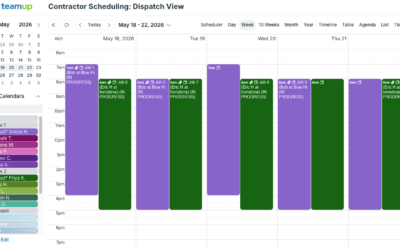
Scheduler view shows each sub-calendar in its own column. Its date range and resolution settings switch between a single day and multi-day views.
Table view can sort events in ascending or descending date order. Three setups show how start date, date range, and sorting work together for real uses.
A shared calendar can hold recipes, meal plans, and food logs in one place, making menu planning flexible and meal prep easy to delegate.
Track numbers like word count, miles, or spending on a Teamup calendar, then see automatic totals for any date range in Table view.
Turn a Teamup calendar into a personal habit tracker. Plan habits as recurring events, check them off, and see progress over weeks and months.
A Teamup calendar can work as a reading tracker and book log, with space for to-read lists, daily notes, saved quotes, and a shared book club sub-calendar.
Readers can save quotes from paper books, e-books, and audiobooks in a shared calendar reading log, then search, collect, and share their favorites.
Sales reps can cut reporting time by capturing activity with a context field, then sorting and filtering it in Table view to pull a quick sales report.