
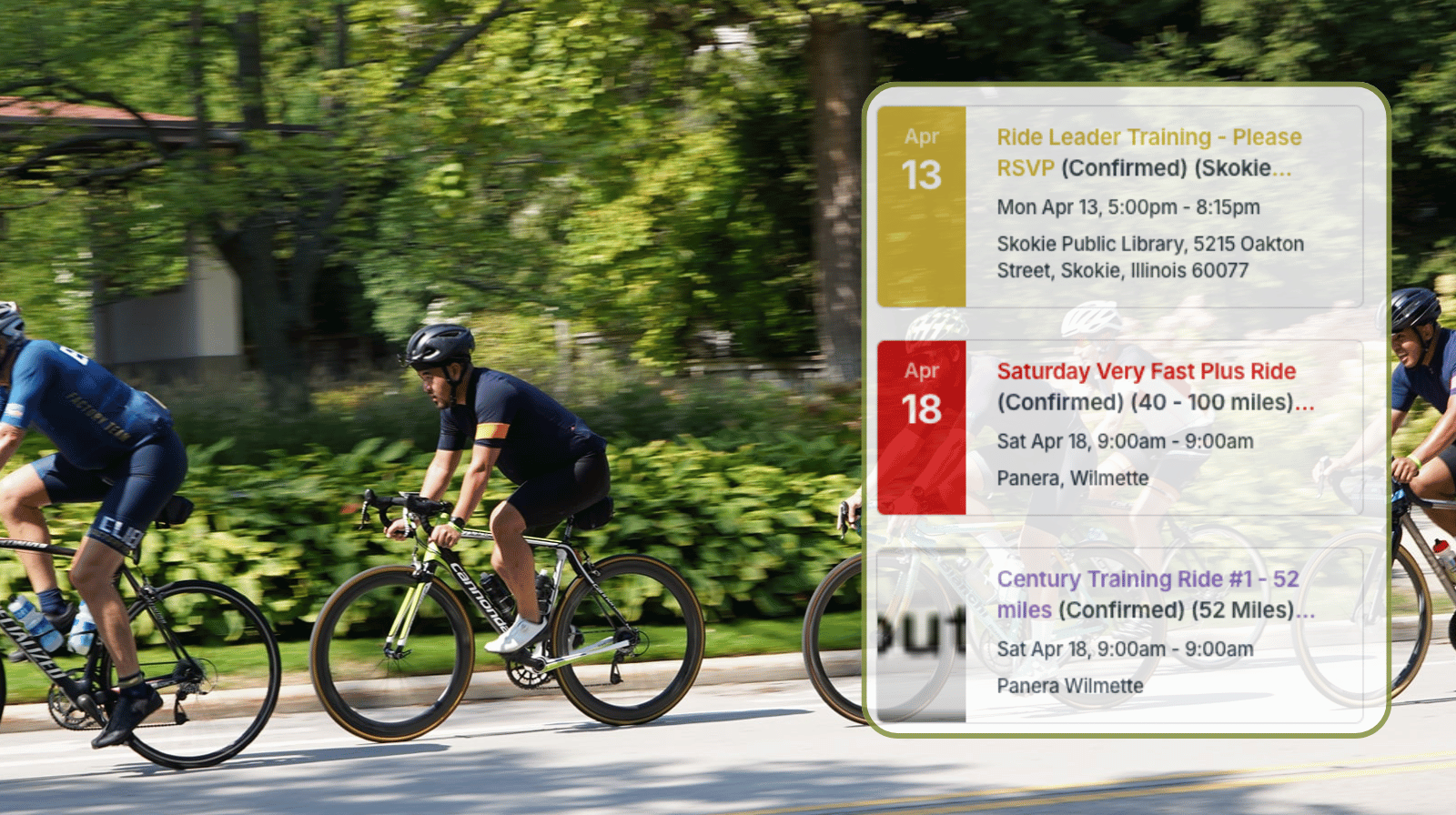
Bike clubs have a lot going on: There are often multiple weekly rides, special events, and pace groups, with overlapping times. And each ride comes with its own set of details: Timing, meeting points, ride type, and expectations for participants. Managing all this information efficiently and making it easy to find is a big win for both organizers and members.
The need: A simple way to organize and share ride schedules so members can easily find the rides that suit them and have all the information they need in one place.
The Teamup solution: A shared calendar brings all rides and events into one place, making it easier to manage club schedules and keep everyone informed. Instead of relying on multiple tools or scattered information, everything is centralized and always up to date.
Organizing a bike club calendar: A real-world example
Evanston Bike Club (EBC), a community-based cycling group, organizes a wide range of rides throughout the year, from recurring weekly rides to special destination events. With multiple ride types and pace groups to coordinate, they needed a clear and flexible way to manage their schedule.
The club wanted to keep both weekly rides and yearly or special events in the same calendar, while still making it easy for members to focus only on the rides that interest them. Using Teamup, here’s how they set up their club calendar:
- Rides are organized with sub-calendars grouped by type, such as recurring weekly rides and special or one-time events.
- Since riders have different pace preferences (and may not want to see rides they’re not interested in), rides are also organized by pacing sub-calendars.
- Each event includes all the information useful to members, such as distance, start location, description, registration details, and a contact person. See the live calendar here:
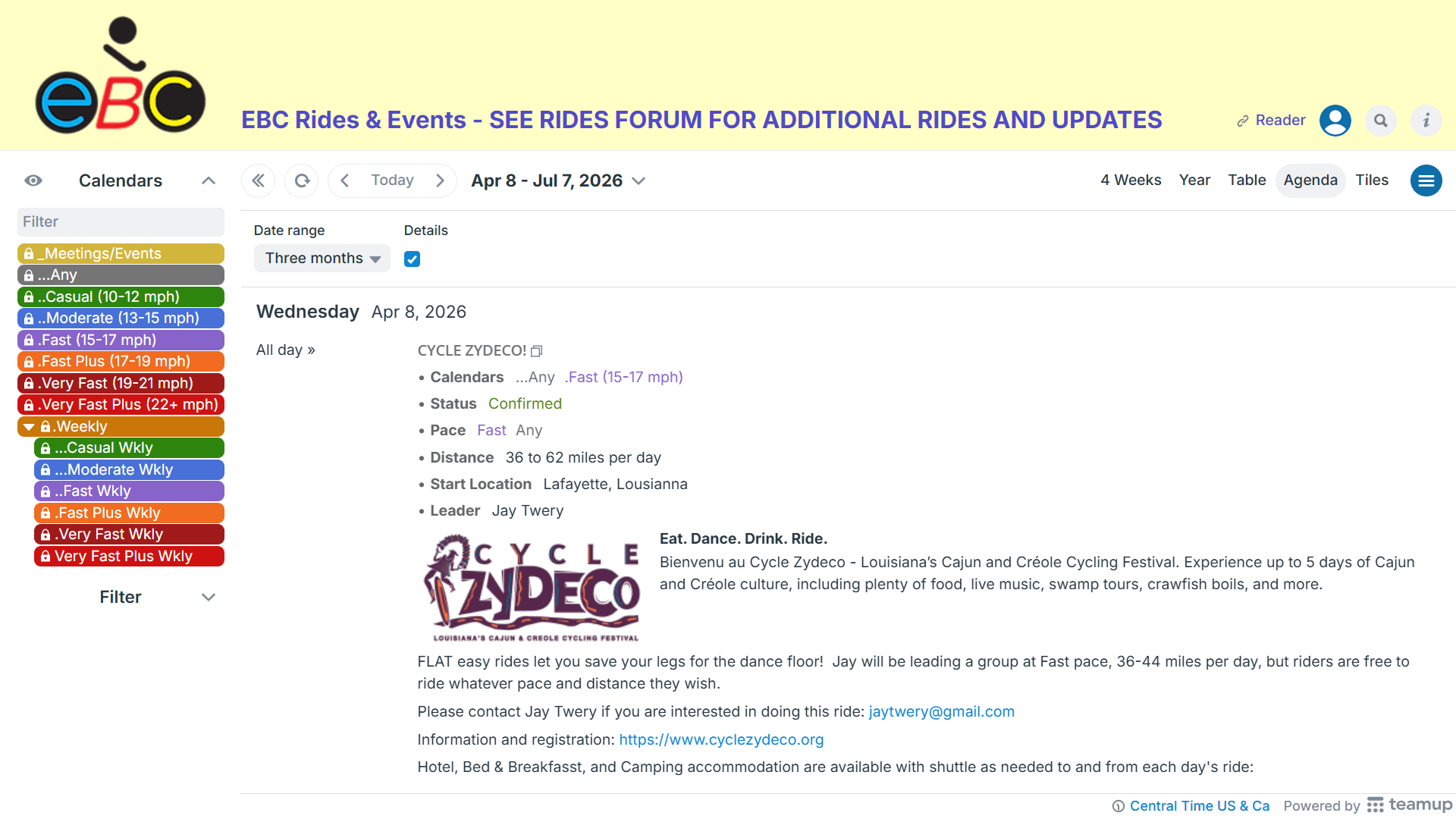
Click to enlarge: The bike club calendar is organized by ride type and pace groups, with fields to capture all the event details.
Using custom fields to add structured information
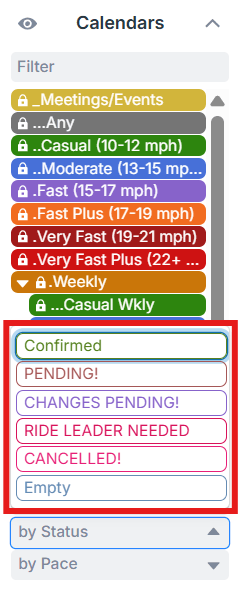 Many weekly rides are generic show and go rides, where the group determines the destination that day. There are other weekly rides that have a specific destination. Evanston Bike Club added custom event fields to make sure the ride-specific information gets captured consistently.
They also added a custom choice field for the ride status: The status lets members know whether each ride is confirmed, pending or cancelled.
Helping members quickly find the right rides
With rides clearly organized, members can quickly find what they’re looking in different calendar views:
- Toggling sub-calendars on and off allows users to quickly narrow down the calendar and focus on specific ride types.
- Filters can be applied based on sub-calendars, keywords, or custom event fields, making it easy to combine multiple criteria and find exactly what each member is looking for.
In the example below, sub-calendars are toggled (see the Calendars list on the left) to show only Weekly rides in Moderate pace group:
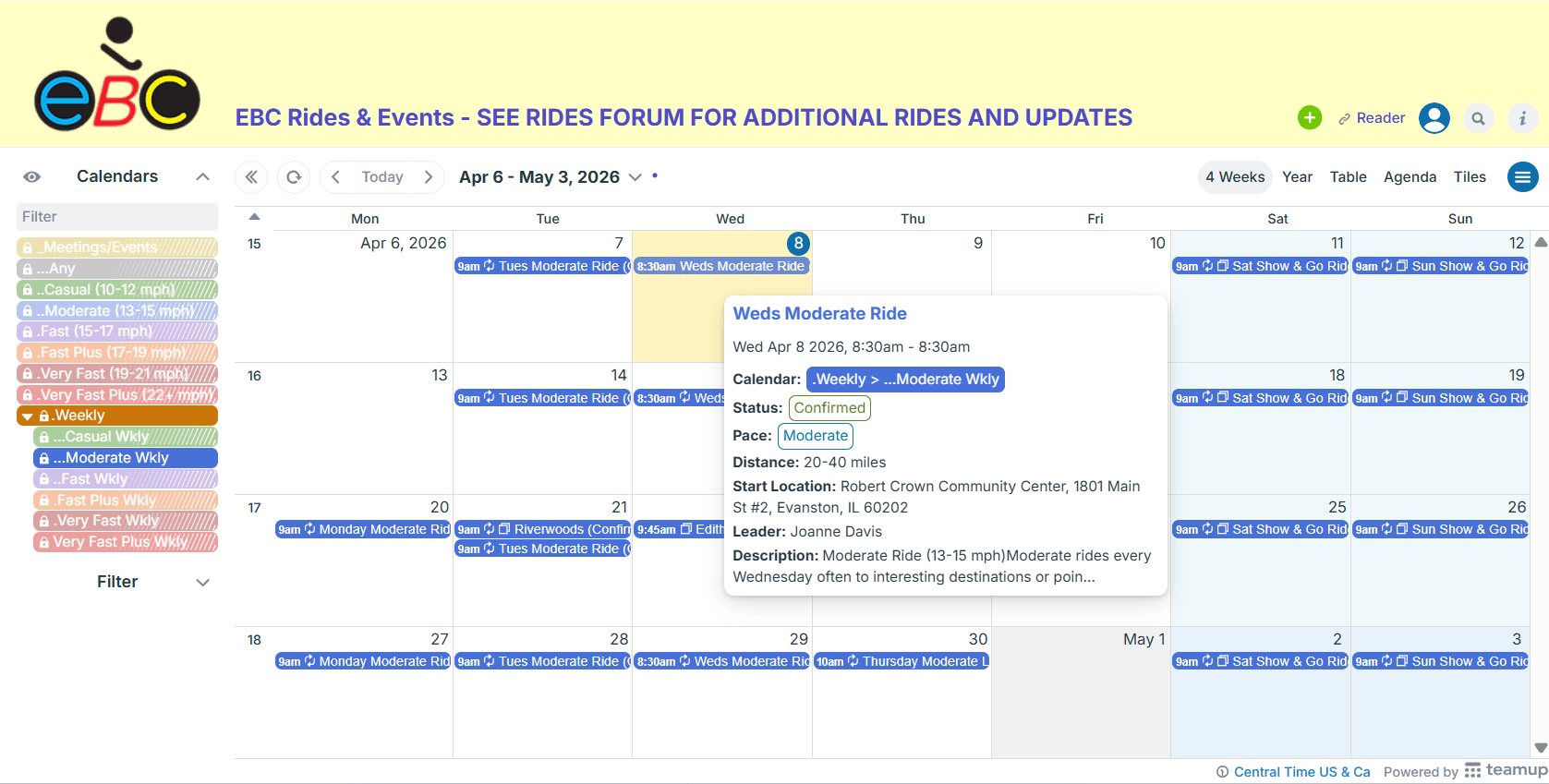
Click to enlarge: Rides are shown or hidden by toggling sub-calendars
Making the schedule easy to access
Linking or embedding the calendar on the club’s website makes it easy for members and visitors to access the latest ride schedule. For administrators, it saves time by keeping everything automatically up to date, with no extra effort required. Any changes made to the calendar are reflected instantly.
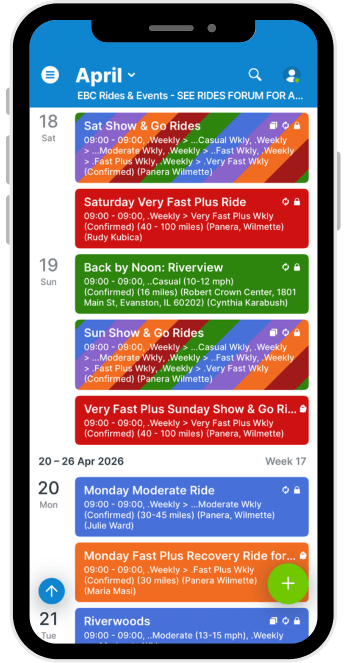
For added convenience, members can also access the calendar on mobile devices. Whether viewed in a browser or through the Teamup app, the full schedule is always available, making it easy to check upcoming rides anytime, anywhere.
Bike club scheduling that’s simple and organized
By organizing all rides within a single shared calendar, bike clubs can keep a clear overview of weekly rides, pace groups, and special events while making it easy for members to find what they need. The result is a structured yet flexible schedule that supports both easy use for riders for riders and efficient management for organizers.
Create your own calendar to keep ride schedules clear, organized, and easy for members to follow.
Related resources
- Simplify club scheduling with an embedded calendar
- ▶️ How to use event signups to manage registrations
- Make event promotion easier with individual event pages
- ▶️ Create and share an event page
- Share a visual calendar of athletic events


