Managing content across multiple channels isn’t just about publishing, it’s about developing content, planning timelines, and coordinating work across a team.
The need: When you manage content ideas, drafts, deadlines, and multiple publishing channels you need a system to stay organized – and aligned if you are working as a team.
The Teamup solution: Use a shared content calendar to bring everything into one place. With Teamup, you can capture ideas, plan content, and coordinate publishing in a system where every step stays connected.
Capture and organize content ideas
A good content workflow starts with a reliable place to collect ideas. With Teamup, you and your team can quickly and systematically save every thought, link, request, or inspiration in one organized space. Nothing gets lost, and each idea carries the context you’ve added.
I had no idea how many platforms you need to be familiar with when working with brand social media. It’s also good to know that apps like @TeamupCalendar exist to help organize all of the different posts!
Create an “Ideas” sub-calendar
Start by creating a dedicated sub-calendar for ideas: Drop raw thoughts, inspiration and links, notes or early drafts. Add custom event fields like theme, content type, platform, or owner to keep your content calendar structured and searchable. In Teamup, events can belong to multiple calendars, so each idea can be assigned to several relevant sub-calendars.
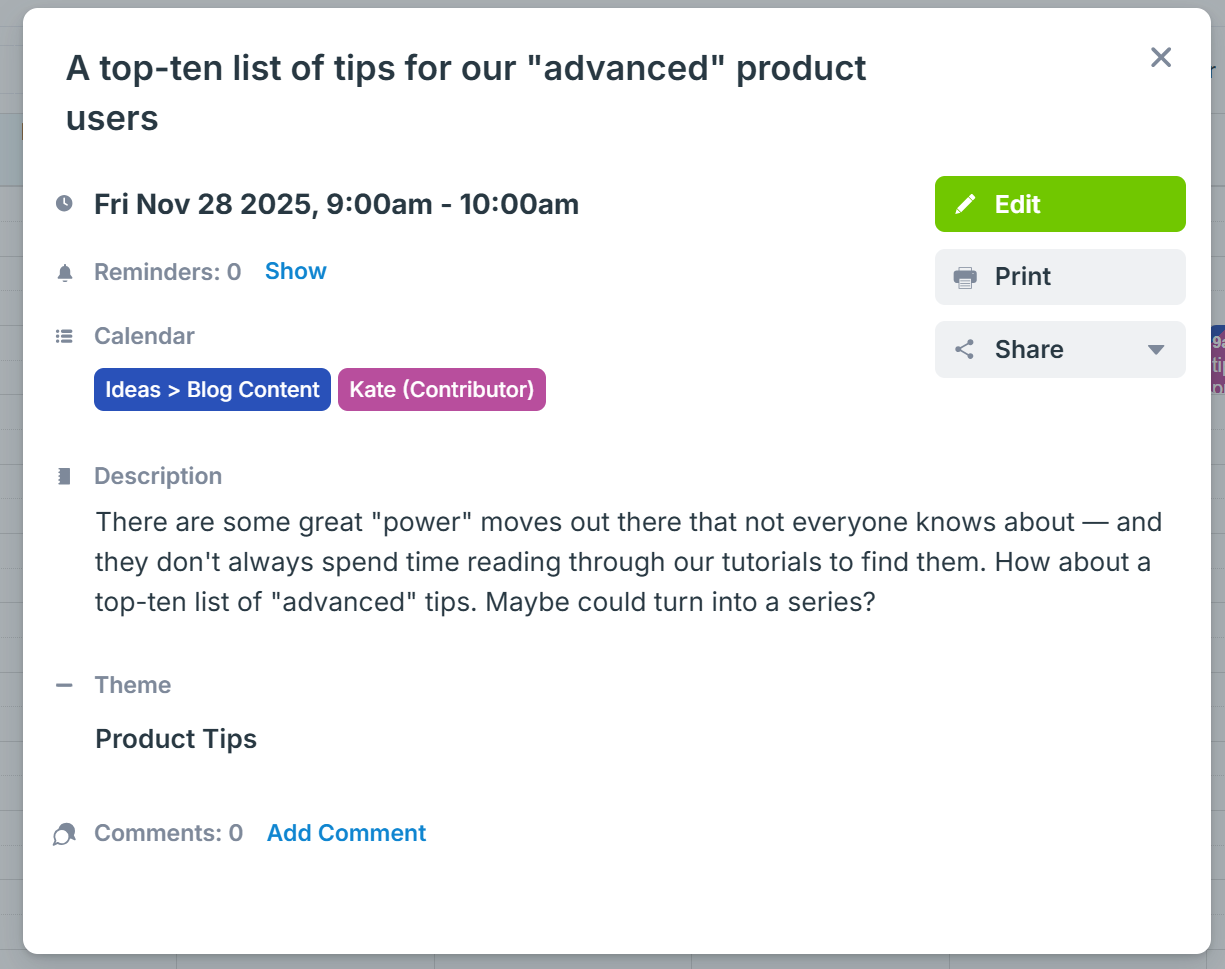
This idea is saved to Kate’s calendar and to the “Blog Content” calendar. A custom field “Theme” can be used to catogorize the topic.
You can organize ideas in a very detailed or very simple way. You can get as granular as you need when capturing new ideas as they come in, by organizing sub-calendars in nested folders:
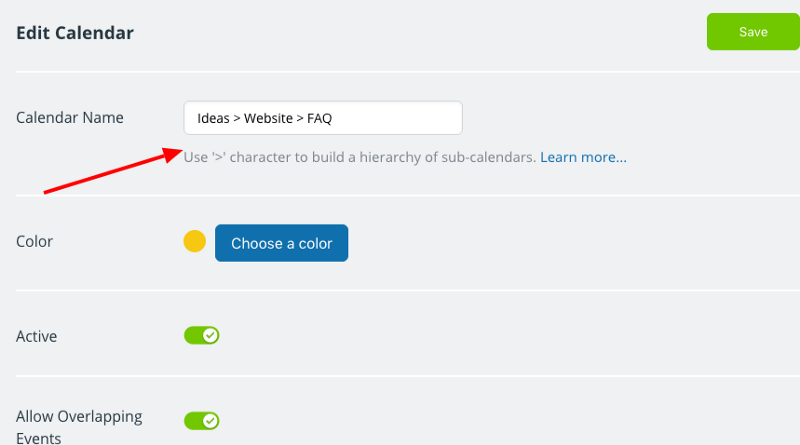
At the same time, you never lose the high-level overview: You can switch views to show only the relevant information. Teamup’s 12 calendar views give you practical ways to evaluate and prioritize ideas. In particular:
- Table View works beautifully for reviewing ideas during planning or editorial meetings.
- Filters let you search ideas by theme, platform, or any other keyword.
This makes your shared content calendar not just a place to store ideas, but a tool for choosing what to develop next. Planning out content for weeks ahead of time requires you to have plenty of inspiration on hand. Teamup lets you organize, revisit, and enrich ideas so they’re ready to move into production when the time is right.
Collaborate on content creation
As soon as ideas are captured, your content calendar becomes the workspace where the team develops them into publish-ready content.
When you start working on a piece of content, assign it to the right person by placing the event in their sub-calendar. Everyone sees the same information, and each team member has a clear view of what they’re responsible for.
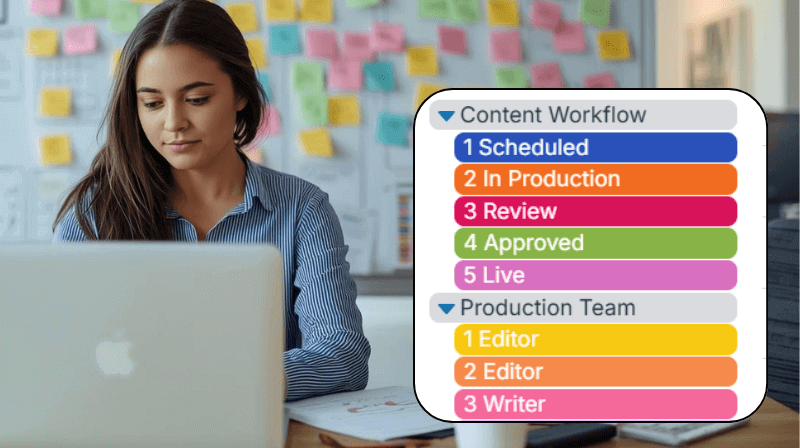
A custom field for status, such as Idea, Drafting, Review, Ready, Published, show where each item stands. You can give contributors Modify access permission or offer stakeholders a Read-only view. Clear ownership combined with visible status keeps your workflow running smoothly, even as responsibilities shift between team members.
Use event comments for feedback and approvals
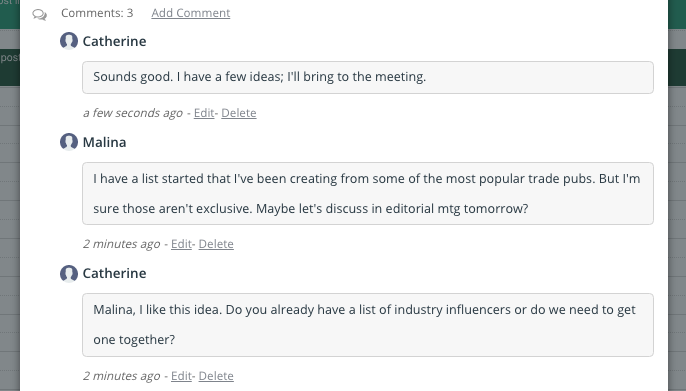
As your team works through each content piece, event comments keep all related discussions in one place. Instead of chasing messages across chats or email threads, every conversation stays attached to the event.
Use comments to:
- Share feedback or suggestions.
- Add links to drafts or design files.
- Upload assets or reference material.
- Keep decisions visible to everyone.
This keeps collaboration focused and organized, with all the context in one place.
Coordinate and schedule across platforms
Even before an idea is fully shaped, you can make it part of your editorial plan. Once it’s on the schedule, your content calendar becomes the place to define the essential details: The publish or deadline date, the platform or channel (blog, Instagram, LinkedIn, etc.), and any notes on the work in progress.
If you publish on multiple platforms, you can assign each platform to its own sub-calendar. You can toggle sub-calendars on or off to focus on a single platform or look at several side by side in Timeline View.
Multiple views for your content calendar
A content planning calendar works best when you can quickly switch between big-picture planning and detailed task management. Teamup’s different views and filtering tools help you see exactly what you need. In Teamup, each view supports a different stage of your content workflow:
- Month or Year view: Ideal for high-level content planning and seeing your publishing rhythm
- Week view: Perfect for upcoming tasks, deadlines, and work in progress
- Table view: Best for your content inventory, idea review sessions, or editorial meetings
- Filters: Instantly show only drafts, ideas, final publications, or a specific platform’s calendar
And if you have multiple team members working on content, the Scheduler view is especially helpful for seeing each person’s workload.
Stay on top of performance and follow-up tasks
Beyond planning and scheduling, Teamup can also help you stay organized after content is published. You can set reminders for yourself or your team to check the performance of social media posts or other updates. For follow-up tasks, simply duplicate the event and schedule it for a later date.
If you regularly review or repurpose older content, create a repeating event to prompt a weekly or monthly check-in.
Set up a simple, shared system for your content planning
With Teamup, you bring your whole content workflow into one place: Ideas, planning, scheduling, and collaboration. With a clear structure and flexible views, your calendar becomes the shared space where everyone can stay aligned and keep content moving effortlessly toward publication. Ready to get started? Create your content calendar in Teamup.