
Many service-based organizations run activities across multiple sites: Branch offices, service hubs, warehouses, labs, training centers, or regional campuses. Each location has its own schedule, resources, and staff. When every site uses its own system or publishes updates differently, it becomes difficult to understand what’s happening where.
Challenge: Coordinating operations across locations
When your business operates across several locations, scheduling gets messy. Here are a few common situations where multi-location scheduling breaks down:
- Each branch uses its own system. One location uses Google Calendar. Another relies on spreadsheets. A third posts updates internally. Nothing lines up, and no one sees the bigger picture.
- Two locations schedule critical activities at the same time. Staff, vehicles, or specialized tools end up double-booked because site-level calendars don’t show cross-location conflicts.
- Training or onboarding sessions aren’t coordinated across regions. One branch runs a session that overlaps with another, causing staffing gaps or unnecessary travel.
- Corporate teams can’t view local schedules. Without visibility, leadership can’t spot workload imbalances, capacity issues, or missed opportunities for shared resources.
When a business has multiple locations, information flows in many directions. That’s important, but it can create confusion and make simple decisions much more difficult than they should be. To work efficiently, and understand the big picture of what’s happening across the entire business, managers need one place to understand what each location is doing.
Separate but together
Supervisors need a single, unified overview. But each location needs its own schedule and workflow, without unnecessary information clutter. For example, all locations need clear availability of shared resources; but they don’t all need to see other location’s staff schedule or job assignments.
Solution: Combined calendar, organized by location
The simplest way to fix multi-location scheduling issues is to bring all site-level activity into one structured calendar. Each location gets its own set of color-coded calendars. Shared resources can be organized in their own folder, separate from staffing or job scheduling.
This structure gives each person the clarity they need to operate efficiently.
Operations supervisors
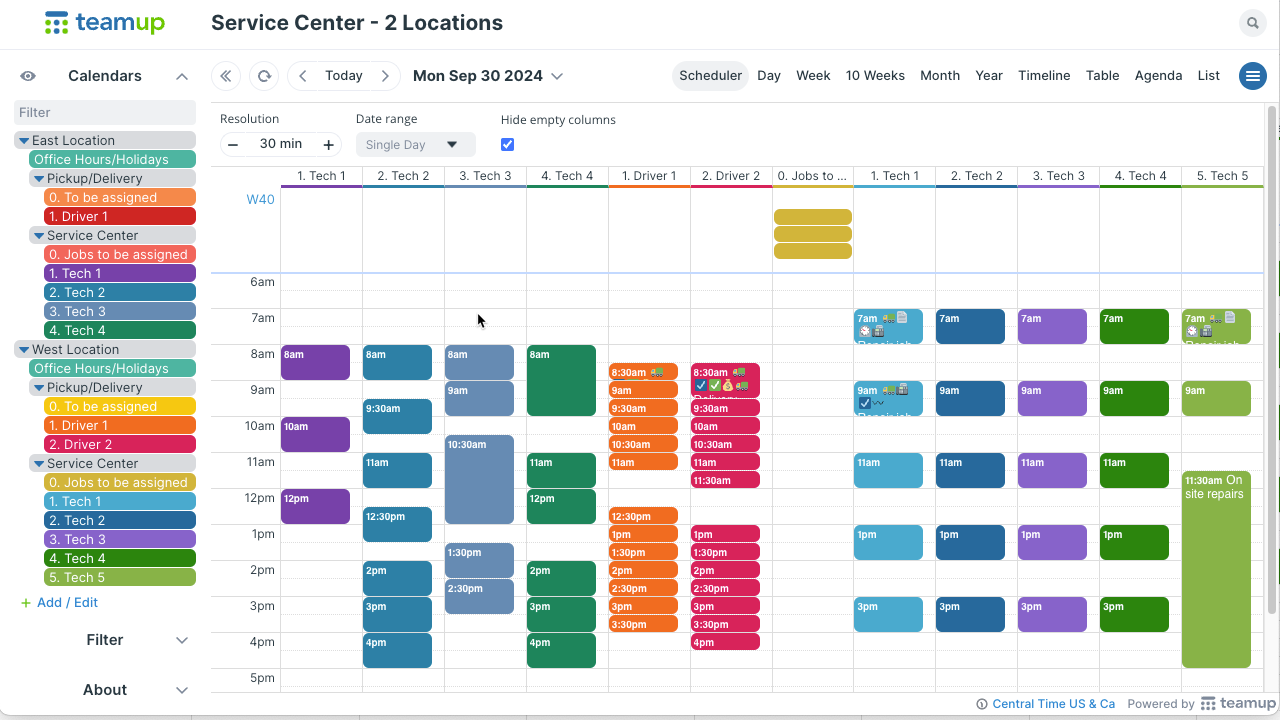
Click to enlarge: A single combined calendar for multiple locations keeps everything unified and organized.
Supervisors working at the company-wide level get clear, combined visibility of everything that’s happening:
- See every location’s schedule at once.
- Spot timing conflicts across branches.
- Coordinate staffing and shared resources with accuracy.
- Share updates instantly across teams and regions.
- Provide leadership with a real-time view of operations.
Branch managers
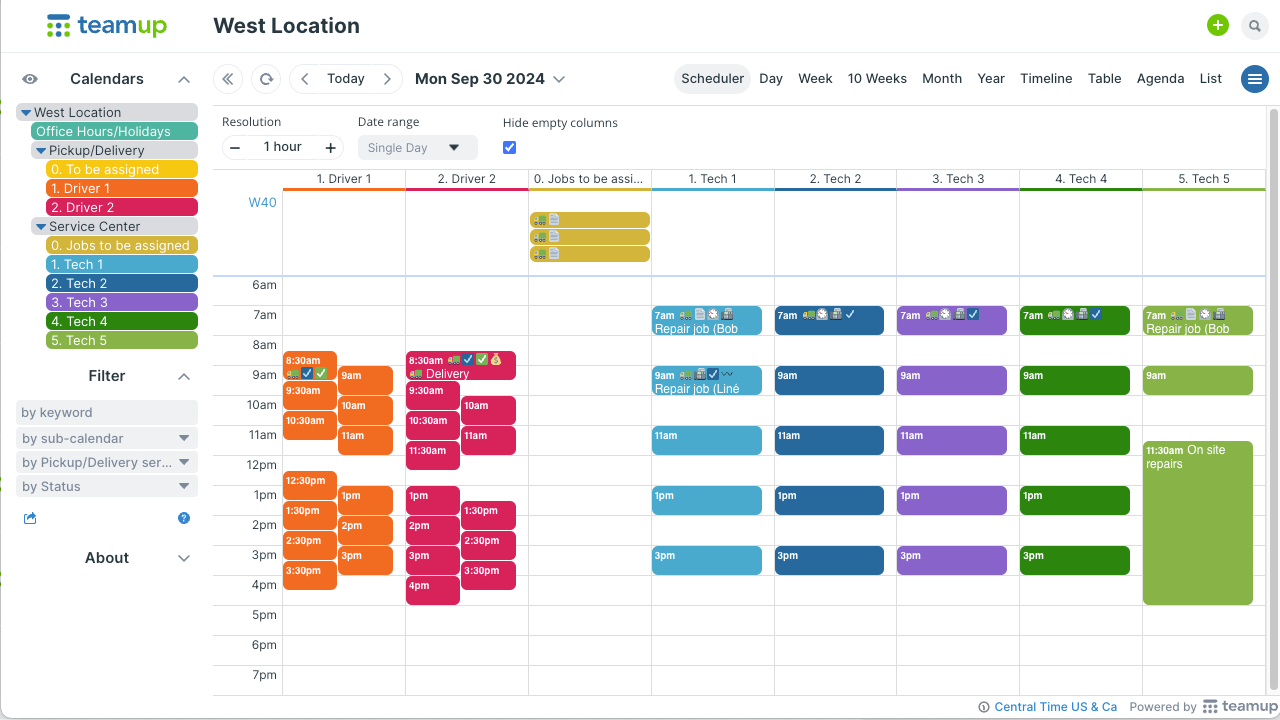
Click to enlarge: Calendar access is customized so each manager has only the calendars for their branch.
Managers overseeing one location get a clear, focused view of all their staff scheduling and jobs:
- See all staff schedules, appointments, and job assignments for their site in one place.
- Avoid accidental overlaps with events happening at other branches.
- Receive updates instantly when corporate or regional teams adjust schedules.
- Add or modify local events without affecting other locations’ calendars.
Resource management
If resources like rooms, vehicles, or equipment are shared across multiple locations, it’s much easier to manage with a combined calendar:
- Create sub-calendars for the shared resources. If there are multiple categories, organize them in folders.
- Set each resource sub-calendar to disallow overlapping events.
- Update access for branch managers and schedulers to include the resource calendars.
- Modify-my-events permission will let each branch scheduler add their own jobs to the resource calendars to reserve use, but they won’t be able to change or remove jobs added by other branches.
- Give techs read-only access to the appropriate calendars for jobs so they can check which equipment, fleet vehicle, etc. to use for each job.
- They can use the Teamup app to stay updated on mobile.
- You can also embed the calendar and set up a large calendar display.
Get operations clarity across locations
A multi-location scheduling system gives businesses the clarity and consistency they often lack. Branch managers can manage their own scheduling and access shared resources without booking conflicts. Supervisors can monitor overall capacity and make strategic decisions based on the big picture. Everyone can work more efficiently. And, if the business grows, scaling to add another location doesn’t disrupt anything.