
When teams work in the field, memory isn’t enough. If proof and instructions aren’t tied to the job, they often get lost. A single, foolproof system can hold job details, photos, and instructions in one place, so the work gets done and documented.
The need: Office staff need reliable proof of delivery and a clear record of what happened at each job site, while drivers and installers need simple, mobile access to photos, layout plans, and instructions without digging through email or folders.
The Teamup solution: Teamup keeps each delivery and install job on a shared calendar event where drivers can upload photos from their phone, installers can open layout plans on-site, and office staff can see real-time updates and a complete job record in one place.
A complete job record with field updates
For installation and remodeling companies, drivers and installers move from site to site. They don’t have time to deal with complex documentation tools or search through messages for instructions sent days ago. At the same time, office staff need real-time status updates and reliable records. In this context, delivery photos and install instructions are not extras.
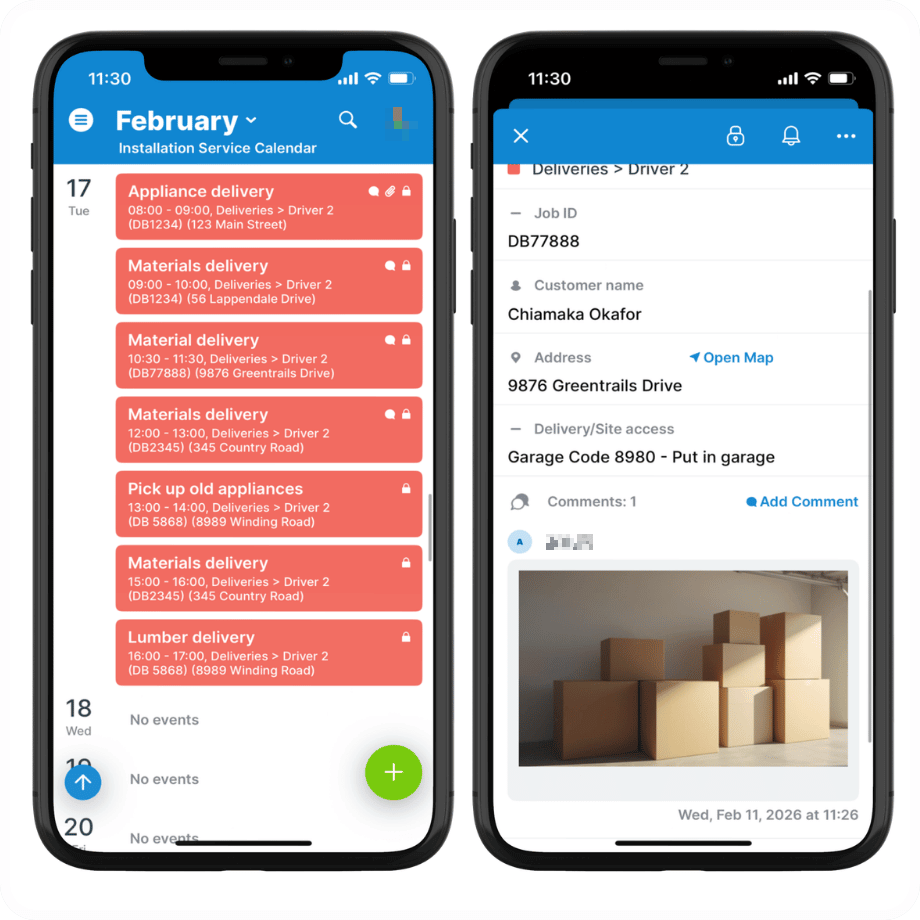
Click to enlarge: Drivers can review their schedule, get mapped directions, and upload photos for documentation.
For drivers, proof-of-delivery photos show clearly what was delivered, when, and where it was left. They remove doubt and reduce follow-up work. A completed delivery is documented at the site; no need to scramble through notes or manually upload photos later.
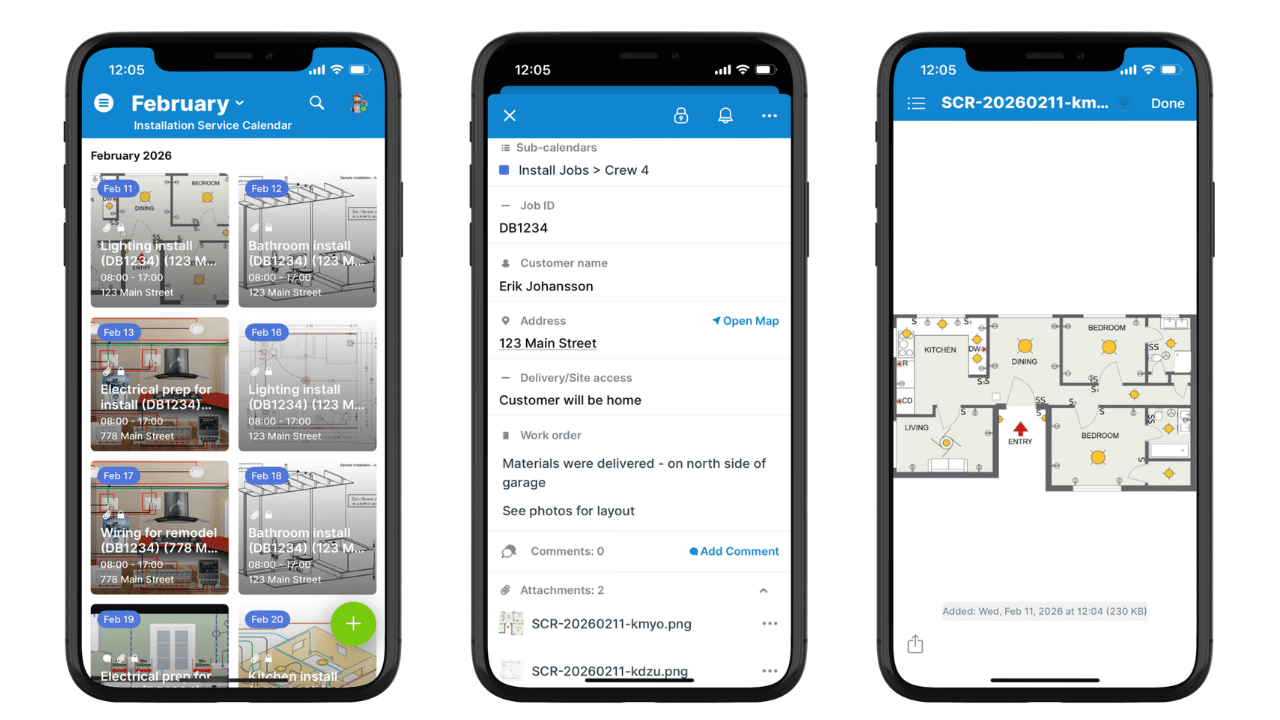
Click to enlarge: Tiles view shows the crew’s schedule in a clean, scannable visual grid. Each job has all the details including attachments.
For installers, clear instructions mean showing up prepared. Tiles view on the app shows jobs in a clean visual grid so installers can see what’s ahead and quickly spot the next job on the schedule. Layout plans, diagrams, and notes provide context before any work begins. Instead of guessing or calling the office, installers can view attachments on-site, check details and instructions, and get started without delay.
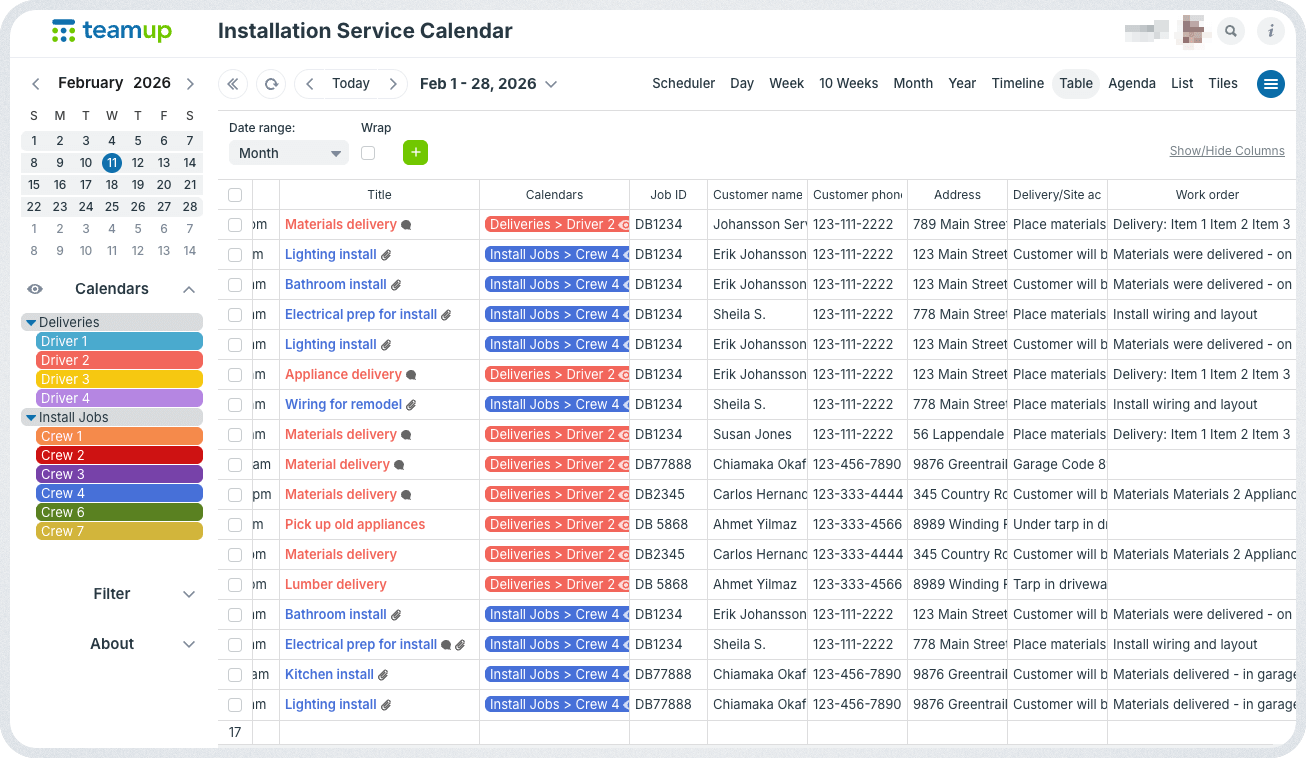
Click to enlarge: Office staff can stay informed with real-time updates and review complete job documentation in one place.
For the office, these details create a reliable history. Jobs can be confirmed quickly. Questions can be answered without tracking someone down. Planning the next delivery or install becomes easier when the last one is clearly documented.
Teamup turns the calendar into the place where all the information lives. Deliveries are documented. Installation instructions are right where they should be. Everything syncs automatically. Drivers and installers on the field can get the information they need and work efficiently. Office staff can see the latest real-time updates from the field and stay aware of timing changes and job completions.
How it works
Mini-guide
- Schedulers assign deliveries and install jobs directly on the calendar. Each job includes the time, location, instructions, documents, and all related details.
- Drivers check their delivery schedule on mobile and tap to get mapped directions. Once delivery is complete, they upload photos in the event comments and move on to the next job.
- Installers arrive on-site after delivery is confirmed. They open the job to quickly view layout plans and review instructions before starting work. They can also use comments to document work and note when the job is complete.
- Office staff can review complete job documentation to answer customer questions, manage follow-up, and generate reports.
A more efficient team and clear records
When delivery photos and instructions are part of the calendar, everyone works from the same information. Updates happen in real-time:
- Drivers document work once and move on.
- Installers arrive ready instead of asking questions.
- Office staff stop chasing updates and attachments.
The result is less busywork and more real work. The system is simple enough to use in the field and reliable enough to keep accurate records.
Related resources
- See also how to maintain complete, reliable job records
- It’s easy to preview attachments on the Teamup app
- Learn how to let users upload photos and add notes without editing events
- Here’s how to set up customized calendar access
- More help with simplified operations and scheduling for small service teams
Using Teamup for delivery planning, photo documentation, and installer instructions keeps work moving without extra steps. Give it a try today.