Featured, Product Tips, Ticker
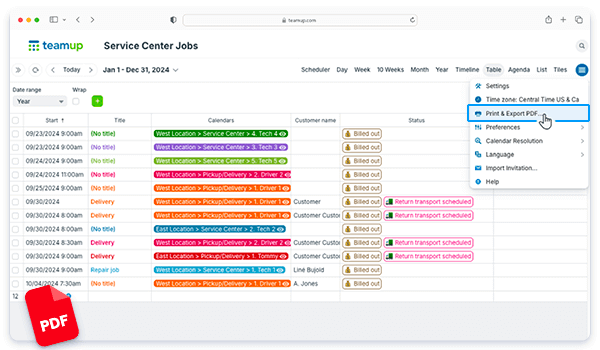
Table view gives you the ability to work with time-based information (i.e. events and tasks on a calendar) easily in a spreadsheet-like view. Instead of dragging data from spreadsheet to calendar, you can see info in a calendar grid, then 🖱click! it’s in a sortable...
Featured, Product Tips, Ticker
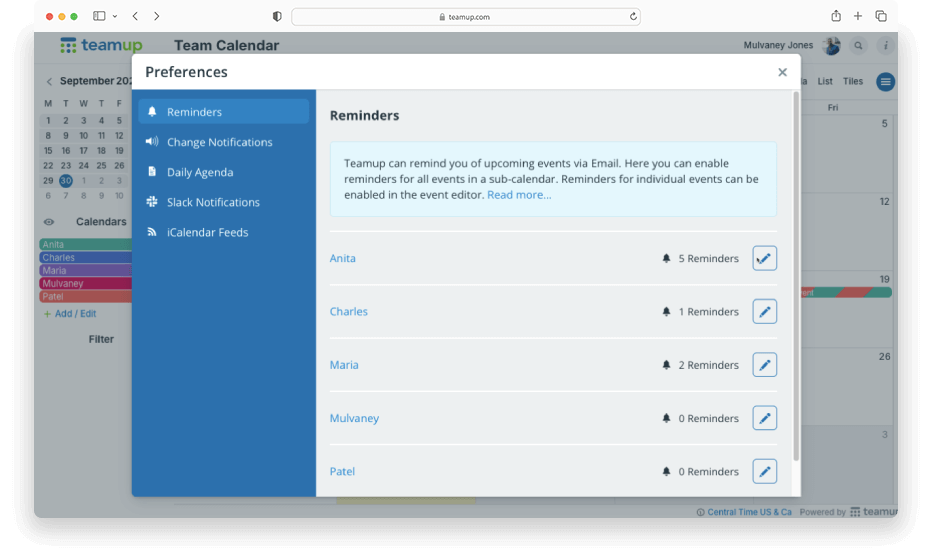
Event reminders are alerts sent at a specified time before an event starts. If you want to automatically get event reminders instead of setting them up for each individual event, you can set up reminders for all events on a sub-calendar. You can do this for multiple...
Featured, Organize Teams, Product Tips, Ticker
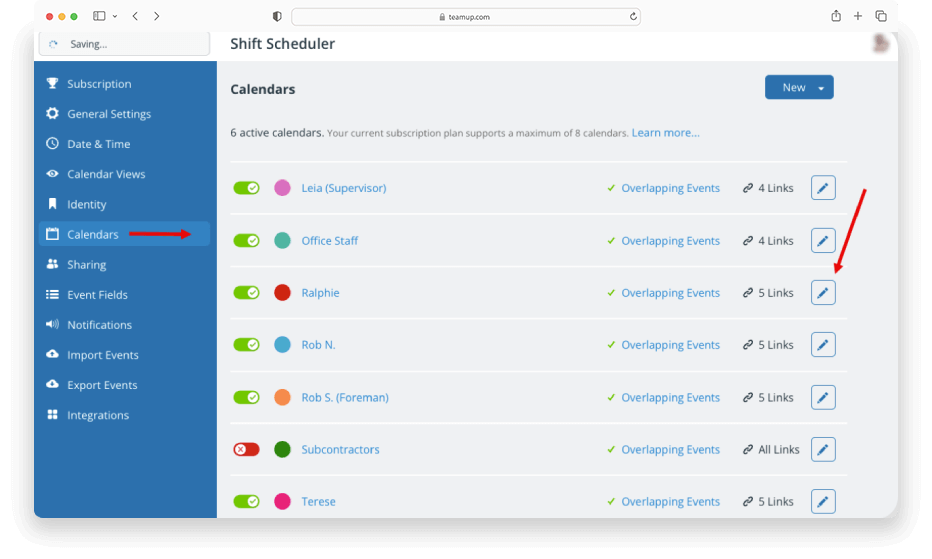
Sub-calendars can represent people, resources, projects, areas, anything you like. Whenever needed, you can re-assign a particular sub-calendar to a different person, resource, or area: A staff member leaves the company. Instead of creating a new calendar for the...
Interactive Demos, Working with Events
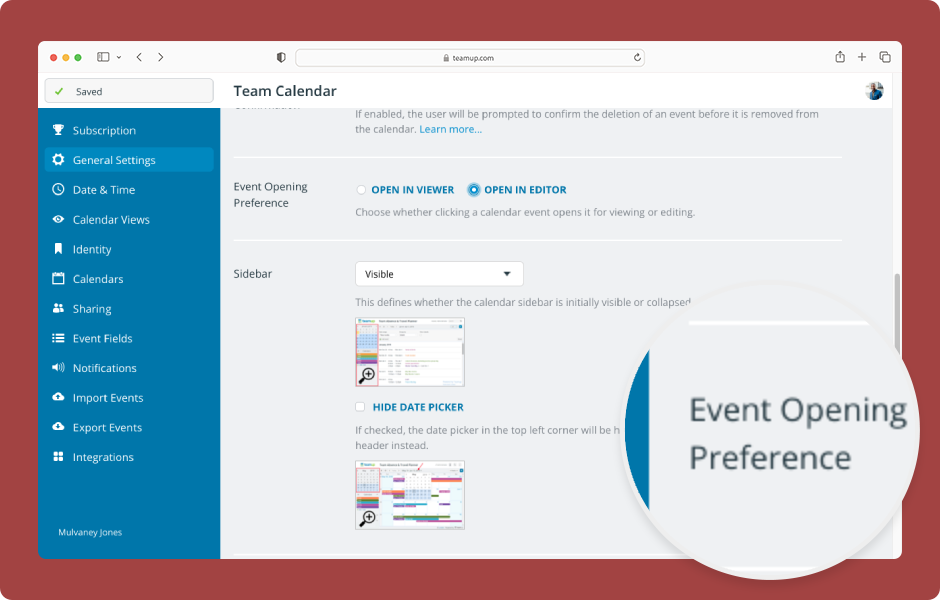
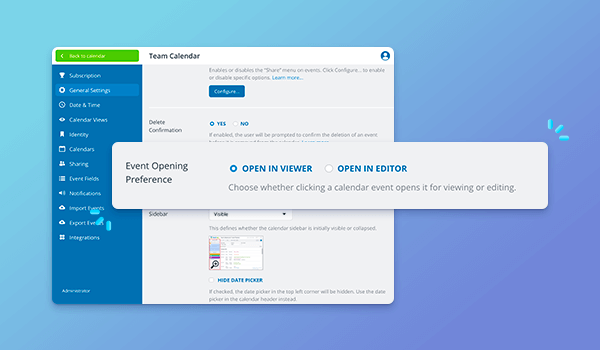
Choose how events open for modify-level users: In the event viewer with an edit button or directly in the event editor. ENLARGE DEMO The calendar administrator can configure the event opening preference: Open Teamup in a browser. Click the blue menu (top right)....
Featured, Product Updates
There’s a new option for how events open for users with modify permission. Previously, for users with modify-level access, events would open directly in the event editor. Now, events first open in the read-only event viewer. Users can click the Edit button to...
