
Tracking employee vacation and other absences in one centralized calendar makes it easier to plan workloads and PTO while maintaining adequate staff coverage. View upcoming travel schedules, PTO plans, appointments, work-from-home requests, and other schedule changes before approving new requests. Get a clear view of low-coverage periods in advance to adjust deadlines, assignments, and project plans as needed.
The need: Managers need a simple way to track vacation, appointments, work-from-home requests, and other absences while making sure enough employees are available. They need to spot weeks with limited coverage, avoid approving too many overlapping PTO requests, and plan workloads around staff availability.
The Teamup solution: A shared vacation tracking calendar keeps PTO requests, vacation days, appointments, meetings, and remote work days in one central place. Managers can review upcoming absences, identify periods with low coverage, prevent scheduling conflicts, and adjust project plans accordingly. Secure, customized access makes the calendar easy to share with the team, while a flexible structure allows it to expand as the department grows.
A centralized calendar for vacation tracking
With Teamup, all employee vacation requests and other planned absences are organized in one shared calendar: Vacation days, appointments, work-from-home requests, and other time away are easy to see. When PTO requests come in, it’s simple to identify potential conflicts before approving. The calendar can be as simple or as structured as needed, from a shared self-service calendar to an approval workflow.
Here are three setup options that organizations can choose based on their needs.
Three ways to set up a vacation tracking calendar
Teamup can support simple vacation tracking for small teams or more structured approval workflows for larger departments. The right setup depends on how requests are handled and whether the calendar needs to scale over time.
Option 1: Simple shared vacation calendar
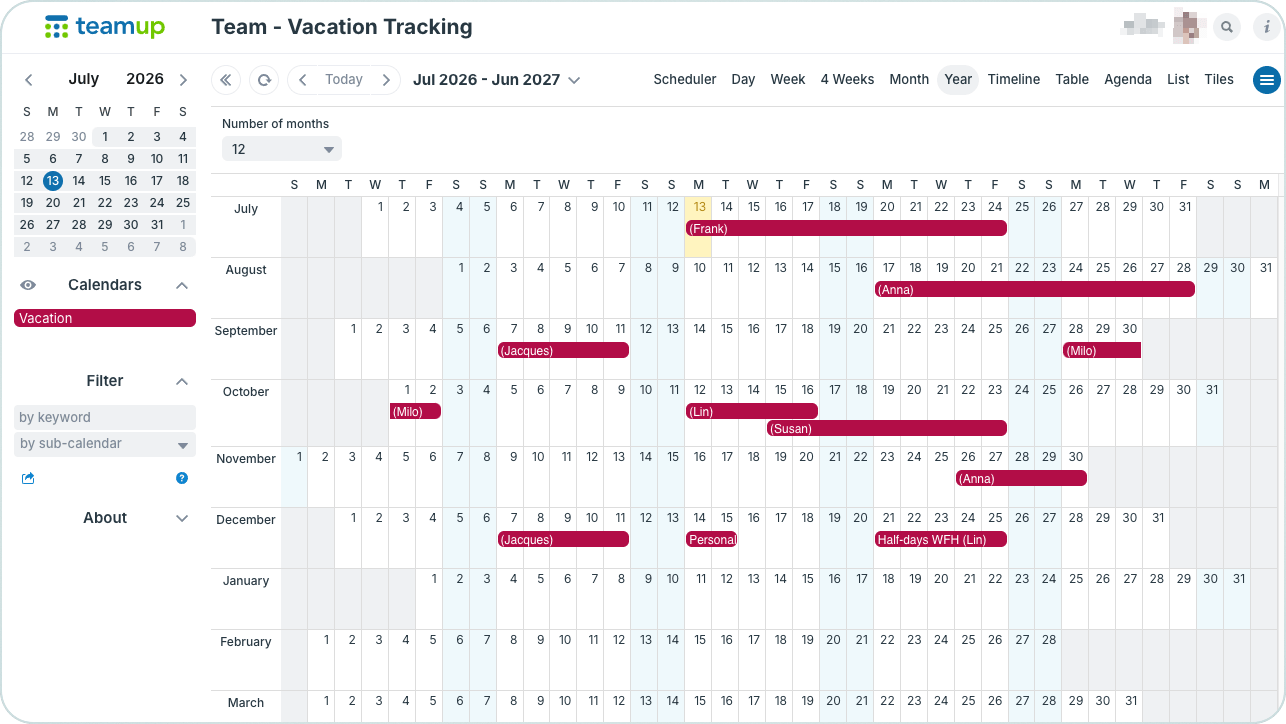
A simple, shared calendar for teams to track vacation days.
This setup works well for small teams where vacation requests do not require formal approval.
How to set it up
- Create one Vacation/PTO sub-calendar.
- Give all team members Modify my events access.
- Enable event comments so everyone can add notes or discuss requests if needed.
How it works: Team members create their own vacation events, adding their name in the Who field. Optional details can go in the event title or description. Everyone can immediately see planned absences, helping the team coordinate schedules and avoid conflicts. Modify-my-events access allows each team member to create and edit their own PTO events, but they can’t change or remove events added by others.
Option 2: Vacation requests with manager approval
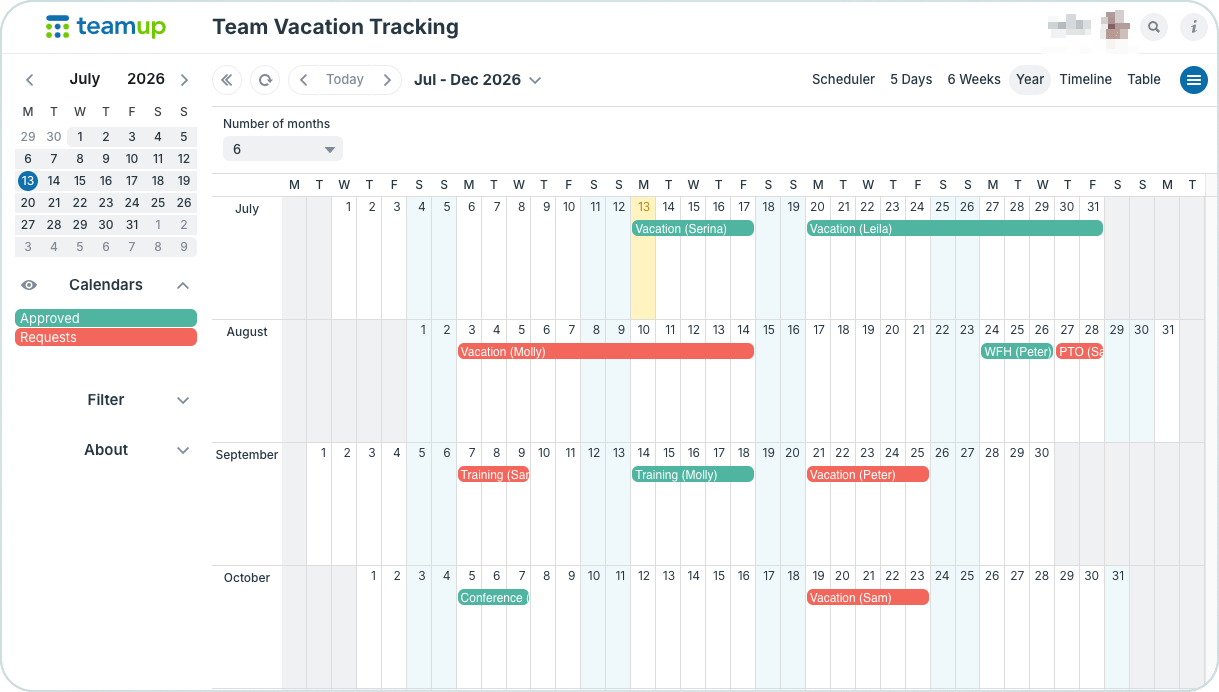
Click to enlarge: A simple vacation tracking option with sub-calendars for requested time and approved time.
This setup adds a simple approval workflow while keeping vacation requests visible to the entire team.
How to set it up
- Create one Requests sub-calendar.
- Create a second Approved sub-calendar.
- Give team members Modify my events access to the Requests sub-calendar and Read-only access to the Approved sub-calendar.
- The manager has Modify access to both sub-calendars.
How it works:
- A team member creates a PTO event on the Requests sub-calendar for the needed date(s) and adds their name in the Who field.
- The manager reviews requests alongside already approved vacation to confirm adequate coverage.
- To approve a request, the manager moves it from Requests to Approved. This locks the event from further changes by anyone except the manager.
This workflow provides a clear record of pending and approved requests while giving managers complete visibility before making approval decisions. Employees can also see all Requests and Approved events, which can be helpful: If they can already see 2 team members have PTO scheduled in a certain week, they can adjust their request to a different time.
Option 3: Individual calendars for growing teams
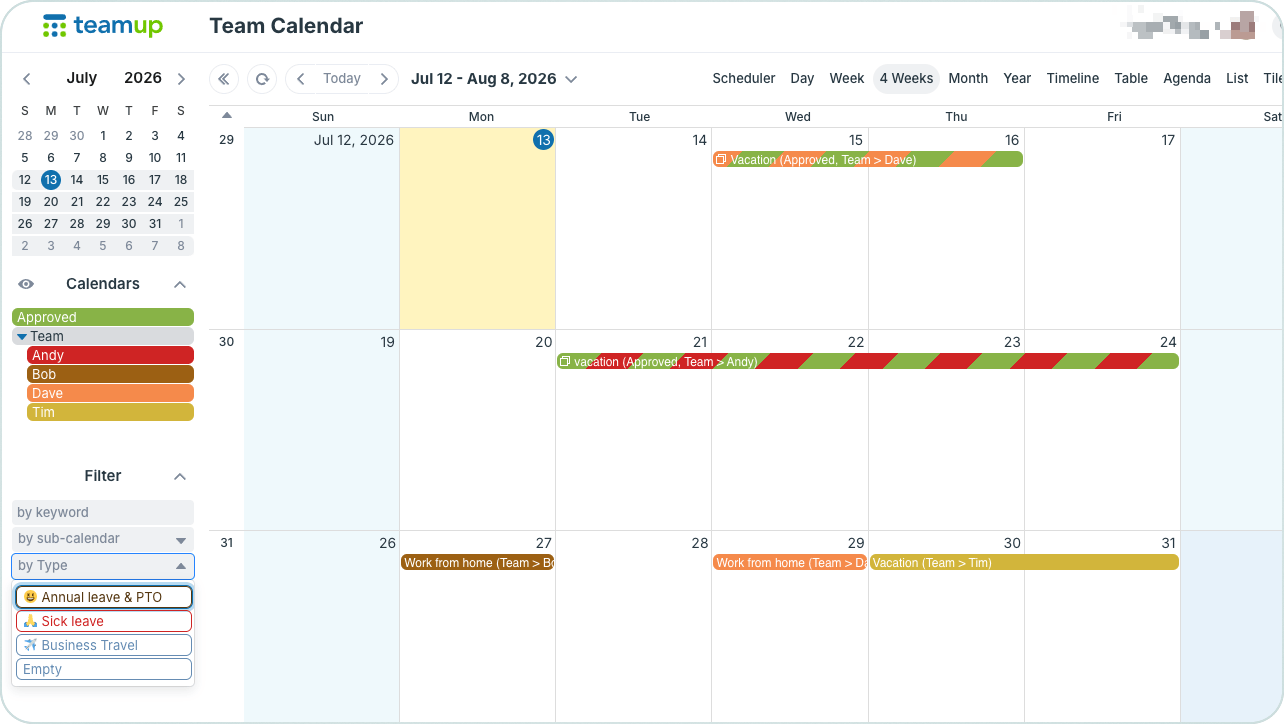
Click to enlarge: Approved requests are kept on the employee’s sub-calendar and also assigned to the Approved calendar. A custom choice field can be used to designate and filter by Type.
For larger departments or organizations expecting future growth, assigning each employee their own sub-calendar provides greater flexibility and reporting options. The approval process works in the same way as Option 2, but employees use their own sub-calendars rather than a shared Requests sub-calendar.
How to set it up
- Create one sub-calendar for each employee.
- Create an Approved Vacation sub-calendar for finalized requests.
- Give each employee Modify my events access to their own calendar and Read-only access to other employee calendars.
- Give managers Modify access to all calendars.
- Optionally: Organize employee calendars into folders by department or team as the organization grows. Adjust access to allow team members to see only their own team’s sub-calendars.
How it works: Employees add their requests on their own sub-calendar. Managers review requests and approve them by assigning them to the Approved Vacation calendar as well as keeping them on the individual team member’s calendars. This structure shows each employee’s schedule individually while still providing a comprehensive view of all approved vacation days. It’s also easy to expand the system to add more employees and teams, and to include sick leave, work-from-home schedules, training days, etc. with a custom choice field, without reorganizing the calendar.
Simplify vacation planning with one shared calendar
A centralized vacation tracking calendar gives managers the visibility they need to maintain adequate staffing while making it easier for employees to submit and follow their time-off requests. Whether a team needs a simple shared calendar or a structured approval process, Teamup provides a flexible solution that grows with the organization. Create your own Teamup vacation tracking calendar today and make vacation planning and tracking efficient for everyone.
Related resources
- ▶️ Create and Organize Sub-Calendars
- ▶️ Add a Calendar User by Email
- When to Use Modify-My-Events Access Permission
- Track Hybrid Team Schedules and PTO in One Shared Calendar
- How to Create a Simple Approval System in Teamup
- Centralizing PTO to Improve Visibility and Coverage Planning
- Visualize and Plan Team Workload Across the Year with Teamup