
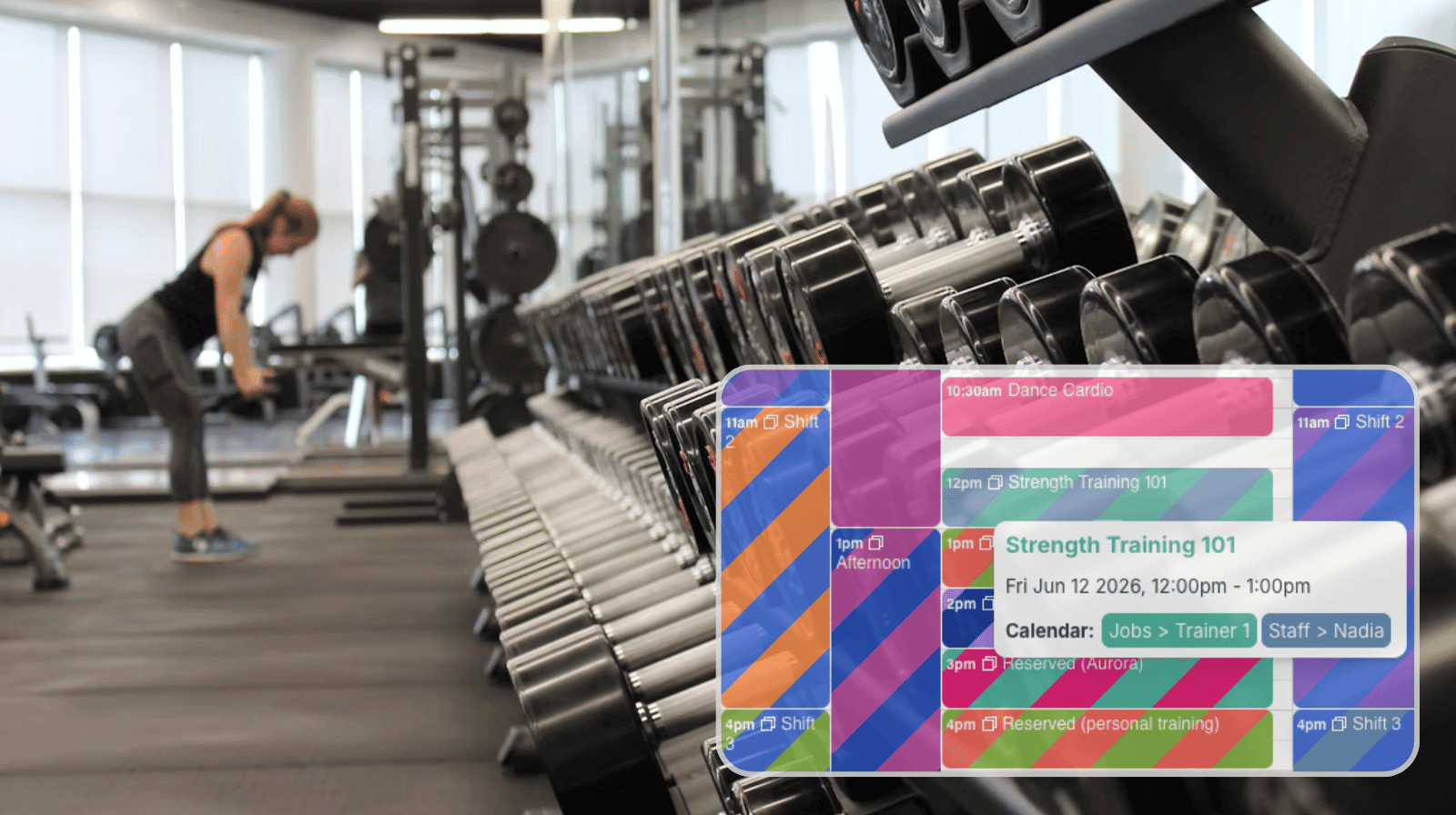
Fitness facilities rely on many different staff members working together throughout the day. Trainers, instructors, front desk staff, lifeguards, childcare workers, and managers all have different schedules, qualifications, and availability. When staffing information is scattered across spreadsheets, messages, and separate schedules, it becomes difficult to maintain coverage and respond to changes quickly.
The need: Coordinate all the different jobs involved in a gym like trainers, instructors, lifeguards, and front desk staff, while maintaining coverage, tracking availability, and making schedule adjustments as needed without double-booking any staff members.
The Teamup solution: A centralized staff scheduling calendar that combines shift assignments, availability, certifications, and staffing visibility in one place so managers can quickly check that jobs are scheduled, identify coverage gaps, assign staff where they’re needed, and find who’s available if someone calls out at the last minute.
The challenge of gym staffing
Gym staffing is more complex than simply filling shifts. A fitness facility may need to coordinate trainers, instructors, lifeguards, front desk staff, childcare personnel, and managers, all with different schedules, qualifications, and availability. Managers must ensure every class has an instructor, the pool has a lifeguard, trainers are available during peak periods, and front desk coverage remains consistent throughout the day.
When someone becomes unavailable or a last-minute change occurs, managers need to quickly determine who can cover the shift without creating problems elsewhere. They need to quickly see which staff members are available to fill in so every role is covered when the gym is opened. That’s hard to do when schedules, availability, and staffing information are spread across spreadsheets, emails, and messages. A centralized scheduling calendar provides complete visibility into staffing across the facility, making it much easier to maintain coverage, respond to changes, and keep operations running smoothly.
How to schedule gym staff efficiently
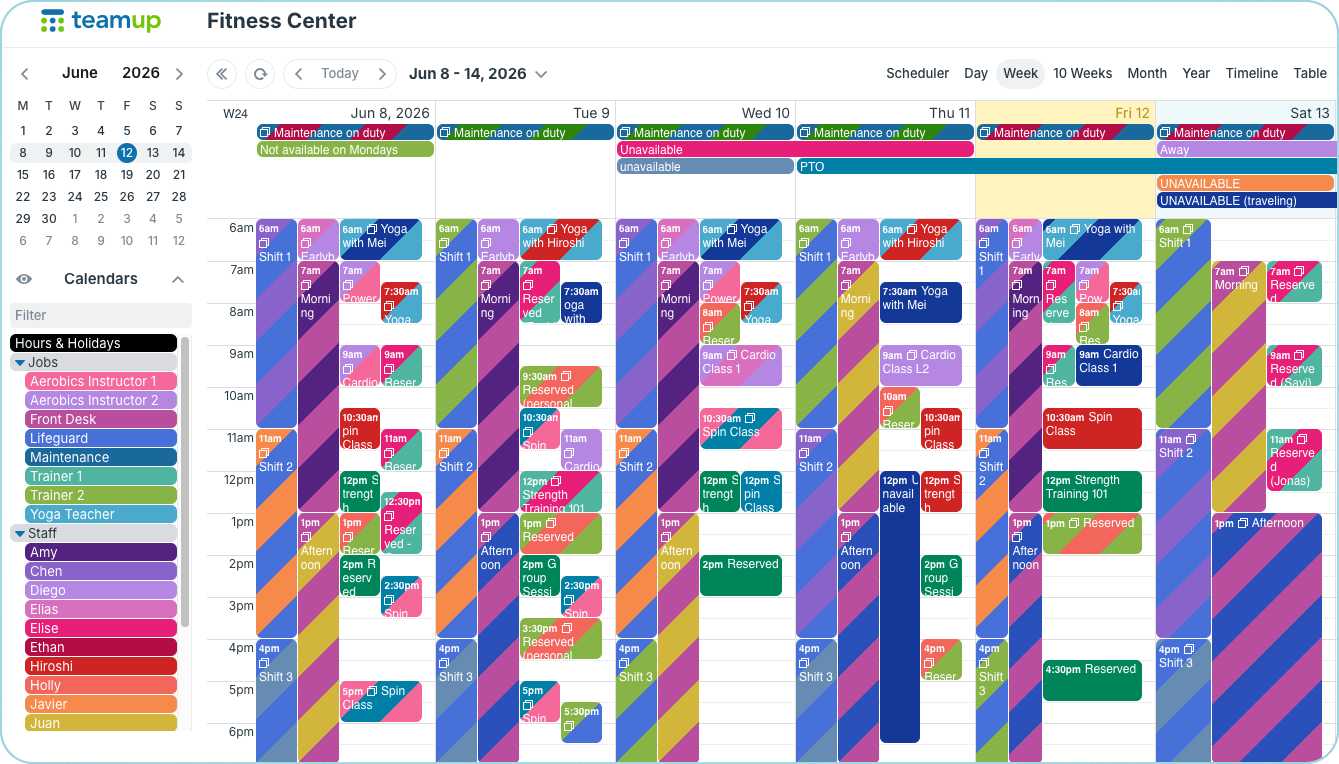
Sub-calendars are organized in folders. The calendar shows a complete overview of jobs and staff members.
A shared Teamup calendar brings all staff schedules together in one place, giving managers a complete view of staffing across the entire facility. Trainers, instructors, lifeguards, front desk staff, childcare personnel, and managers can each have their own sub-calendar, while color-coding makes it easy to see which jobs are assigned and which are open.
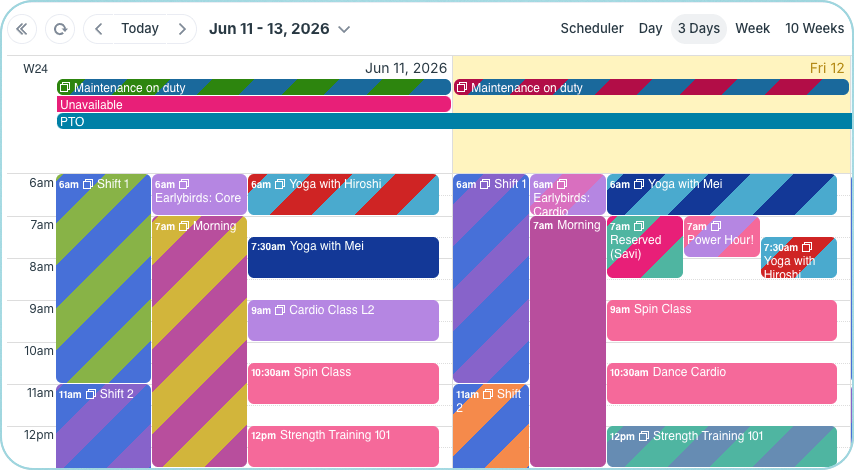
Click to enlarge: Get a quick visual cue of which jobs are assigned and which are still open.
- Stripes = Assigned: Assigned jobs or shifts show two colors for the Job sub-calendar and the assigned staff member’s sub-calendar.
- Solid = Open: Unassigned jobs are a solid color, as they haven’t been added to an employee sub-calendar yet.
Managers can see coverage across the gym, make staffing decisions quickly, and adjust assignments when changes occur.
Prevent double-booking issues
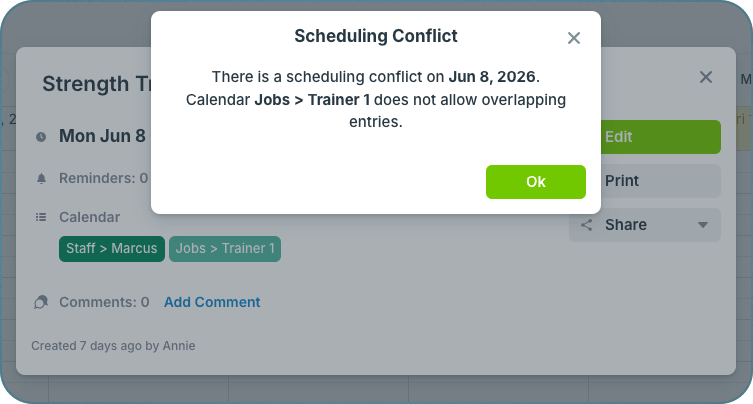
Click to enlarge: Conflict prevention is built into each sub-calendar.
When staff schedules are managed through spreadsheets, emails, or text messages, it’s easy to accidentally assign the same employee to two shifts at the same time. These conflicts are often discovered only after the schedule is published or when a staff member points out the problem. Teamup sub-calendars can be configured to disallow overlapping events, preventing double-bookings automatically and helping managers create accurate schedules with confidence.
See availability and prevent staffing gap
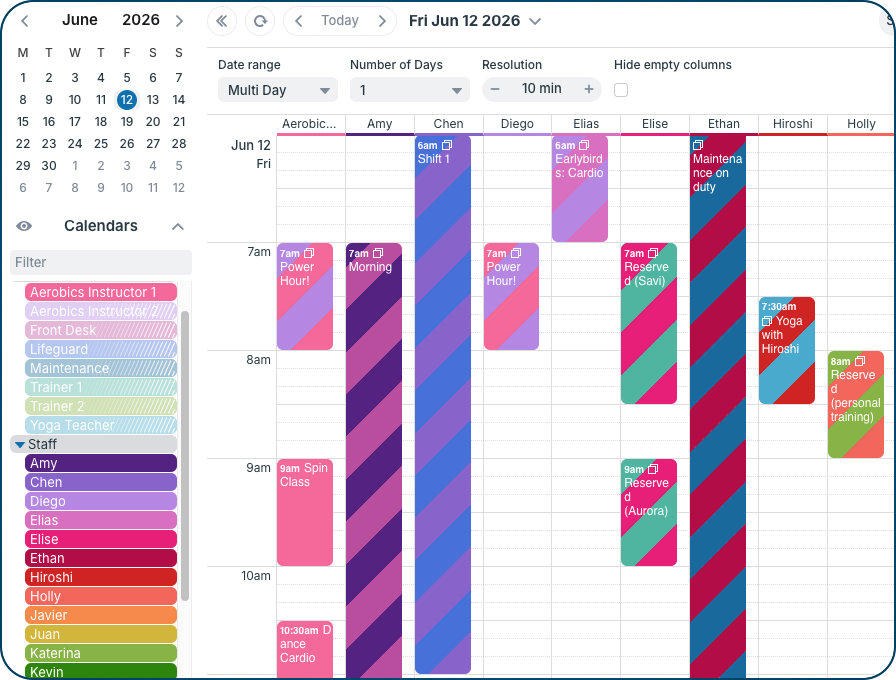
Click to enlarge: Toggle sub-calendars to focus only on the ones that matter. Scheduler view shows sub-calendars side-by-side; quickly see which instructors are available for an unassigned class or shift.
Visibility is one of the biggest advantages of a shared staffing calendar.
Staff availability changes constantly. Trainers adjust their schedules, instructors request time off, and employees occasionally become unavailable at short notice. With Teamup, staff availability is in the same place as job assignments. When schedules change, managers can quickly see who’s available and keep every area of the facility properly staffed.
How to set it up
Mini-guide: Set up a gym staff scheduling calendar
- Create sub-calendars for each job or shift that needs to be filled (such as trainers, instructors, lifeguards, front desk staff, etc.).
- Create sub-calendars for each staff member. Organize with folders.
- Set all sub-calendars to disallow overlapping events for automatic conflict prevention.
- Give managers modify access for all sub-calendars so they can assign jobs and make schedule changes.
- Allow staff members to view their own schedules and update their availability using modify-my-events access.
- Use filters, toggle folders, and use different calendar views to review staffing by department, location, or time period.
- Employees can check assignments and receive schedule updates in real time using the Teamup apps.
Improved staff scheduling for gyms
Gym operations depend on having the right people in the right place throughout the day. When availability, assignments, and staffing information live in one system, managers spend less time coordinating schedules and more time supporting members and staff.
A shared Teamup calendar provides a clear view of facility coverage, helps managers respond quickly to staffing changes, and ensures employees always know where they’re scheduled to be. Create your own Teamup staffing calendar and simplify gym scheduling today.


