
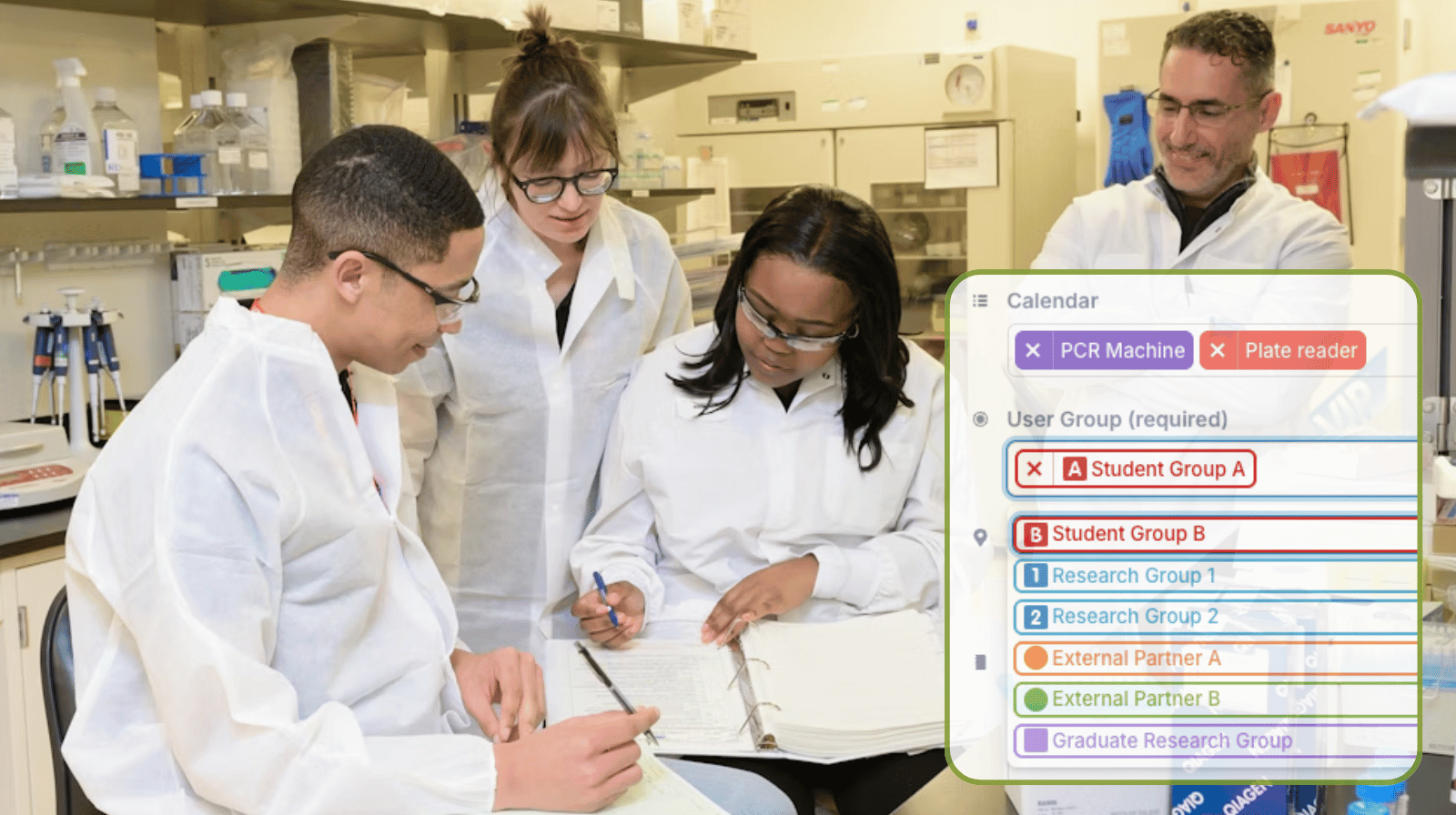
In shared labs, equipment is used by many groups. Knowing who used what and for how long helps share costs fairly. A shared calendar with structured data makes it easier to track usage.
The need: Enable self-booking of equipment while also tracking group usage of shared lab machines.
The Teamup solution: Add a required custom choice field for “user group” to the booking calendar, so each booking is tagged by group and usage data can be filtered and exported.
Need: Individual self-booking with tracked group usage
In many labs, specialty equipment is shared by individuals working in different groups. There may be external partners, student groups, and various research teams coordinating to share the same machines.
With Teamup, you can set up a secure, transparent self-booking system for lab equipment:
- Create sub-calendars for each machine or instrument, color-coded and organized in folders.
- Turn on conflict prevention to stop overlapping reservations from being booked for the same equipment.
- Give each person modify-my-events access, allowing them to add their own bookings but not change those made by others.
The sub-calendar structure prevents double-bookings automatically, and customized access ensures that each person can only change their own bookings. It’s a secure, user-friendly system for individual self-booking of shared lab equipment. But when it’s time to review usage, there’s no way to identify which bookings belong to a particular group. It might be noted, somewhere, on some bookings in the title or the event comments. But going over each booking to identify the group is inefficient, and many bookings may not even have a group identified in the notes.
To track usage by group, the system needs an enforceable way to capture consistent group identification for every booking. Here’s how to set that up easily with Teamup.
Solution: Required field, predetermined options
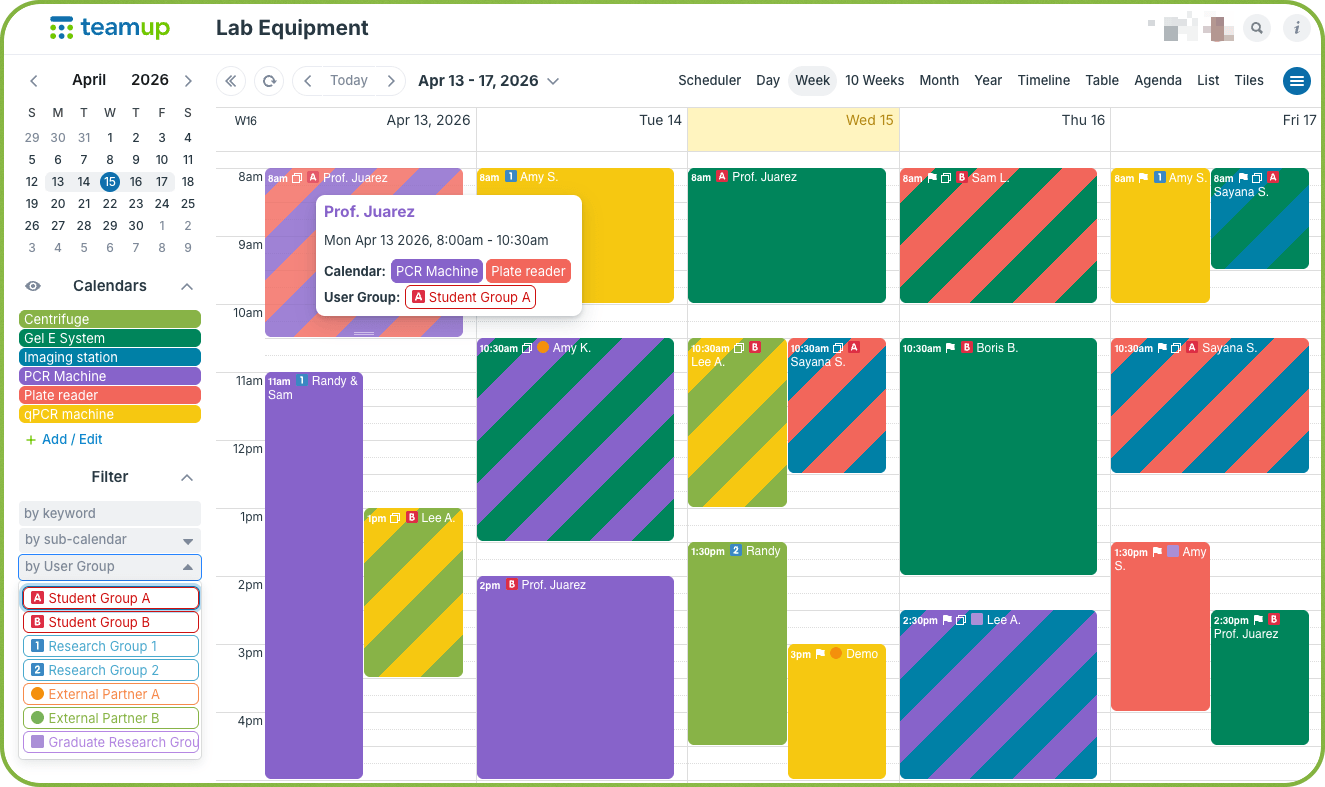
Click to enlarge: Each booking has a clearly assigned user group. An emoji or symbol (or the group name) can show in the event title. A built-in filter makes it easy to sort bookings by group.
Asking individuals to type the group name into the booking title or somewhere in the event description or comments is haphazard at best. Some people might forget. Others will use different “shorthand” for the group name, making it difficult to find all the group’s bookings.
A better solution: Add a field with the group names as predetermined options. This way, the group names are standardized. And you can make the field required, which prevents anyone from booking equipment without selecting their group from the field.
Because choice fields are structured, each field has its own filter built into the calendar. This means lab managers can quickly view all bookings for a specific group or compare usage across groups across any date range. It’s easy to review usage and get insights about the best way to allocate resources right in the calendar.
How to set it up
Track group usage of shared lab equipment
- Use this guide to set up a lab equipment self-booking calendar with customized access.
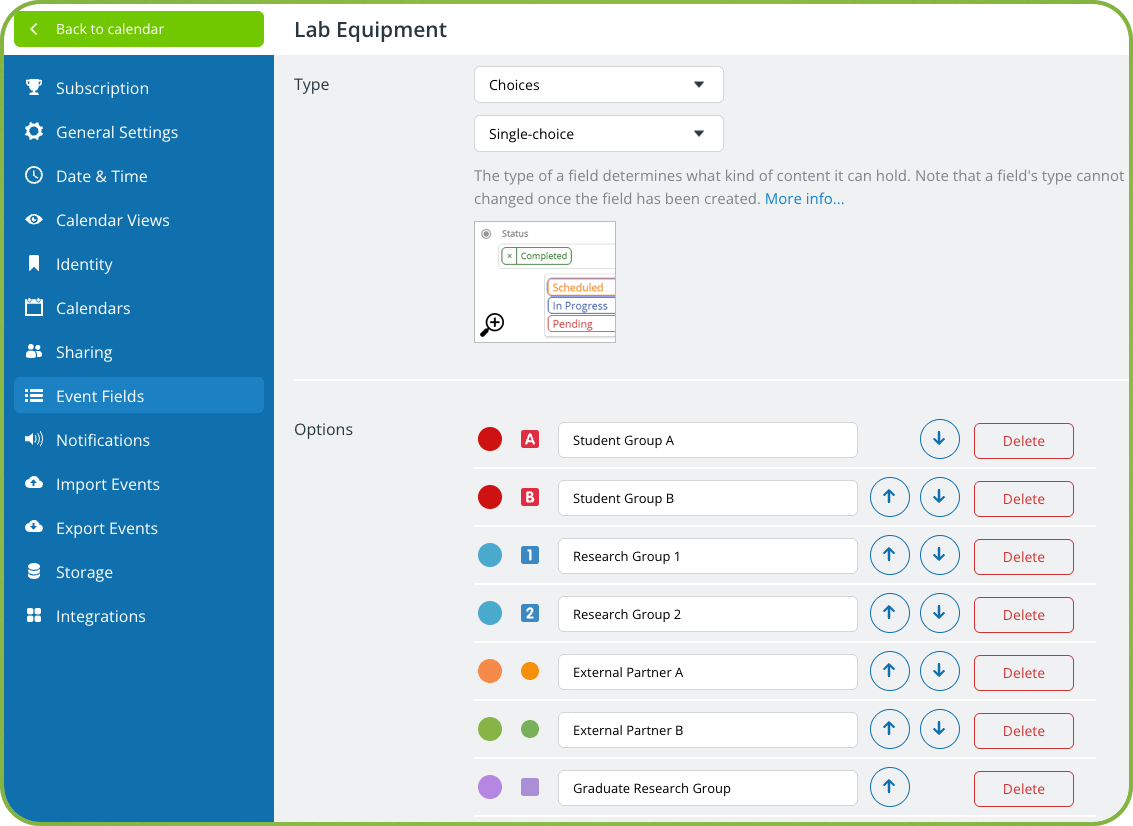
- Create a custom choice field for groups. Add an option for each group.

- Make this field required, so users must select a group when booking machine time. This removes ambiguity and ensures every event is properly categorized.
Secure self-bookings with accurate group tracking
Once every booking includes a user group, the calendar not only enables efficient self-booking, it also becomes a reliable data source:
- Filter bookings to see usage for a specific group.
- Compare how group usage changes across different date ranges.
- Calculate total hours per group over a given time.
- Export data to PDF or CSV for use elsewhere.
Instead of reconstructing usage after the fact, the information is captured at the moment of booking. Self-booking is easy for users, while managers gain the clarity needed for reporting and cost distribution. The result is less manual follow-up, more accurate data, and a smoother process for everyone involved.
Get started with Teamup today for an efficient way to book lab equipment and track group usage.
Related resources
- ▶️ Create a custom choice field
- ▶️ How to use filters
- ▶️ Automatically prevent double-bookings
- Set up a secure self-booking calendar for lab equipment
- Organize self-booking for shared office space


