
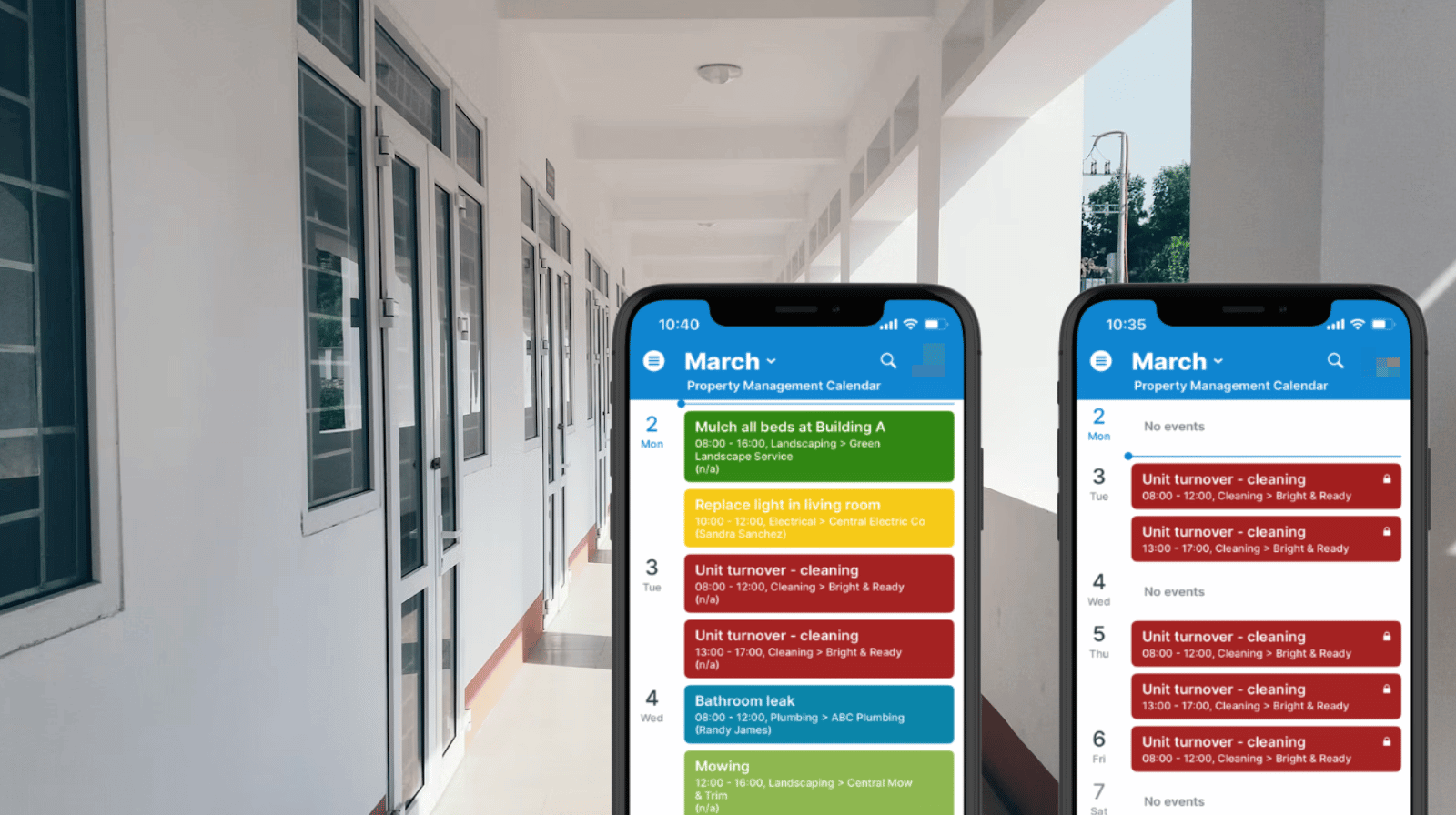
Property management companies coordinate a steady flow of repair, maintenance, and inspection work. Plumbers, electricians, cleaning crews, and landscapers all need clear visibility into their assigned jobs. Too often, schedules are shared through spreadsheets or forwarded emails that mix operational details with sensitive tenant or financial information. A more secure approach is to give each vendor mobile-friendly access to only the jobs they’re responsible for with only the information they need.
The need: Let external vendors see their scheduled maintenance jobs and site details on mobile, without exposing tenant complaints, payment information, or other vendors’ assignments.
The Teamup solution: Use Teamup to create secure, limited-access calendar links so each vendor sees only the relevant sub-calendars and permitted event details, accessible via browser or the Teamup mobile app.
Need: Keep vendors updated without extra work
For property managers, clear coordination of maintenance work is vital. They must also protect sensitive tenant and business information. Vendors need accurate job details but shouldn’t access internal notes, billing info, or other contractors’ schedules.
For instance, a property manager might schedule a plumber, electrician, cleaning crew, and landscaper in the same week. If the master maintenance schedule lives in a spreadsheet and internal calendar, things get messy:
- The manager filters the spreadsheet and emails job details to the plumber.
- Later that morning, a tenant reschedules access.
- The internal sheet is updated, but the plumber still relies on the earlier email.
Sharing the internal calendar isn’t an option since it contains tenant complaints, rent details, and other vendors’ tasks. Some managers end up using separate vendor scheduling and tracking tools to keep things organized. However, this means each job (and update!) must be copied manually. It’s extra work, plus there’s a real risk of missing key updates that vendors need.
Solution: Custom vendor access to a shared calendar
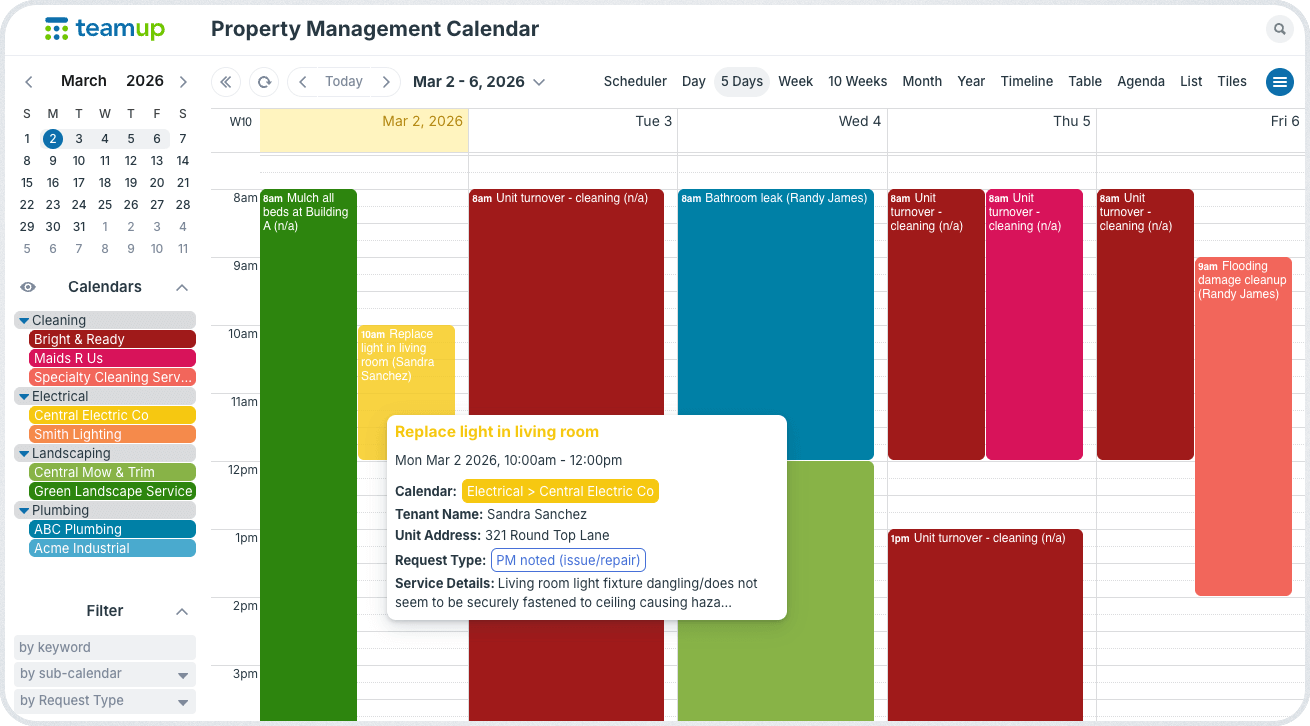
Click to enlarge: Property managers see all scheduled jobs for all vendors, with details visible.
Instead of making copies of spreadsheets or separate trackers, the property manager uses one master maintenance calendar in Teamup. Sub-calendars can be organized by vendor type, like Plumbing, Electrical, Cleaning, or Landscaping. And each vendor is given customized access to see only their scheduled jobs on their assigned sub-calendar.
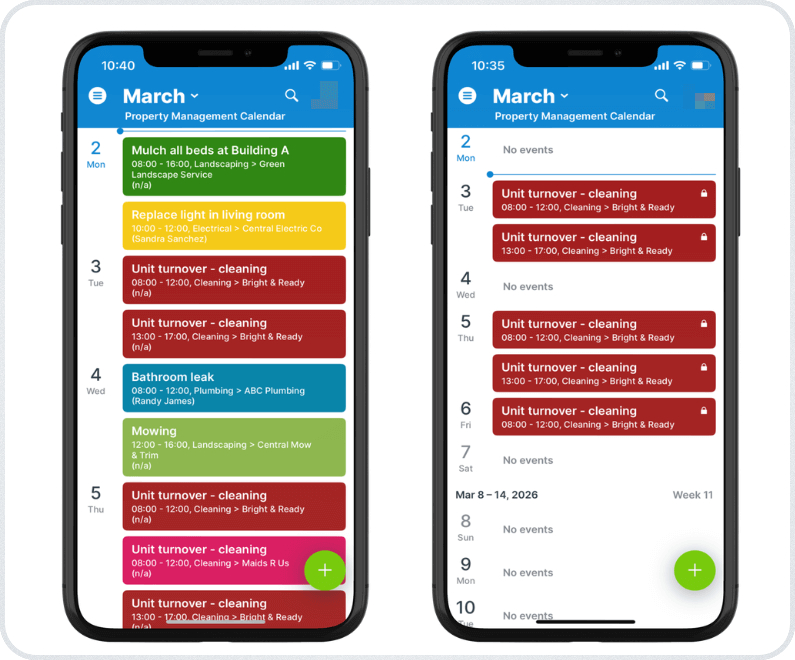
Click to enlarge: The property manager sees all scheduled jobs for all vendors (left). Each vendor sees only their assigned jobs (right).
Each vendor gets customized, secure access that shows only the relevant jobs with the needed info:
- The plumber sees only plumbing jobs.
- The cleaning crew views only cleaning assignments.
- Other vendors’ schedules remain unseen.
- Since everyone accesses the same live calendar, schedule changes appear instantly. There’s no need to resend spreadsheets or duplicate data.
Sensitive details, such as tenant name, contact information, etc. are captured in event fields set to be visible to modify-users only are hidden. So each vendor has access to the details needed to do their job, but can’t see internal-only notes or details that shouldn’t be shared. Only users with modify permissions can see those fields.
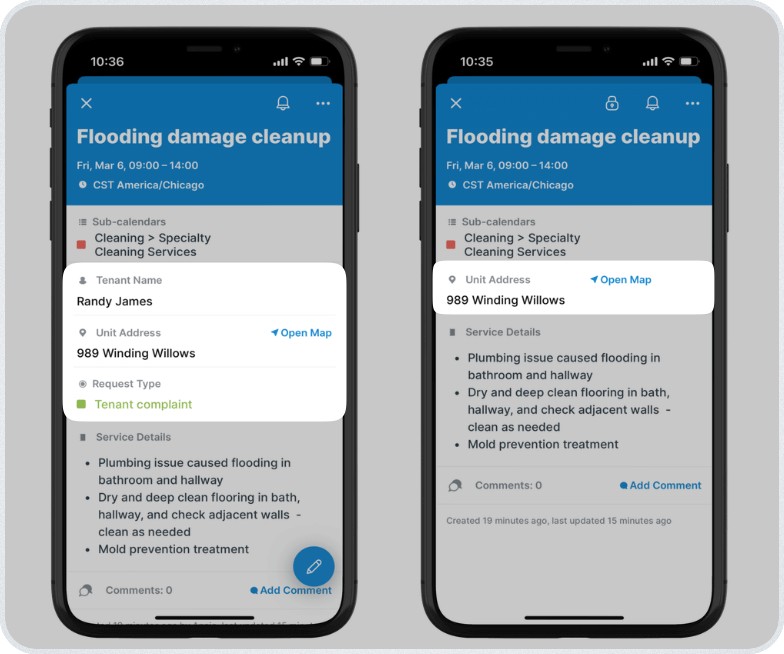
Click to enlarge: A property manager, with modify access, can see all event fields (left). A vendor, with read-only access, doesn’t see the internal-only fields (right).
Vendors can check the calendar in any browser or use the Teamup mobile app. They can view job times, confirm unit numbers, get directions, review scope notes or attachments, and see updates in real-time.
How to set it up
🏘️ Mini-guide
- Create sub-calendars for each vendor, organized in folders by type (e.g., Plumbing, Electrical, Unit Turnovers, Cleaning, Landscaping).
- Add custom fields for internal-only details such as tenant complaints, rent status, billing notes, or follow-up tasks.
- Set these fields to be visible only to users with modify access.
- Add each vendor as a user with read-only access to only their assigned sub-calendar.
- Vendors can log into the Teamup mobile app for accurate schedule info, including mapped locations and attached instructions.
- Vendors won’t see any fields with visibility limited to modify users.
- When a vendor becomes inactive, remove their user access.
- You’ll still have the complete job history on their sub-calendar, but the vendor will no longer be able to access the calendar.
One maintenance schedule, controlled visibility
Vendors need clear instructions and timing. They don’t need access to tenant histories, billing data, or other contractors’ work. By organizing one master calendar with sub-calendars and controlled field visibility, property managers can share exactly what each vendor should see. Updates happen in real time, privacy stays intact, and coordination becomes simpler for everyone involved.
Create your own Teamup calendar and set up secure vendor access to streamline maintenance scheduling across your properties.
Related resources
- Using custom fields with visibility controls to protect sensitive information
- Set up secure read-only calendar access for vendors
- Vendors can preview attachments and get mapped locations on the Teamup app
- See also how to do efficient job scheduling with recurring events
- And how to coordinate fleet dispatch and vehicle maintenance


