
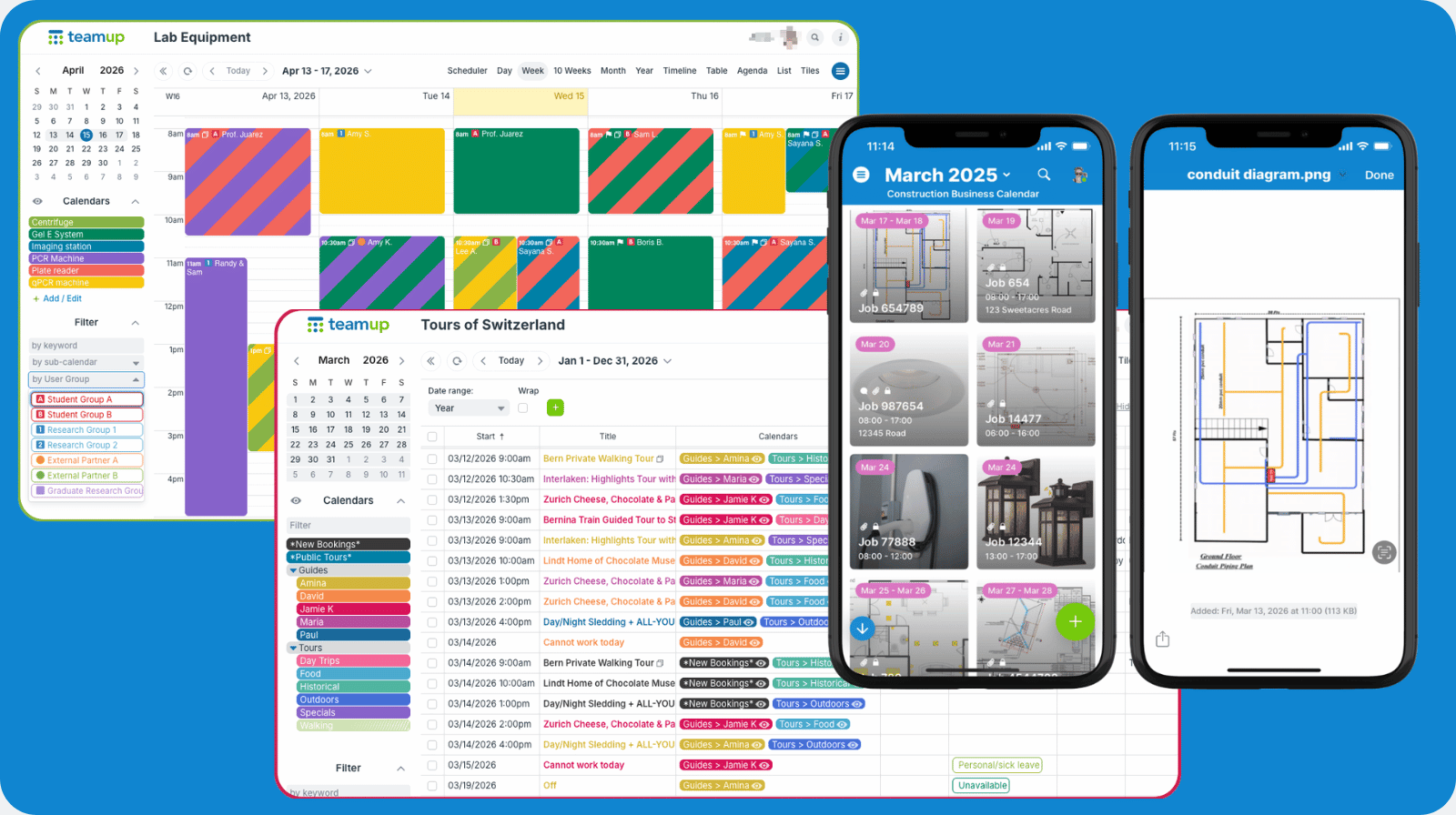
Spreadsheets are familiar, so they’re often the first tool we reach for. In some scenarios, they’re the right tool. But not always. Sometimes, spreadsheets add more complications and headaches than actually helping. If that’s the case, it’s time to look for a better solution.
- Endless versions and email attachments: Sharing a spreadsheet often means juggling multiple files and updates.
- Tough-to-read timelines and deadlines: Rows and columns make it hard to spot overlaps or see what’s next.
- Limited collaboration and sharing issues: Only one person can edit at a time. Also, managing permissions is tricky.
- Too much manual updating: You end up spending more time tweaking formulas and colors than actually moving work forward.
If that sounds familiar, it’s a sign your workflow needs to evolve. Spreadsheets are still useful, but for some scenarios you really need a better option.
When to replace spreadsheets
In some situations, using a spreadsheet as the default tool will lead to more frustration than progress.
For time-based planning
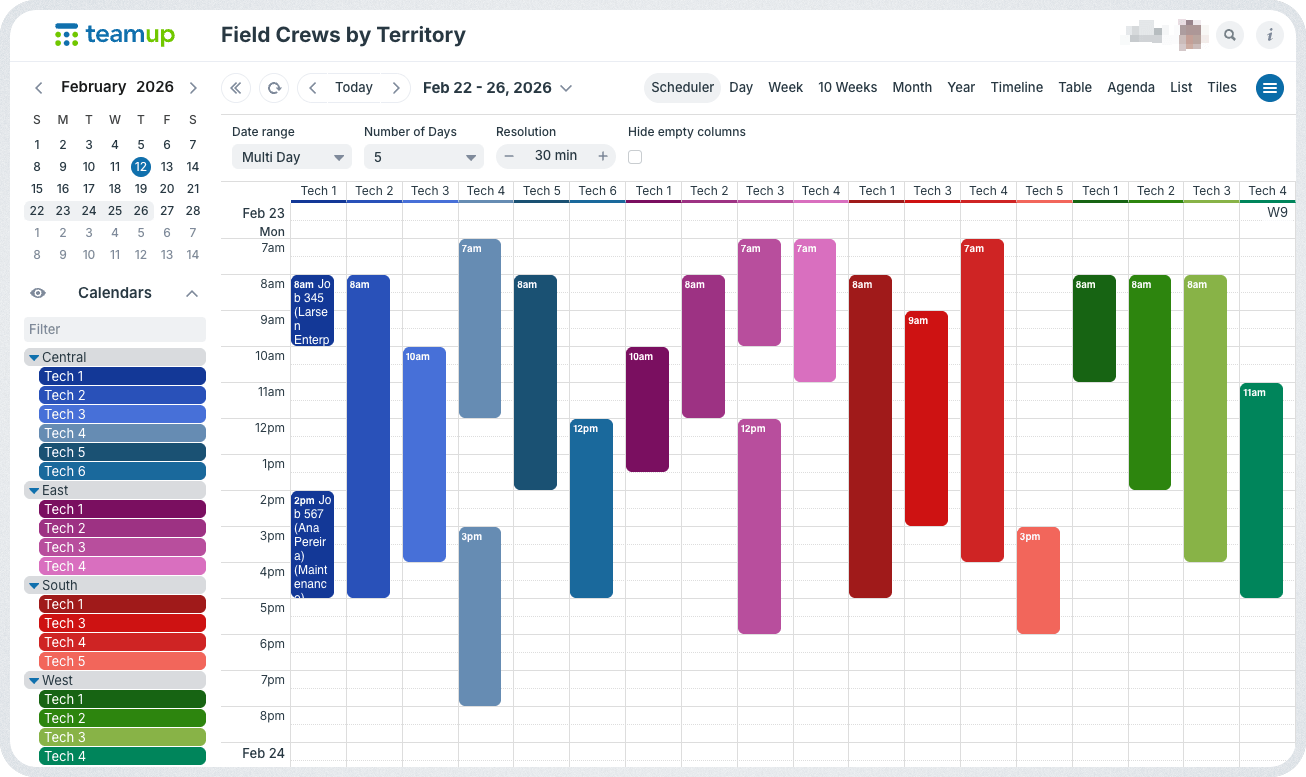
Click to enlarge: Teamup’s calendar views show data in different layouts and resolutions to make information clear. Here, Scheduler view shows events side-by-side on a vertical time grid.
Spreadsheets can list tasks and dates, but they make it hard to see when things happen or how they overlap. Deadlines get buried in rows, and schedules aren’t clear. With Teamup, time is built in. You can see start and end times, due dates, overlaps, and spot potential conflicts in a visual format that makes sense. And you have multiple views to choose from, so you can see your data in different layouts.
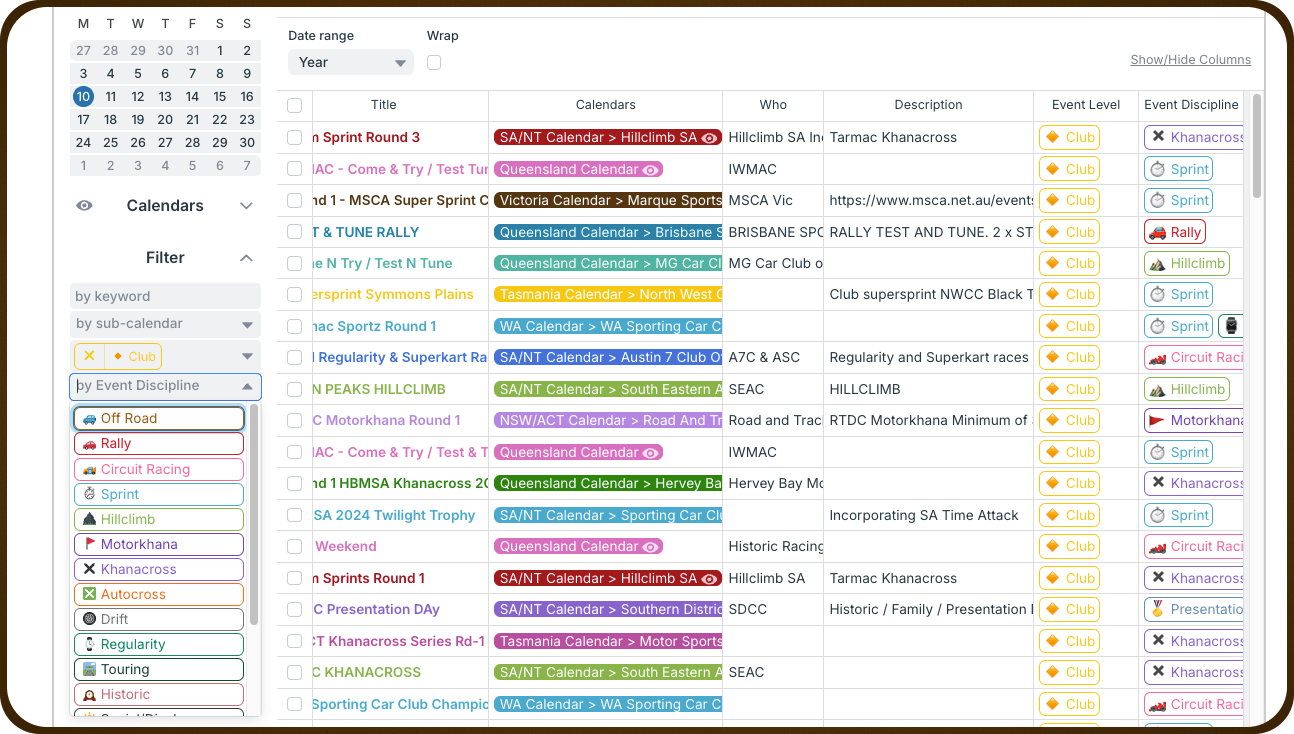
Click to enlarge: Table view shows all your calendar data in a spreadsheet-like layout. Toggle sub-calendars, filter events, adjust the date range, and switch with a single click back to other calendar views.

For complex scheduling
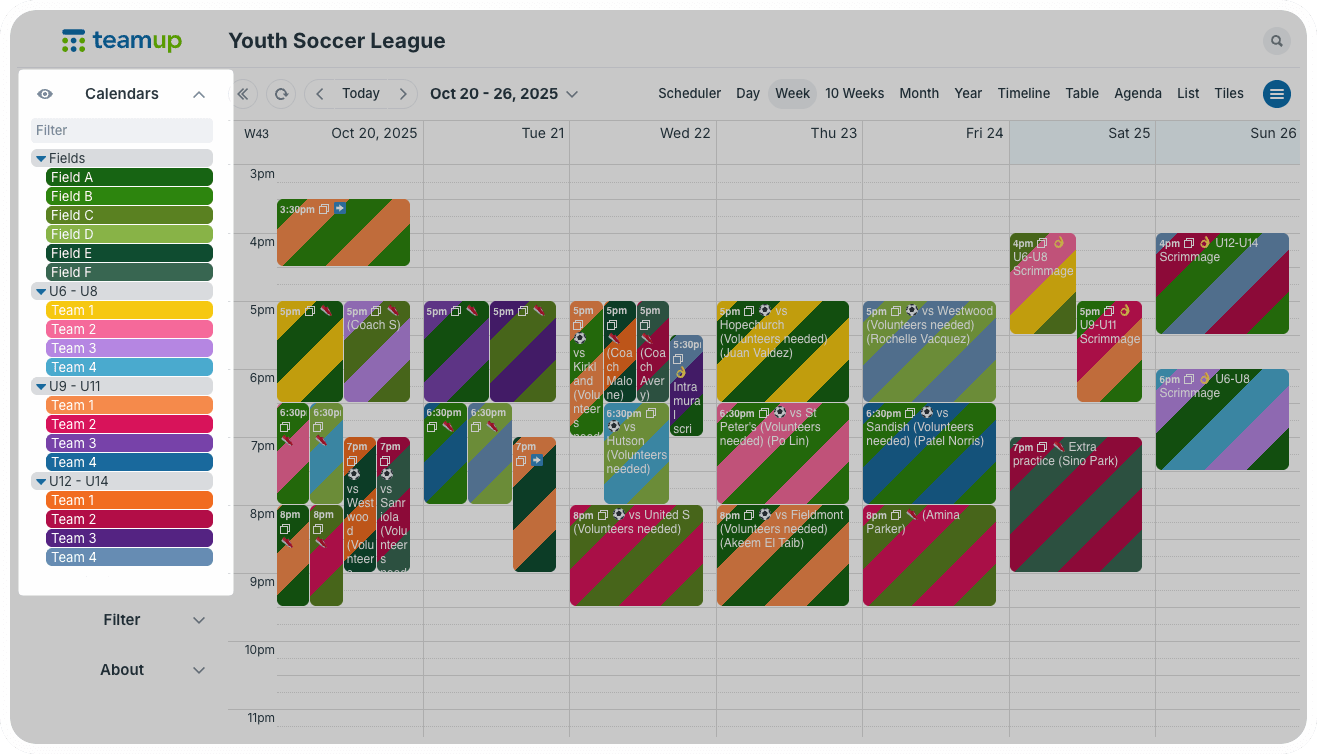
Click to enlarge: Color-coded sub-calendars can be organized in folders to keep everything organized. Toggle folders or calendars to change which events are displayed.
Tracking people, tasks, locations, and resources all at once can make a flat spreadsheet feel overwhelming. You end up with endless columns and complicated formulas. Teamup handles complexity more naturally:
- Build a hierarchical structure of sub-calendars (with color-coding!) for the primary dimensions, like team members, locations, and resources.
- Add custom fields to track other dimensions, like status, categories, and project phases.
- Use built-in filters to sort and view what’s relevant in the moment.
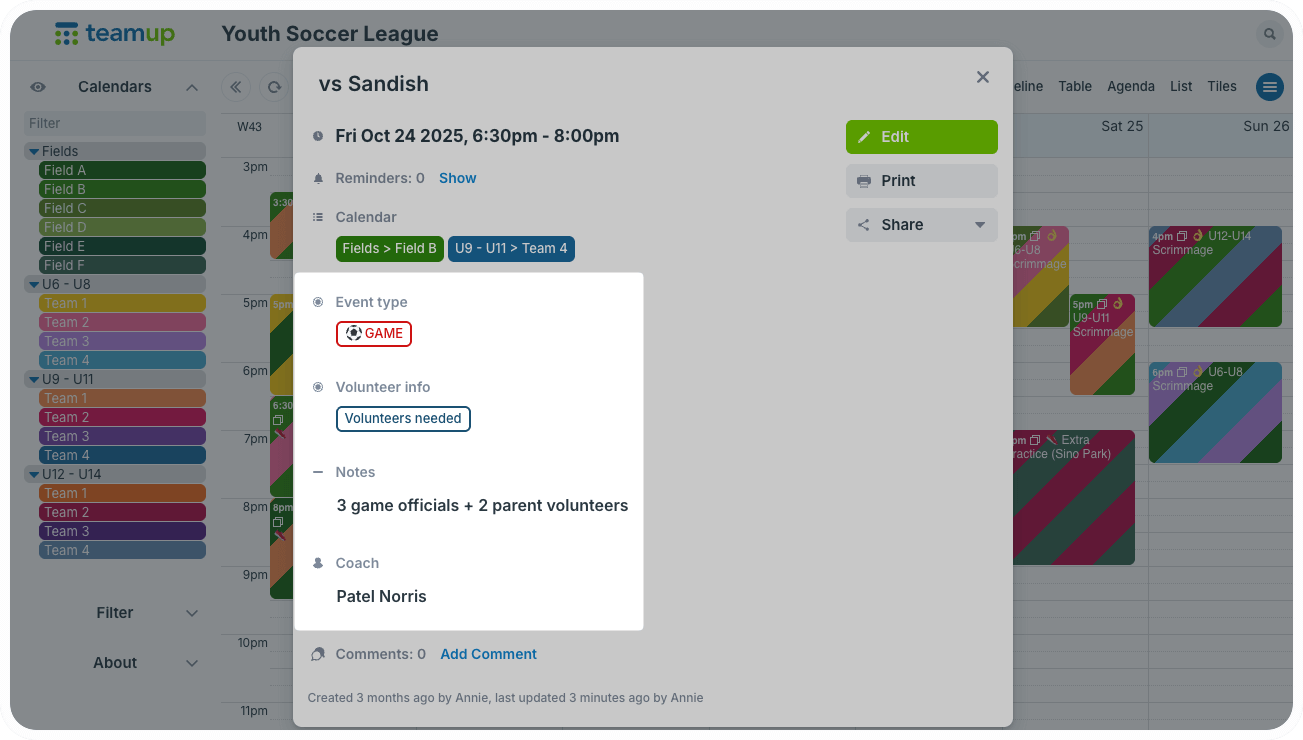
Click to enlarge: Capture other scheduling dimensions like category, assignees, status, and more with custom fields.
For synced, real-time updates
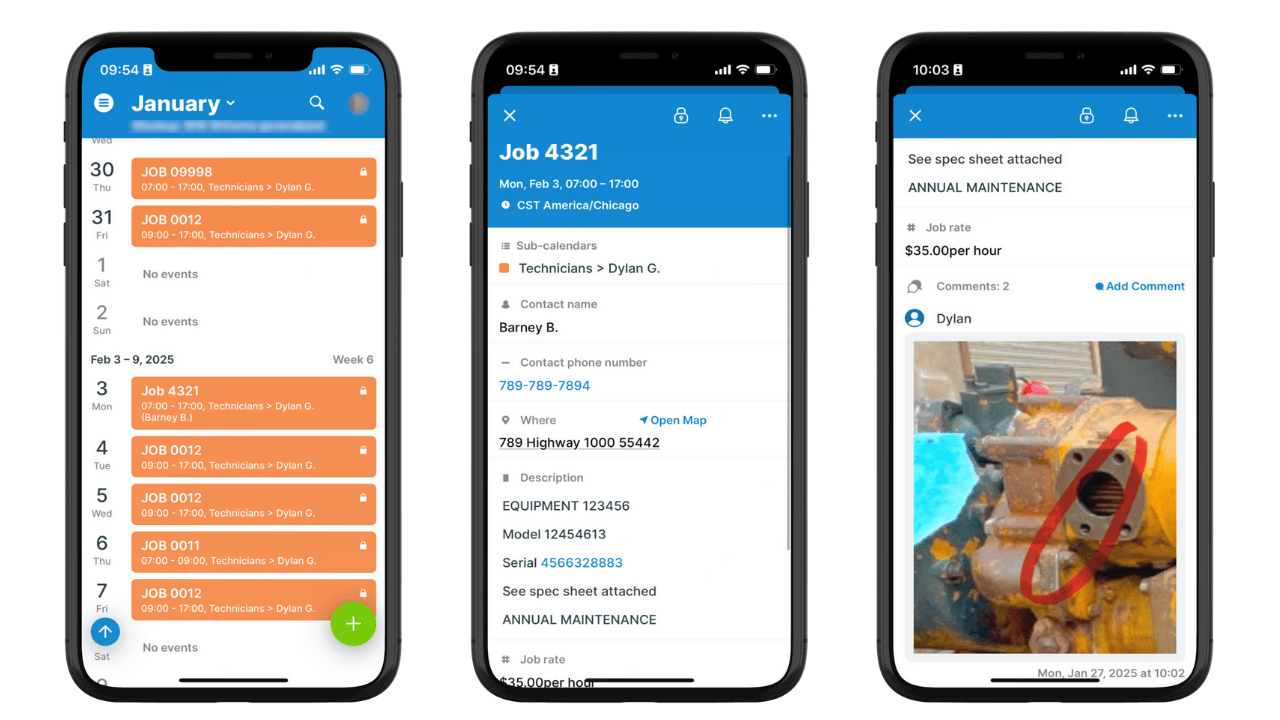
Click to enlarge: Customized access for a tech allows him to see only his own schedule, with all the details needed. Photos and notes added to comments keep the office updates on fieldwork progress.
Sharing spreadsheets can lead to many versions, lost edits, and confusion about the latest file. Teamup gives you one live calendar that everyone works from. Set up customized access for each user with granular permissions so every person can see what matters for their role, nothing more. The calendar syncs automatically for all users, so everyone is working from the same version. Field crews have accurate info, office staff can see status updates, and work can flow smoothly.
For immediate visual clarity
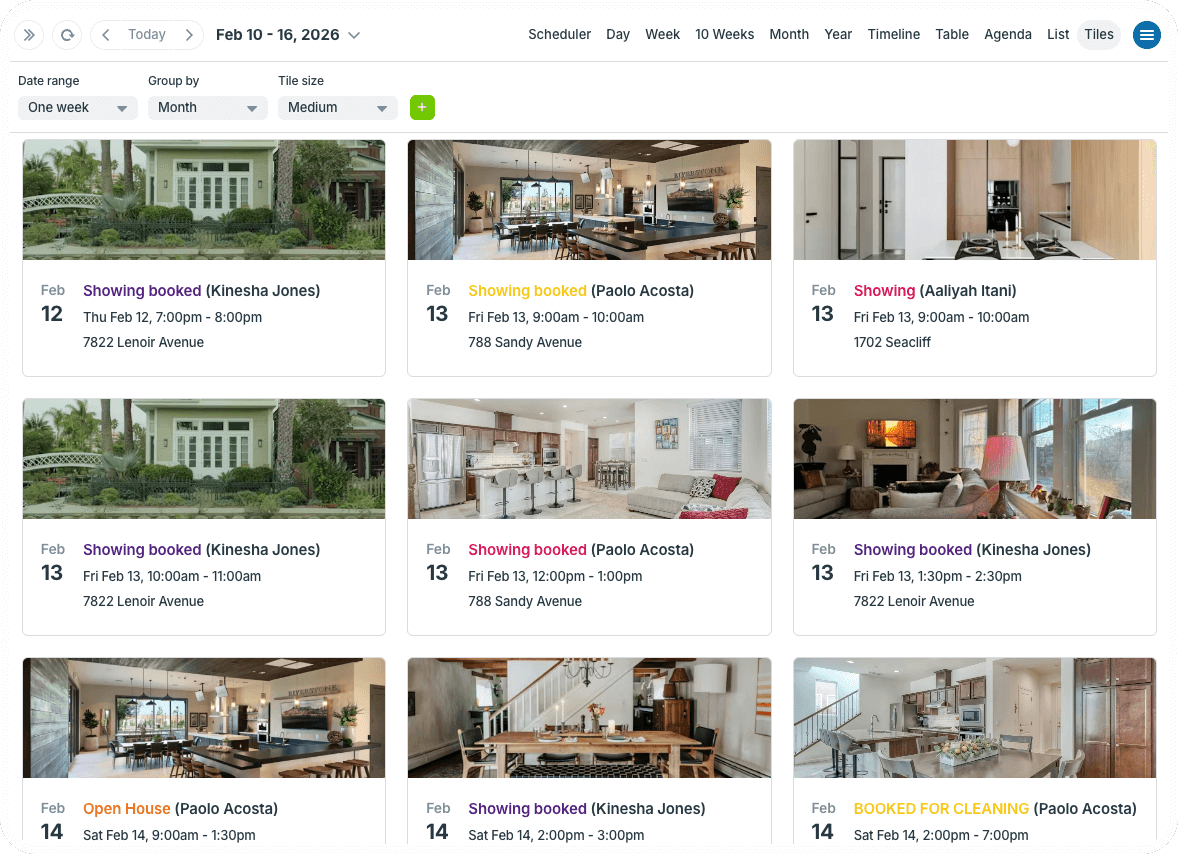
Click to enlarge: Get immediate understanding about events with a visual display, like this real estate showing calendar.
It’s hard to spot patterns, gaps, or conflicts in rows and columns. Teamup provides clear visual cues. You get color stripes, emojis for status, adjustable zoom levels, and visual layouts like Tiles view (above). All the data is contained and organized, while the visual cues make it easier to understand what you’re looking at. And the clarity carries from browser to mobile with the Teamup app. No matter what’s happening or where you are, you can access the information in a quick, accessible way.
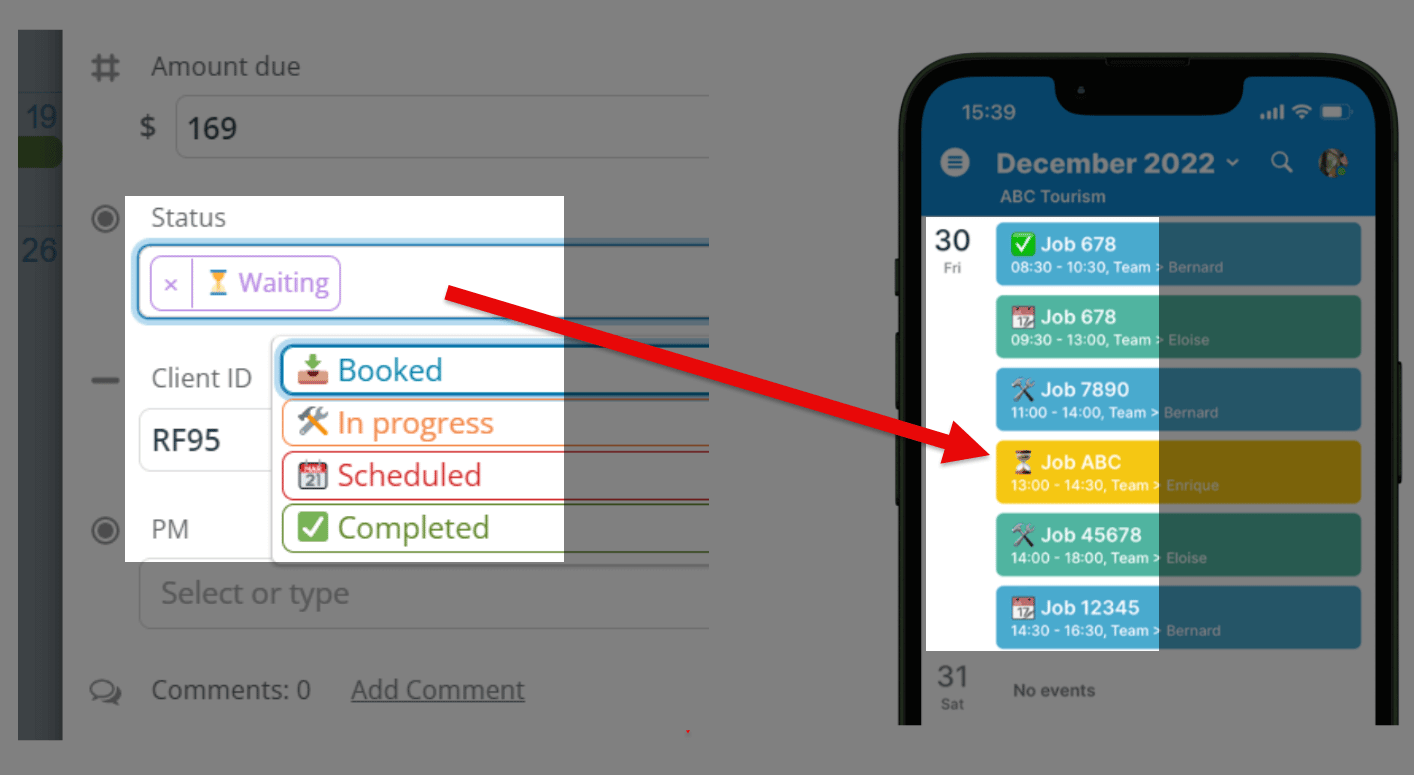
Click to enlarge: Color-coding and emojis provide consistent visual cues for everyone, whether on a desktop in the office or using a phone in the field.
For automatic conflict prevention
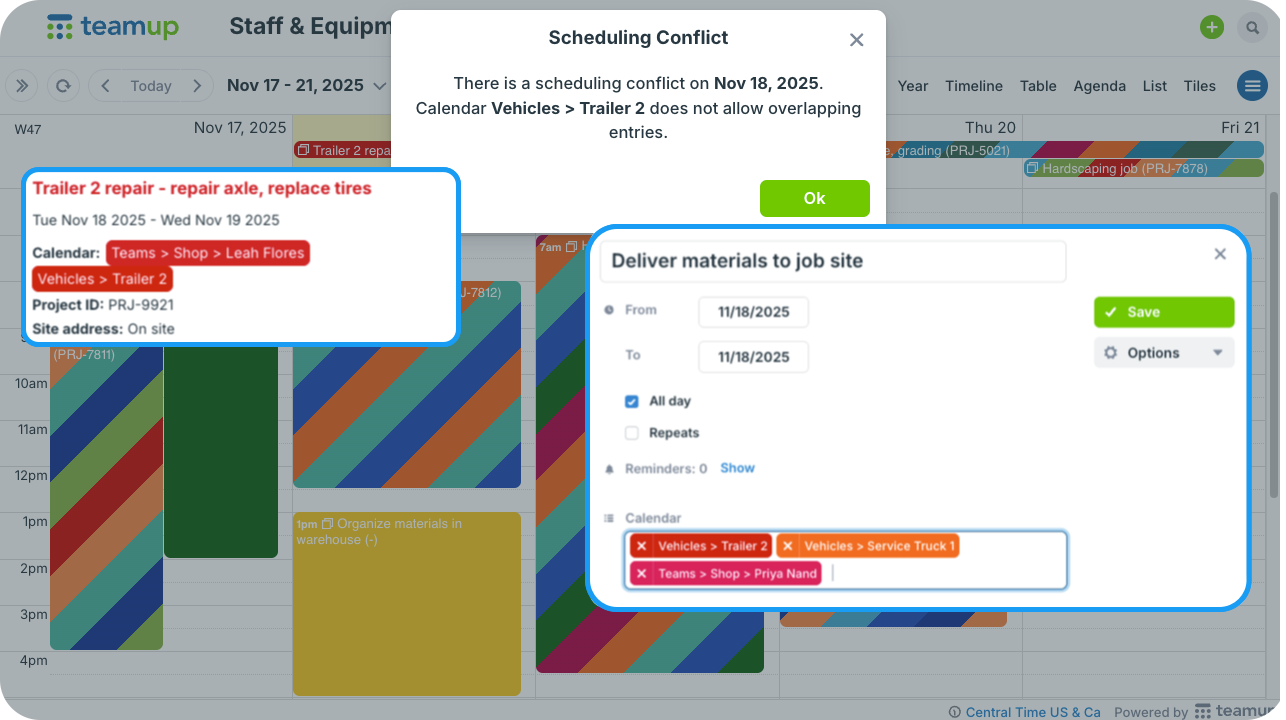
Click to enlarge: Prevent scheduling conflicts automatically so equipment, spaces, resources, and people can’t be double-booked.
Spreadsheets don’t know when you’ve double-booked a person or resource. Catching conflicts depends on manual checking, which takes time and is error-prone. Teamup prevents conflicts automatically: Set each sub-calendar to disallow overlapping events to automatically stop schedule conflicts.
Why Teamup works better
What if your calendar could hold all the details you need, provide a flexible structure, and display time-based data in a spreadsheet-like format?
- One source of truth: Everyone works from the same live calendar.
- Clear visuals: See what matters at a glance instead of straining over tiny text.
- Built for collaboration: Share securely with roles and permissions.
- Smart scheduling: Color-coding, filters, and automatic conflict prevention keep everything organized.
- Accessible anywhere: Easy to use on web or mobile.
Spreadsheets have their uses, but they aren’t ideal for all situations. When rows and formulas are too limiting, Teamup offers a clearer way to organize work and keep your team aligned. Shift from managing files to actually making progress on all those projects.
Ready to try Teamup? There’s no risk. Create a calendar and explore all the features with a free trial.


