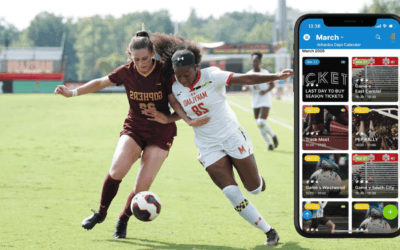
Running a football club can quickly get complicated. Things may start simple, but as programs expand, the schedule gets messy. Keeping everyone updated becomes a time-consuming task that’s never complete. It’s a lot of work for the people trying to hold everything together. Why does scheduling get so complicated? And how can football clubs streamline the process and get back to the game?
Challenge: Fragmented football scheduling
Many clubs follow the same pattern as they add more to the program. Different groups use different systems, often chosen by whoever’s in charge of that particular age bracket or training program. For example, there might be a Google Calendar for older kids, paper handouts for younger participants to take home to parents, and a Facebook group for adult volunteers. Everyone refers to a different schedule even though the groups are parts of the same club. And it ends up creating issues.
- Parents and players rely on outdated details because updates don’t reach every channel.
- Coaches and coordinators re-send the same updates across multiple tools to keep everyone aligned.
- Volunteers answer repeat questions because families can’t tell which schedule is current.
- New families aren’t sure where to look, so they miss sessions or show up late.
- Parents with children in different age groups switch between tools to build a complete weekly schedule.
Solution: A single shared club calendar
Here’s a real-world example of how Gordon Football Club solved the fragmented scheduling problem.
Instead of trying to keep multiple tools and platforms updated accurately, they simplified: A single shared calendar with training sessions, competitions, and social events brought together. Each team or program gets its own sub-calendar, color-coded and clearly labeled, organized in one combined view of the full club schedule.
This structure solves the problems caused by multiple scattered systems. Coaches and coordinators can add and update everything in one place, without needing to share changes on multiple platforms. Parents and players only have to check one calendar. Those with multiple children can filter by team, age group, or calendar category. Volunteers always know what’s happening, and new families know exactly where to find practice times and game info. Everyone from coaches, coordinators, and volunteers to parents, players, and spectators can check one dependable place for accurate schedules.
One trusted source for schedules
Coaches and volunteers can still work out details on paper or spreadsheets, if they prefer. But the calendar is the source of truth. Volunteers, parents, players, fans, and interested community members know where to check for the latest events and opportunities. And coordinators only have to make updates in one place.
A clean, embedded calendar view
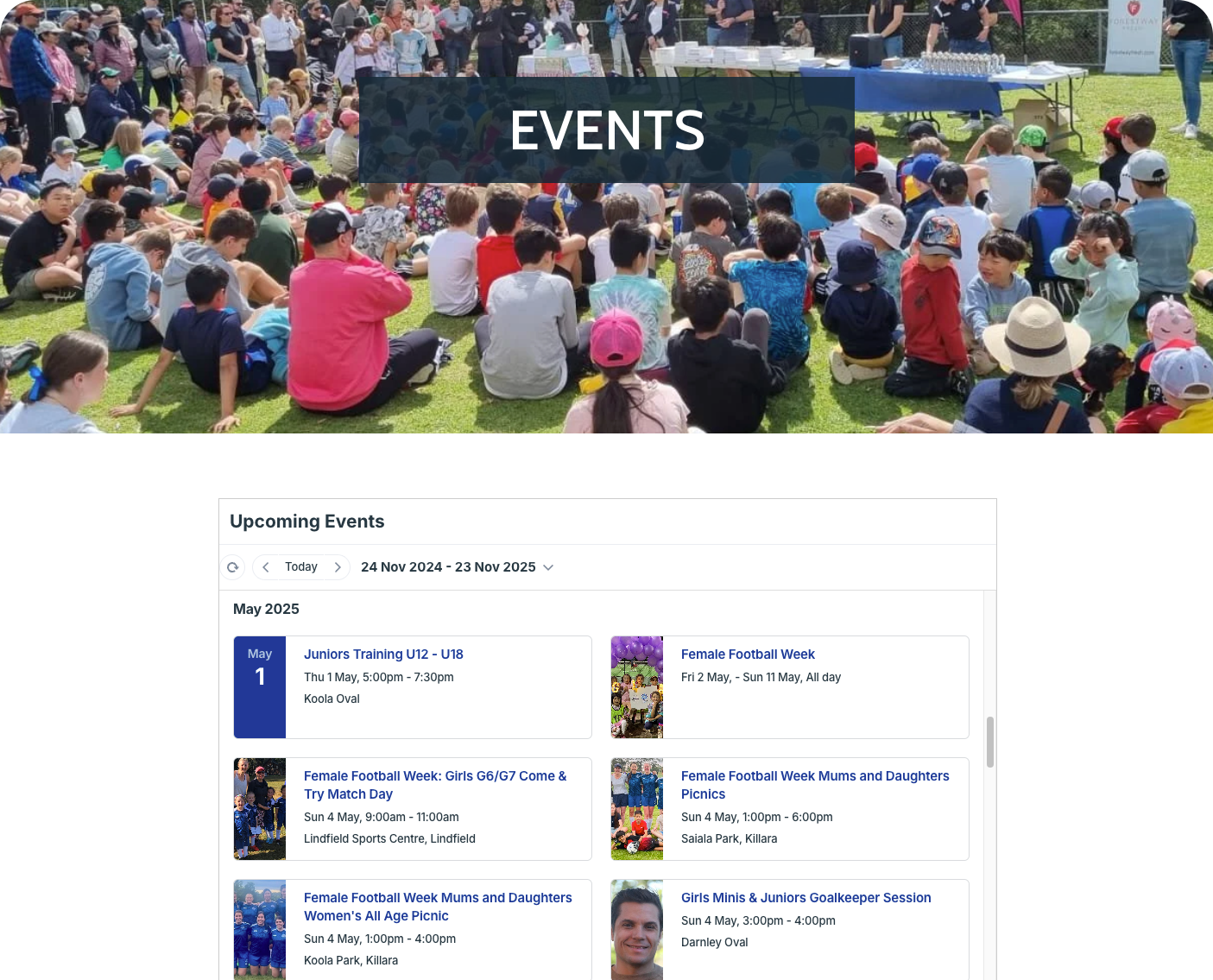
To make things even easier, the calendar is embedded on the club’s website. It’s customized to have a sleek look, with no distractions. Parents and fans don’t have to remember another link or login. They just go to the website, click the Events tab, and see what’s on the calendar.
Easy and risk-free event sharing
Each event on the calendar has built-in sharing options. Two in particular are especially helpful: Sharing add-to-calendar links and event pages.
To share event details in a newsletter or mailing to parents and community members, use the Share > As Link option in an event’s Share menu. Choose the best link style, then copy and paste it into the mailing. Recipients can click the link to add the event to their own calendars.
Any event can also be shared as its own stand-alone webpage, as shown here:
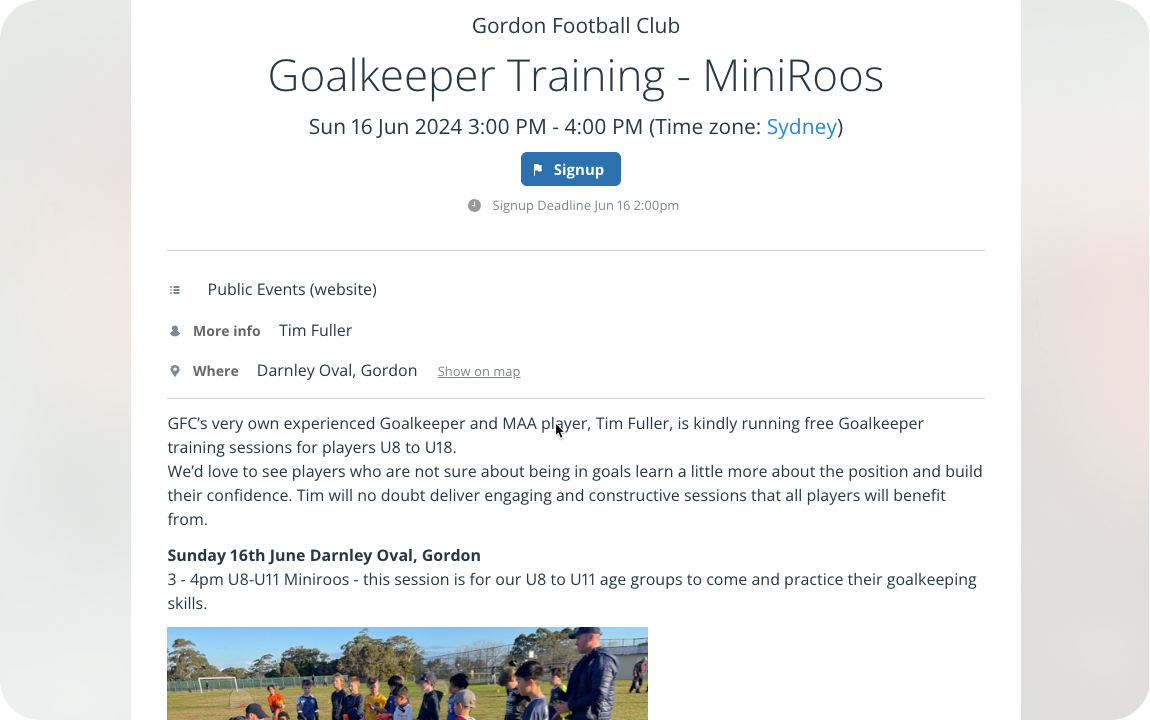
With event pages, sharing and promoting individual events is quick and easy. Coaches can encourage participation in training events by sharing an event page on social media. Parents can share game or tournament info with grandparents by sending an event page link. If the event is changed on the calendar, the event page updates automatically. So there’s no risk of outdated information or missed updates.
▶️ Check out an interactive demo for more details on event sharing.
How to set up an embedded club calendar
⚙️ Mini-guide
Use one master calendar for all club activities. Embed it on the club website so parents, players, and coaches always see the latest schedule.
- Keep it as simple as you want: Start with a single sub-calendar, or create sub-calendars for each team, age group, or division. Use folders to organize.
- Create and configure event fields to work for your club.
- Add custom fields to capture more details like field number, volunteers, coach, notes, bracket.
- Set visibility on each field: Visible to all users or only to users with modify access.
- Use the Embed Wizard to generate the link or iFrame for embedding the calendar on your club website:
- Create a link for secure, read-only access.
- Then customize the look and feel to make it user-friendly for club members.
- Share event page links to promote social events, share tournament info, and get more participants for special opportunities.
Simpler scheduling, more football fun
With a shared, embedded calendar, scheduling becomes the simple task it should be. There’s one trusted place for event information. Updates are easy. Promoting events and inviting new folks to join in only takes a couple of clicks, since anyone can share a link (to the whole calendar or an individual event page) instead of copy-pasting info from one place to another. Plus, it’s scaleable: As the program expands, it’s no problem to expand the calendar with it: Add more sub-calendars, organize them in folders, set up custom fields, use event signups and comments, upload documents and photos.
Try Teamup to create a live, reliable calendar: Simple, easy to use, embeddable, and ready to grow with your club.