Safety and compliance managers are responsible for ensuring that mandatory training is done and certifications are renewed on time. A shared calendar helps with keeping track of compliance requirements for each role or department and planning ahead to provide adequate training and testing opportunities.
The need: Make training programs and compliance-related dates easily accessible to all relevant stakeholders to minimize time and resources required to communicate the information.
The Teamup solution: A simple calendar to publish training events and important dates for compliance with options for employees to filter by roles or departments.
Keeping up with training and compliance protects both employees and the organization. Regular training ensures staff understand safety procedures, regulations, and best practices. This reduces accidents, errors, and costly violations. Compliance failures can lead to fines, legal issues, shutdowns, and reputational damage, even if lapses are unintentional. It’s a risk no company should take.
In many cases, the compliance requirements are role-based. A person charged with a certain role in the company, or anyone who is part of that role, needs to create certain safety or security training on a regular basis. With large companies, and employee turnover, tracking compliance can get messy if it’s not handled in a clear way. Using a single shared calendar to track the needs for each role makes compliance tracking easier for managers and employees.
How a compliance calendar reduces risk
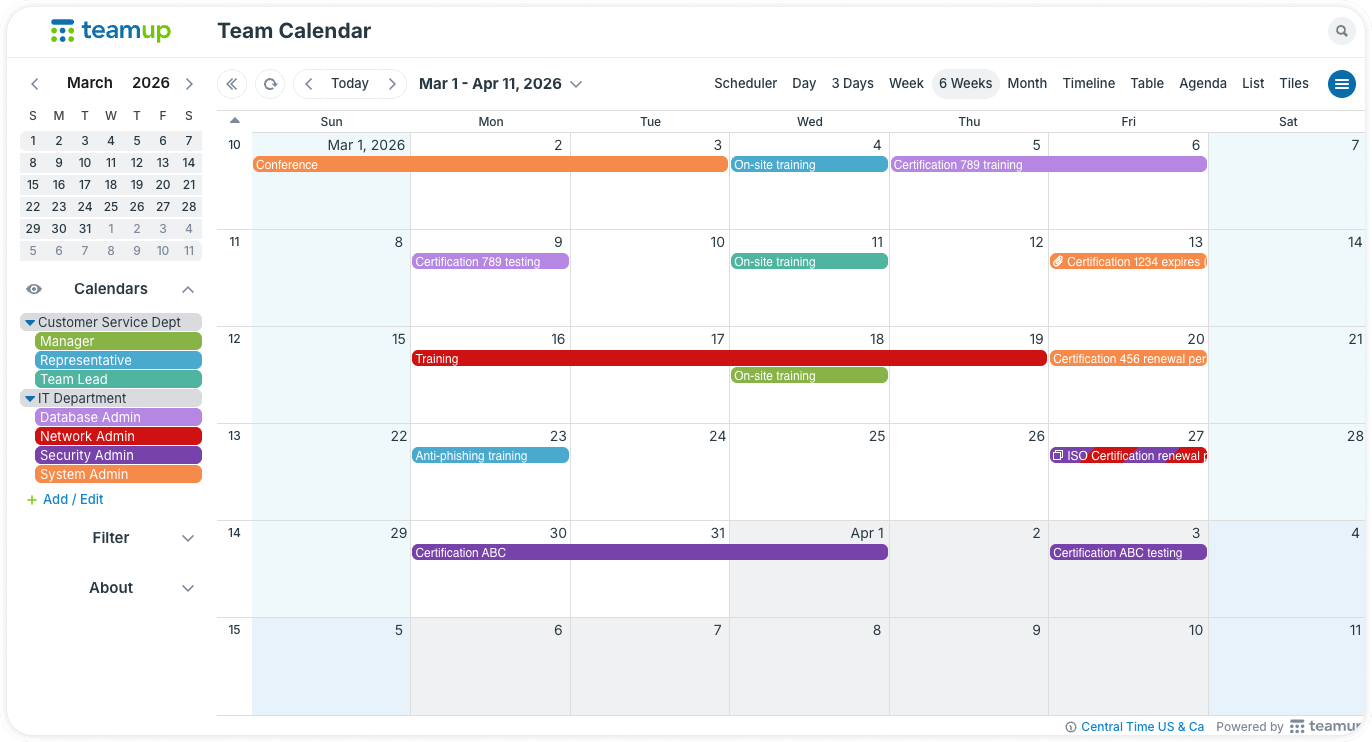
Click to enlarge: Tracking compliance requirements for all roles on one calendar makes coordination and communication easier.
A dedicated safety and compliance calendar helps HR managers plan, coordinate, and communicate more efficiently.
Each employee’s training needs typically depend on the role they occupy. A customer-facing role might require certain annual training in data security, for example. Someone in a service tech role would need certain safety training and certification. The compliance team can structure the calendar by role, and add recurring events for regular certification or training needs. This makes sure they come back around on schedule, without having to re-enter them every time. They can also add the appropriate training sessions and testing opportunities to the appropriate role sub-calendars, with all the necessary details.
For employees, having the requirements and training opportunities in one place simplifies things, too. Each employee can filter for their specific role on the compliance calendar. Team leads and managers can keep an eye on all the roles in their department. Everyone can see what’s relevant without the need for separate emails or threads.
Keep schedules and documentation in one place
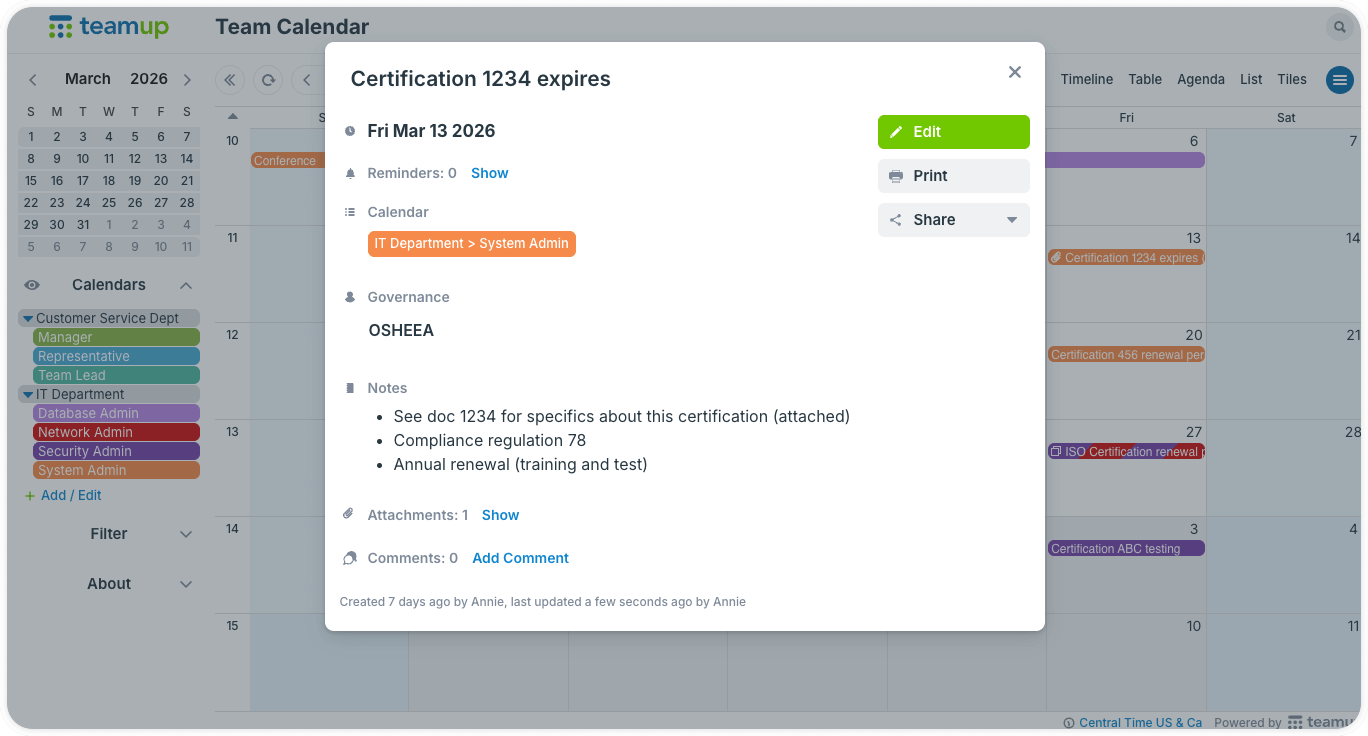
Click to enlarge: Upload files and documents, add notes, include links and other pertinent information.
Safety training isn’t just about dates. Each requirement often comes with documentation, course details, or regulatory references. Keeping everything in one place makes training more organized and easier to track:
- Attachments: Upload certificates, completion records, or training materials directly to each event.
- Custom fields: Track key details such as certification type, issuing authority, validity period, or required refresher courses.
- Clear notes: Add instructions or links to approved training providers so employees know exactly how to comply.
Instead of chasing files across systems, everything related to a requirement lives in one accessible place. Plus, fields have visibility control. So HR can create an “internal team only” notes field that’s visible to authorized HR staff only, and not shown to other employees.
Streamline compliance tracking and scheduling
Corporate safety and compliance depend on consistency, visibility, and follow-through. A shared calendar system brings training schedules, renewals, and documentation into a clear, structured workflow.
Related resources
With Teamup, safety and compliance managers can move from reactive tracking to proactive planning. Explore more features with a live demo calendar, or create your own today.