Some non-profit organizations run themed educational parks to provide hands-on experiences for visitors. These parks may focus on certain historical periods, for example, allowing visitors to watch demonstrations and participate in different activities from that time.
Operations are complex. There are multiple departments, dozens of buildings, and a steady mix of public access, rentals, tours, and maintenance. A workable system needs to scale, stay secure, and give everyone a clear picture of what’s happening without creating more work.
The need: To coordinate complex operations with multiple spaces and many events, all departments need visibility of availability across all spaces with real-time updates when something changes.
The Teamup solution: One shared calendar that shows the full picture, clearly organized with access customized for each individual by role.
When availability lives in silos
In a park setting, buildings serve more than one purpose. A space might be open for public tours in the morning, reserved for a school event in the afternoon, and closed for maintenance the next day.
Each department has its own schedule for staffing, projects, and responsibilities. But the departments need to communicate and coordinate to avoid schedule conflicts. Otherwise, buildings and spaces get double-booked by different departments for different purposes. To avoid conflicts, teams end up calling, emailing, and messaging each other to track down details on reservations. There’s still no transparency, and planning takes a lot more work than it should.
With a single, trusted system to check availability, departments could plan with confidence. Everyone would be working from the same information, instead of guessing or double-checking.
One calendar with clear boundaries
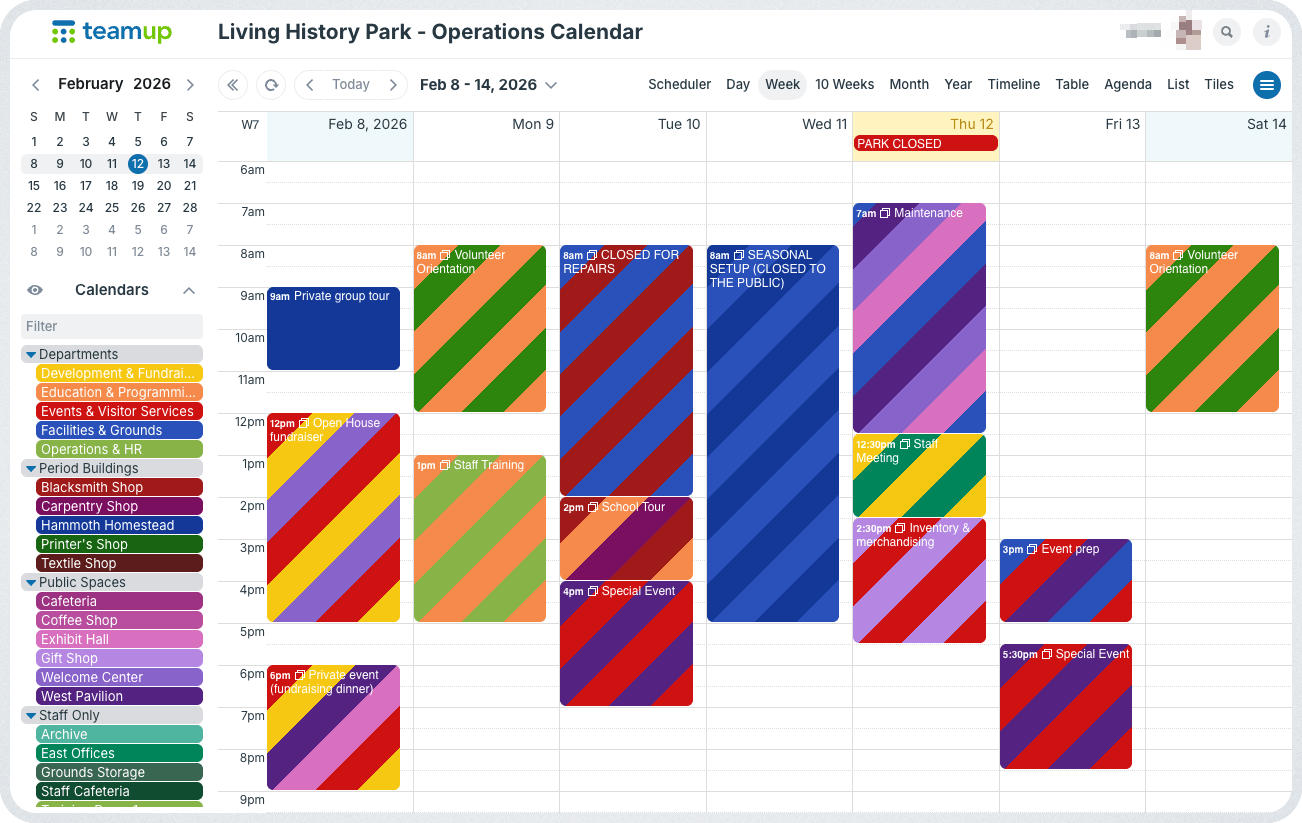
Teamup brings all scheduling into one shared calendar, while still respecting how different teams work.
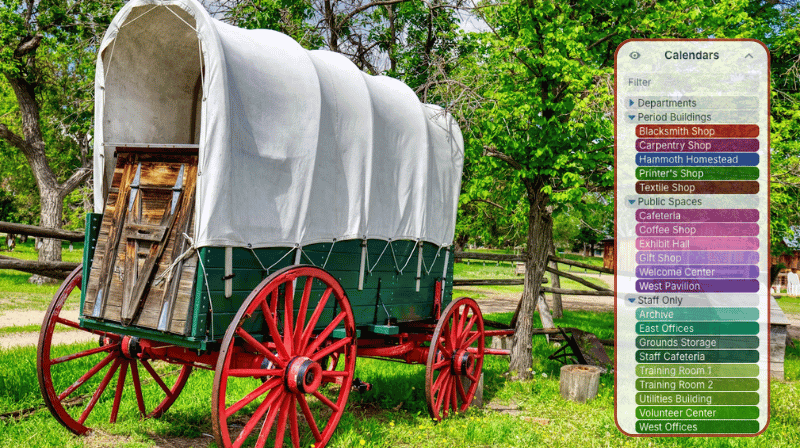
- Each building or venue has its own sub-calendar.
- Sub-calendars are organized in folders and color-coded.
- Events show when a space is booked, open to the public, or closed for maintenance.
- Customized access levels keep the calendar secure (details below).
- Anyone who needs visibility can see the schedule across the entire park.
- Facilities and maintenance crew can stay upd
Setting it up for a large park
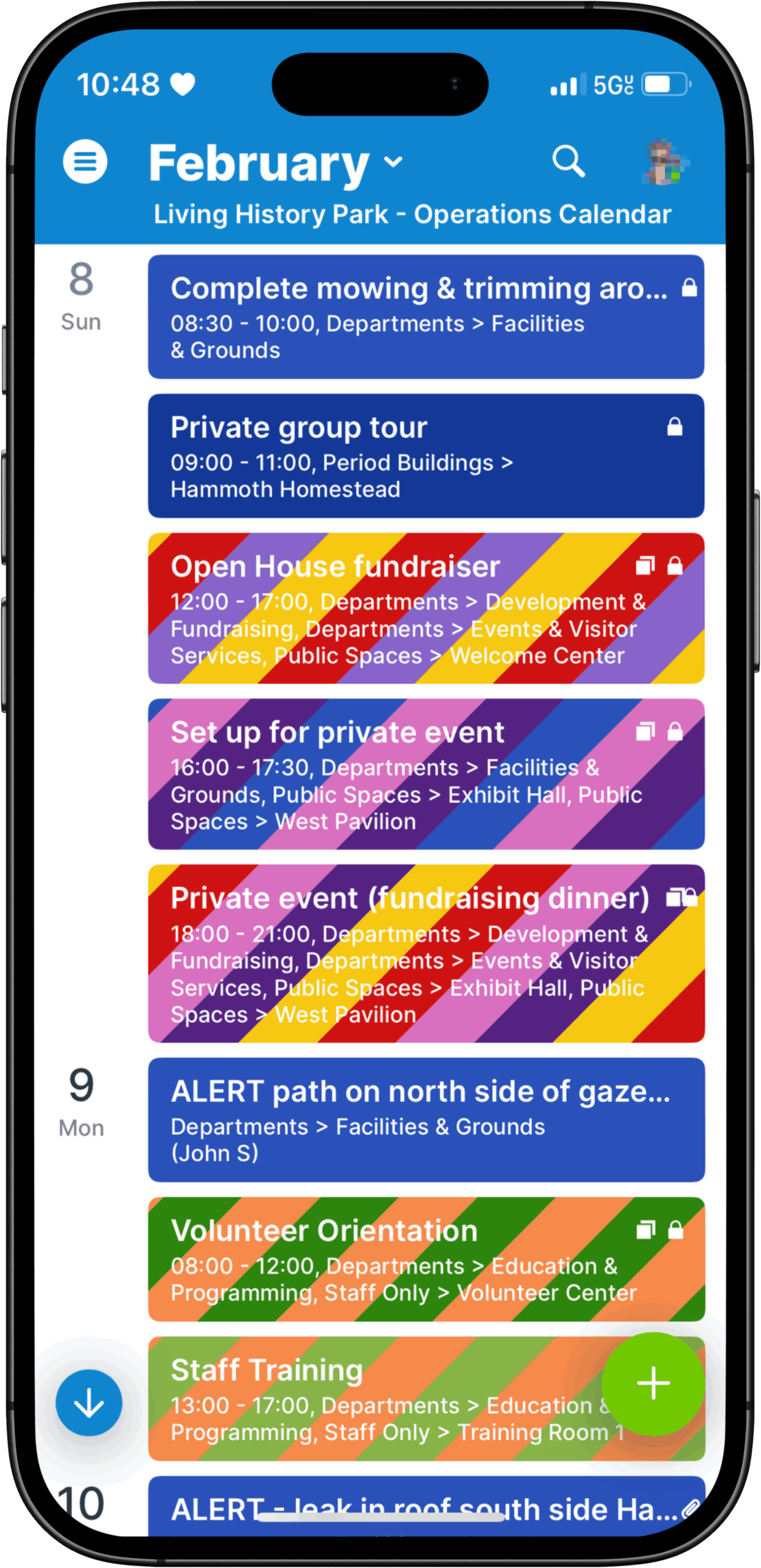
A typical setup starts with sub-calendars for each building or venue, organized in folders. Add sub-calendars for departments and teams, too. Custom fields help add context, such as event type, department, or public access status. Access is assigned by role. Staff members who plan events would have permission to create or edit events. The remaining staff get read-only access. They can see what’s planned and where they need, but can’t make changes. Facilities staff who primarily work out in the park, away from desks and computers, can still check the schedule and get updates using the Teamup app. They can also update from the field on maintenance status, so everyone can stay informed on what’s available.
🔐 Secure, customized access
Customized calendar access allows for full visibility of all operations, while keeping the calendar secure and protecting confidential information.
- Each staff member gets customized access with permissions set for what they need to do according to their role.
- Modifier staff: Those who need to create or update events can do so, for all or selected sub-calendars.
- Modify: Users can create, edit, and delete all events they can see on the calendars they have access to.
- Modify my events: Users can create events, but they can only edit or delete events they created. This helps departments add their own bookings without accidentally changing someone else’s reservations.
- Read-only staff: Others can view events, for all or selected calendars, without the risk of changing anything by mistake.
- Read-only: Users can view all details of all events on the sub-calendars they have access to.
- Read-only, no details: Users can view events as Reserved without seeing details.
Visibility control can be configured individually for event fields, as well. Confidential or sensitive information can still be kept on the relevant event, but made visible only to certain teams or individuals.
- Event fields visible to all users: This visibility setting makes the field and its contents visible to all users, even those with read-only access.
- Event fields visible only to users with modify access: This visibility settings makes the field and its contents visible only to users with modify access; it is hidden completely from read-only users.
Fewer conflicts and better coordination
With a shared calendar, double bookings drop off. Departments can see conflicts before they happen and adjust early. Staff spend less time confirming availability and more time focusing on visitors and programs. A shared calendar supports daily operations, long-term planning, and quick adjustments with visual clarity across the whole park. That clarity makes a complex park easier to run, even when the schedule is full.
Related resources
- Customer story: Coordinating events, maintenance, and sports for 60+ parks
- Set up cross-team visibility with the right amount of info sharing
- Learn more about customized, secure calendar access
- Here’s how to configure visibility for event fields
- See also how to give maintenance staff a clear mobile view of site events
Ready to give Teamup a try? Set up a calendar and enable streamlined scheduling and smooth collaboration, even when operations are complex.