Restaurants and bars that host live music, themed nights, private parties, or sports watch events deal with more than just scheduling a time slot. Each event comes with setup requirements, staffing needs, vendor coordination, and operational details that multiple teams must understand. A shared operations calendar keeps everyone aligned, and it can also ensure every event is fully documented and organized in one place.
The need: As part of efficient operations, restaurant and bar managers must capture and share detailed information for special events so staff know how to prepare, who is responsible, and what timing and setup are required.
The Teamup solution: A shared event calendar where each special event includes structured details: staff assignments, vendor contacts, setup instructions, and timing. Supervisors, event leads, and assigned staff members can access everything they need in one place.
Need: Organized, complete event details
Special events need more preparation than regular service. A live band may need specific setup time and equipment. A private party might require décor and a custom food plan. A sports watch event could need extra staff and kitchen prep for a large crowd.
All details — contacts, timing, setup instructions, menu notes, and staffing needs — should be noted when scheduling the event. This helps managers plan and ensures each team is ready. Kitchen staff may need advance notice for menu changes. Supervisors might need to schedule extra bartenders or servers. Vendors must have clear arrival times.
On the event day, assigned staff should know how to set up the space, what timing to expect, and who is responsible for each task. Keeping all event details organized in one accessible place ensures everyone follows the same plan.
Solution: Capture all event info in one place
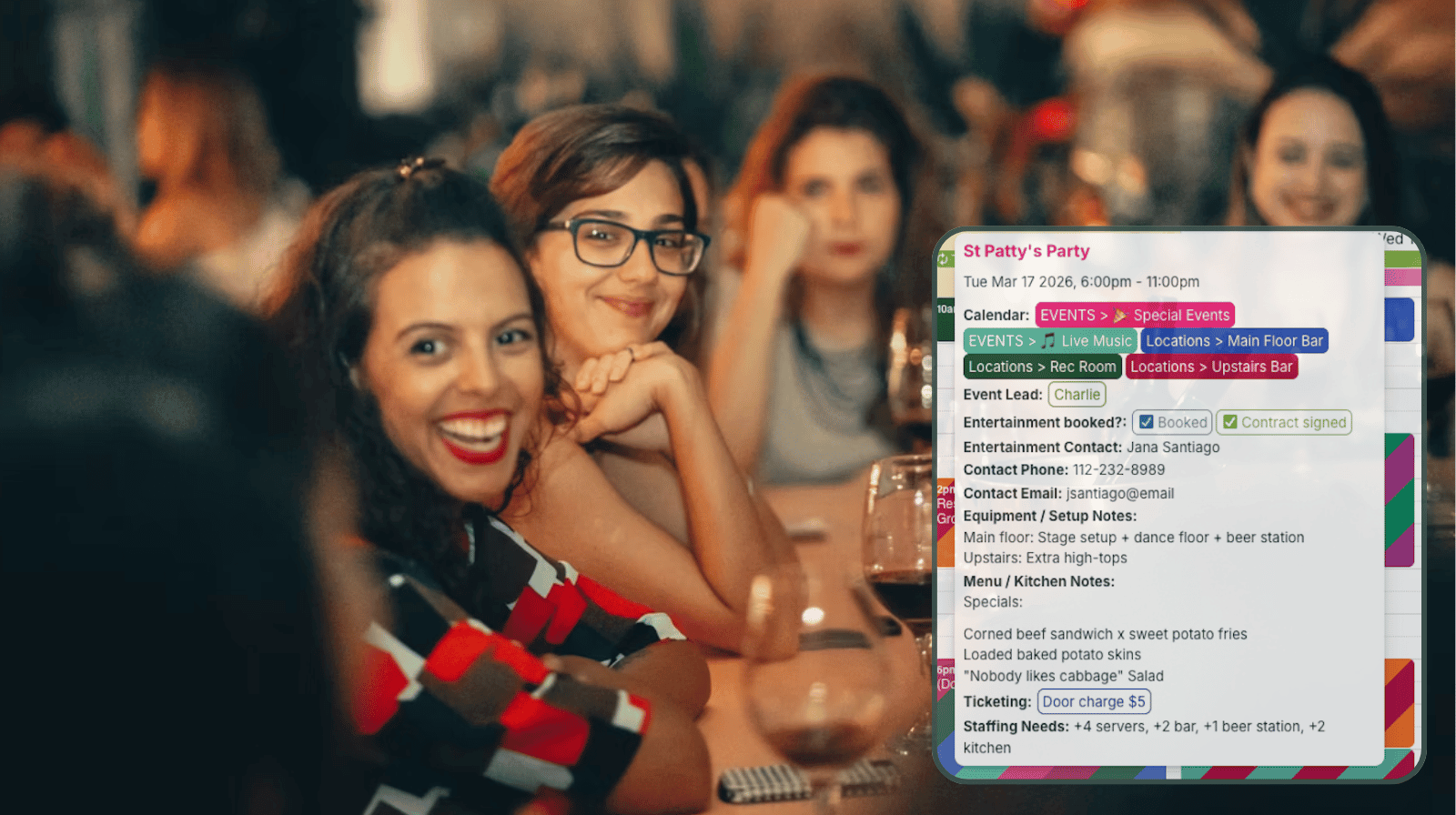
Click to enlarge: Custom fields prompt for the needed details on each event so nothing is missed.
A shared operations calendar works best when each event includes the full set of operational details. Instead of treating the calendar as just a booking schedule, managers can treat each event entry as the central record for the event plan. When these details live directly on the event, staff no longer need to track down information from different sources. Anyone assigned to the event can see everything they need to know.
Standardize event details with custom fields
When restaurants host many events, it’s important to capture the essential information each time so nothing important gets overlooked.
Custom fields help create a structure that prevents missing details. The fields are a reminder of what information should be captured. Instead of writing notes differently for each event, all the details are captured and organized in one place. They’re searchable, visible to the staff who need to see them, and kept on the calendar as documentation both before and after the event. If guests call to confirm details, staff members can pull up the event and answer questions immediately.
Review upcoming events with all info in one place
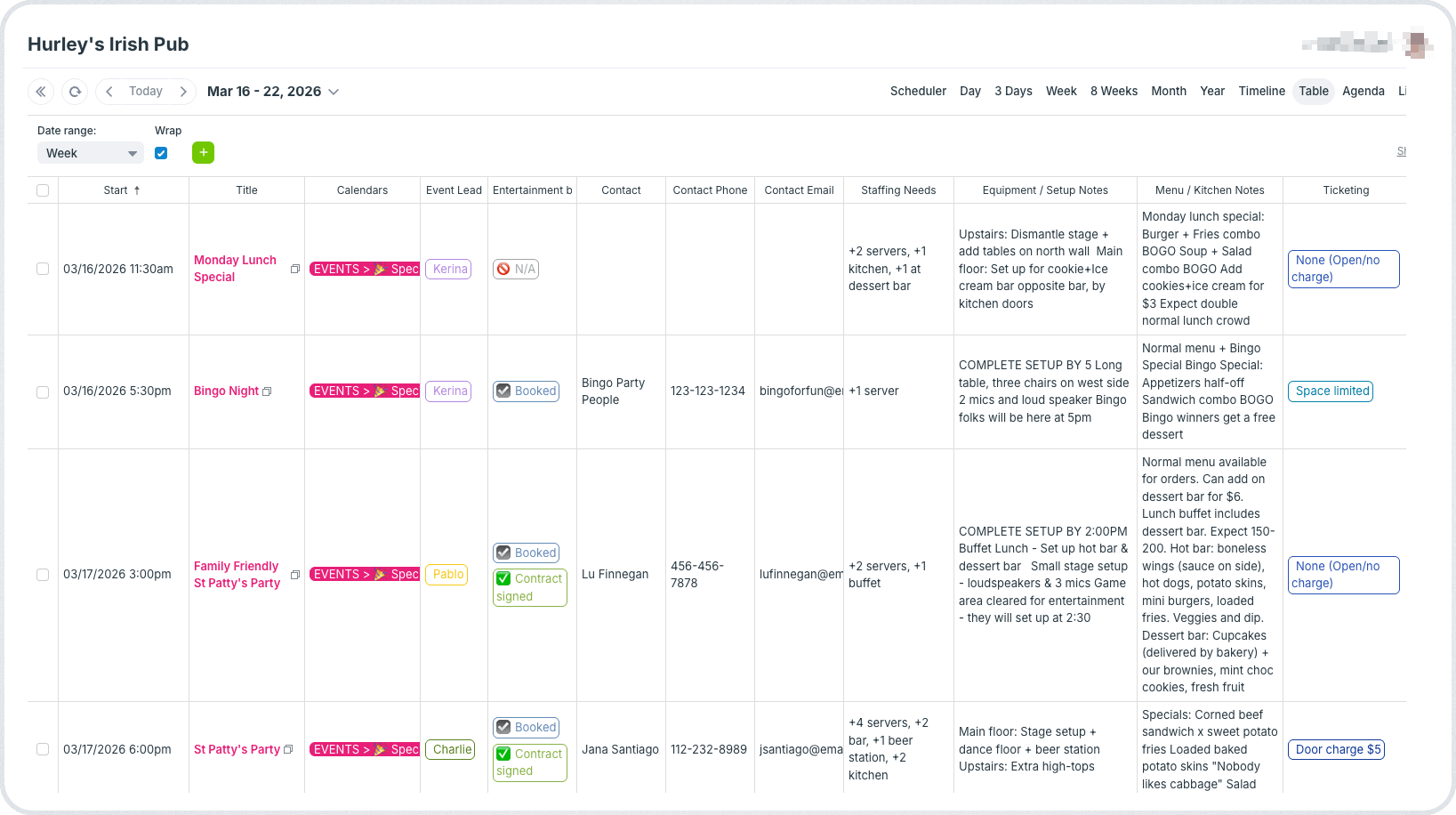
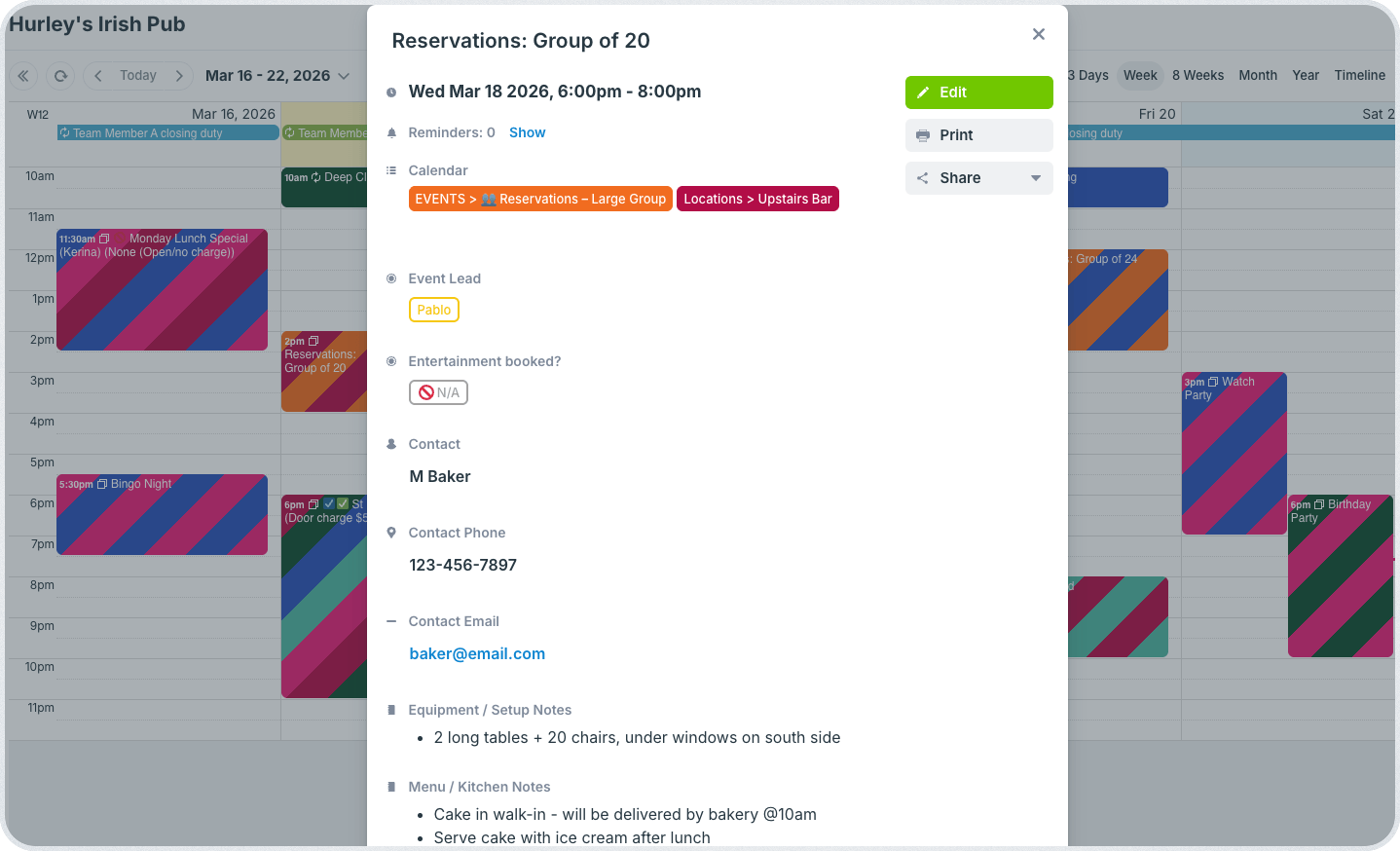
Click to enlarge: Supervisors can scan across all upcoming events to check details and ensure staffing, setup, and inventory needs are in place.
To pull off many special events smoothly, it’s important to plan proactively: Which events require special setup? Where are staffing levels higher? Are two large events happening at the same time? Is the kitchen inventory prepped? Having all the details for each event in one place makes it much easier for managers to review upcoming events. Teamup’s Table view displays event details in a spreadsheet-style layout.
Table view turns the calendar into a simple operational dashboard. Instead of reading through each event individually, supervisors can scan a list of upcoming events. They can see all the key details for a complete overview of what’s happening for the next week or month. This makes it easy to spot events that require extra preparation.
Be sure to check out other calendar views, too: They provide different perspectives and levels of detail to help make tasks easier and work more efficient.
Prepare staff in advance with complete assignments
When staff are assigned to work an event, they should not have to track down a manager to understand what’s happening. With a shared calendar, assigned staff can open the event for the info they need to do their jobs well: when and how to set things up, special requests from guests, menu options or limitations, so on. They can get on with their assignments instead of chasing down the event lead with questions or waiting until the last minute to get things ready.
Mini-guide: Capturing event details in a restaurant operations calendar
- Create an event entry for each special event, performance, large group reservation, or private party.
- Use custom fields to capture essential information such as performer, staffing needs, and setup requirements.
- Include contact details, special requests, and upload contracts, waivers, or other documents directly on the event.
- Assign an event lead and other required staff for each event.
- Use Table view to review upcoming events with all the details in one place.
- Give staff read-only access to special event sub-calendars so they can be aware of what’s happening before their shift starts and do their work without delay.
- If plans change, just update the event on the calendar. Everyone sees the latest information.
Keep special events organized and easy to run
Special events are a major part of what makes restaurants and bars successful, but they also introduce complexity. By capturing event details directly in a shared calendar, managers give their teams the visibility they need to prepare confidently. Staff know the timing, setup requirements, and responsibilities before the event begins, and supervisors can review the full schedule at a glance.
Teamup helps hospitality teams organize event operations clearly so that busy nights run smoothly. Create your own calendar to keep special events, staff assignments, and setup details in one place.
Related resources
- Align staff, events, and more with a restaurant operations calendar
- See how to use both sub-calendars and custom fields for a flexible calendar
- Using custom fields to organize event information
- Here’s how to coordinate event details and setup with vendors
- Managing shift visibility with real-time updates
- ▶️ How to use Table view
- Make event promotion easier with event pages