Busy labs rely on shared instruments every day, and the work only runs smoothly when everyone knows who is using what and when. Coordinating microscopes, PCR machines, and other specialized equipment requires a system that’s reliable and easy for researchers and staff to use.
The need: Researchers and teams need a reliable way to see when shared lab equipment is available and book usage time transparently.
The Teamup solution: A self-booking lab equipment calendar provides a centralized, real-time view of instrument availability, with conflict prevention and transparent reservations so researchers can book equipment easily and labs can run smoothly.
Challenge: Scheduling shared lab equipment
Shared lab equipment is essential to daily research. When multiple researchers and teams rely on the same instruments, everyone needs a transparent view of scheduled use. Even small gaps in information can disrupt timelines, waste materials, and interrupt experiments that must run on precise schedules.
Yet this coordination often happens informally. A combination of calendars, passing conversations, emails, group messages, sign-up sheets… Each ‘tool’ is an attempt to bring organization and transparency, but none of them provide all the functionality needed. So another tool gets added on, then another. But the lack of consistency and mash-up of tools creates miscommunication, frustration, and extra work.
The bottom line: People want to use the equipment, not spend time managing it. So to keep labs running efficiently (and prevent scheduling conflicts that lead to interpersonal conflicts), what’s needed is a simple, structured system that shows clear availability and allows transparent self-booking.
Solution: A self-booking calendar with conflict prevention
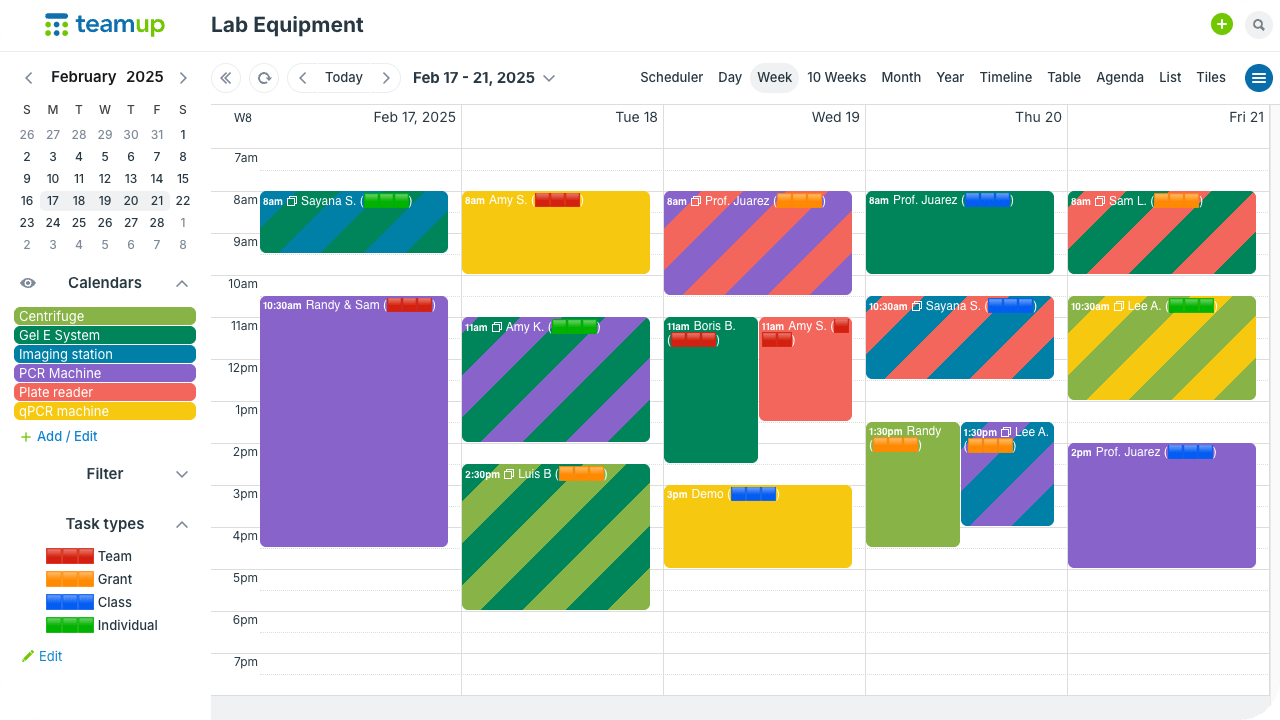
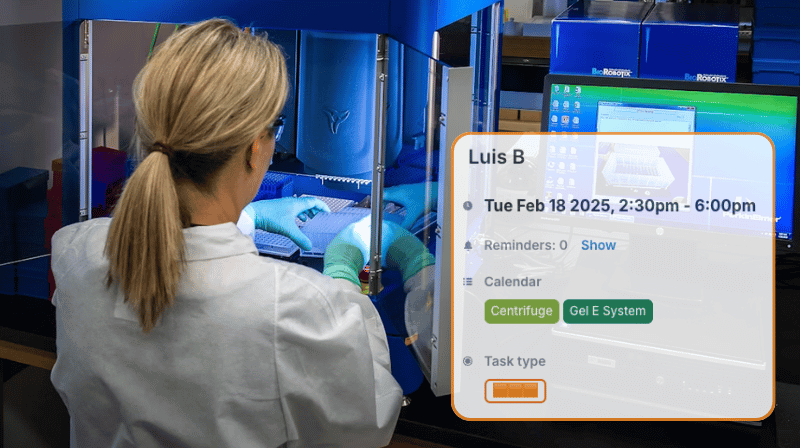
Click to enlarge: A single calendar shows booked times for all shared lab equipment.
A centralized booking calendar gives every researcher a real-time view of when each instrument is in use and when it’s open. Each piece of equipment has its own sub-calendar, so availability is easy to see at a glance. And each sub-calendar can be set to automatically prevent conflicting events, so double-booked equipment is a thing of the past.
Each person can check availability of equipment and reserve time directly: No requests to manage, no waiting for approval. Self-booking keeps the workflow moving and removes the administrative bottleneck. The shared schedule stays accurate and transparent for everyone in the lab.
This setup keeps the schedule clean, reduces mix-ups, and makes tracking equipment use easy.
How to set it up
Mini-guide: Set up a lab equipment calendar
- Create sub-calendars for each instrument.
Set up separate calendars for microscopes, PCR machines, flow cytometers, incubators, or any shared resources. - Turn on conflict prevention.
Prevent two reservations from happening at the same time to avoid common scheduling issues. - Add custom event fields for usage details.
Track experiment type, lab group, or other info right on the booking calendar. - Assign the right permissions.
Each person can get modify-my-events access, allowing them to add their own bookings but not change those made by others. - Block maintenance windows.
Add recurring or one-off events so instruments can be serviced without confusion. - Use filters to view usage patterns.
Filter by experiment type or lab group to understand demand or justify new instrument purchases.
Easier equipment management
After setting up the system, the impact becomes obvious. With one shared calendar, equipment use is clearer, smoother, and far easier to manage:
- No more double-bookings since overlapping reservations are prevented automatically.
- Clear, visible equipment availability since everyone works from the same accurate schedule.
- Reduced administrative tasks with customized access and self-booking.
- Transparent usage tracking for all equipment right on the calendar.
Related resources
- Use Teamup for booking shared resources or spaces
- Avoid resource conflicts with a shared staff and equipment calendar
- See also how to set up bookable appointment slots with Teamup
- Interactive demo: Automatically prevent overlapping events
- Resource scheduling: Teamup vs Excel or Airtable
Ready to streamline scheduling for your own lab or team? Get started with Teamup for streamlined, organized lab equipment booking calendar.