
Workload bottlenecks are a common problem for project teams. Each project schedule may seem fine individually, but when multiple projects rely on the same people, pressure builds up. This leaves teams stretched thin when delivery is most crucial. An organized master calendar helps teams to spot the bottlenecks early, adjust quickly, and keep work on track.
The challenge: When teams work on multiple projects, it’s easy for schedule conflicts, unseen dependencies, and uneven task distribution to happen invisibly. Then bottlenecks build up, hurting productivity and causing project delays.
The Teamup solution: Bringing all the project timelines and team schedules to one unified calendar provides a clear view of the big picture. Managers can see an accurate view of the workload distribution, how deadlines line up across projects, and where problems might occur — and where adjustments can prevent issues before they happen.
How workload bottlenecks quietly build
Workload bottlenecks usually do not come from one big project or deadline. They happen when smaller issues combine, including:
- Overlapping deadlines and phase shifts.
- Time-consuming “small” tasks that pile up.
- Uneven work distribution.
- Time off that was not factored into planning.
In many companies, each project has its own schedule. Each schedule is reasonable when considered alone. But there is always more than one project running. Shifting from one phase to another often requires meetings, reviews, and approvals. When multiple projects have deadlines and phase changes too close together, teams cannot keep up.
Small tasks are easy to miss at a high level, so they are not included in planning. Or they get squeezed into the schedule with a rough underestimate of how long they take. As they stack up, stress rises and progress slows.
Uneven work distribution happens when there are not enough qualified team members for critical tasks. One person ends up with a long list of work while others wait for dependencies to clear. That delay spreads across the project and leaves teams rushing to recover the timeline.
Time off adds another constraint. PTO gets approved and then disappears from planning conversations, so deadlines get set as if everyone is available. When the gap becomes obvious, the project is already in motion.
These issues create workload bottlenecks. Everyone get stressed, quality declines, and deadlines slip.
How a master calendar reveals workload bottlenecks
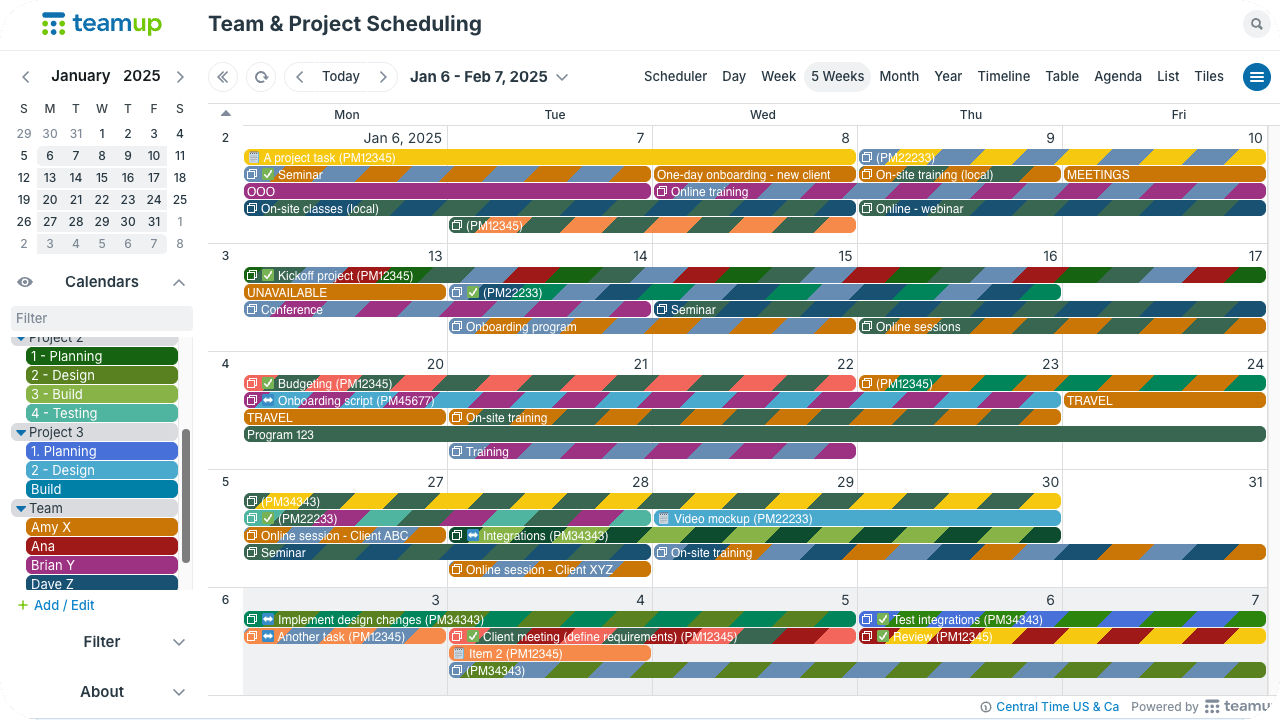
Click to enlarge: Adjust multi-week view to see the number of weeks needed and get a view of all that’s happening across projects – From 1 week to 52 weeks on a single page!
A single master calendar brings project schedules and team availability (along with other key factors, like client meetings or work events) into one shared view. Managers can see how work overlaps across projects instead of piecing together schedules from multiple tools. Team members can see who’s available and collaborate more easily.
📈 Mini-guide
Start here: Set up a calendar structure by assigning individual sub-calendars to each team member. Add more sub-calendars for projects, clients, events, or other categories that make sense for your workflow. Organize sub-calendars in folders and use color-coding for quick visual cues.
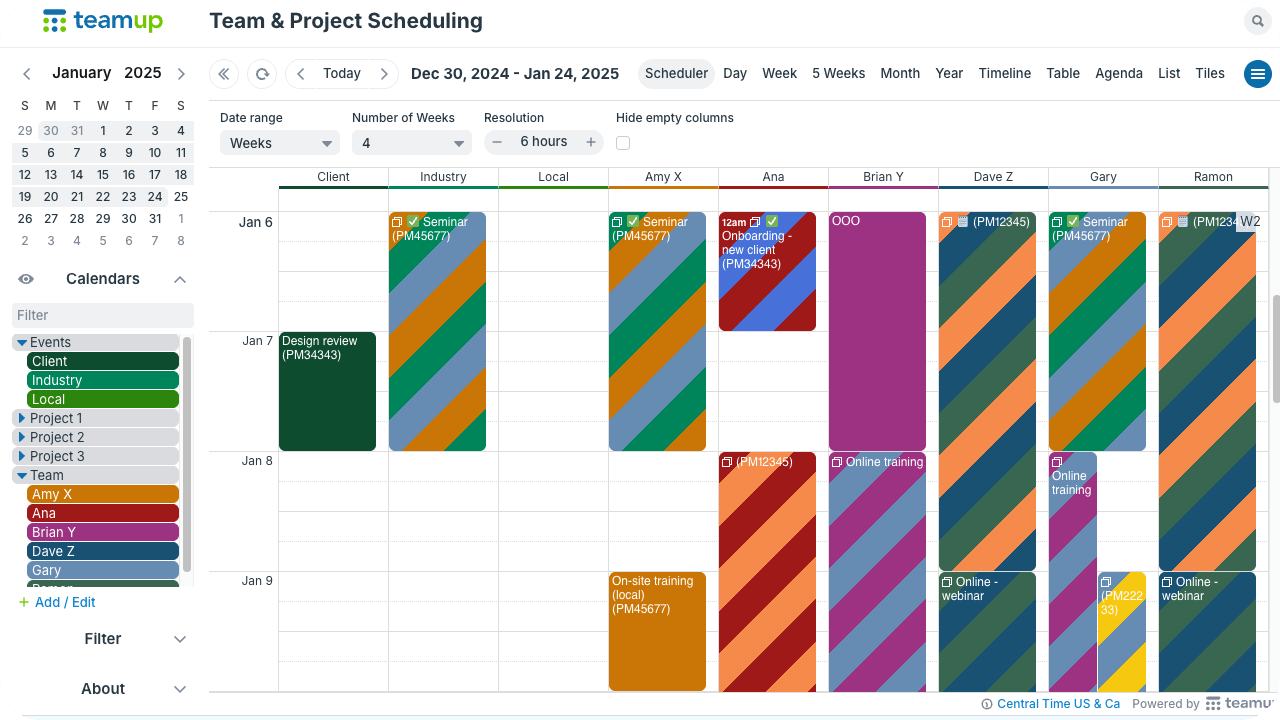
Click to enlarge: Collapse folders to hide their calendars; compare assignments and workload side-by-side in Scheduler view.
- Compare workload and availability: Use Scheduler view for a side-by-side comparison of team member’s schedules and catch short-term overloads before they disrupt delivery.
- Plan and adjust project schedules: Review the next weeks or months in Timeline or Multi-week view to identify sustained pressure points where deadlines and milestones cluster.
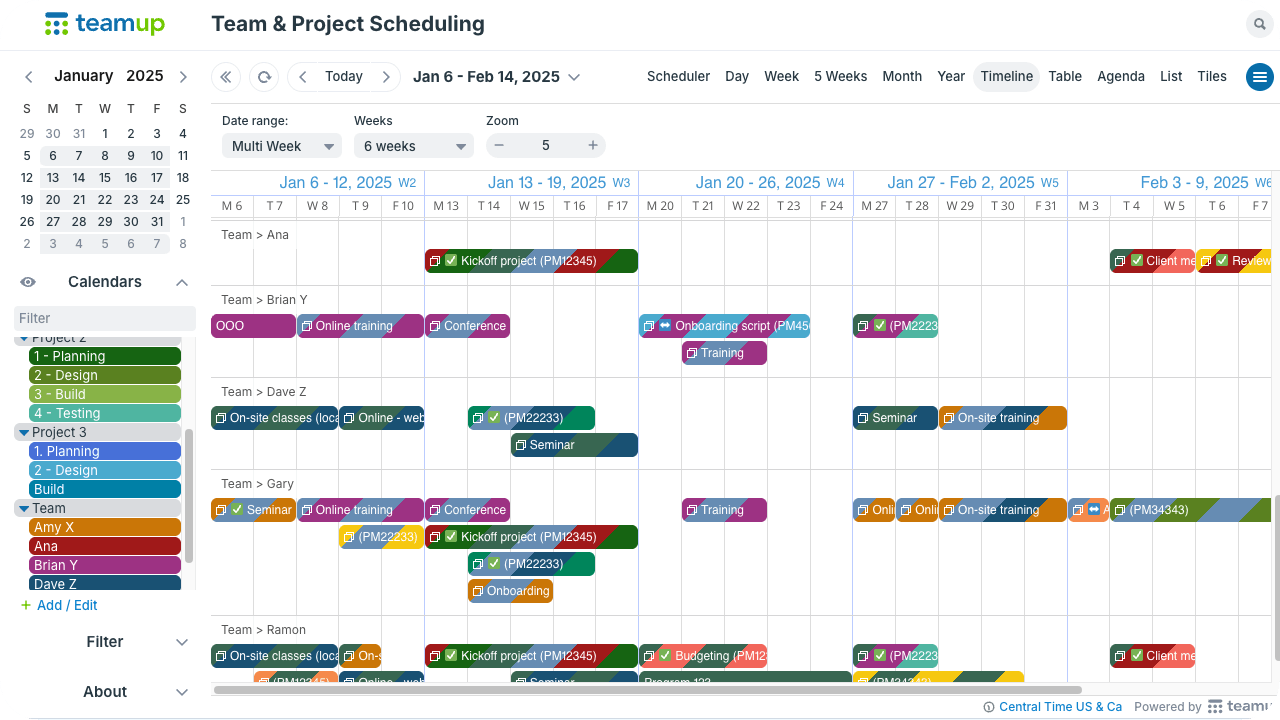
Click to enlarge: Compare phases, deadlines, and event timing easily in Timeline view. Adjust the date range and zoom level to get the needed perspective.
- Use higher-level views for patterns: Look over multi-month projects or the entire year to see where recurring bottlenecks occur across teams and phases.
- Apply filters and work with data: Filter for status, specific team member, keyword, or a combination to understand workload distribution and dependencies. Use Table view to get a spreadsheet-like layout right in the calendar.
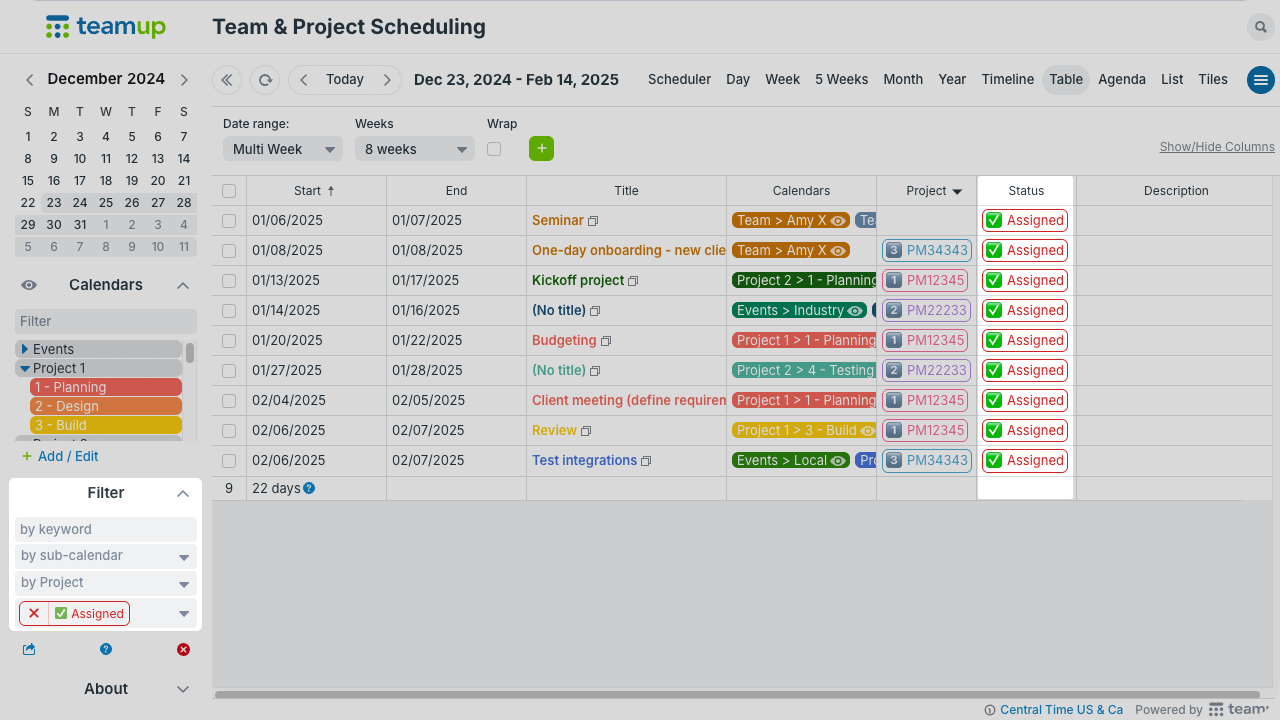
Click to enlarge: See all the details at a glance in Table view; use filters to sort events by status, keyword, or sub-calendar.
A comprehensive, reliable team calendar shows critical points before they happen:
- Where deadlines cluster across projects.
- Which teams face bottlenecks during peak periods.
- How planned time off affects delivery capacity.
This approach turns the calendar into a workload planning tool, not just a list of dates.
What changes when workload is visible
When schedules are centralized and viewed with the right context, bottlenecks stop coming as surprises. Teams can adjust timelines earlier and rebalance task assignment before pressure builds. Projects move forward with fewer emergencies and more reliable delivery.
Related resources
Set up a calendar for your team for better workload visibility and management.