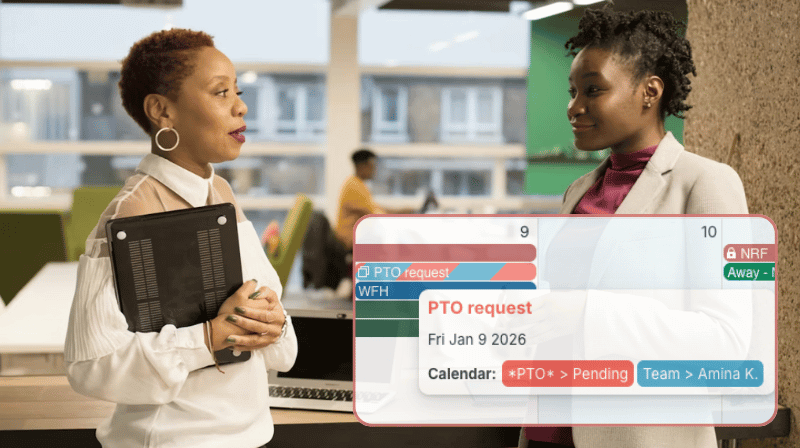
It’s difficult to plan coverage when employee time-off is scattered across emails, spreadsheets, and different tools. A shared PTO calendar puts all absences in one view to make conflicts obvious, avoid workload bottlenecks, and schedule staff efficiently.
The need: Plan team coverage effectively to avoid understaffing while ensuring fair PTO approval decisions.
The Teamup solution: A shared vacation leave tracking calendar that centralizes all time off in one view, giving managers and HR clear visibility to spot conflicts early and make informed approval decisions.
5 common challenges to adequate staff coverage
Planning team coverage is key to smooth daily operations. This is especially true when multiple people request overlapping time off. Without a clear view of who is available, managers risk approving PTO without context. This can lead to understaffing, missed deadlines, lower service quality, and added stress for remaining employees.
These issues typically stem from a few recurring challenges that make staffing coverage difficult to manage:
- Lack of visibility: Time off is spread across emails, spreadsheets, and personal calendars, leaving managers without a complete view of team availability.
- Siloed approval processes: PTO requests arrive one at a time via email, direct messages, or conversations, leading managers to approve time off without seeing conflicts with other absences, meetings, or project work.
- Skill or role dependencies: Only a limited number of employees are qualified for critical tasks, so absences immediately create coverage risks.
- Manual tracking errors: Spreadsheets and manual records fall out of sync, leading to incorrect assumptions about availability.
- High workload periods: PTO gets approved “as usual” but overlaps with seasonal peaks, deadlines, or major projects that require full staff availability.
These challenges can be handled with a more centralized, visible approach to PTO.
Centralize PTO planning for full staffing visibility
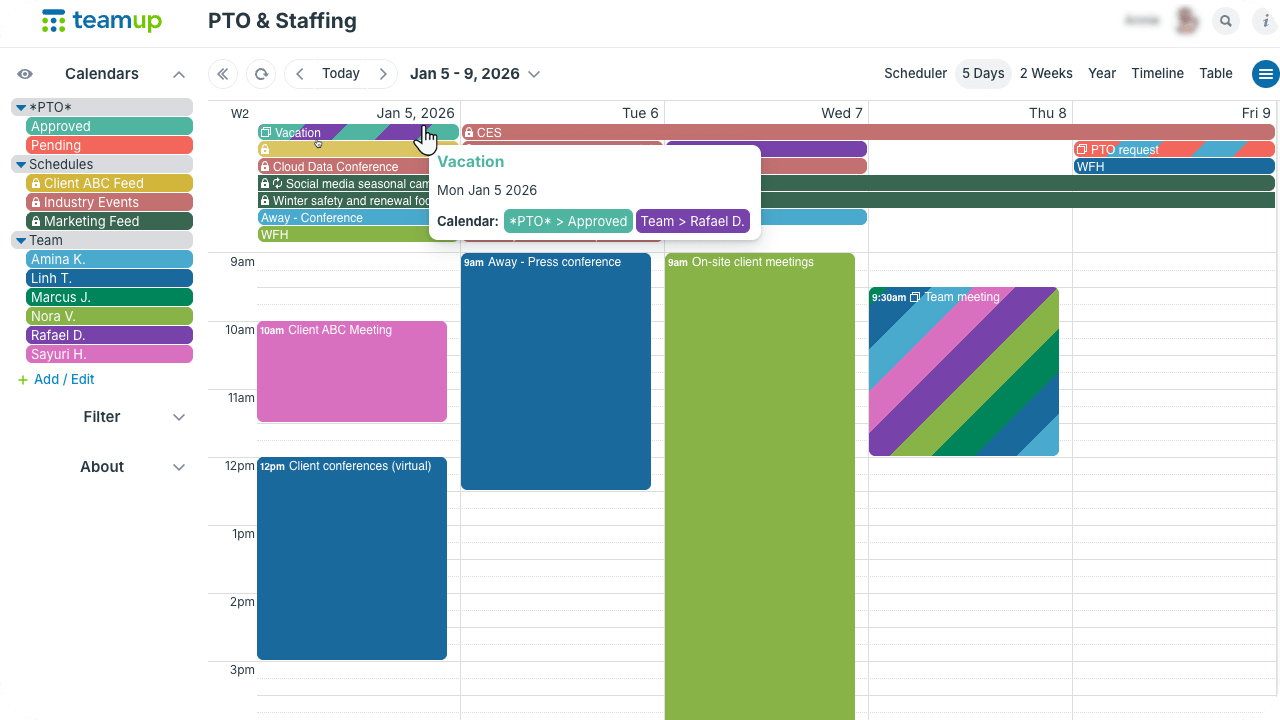
Click to enlarge: See pending and approved PTO in the larger context of team availability, client projects, industry events, etc.
Centralized PTO planning combines all essential factors into one clear view:
- Approved time-off and availability for each team member.
- Workload changes (seasonal shifts, project timelines).
- Role dependencies or workflow bottlenecks.
- Time-off requests/pending PTO.
Having all the information in one place eliminates guesswork. Bringing PTO requests directly to the calendar allows for approvals with full visibility, not reactive decisions. Managers can quickly spot conflicts and balance coverage needs without overlooking key context.
Centralized PTO planning doesn’t require a rigid workflow or complex system. It just needs a shared structure that makes all the different factors visible in one place.
How to set up centralized PTO planning
Calendar setup
- Create sub-calendars: 1 for each team member and 2 sub-calendars for PTO planning (Pending and Approved).
- Customize access: Give each team member modify my events permission to their own sub-calendar, add-only permission to the Pending PTO calendar, and read-only permission to the Approved PTO calendar.
- Create sub-calendars or set up inbound iCalendar feeds for project timelines, seasonal demands, industry events, or other factors that impact the team’s workload and availability.
How it works
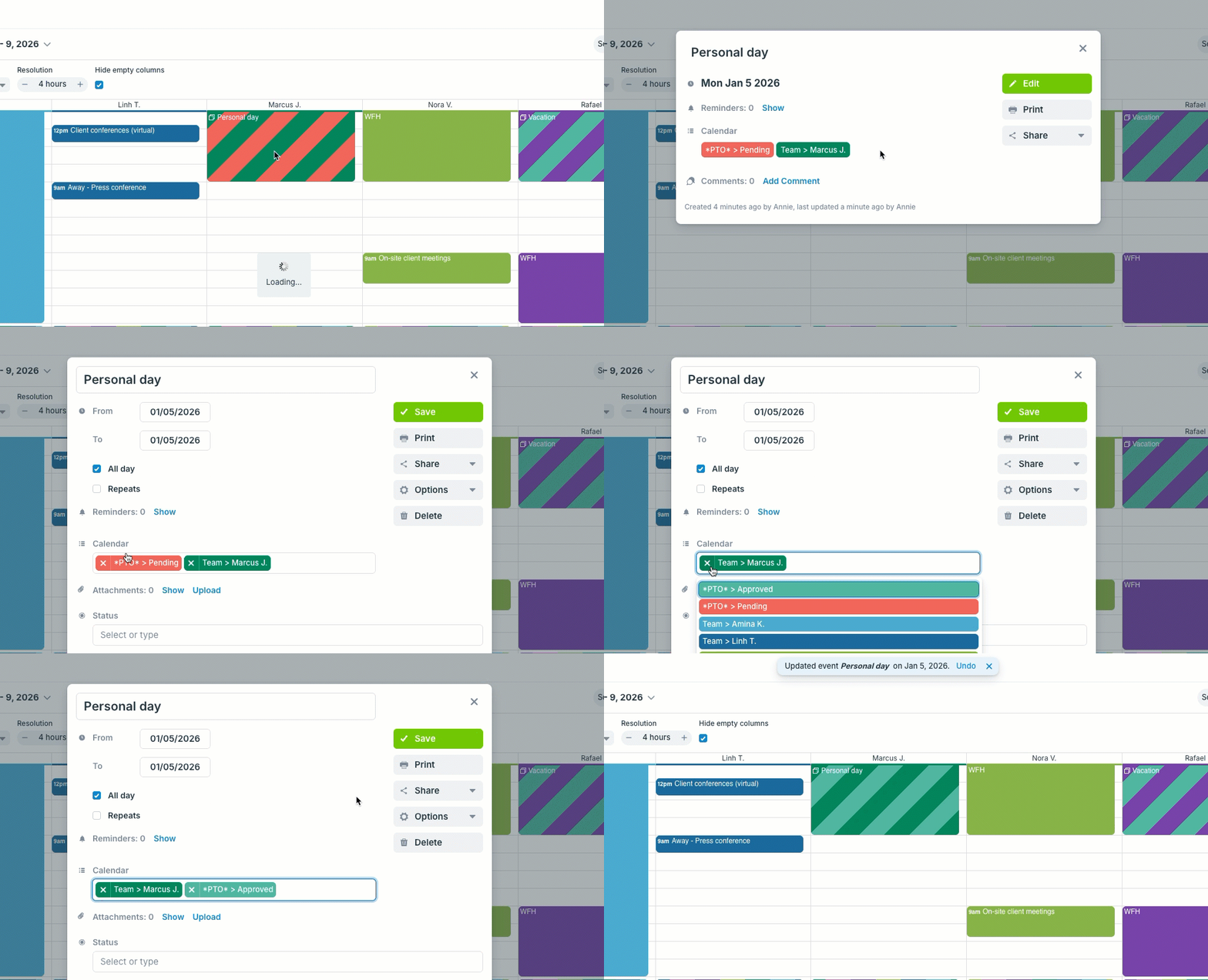
Click to enlarge: Move a PTO request from Pending to Approved.
- Team members submit PTO requests by adding an event to their own sub-calendar and the Pending PTO sub-calendar.
- Team members keep their availability (remote/WFH days, work travel, meetings, site visits, client/sales calls, etc.) updated on their own sub-calendars.
- Tasks, events, or workflow steps that require a certain team member should be added to that person’s sub-calendar to make role dependencies visible.
- Managers review the Pending PTO calendar, comparing PTO requests with the larger context of team availability and workload.
- To approve a PTO request, managers move it from Pending to the Approved PTO calendar (keeping it on the employee’s sub-calendar).
Get the full context for better staffing decisions
When teams centralize PTO planning, the context is obvious and staffing decisions become clear. Managers can spot overlapping absences before approving time off, address coverage needs earlier, and avoid last-minute gaps.
Related resources
- Easier staff scheduling with recurring events
- One calendar for complete shift visibility with real-time updates
- Manage hybrid work schedules across multiple teams
- Explicitly available vs explicitly unavailable
- Get a daily email reminder on staff availability
- Using advanced access permissions
- Using Teamup as an approval system
Ready to do centralized PTO planning for your team? Create a Teamup calendar and get started today.