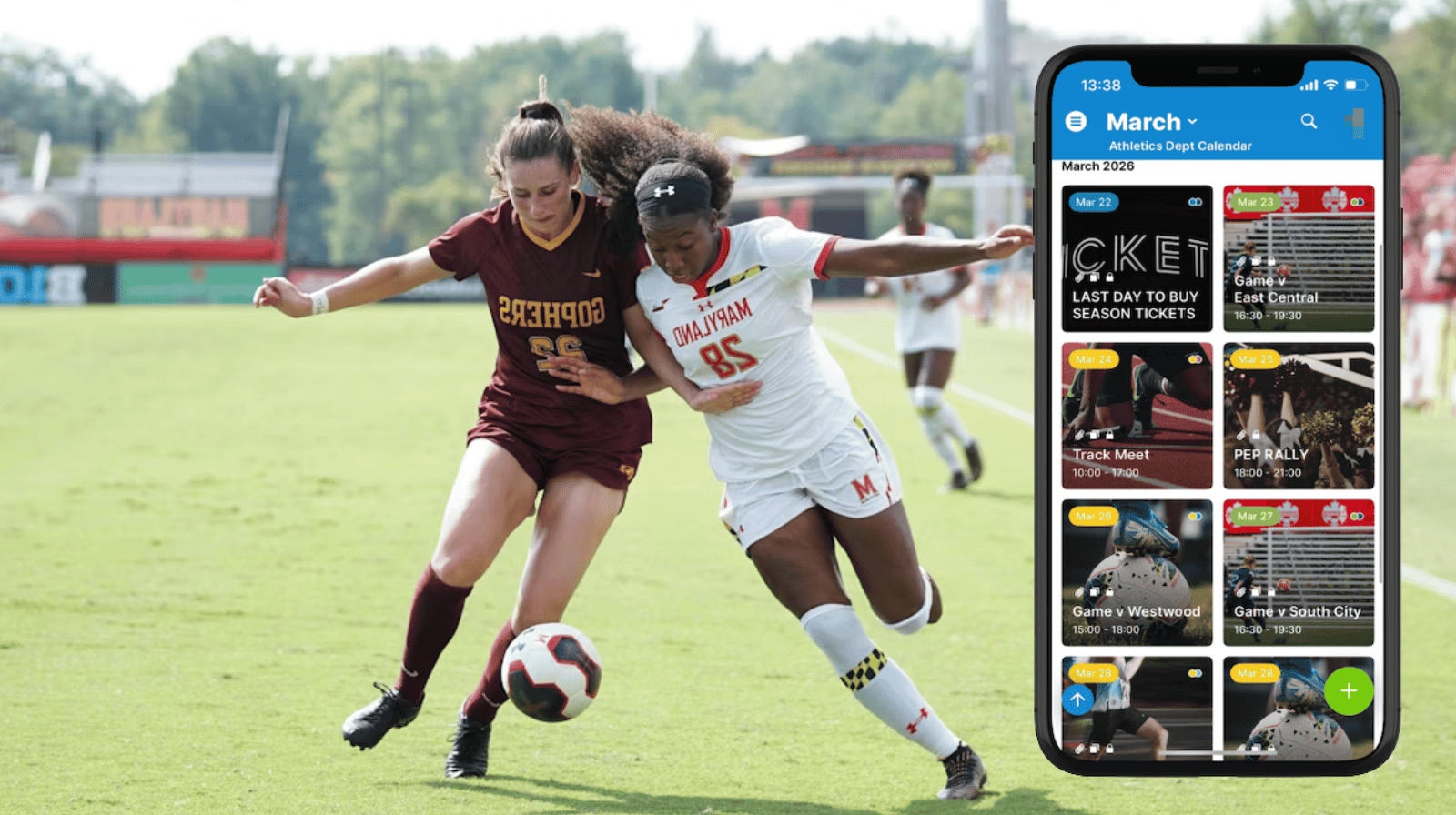
College athletics programs host dozens of events every month: games, tournaments, practices, and special activities for multiple teams. Parents, students, and fans want a reliable place to see what’s coming up. Here’s how to share a visual, appealing calendar of public athletic events that doesn’t require separate manual updates.
The need: College athletics departments need a reliable way to share upcoming games, meets, and tournaments with parents, students, and fans without manually updating schedules across multiple platforms.
The Teamup solution: A shared athletics calendar with secure, customized read-only access to publish only public-facing events. Athletic departments can publish a visual schedule of events that automatically updates wherever it is shared.
The challenge: Keeping fans informed across many teams and events
In a college athletics department, the schedule never stands still. Multiple teams compete throughout the season, often across different venues and travel locations. Parents and fans want to know when and where events are happening. However, athletic schedules are often shared through a mix of sources:
- Separate calendars for each sport.
- Individual team pages.
- Social media announcements.
- PDF schedules posted at the start of the season.
Fans have to check multiple places to get all the event info. And when details change — such as a weather delay, venue change, or rescheduled match — updating every location becomes difficult. Some updates are missed, leaving fans with outdated information. A central calendar that brings it all together simplifies sharing and makes it look great with a scannable, appealing visual layout.
The solution: One master athletics calendar with flexible public views
A shared Teamup calendar provides a single source of truth for all athletic events. The athletics department maintains one master schedule internally, then shares a secure public view. Fans can access the calendar to find out what’s happening for all sports or check details of any event.
How it works
- Organize each sport or team on its own sub-calendar.
- Add location calendars (stadium, field, gym, etc.) to indicate where home games & special events will take place.
- Schedule games and events directly on the master calendar with all the relevant details (date, time, venue, opponent, ticket information).
- Create a secure read-only calendar link which includes only the sub-calendars with public events.
- Use the secure link to embed the calendar on the website and share with fans to access on the Teamup app.
💡 Different links can also be created for different audiences: A full athletics calendar with all events, plus sport-specific links that include only certain team sub-calendars (e.g. Baseball only, Soccer only, so on). Share those links with parents, students, and fans to use on the Teamup app.
A visual schedule fans can access on the go
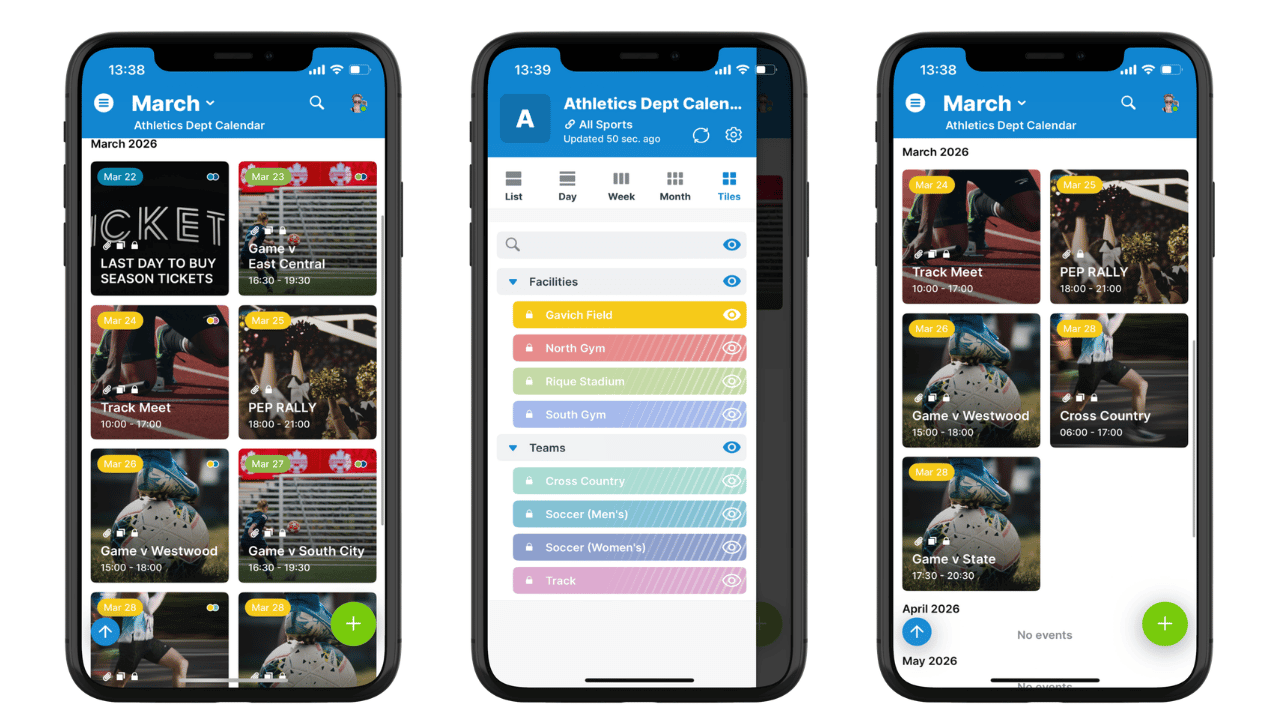
Click to enlarge: Tiles view on the Teamup app shows events in a visual grid. Viewers can toggle sub-calendars to see only events at a certain location or for a certain sport.
Athletic schedules work best when they’re easy to scan quickly. Fans want to see what’s coming up at a glance.
Tiles view on the Teamup app turns the calendar into a visual event grid. Each event appears as a clean tile with highlighted image and key information visible immediately. This layout creates an engaging schedule that feels more like an event lineup than a traditional calendar. Fans can quickly browse upcoming games and decide which events they want to attend.
Embed the athletics calendar on your website
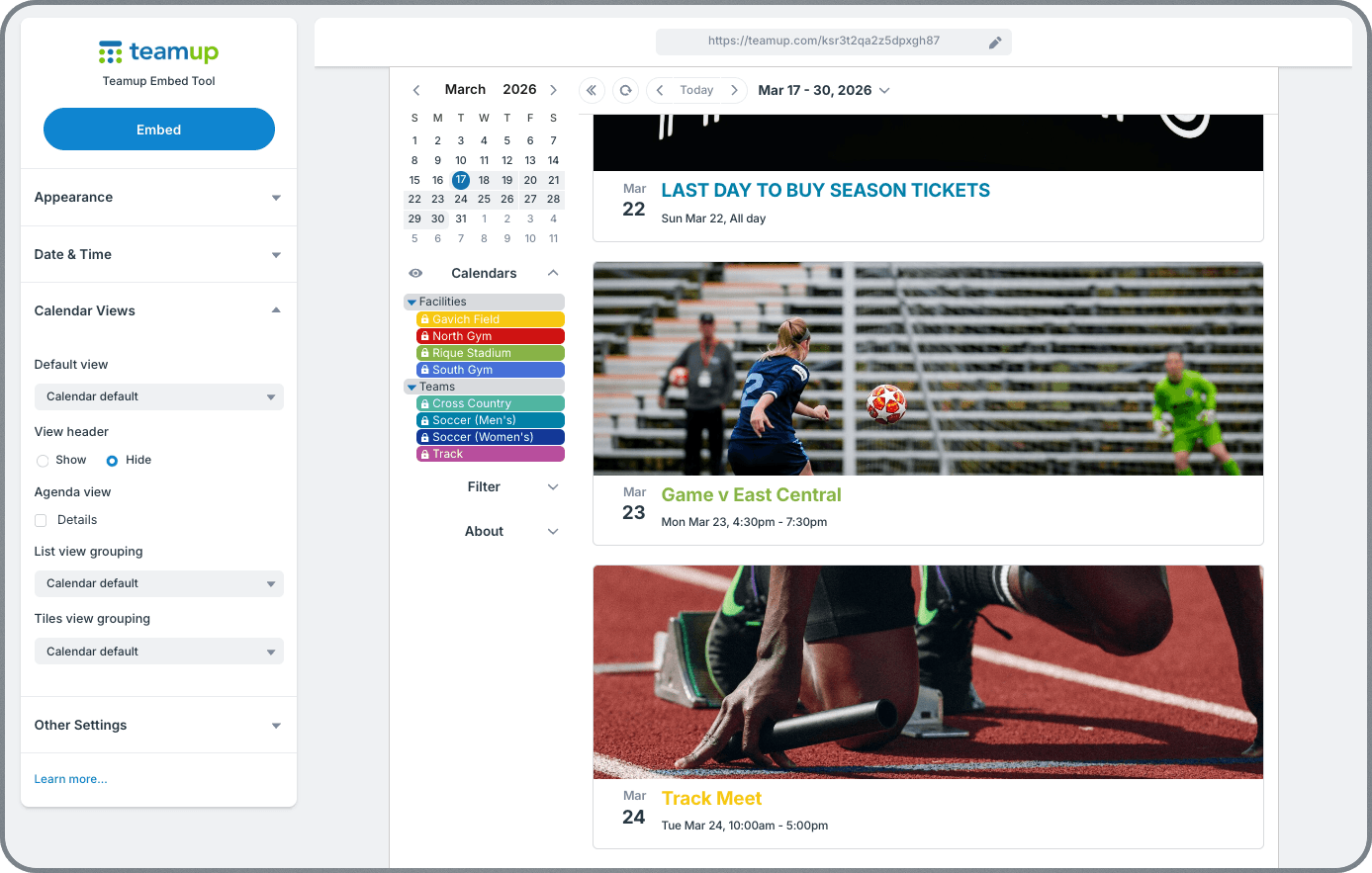
Click to enlarge: Adjust embed settings for a customized look and share a clean, visual display of athletic events.
The public calendar link can also be embedded directly into the college athletics website. Instead of manually updating event listings on web pages, event changes stay synced automatically. An update to any event on the calendar is immediately synced, so the website always displays the latest event information. There’s no need to repost updates every time something changes.
A simple way to keep the athletics community connected
When athletic events live in one shared calendar, everyone stays informed. Parents can check game times, students can see upcoming competitions, and fans always have access to the latest schedule.
Tiles view makes the calendar easy to browse and visually appealing for event promotion. And because updates happen in one place, the website and shared links always stay current. Create your own Teamup calendar today and make it easy for fans to follow every game, meet, and event.
Related resources
- See how Motorsport Australia shares hundreds of events with motorsport fans
- Check out an embedded calendar for surf clubs
- ▶️ How to use Teamup’s Embed Wizard
- Coordinating bowls club events with Teamup