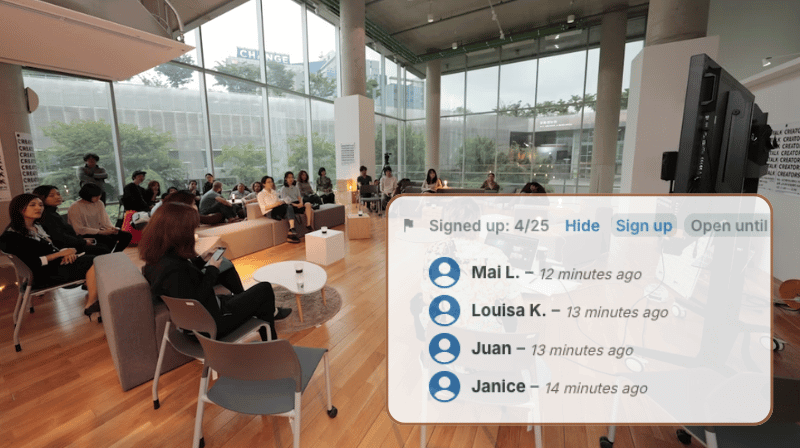
If you run workshops or similar events, getting registrations in on time and keeping participant lists accurate is a major part of the work. If the information lives in separate tools, it’s easy to make mistakes and miss updates, and there’s a lot of manual work required to keep details synced.
The need: Let people register for workshops, classes, and other events simply and easily.
The Teamup solution: A calendar that keeps event plans and signups together so participants register directly on the event and organizers manage everything from one place.
How separated systems create problems
Standard calendars aren’t designed for event registration. They provide meeting invites, but these only work in a shared system. They don’t fit public workshops, community events, or online sessions open to anyone. So, organizers end up with a split workflow: the event is on the calendar, but signups happen elsewhere, in separate online forms, email replies, or other tools.
This separation causes problems. Signup lists can get overlooked or lost. An event might hit capacity while the calendar shows it as open. Also, when details change — like time, location, or requirements — making sure every participant gets the update is tough. The registration data isn’t linked to the event.
The split system creates extra work. Coordinating a single workshop might mean re-entering information in several places, resending details, and answering the same questions across multiple platforms. Any change means manual follow-up, increasing effort and the chance of errors.
The fix: Scheduling and signups in one place
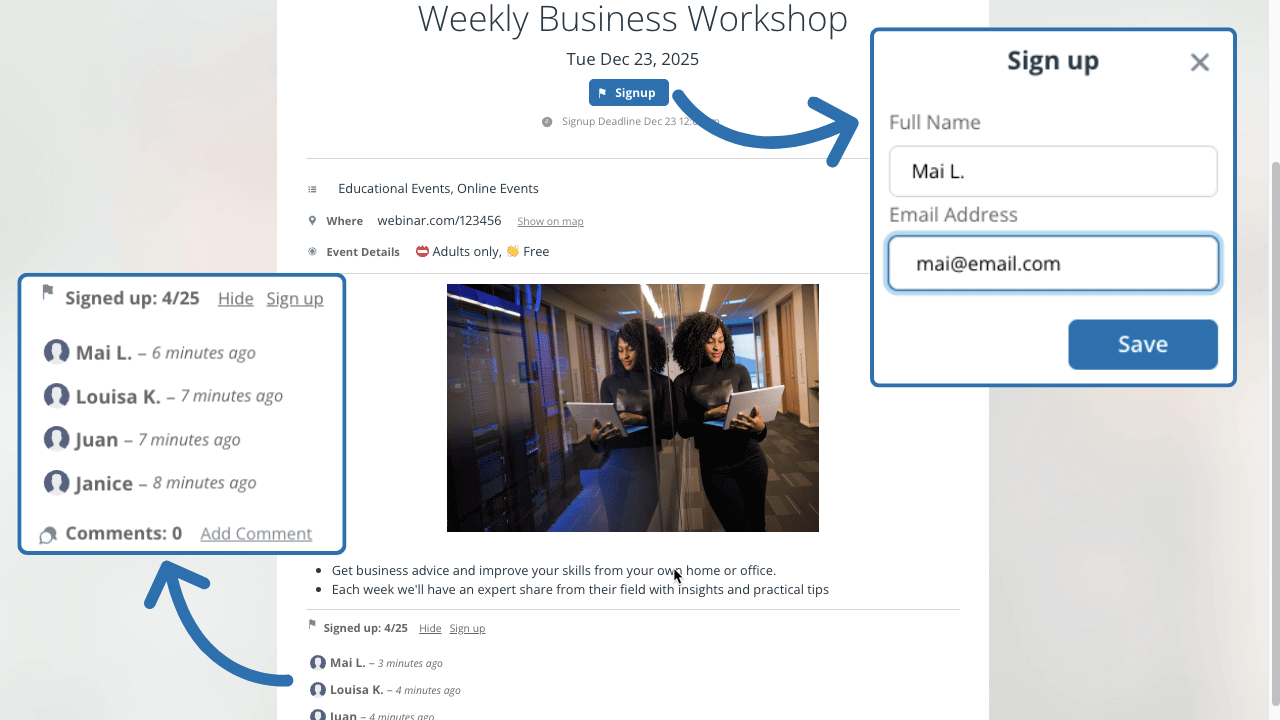
When registration happens directly on the event, none of this friction is necessary. Teamup’s event signups let participants add themselves to the list right from the event. Capacity limits, deadlines, and participant visibility rules keep workshops organized without extra tools.
This means every session can have its own signup list, with no extra work. Participants register from the same calendar where they check dates and locations. Every workshop has a built-in attendee list that’s connected to the event and easy to export.
How to set it up
- Set up the calendar: Use color-coded calendars for different event types. Custom fields can display key details like supplies needed, prerequisites, or related certifications.
- Enable event signups by default: Set signups to be enabled for all events with a maximum number and deadline. You can adjust as needed for individual events.
- Choose participant visibility: You decide who can see the list of participants signed up for an event.
- Create events: Add each event to the appropriate sub-calendar. Adjust the signup options if needed. Add date, time, mapped location or meeting link, files and materials, and notes.
- Embed the calendar: It’s easy and secure: Use Teamup’s Embed Wizard and put the calendar on a website where folks can see what’s coming up and register, all in one place.
- Share individual event pages: Every event can be shared as a stand-alone webpage. Post it on your website, send it in email, or drop it into a group chat. Participants register on the event page. Everything stays synced automatically.
- Export signup data as needed. Easily export the signup list to CSV for records and follow-ups.
A simpler, unified way to manage workshops
Keeping event details and registration together makes the process easier for everyone. Participants register where they view the event, and updates show up right away. Organizers don’t need to check spreadsheets or resend information. Capacity limits and deadlines help control crowding and required attendance. The embedded calendar is easy to check for upcoming opportunities. And event pages are great for promoting events anywhere without having to copy-paste information from one place to another.
Make the system even more useful:
- Enable event comments so questions, feedback, even photos or related files can be shared directly on the event page. This creates a simple, conversational space for participants and organizers to stay connected.
- Add a private notes field for organizers by creating a custom text field visible only to Modify users. Use it for internal details (agendas, reminders, follow-up tasks) without exposing anything to read-only viewers.
Related resources
- More info about event signups + using event signups on the Teamup app
- ▶️ Interactive Demo for event signups
- Email confirmations for event signups (for Teamup account users)
- Capturing volunteer signups for youth sports
- Make event promotion easier with event pages
Learn more about event signups and get started with your own calendar. Keep all the information in one place, so coordinating takes less effort and workshops stay organized.